Pikalabs, by Pika.art, is a revolutionary AI-powered tool that empowers you to create captivating, shareable videos using an array of mind-bending effects. Want to see your face squished, a car explode, or a graphics card turned into cake? Pikalabs can make it happen!
This guide will walk you through using Pikalabs effects to create viral-worthy content.
1. Getting Started:
- Create a Pika.art Account: Go to https://pika.art/ and sign up for an account. It’s free and easy!
2. Choosing Your Weapon: Pikalabs Effects:
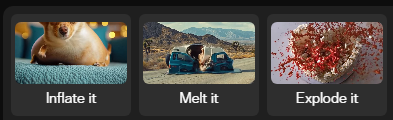
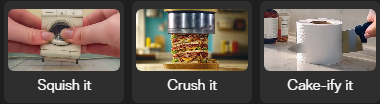
Pikalabs offers a range of effects, each capable of transforming ordinary images and videos into visual spectacles. Here’s a breakdown:
- Squish It: Compresses and flattens your chosen object, creating humorous distortion.
- Crush It: Simulates a powerful crushing force, dramatically compressing your subject.
- Explode It: Generates a visually spectacular explosion, scattering debris for dramatic effect.
- Inflate It: Expands your subject, giving it a comical and often surreal appearance.
- Melt It: Transforms your object into a liquid state, creating a mesmerizing, surreal flow.
- Cake-ify It: Turns any object into a delectable-looking cake, complete with frosting and decorations.
3. Let’s Get Creative: Using Pikalabs:
- Select Your Effect: Click on the effect tile that matches your desired transformation (e.g., “Crush It”).
- Upload Your Media: Choose the image or video you want to transform. Pikalabs works best with subjects that are clearly defined against a contrasting background.
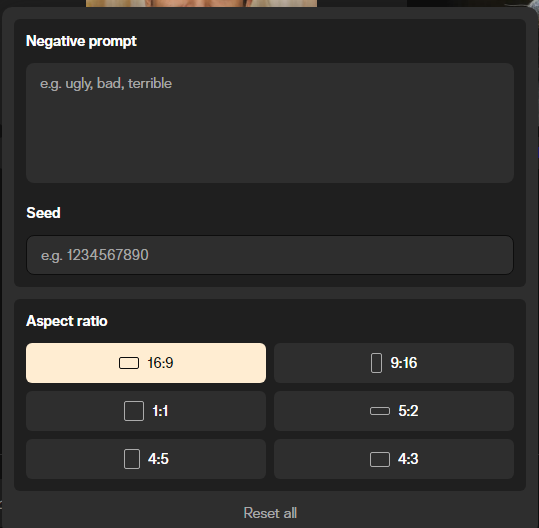
- Refine with Prompts (Optional): Pikalabs understands natural language. Provide specific instructions to guide the effect, like “Crush the car from above” or “Explode the cake with colorful sprinkles.”
- Generate the Magic: Click “Generate,” sit back, and let the AI work its magic! Pikalabs will process your request and create a unique video.
- Download and Share: Once generated, you can download your creation or share it directly to your favorite social media platforms.
4. Pro Tips for Viral Success:
- Humor: Lean into the comedic potential of the effects. Exaggeration and unexpected subjects often lead to hilarious results.
- Storytelling: Craft short, engaging narratives using sequential transformations (e.g., “Inflate,” then “Melt,” then “Explode”).
- Sound Design: Add music and sound effects that complement the mood and action of your video.
- Cross-Platform Promotion: Share your creations across multiple social media channels to maximize reach.
- Engage Your Audience: Ask questions, respond to comments, and encourage viewers to share their own Pikalabs creations.
5. Monetizing Your Pikalabs Masterpieces:
The viral potential of Pikalabs videos opens up several monetization avenues:
- Affiliate Marketing: Partner with companies that sell products related to your niche and include affiliate links in your captions or bio.
- Brand Collaborations: Reach out to brands and propose creative “Pikalabs” campaigns showcasing their products.
- Digital Downloads: Sell your high-quality edits as digital downloads or offer custom creations upon request.
- Educational Content: Create tutorials or courses on using Pikalabs effectively.
- Social Media Challenges: Encourage user-generated content by launching a challenge based on a Pikalabs effect.
Remember:
- Experiment: Don’t be afraid to try different effects, prompts, and combinations to find your unique style.
- Be Consistent: Post regularly to maintain momentum and keep your audience engaged.
- Have Fun: Pikalabs is about unleashing creativity – enjoy the process!
With Pikalabs, you have the power to create truly captivating content that stands out in the digital landscape. So, start exploring the world of Pikalabs today and watch your videos go viral!
Join our whatsapp community:-