GPTWala
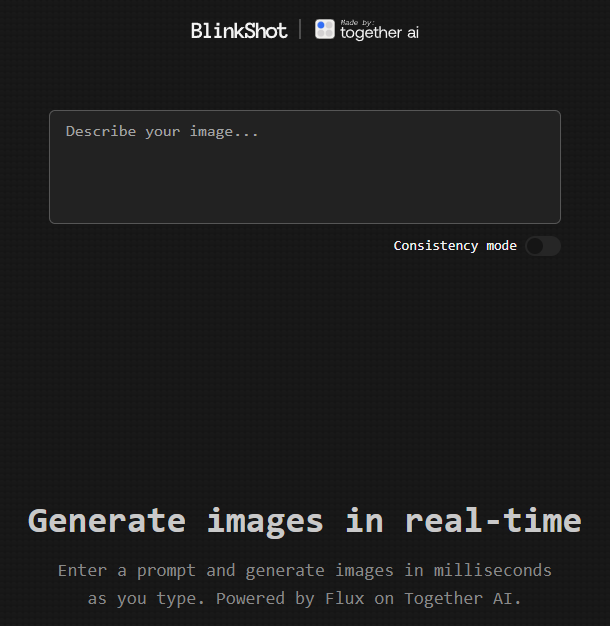
Image credit: Blinkshot
Are you eager to create viral AI videos without spending a dime? You’re in the right place! In this comprehensive guide, we’ll explore how you can leverage TogetherAI’s Blinkshot tool and GPTWala’s Viral Video Strategist Chatbot to generate captivating content that can skyrocket your business’s online presence.
Table of Contents
- Introduction
- What is Blinkshot by TogetherAI?
- Generating Realistic Images in Real-Time
- Implementing AI Videos in Your Business
- Leveraging GPTWala’s Viral Video Strategist Chatbot
- Step-by-Step Guide to Creating Viral Videos
- Case Study: An Ecommerce Business
- Next Steps
- Conclusion
Introduction
The digital landscape is evolving rapidly, and video content remains at the forefront of engaging audiences. With advancements in artificial intelligence, creating high-quality, viral videos has become more accessible than ever. This blog will walk you through utilizing cutting-edge AI tools to enhance your content strategy and grow your business.
What is Blinkshot by TogetherAI?
Blinkshot is a revolutionary tool recently released by TogetherAI. It integrates the FLUX image model, allowing users to generate realistic images in real-time—for free!
Features of Blinkshot:
- Real-Time Image Generation: No more waiting hours for renders.
- High-Quality Outputs: Produce stunning visuals that captivate your audience.
- User-Friendly Interface: Easy for beginners and pros alike.
Generating Realistic Images in Real-Time
Imagine being able to create images like “A Hindu temple in Varanasi during Diwali night with firecrackers” instantly. With Blinkshot, this is entirely possible.

Generated using Blinkshot
How to Generate Images:
- Visit Blinkshot: Go to the Blinkshot website.
- Input Your Prompt: Describe the image you want.
- Generate: Click the generate button and watch the magic happen.
Implementing AI Videos in Your Business
You might be thinking, “This is great, but how do I use it for my business?” The answer lies in integrating these AI-generated images and videos into your marketing strategy to create engaging content that resonates with your audience.
Leveraging GPTWala’s Viral Video Strategist Chatbot
To bridge the gap between AI-generated content and practical business application, turn to GPTWala’s Viral Video Strategist Chatbot.
How the Chatbot Helps:
- Idea Generation: Get tailored video ideas for your industry.
- Strategy Development: Learn how to implement these ideas effectively.
- Immediate Implementation: Receive actionable advice you can apply right away.
Step-by-Step Guide to Creating Viral Videos
- Generate Images with Blinkshot: Create captivating visuals relevant to your business.
- Consult the Chatbot: Ask, “How to use this viral video idea in my [Your Industry] business?”
- Receive Tailored Ideas: The chatbot provides specific strategies for your industry.
- Create Your Video: Combine the images and strategies to produce your video.
- Publish and Promote: Share your video across your marketing channels.
Case Study: An Ecommerce Business
Let’s say you run an ecommerce store. Here’s how you could apply these tools:
- Generate Product Images: Use Blinkshot to create lifestyle images of your products.
- Strategy from Chatbot: Ask for ideas on making these images into a viral video.
- Implement Ideas: Create a video showcasing your products in a trending context.
- Result: Increased engagement and sales from a viral marketing campaign.
Next Steps
Ready to dive in? Here’s what you can do:
- Try Blinkshot: Visit Blinkshot.io and start generating images.
- Get Detailed Guidance: If you want a more in-depth guide and additional resources, just send us a message with the word “Instant”.
- Personalized Coaching: Looking to grow your business with AI? Send us “Coaching” to get personalized assistance.
Conclusion
Harnessing the power of AI doesn’t have to be complicated or expensive. With tools like Blinkshot and GPTWala’s Viral Video Strategist Chatbot, you can create viral content that propels your business forward. So why wait? Start exploring these tools today and watch your business reach new heights.
For more insights and tips on leveraging AI in your business, stay tuned to our blog. If you have any questions or need assistance, feel free to reach out!