Tag: ecommerce SEO

  • Ecommerce Technical SEO Audit Checklist for Product Businesses

    GPTWala Business Hub · Practical SEO systems

    Audit the path from discovery and crawling to indexing, product understanding and mobile use, then prioritise fixes by customer and search impact.

    Updated 24 August 2026 · Guide for Indian product businesses

    An ecommerce technical SEO audit checks whether search engines and buyers can reach, render, understand and use the pages that matter. It does not replace product truth, category strategy or useful content. A technically indexable thin page is still a weak page.

    Use this checklist with the AI-ready website guide, the product-page SEO guide and the ecommerce launch checklist. Assign owners before collecting hundreds of issues.

    Set audit scope and business questions

    Define the domain, subdomains, countries/languages, platform, catalogue size, recent migrations, peak periods and business-critical templates. Identify priority categories, products and conversion paths.

    Audit scope Question Evidence
    Domain and protocol Which host and HTTPS version are canonical? DNS, redirects and Search Console
    Page types Which templates should be indexable? URL inventory and CMS
    Catalogue How many active products and variants exist? Product master
    Markets/languages Which versions serve which users? Business plan and hreflang implementation
    Recent changes What moved, launched or broke? Release and migration log
    Search state What is crawled, indexed and receiving impressions? Search Console and analytics
    Revenue priority Which pages drive qualified demand? Reconciled ecommerce data

    Freeze a timestamped baseline. Technical data changes while the audit is running.

    Build a trustworthy URL and status baseline

    Source What it reveals Limitation
    CMS/product export Expected pages and business status May include drafts or stale products
    XML sitemaps URLs intentionally submitted Submission does not prove indexing
    Search Console Google-observed indexing and performance Sampled/aggregated views
    Crawler Internal links, status, canonicals and tags May not render every JavaScript path
    Server/CDN logs Actual crawler and user requests Needs clean bot and path analysis
    Analytics Visited pages and journeys Cannot show unvisited orphan pages
    Merchant Center/feed Submitted products and diagnostics Feed is not site navigation

    Reconcile sources by canonical URL and page type. A URL missing from one list can be the most important finding.

    Audit crawlability and access

    Google’s technical guidance distinguishes crawling from indexing. Robots rules control crawling; a blocked URL can still be known through links. Use the right control for the intended outcome.

    Check Pass condition Failure
    HTTP status Important pages return stable 200; redirects are intentional Soft 404, loop, chain or 5xx
    robots.txt Blocks only intended paths/resources Blocks products, CSS or JavaScript needed for rendering
    Meta/X-Robots Indexable pages are not noindex Template leak or conflicting header
    Internal links Important URLs use crawlable links Button/search-only discovery
    Sitemap Canonical index-worthy URLs only Redirects, 404s, parameters or noindex URLs
    Authentication Public commerce pages accessible anonymously Bot sees login or challenge
    Resources Critical assets are fetchable Rendered content disappears

    Do not use robots.txt as a canonicalization method. Google’s current technical SEO guidance and canonical documentation explain these separate controls.

    Audit indexation by page type and intent

    Compare expected indexable URLs with Search Console’s Page Indexing reports and sample URL Inspection. Group causes instead of fixing pages one by one.

    Page group Expected state Investigation
    Homepage and key categories Canonical and indexable Access, content, internal links and canonical
    Active product pages Indexable when useful and available under policy Variant/canonical, content and stock state
    Internal search results Usually not index targets Robots/noindex and internal linking
    Cart, account and checkout Not search landing pages Noindex/access and crawl traps
    Filter/sort states Controlled deliberately Parameter explosion and duplicates
    Expired campaigns Redirect, archive or remove by user need Soft 404 and stale sitemap
    Discontinued products Case-specific useful alternative or retirement Blank page or unrelated redirect

    A discovered-not-indexed page may have technical, quality, duplication or prioritisation causes. Do not promise that resubmission alone will fix it.

    Control canonicals, parameters and faceted navigation

    Ecommerce creates duplicate or near-duplicate URLs through filters, sort, tracking, session parameters and variants. Google describes redirects, rel="canonical" and sitemap inclusion as different-strength canonical signals. Keep signals aligned.

    URL pattern Default question Control options
    Tracking parameters Does content stay identical? Canonical and clean internal links
    Sort order Same products reordered? Avoid indexation and crawl waste
    Filters Is the combination a durable useful landing page? Controlled index set; manage crawl space
    Variants Does each variant need separate search ownership? Consistent product/variant canonical strategy
    Pagination Can later items be crawled and users navigate? Sequential links and correct page canonicals
    Print/share views Is there a duplicate page? Canonical or remove unnecessary endpoint
    Uppercase/trailing slash/protocol Which form is canonical? One redirect and internal-link standard

    Do not canonical every paginated page to page one. Google’s current pagination guidance says pages in a paginated sequence need their own URLs and sequential crawlable links.

    Check ecommerce site structure and orphan pages

    Google’s ecommerce structure guidance recommends links from menus to categories, categories to subcategories and then products. Search boxes are not a substitute because crawlers generally do not submit searches.

    Structure check Pass Repair
    Menu and hubs Priority categories reachable logically Simplify and add descriptive links
    Categories Useful grouping with crawlable products Repair empty/thin or script-only grids
    Products Reachable from at least one relevant route Add category, guide or related-product link
    Breadcrumbs Reflect useful hierarchy Fix inconsistent or non-canonical targets
    Pagination/load more Later items have crawlable URLs Add href-based page sequence
    Orphans No important index page lacks internal links Connect or retire
    Depth Priority pages are not buried without reason Promote through relevant hubs

    Use the content marketing system for helpful guide-to-category/product links. Internal linking should reflect buyer relationships, not arbitrary page-count goals.

    Audit product pages, feeds and structured data

    Signal Consistency requirement Test
    Title/H1 Exact product identity and query intent No template duplication or wrong variant
    Visible data Price, availability, variant and specifications Compare with product master
    Product JSON-LD Matches visible purchasable item Rich Results Test and rendered source
    Merchant Center feed Identifiers, price, stock and URL align Diagnostics and landing-page check
    Images Exact variant, crawlable and responsive Use channel image workflow
    Canonical Points to intended product/variant URL Inspect source and rendered HTML
    Reviews Authentic and appropriately marked No self-serving or hidden mismatch

    Google’s Product structured-data documentation distinguishes product snippets from merchant listings and recommends accurate product information. Structured data does not fix an inaccurate product page. Use the product-page copy template for complete visible decision content.

    Check rendering, mobile experience and Core Web Vitals

    Test real templates with field data and representative devices. Current Core Web Vitals are LCP, INP and CLS. A passing lab test is not proof that all users or templates pass.

    Area Audit Common cause
    LCP Largest meaningful content load by template Oversized hero/product image or slow server
    INP Interaction responsiveness Heavy scripts, filters or third-party tags
    CLS Unexpected layout movement Images, banners or fonts without reserved space
    JavaScript rendering Critical content and links appear in rendered HTML Client error or delayed API
    Mobile controls Menu, filters, variants and checkout work Overlays, tiny targets or lost state
    Accessibility Keyboard, labels, headings and contrast Custom widgets without semantics
    Caching/CDN Correct content served and refreshed Stale price, schema or canonical

    Performance fixes must preserve product truth and usability. Compressing away critical detail or deferring a required variant selector is not a successful optimization.

    Prioritise fixes by impact, confidence and effort

    Severity Example Response
    Critical Important site section blocked, deindexed or unavailable Contain and repair immediately
    High Canonical/facet issue affects many valuable pages Template-level fix and monitored rollout
    Medium Limited structured-data or internal-link gap Schedule with clear validation
    Low Minor metadata or isolated redirect improvement Bundle with maintenance
    Observation Tool warning without demonstrated problem Investigate before changing production

    For each issue, record affected pattern, sample URLs, evidence, expected outcome, owner, fix, test, rollback and monitoring date. Test on staging where possible, deploy a limited sample, then re-crawl and inspect live output.

    1. Fix access, status and canonical conflicts first.
    2. Repair high-value internal discovery and sitemap quality.
    3. Control faceted crawl spaces and duplicate signals.
    4. Align product pages, feeds and structured data.
    5. Improve rendering, mobile tasks and performance.
    6. Re-run the same baseline measures after deployment.
    7. Separate fixed, validated, monitoring and rejected findings.
    8. Schedule recurring template and release checks.

    The audit is complete only when high-priority fixes are validated on the live site and ownership exists for the remaining queue.

    Frequently asked questions

    What is an ecommerce technical SEO audit?

    It is a structured check of access, crawling, indexing, canonicals, URL patterns, site structure, product signals, rendering and performance.

    How often should an ecommerce technical SEO audit be done?

    Run a full audit after launches or migrations and on a regular cadence, with automated or sampled checks after every material release.

    What should be checked first in ecommerce SEO?

    Start with HTTP/access, robots and noindex controls, canonicals, sitemap quality, internal discovery and the index status of high-value categories and products.

    How should filter URLs be handled for SEO?

    Define which combinations have durable search and buyer value, control the rest deliberately, and align crawling, indexation, canonicals, sitemaps and internal links.

    Should paginated pages canonicalize to page one?

    No. Google advises that paginated pages have their own URLs and sequential crawlable links rather than all canonicalizing to the first page.

    How do I prioritise technical SEO fixes?

    Use affected business value, severity, scale, evidence confidence, repair effort and rollback risk, then validate the live result instead of closing tickets on deployment alone.
    Sources and further reading

  • Ecommerce Category Page SEO: Structure, Filters and Buyer Help

    GPTWala Business Hub · Practical ecommerce systems

    Give each category one clear shopping task, expose products through crawlable architecture and control filter URLs without hiding useful buyer help.

    Updated 23 August 2026 · Guide for Indian product businesses

    An ecommerce category page should help a buyer understand a product group, narrow options and reach relevant products. Its SEO job is not to repeat product descriptions. It owns a shopping collection or comparison intent that is broader than one SKU and narrower than the homepage.

    This page extends GPTWala’s product-page SEO guide without taking item-level query ownership. Use the AI-ready website guide for overall architecture.

    Define category query ownership

    Page type Primary task Example intent
    Homepage Understand business and main routes Brand/main product category
    Category Browse/compare a coherent product group Food storage containers
    Subcategory Narrow by durable buyer need Glass food storage containers
    Filter state Temporarily narrow attributes 1 litre, rectangular, in stock
    Product Evaluate one specific item/variant family Model/SKU-level query
    Guide Learn how to choose/use Glass vs plastic container guide

    Create a standalone subcategory only when it has durable demand, a stable range, unique buyer help and a useful landing experience. Do not create indexable pages for every filter combination.

    Category page template

    1. Unique title, meta description and one descriptive H1.
    2. Short orientation: what belongs here and important choice dimensions.
    3. Subcategory or use-case links where genuinely helpful.
    4. Product count, sort and relevant filters.
    5. Crawlable product cards with accurate state.
    6. Buyer-help content placed where it supports comparison.
    7. Related categories, guides and policy/help links.
    8. Indexation, canonical, pagination and structured-data rules.
    Section Buyer question SEO role
    H1/orientation Am I in the right range? Defines page topic
    Subcategories Which branch fits? Passes internal links
    Filters/sort How do I narrow? Requires URL/index controls
    Cards Which products should I compare? Exposes product URLs
    Buyer help What trade-offs matter? Adds unique decision value

    Google’s current ecommerce structure guidance recommends links from menus to categories, from categories to subcategories and then to products. It says products reachable only through site search may not be found through crawling alone and recommends normal <a href> links.

    • Link every index-worthy category from a logical parent/menu.
    • Give cards a real product URL, not only a script event.
    • Do not hide the entire grid behind user search.
    • Use sitemaps and Merchant Center feeds as supplements, not navigation replacements.
    • Keep orphan and empty categories out of the index plan.

    Filters, sort and faceted navigation

    Faceted URLs can create a near-infinite crawl space. Google’s current faceted-navigation guidance explains controls for URL patterns and crawling. Choose a deliberate policy by filter type.

    Filter Buyer value Index default Potential standalone page?
    Price range Temporary budget narrowing Usually no Rarely
    Colour Visual preference Usually no Only with durable range/demand
    Material Important product decision Controlled Often a valid subcategory candidate
    Size/capacity Fit requirement Controlled Only when useful and stable
    In stock Current availability No separate index No
    Sort order Reorders same set No No

    Do not use canonical tags as a universal crawl-control substitute. Avoid contradictory robots, canonical, sitemap and internal-link signals. Test filtered URLs in Search Console and server logs.

    Write category copy that helps a choice

    Category copy should answer what belongs, who it suits, key differences and how to choose. Avoid 1,000 words of generic SEO text before products. Put a short orientation above the grid and deeper comparison help below or beside it.

    Useful content Example Avoid
    Scope What materials and use cases are included Keyword-stuffed definition
    Decision criteria Capacity, compatibility, care, finish Claims without product evidence
    Comparison Which subcategory fits which condition Ranking own products as universally best
    Limits What is not included or suitable Hiding restrictions
    FAQ Questions shared across the category Duplicating product-specific FAQ

    Product-card SEO and UX

    • Use the exact product/variant-family name.
    • Show one truthful representative image with dimensions reserved.
    • Display current price or clear price range where appropriate.
    • Identify unavailable products honestly.
    • Make badges evidence-based and automatically expire.
    • Include key comparison cue without turning cards into paragraphs.
    • Keep card link destination canonical and consistent.

    Use the product image naming and alt-text guide and avoid stuffing category terms into every card alt attribute.

    Pagination, load more and infinite scroll

    The visual loading pattern must still expose product URLs to crawling and preserve user state. Google’s ecommerce documentation addresses pagination and incremental loading. Test page URLs, back navigation, canonical signals and whether later products are reachable without simulated scrolling.

    Pattern UX strength SEO/QA requirement
    Pagination Stable position and pages Unique crawlable URLs and links
    Load more Controlled expansion Underlying URL discovery and history state
    Infinite scroll Fluid browsing Chunk URLs, accessibility and back-state
    Hybrid Load more with paginated URLs Consistent canonical/link behaviour

    Structured data and visible content

    Use BreadcrumbList where appropriate and follow Google’s current ecommerce and structured-data documentation. Product structured data belongs primarily on product pages representing one product or variant group under the relevant guidelines. Do not mark an entire mixed category as one Product or generate FAQ schema for questions not visible.

    Validate rendered markup and eligibility, then monitor enhancements. Structured data does not guarantee a search feature.

    Internal linking and content relationships

    From To Anchor purpose
    Homepage Priority categories Name the category
    Category Subcategory Describe narrowing criterion
    Category Products Exact product name
    Category Buying guide Name the decision question
    Guide/blog Category Offer relevant products after help
    Product Category/related Continue comparison

    Do not make the category page compete with the product description template. Keep internal anchor text natural and useful.

    Category-page audit

    1. One coherent shopping intent and distinct URL.
    2. Unique title, meta, H1 and helpful orientation.
    3. Parent and child links are crawlable.
    4. All index-worthy products can be reached.
    5. Filter/sort URL policy is documented and tested.
    6. Product cards match canonical product data.
    7. Pagination/loading exposes later products.
    8. Copy helps comparison and avoids product duplication.
    9. Canonical, robots, sitemap and internal links agree.
    10. Mobile filters, back state, performance and accessibility pass.

    Handle empty, thin and out-of-stock categories deliberately

    A category should remain useful even when the catalogue changes. If a temporary stock issue affects only some products, keep the category available and make availability clear. If a category becomes permanently empty, decide whether it should redirect to the closest equivalent, remain as a helpful archive, or be removed with an appropriate status. Do not redirect every retired category to the homepage; the destination should satisfy the same or a closely related need.

    Category state Recommended treatment What to avoid
    Temporarily low stock Keep useful products visible and communicate availability Removing the page during every stock fluctuation
    No current products but likely to return Offer alternatives, restock information or collection guidance Publishing a blank grid
    Permanently replaced Redirect only to the closest relevant successor Sending all retired categories to the homepage
    Duplicate or accidental category Consolidate signals into the canonical destination Keeping competing near-identical pages live

    Create a category governance routine

    Maintain a register of category names, URLs, intent owners, parent-child relationships and status. Review it when teams add product ranges, launch campaigns or change navigation. Require a redirect and internal-link review before renaming or deleting a category. Track indexed category pages, organic landing traffic, zero-result searches, product availability and conversion together; no single metric tells the whole story.

    Give merchandising and SEO teams a shared approval path. Merchandising should confirm assortment and commercial relevance, while SEO checks uniqueness, crawl paths, canonical treatment and supporting copy. This prevents short-term catalogue changes from creating long-term duplicate URLs or orphaned pages.

    Frequently asked questions

    What should an ecommerce category page include?

    Include a clear H1, short orientation, subcategory links, crawlable product cards, useful filters/sort, buyer help, related content and controlled indexation.

    How much content should a category page have?

    Enough to orient and help comparison without pushing products far down. Use concise above-grid copy and deeper decision help where useful.

    Should ecommerce filter pages be indexed?

    Most temporary filter and sort combinations should not become indexable pages. Promote only durable, useful combinations with distinct demand, range and content.

    How do category pages help ecommerce SEO?

    They own broader shopping intents, connect site hierarchy, distribute internal links and expose coherent product groups to buyers and crawlers.

    Should every product be linked from a category page?

    Every product intended for indexing should be reachable through crawlable site links, directly or through subcategories and pagination, with sitemaps as a supplement.

    What is the difference between category-page SEO and product-page SEO?

    Category pages help browse and compare a group; product pages help evaluate one item or variant family. Their titles, copy, links and queries should remain distinct.

    Sources and further reading

  • Product Image File Names, Alt Text and SEO: A Scalable Ecommerce System

    GPTWala Business Hub · Practical ecommerce systems

    A catalogue-scale workflow for naming files, writing useful alt text, keeping image URLs stable and connecting visual assets to the right product pages.

    Updated 23 August 2026 · Reading guide for Indian product businesses

    Product image SEO is not a game of adding the same keyword to every filename and alt attribute. Search engines and assistive technology need accurate context. Buyers need fast, clear pages. Your operations team needs a naming system that survives catalogue growth. The best workflow solves all three and starts with the truthful masters described in GPTWala’s AI product photography guide for Indian businesses.

    Google says filenames can provide very light clues about an image, while alt text is a more important source of image metadata and supports accessibility. It also uses the surrounding page content and computer vision to understand the subject. Read the current Google Search Central image SEO guidance alongside this implementation system.

    What the filename, alt text, caption and page copy each do

    Field Primary job Example Common misuse
    Filename Stable, descriptive asset identity amber-glass-jar-750ml-front.webp best-cheap-jar-buy-online-1.webp
    Alt text Contextual text alternative for the image “Front view of the 750 ml amber glass jar with black screw lid” Repeated keyword list
    Caption Visible clarification when readers benefit “Lid and sealing ring shown separately” Duplicating nearby paragraph without value
    Page copy Full product facts, benefits, conditions and choice guidance Capacity, material, dimensions and compatibility Expecting alt text to carry the whole listing
    Image URL Crawlable, reusable location of the file /images/amber-glass-jar-750ml-front.webp Changing URL on every feed or resize run
    One source of truth: the product database should hold factual attributes. The image naming and alt-text workflow should pull from those approved fields, not invent new claims.

    Write short, descriptive product image file names

    Google recommends short but descriptive filenames and advises against generic names such as image1.jpg. A scalable product filename should help a human recognise the asset and remain stable after upload.

    A practical pattern

    [product-or-sku]-[variant]-[view-or-purpose].[extension]

    • linen-kurta-blue-front.webp
    • linen-kurta-blue-fabric-detail.webp
    • pump-px40-inlet-connection.jpg
    • spice-gift-box-6-pack-contents.jpg

    Use lowercase words separated by hyphens. Include only attributes that distinguish the asset. Keep the correct file extension for the actual format. Do not append adjectives such as “best”, “premium” or “cheap” unless they are part of the official product name.

    SKU-first versus product-name-first

    SKU-first naming is efficient for large B2B catalogues and production teams. Product-name-first naming is easier for editors and can be more descriptive. A combined form works when it stays readable, for example px40-transfer-pump-side.jpg. Choose one convention and document it.

    Write alt text for the image in its page context

    Alt text should communicate the relevant content or function of the image to a person who cannot see it. That means the same file can reasonably have different alt text in different contexts. A clean product image on a product page may need the item, variant and view. The same image inside an article about closures may need to emphasise the visible closure.

    A practical product-page formula

    [View or action] of [exact product] [important visible variant/detail]

    • “Front view of the blue linen kurta with concealed button placket”
    • “Close-up of the PX40 pump inlet connection and thread”
    • “Six-piece spice gift box with all included jars arranged beside the outer carton”

    Write what is visible, not what you hope to rank for

    If “food-safe”, “waterproof” or “handmade” is not visible in the image, it usually does not belong in the alt text. Put verified claims in the relevant product copy and structured data. Avoid repeating the business name in every alt attribute. Include GPTWala or another brand only when the brand is genuinely needed to identify the visible product or graphic.

    File-name and alt-text templates

    Image type Filename template Alt-text template
    Clean hero [product]-[variant]-front Front view of [product] in [visible variant]
    Back or side [product]-[variant]-back Back view of [product] showing [visible detail]
    Material detail [product]-[material]-detail Close-up of [product] showing [texture/material feature]
    Scale or fit [product]-[variant]-in-use [Product] [worn/held/placed] to show [relevant scale or fit]
    Pack contents [product]-pack-contents [Product or set] with [visible included items]
    Diagram [product]-dimensions-diagram Dimension diagram of [product] showing [visible measurements]

    Weak versus useful examples

    Weak Why it is weak Useful replacement
    IMG_9231.jpg No asset meaning amber-glass-jar-750ml-front.jpg
    “product image” Does not identify the content “Front view of 750 ml amber glass jar with black lid”
    “jar jar buy jar online cheap jar” Keyword stuffing and poor accessibility Describe the exact visible item and view once
    “red dress” for a blue variant Factual mismatch Use variant data and visual QA before publish
    Full product description in alt Overloads the text alternative Keep specifications and benefits in page copy

    Scale the system across an ecommerce catalogue

    1. Define approved source fields. Product name, SKU, colour, size, view, material and included parts must come from the catalogue record.
    2. Create a controlled view vocabulary. Use “front”, “back”, “side”, “detail”, “in-use”, “contents” and category-specific terms consistently.
    3. Rename before upload. Avoid changing URLs later unless the image itself changes or there is a migration plan.
    4. Generate a first draft at scale. A spreadsheet, PIM or script can combine approved fields.
    5. Review visually. Automation cannot confirm that the image actually shows the intended variant or detail.
    6. Publish with page context. Place images near relevant text and use captions only where readers need them.
    7. Audit after rendering. Check responsive size, layout stability, lazy loading, links and accessibility.

    This workflow should connect to the broader product-page SEO system and the product-page copy template, not operate as a separate keyword exercise.

    Technical image SEO checks

    Google Search Central recommends standard HTML image elements with a crawlable src, responsive image practices with a fallback source, supported formats, high visual quality and attention to page speed. It also explains that Google does not index CSS background images as product images in the same way as standard img elements.

    Check Pass condition Why it matters
    HTML Meaningful images use standard img markup with src Supports discovery and accessibility
    Responsive delivery srcset/picture has a fallback src Serves appropriate files across devices
    Dimensions Width and height or aspect ratio are reserved Reduces layout shifts
    Compression File is small enough for fast delivery without visible damage Balances speed and quality
    URL Stable, crawlable and not blocked unintentionally Lets search systems fetch and reuse the asset
    Context Image is near relevant product text Clarifies subject and page relationship
    Metadata Preferred image is represented consistently in page/social/schema setup where used Supports page previews and eligible search features

    For shopping feeds, the main and additional image URLs must also follow the destination’s product-image requirements. See GPTWala’s cross-channel product image rules.

    Variants, repeated images and duplicate assets

    Each visible variant should use the correct image and alt text. Do not show a red SKU with a blue filename/alt string because the template was copied. If a genuinely identical component image is reused across pages, keep one stable image URL where practical and write alt text for each page context.

    Avoid uploading several identical copies with small filename changes solely to target keywords. That increases media-library clutter and creates no new product evidence.

    Decorative images and linked images

    An image used only for decoration generally needs an empty alt attribute so assistive technology can skip it. Do not omit the attribute entirely. If an image is a link, its alt text should communicate the destination or action where surrounding link text does not already do so.

    Complex charts and diagrams may need concise alt text plus a nearby detailed explanation. Do not force an entire table into one alt attribute.

    Product image SEO QA checklist

    1. Filename is short, descriptive, stable and matches the actual file format.
    2. Image shows the exact product, variant and view described.
    3. Alt text is useful in context and not stuffed with keywords.
    4. Verified product facts live in page copy or product data, not invented in alt text.
    5. Meaningful images use crawlable HTML image markup.
    6. Responsive files include a fallback source and do not overflow the reading column.
    7. Dimensions are reserved and file size is optimised without visible quality loss.
    8. Image URLs are not accidentally blocked and remain stable.
    9. Decorative images use empty alt text.
    10. The final rendered page is checked on desktop and narrow/mobile view.

    Frequently asked questions

    What should I name product images for SEO?

    Use a short, descriptive filename that identifies the product or SKU, visible variant and image purpose, such as amber-glass-jar-750ml-front.webp.

    Are image filenames important for SEO?

    They can provide light clues and improve asset management, but they are only one signal. Accurate alt text, relevant page context, crawlable markup, quality and performance are more important parts of the system.

    How do I write alt text for ecommerce product images?

    Describe the visible product, relevant variant and view or action in the context of the page. Keep specifications and non-visible claims in the product copy.

    Should every product image include the keyword in alt text?

    No. Repeating a target phrase in every alt attribute harms usefulness and can become keyword stuffing. Describe each image naturally and accurately.

    Should decorative images have alt text?

    Use an empty alt attribute for purely decorative images so assistive technology can skip them. Meaningful images need a useful text alternative.

    Can I automate product image alt text?

    You can generate a first draft from approved product fields and a controlled view vocabulary, but a person should verify that the image, variant and detail actually match before publishing.

    Sources and further reading

  • SEO for Product Pages: A Practical Guide for Indian Ecommerce Sites

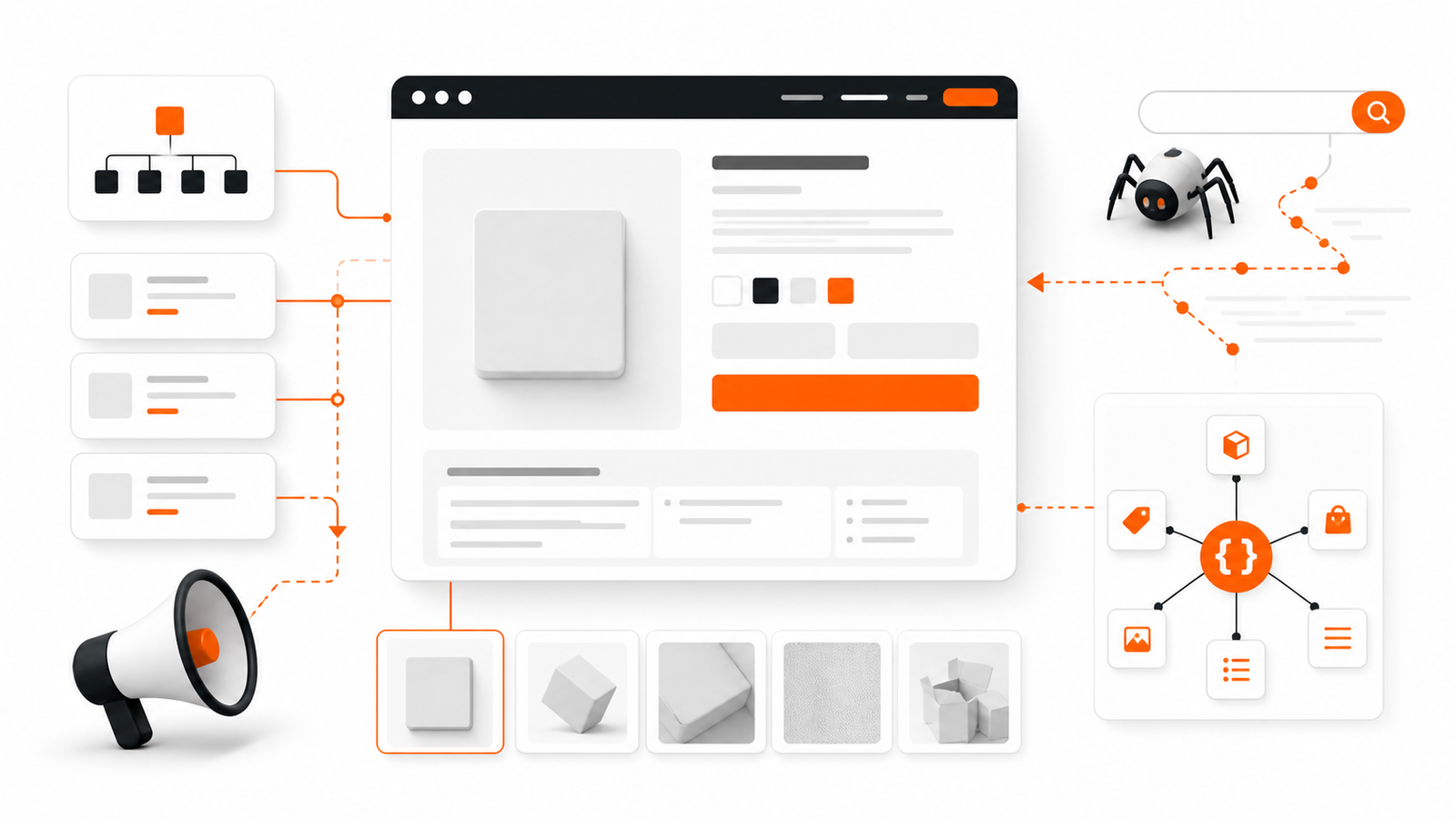
    SEO-ready ecommerce product page and search-crawler pathways, GPTWala guide
    GPTWala Business Hub visual guide for SEO for product pages India.

    Reviewed and updated: 12 August 2026

    Product-page SEO starts with a page that deserves to exist for a real product or product group and helps a buyer decide. Use a unique clear title and heading, complete visible product information, crawlable links, strong images near relevant text, stable URLs, deliberate variant handling, accurate Product or ProductGroup structured data where eligible, and consistency among the page, feed, price and availability. SEO cannot repair an incomplete or misleading offer.

    This root guide owns product-page search discovery and technical/content alignment. This guide gives you an operating method, not a promise of rankings, enquiries, sales or profit. Platform policies, fees, eligibility and laws can change, so verify the linked primary sources and your own commercial records before implementation.

    Table of contents

    1. What this guide helps you decide
    2. Build the source-of-truth sheet first
    3. A practical implementation workflow
    4. Use the decision table
    5. Apply it to Indian product businesses
    6. Use AI without losing business truth
    7. Avoid the common failure patterns
    8. Measure progress with operating evidence
    9. A 30-day implementation plan
    10. Frequently asked questions

    What this guide helps you decide

    The real question is not whether product-page SEO sounds useful. The question is whether it solves a defined buyer or operating problem for one product, audience and channel without breaking product truth, margin, consent or delivery capacity.

    Use these diagnostic questions before spending money or assigning work:

    • Does this URL represent a distinct useful product decision?
    • Can search engines and users reach it through crawlable navigation?
    • Are title, visible facts, images, variants, schema and feed consistent?
    • How will out-of-stock, replaced and discontinued products be handled?

    Write the answers in one decision note. If a critical answer is unknown, make discovery the next task. Do not let an attractive tool, template or competitor example silently become the strategy.

    Build the source-of-truth sheet first

    Every execution step should pull facts from an approved record. A source-of-truth sheet prevents a copywriter, agency, AI tool or busy salesperson from filling a gap with a plausible but wrong product promise.

    Truth item Authoritative source Owner Stop condition
    Product and offer facts Approved SKU, catalogue and offer master Product or merchandising owner A buying-critical field is missing or inconsistent
    Buyer need and language Recorded enquiries, interviews and sales notes Sales or customer owner The audience is assumed rather than evidenced
    Price, margin and fulfilment Current finance, stock and delivery records Finance or operations owner The promise cannot be fulfilled profitably or reliably
    Channel and permission rules Current platform policy and consent record Channel owner Permission, eligibility or policy is unclear

    Add a version date to the sheet. When price, stock, specification, channel rule, audience permission or fulfilment promise changes, pause affected assets until their owner approves the update.

    A practical implementation workflow

    Step 1: Choose canonical page scope

    Decide product, product group, variant URL or category role. Avoid creating thin URLs for every filter.

    Evidence before moving on: Documented canonical and variant policy.

    Step 2: Write useful visible content

    Answer identity, selection, specifications, use, proof, fulfilment, policy and FAQs naturally.

    Evidence before moving on: Page passes buyer and product review.

    Step 3: Build crawlable architecture

    Link categories, products, guides and related decisions with descriptive anchors; maintain sitemap and status codes.

    Evidence before moving on: No priority orphan pages.

    Step 4: Align structured data and feeds

    Use current eligible properties that match visible price, availability, variants and identifiers.

    Evidence before moving on: Validation plus page/feed reconciliation.

    Step 5: Monitor query and defect data

    Use Search Console, Merchant Center and business outcomes to fix coverage, mismatch and buyer gaps.

    Evidence before moving on: Versioned changes and mature outcome checks.

    Do not combine all steps into one launch. A small controlled version creates evidence that can be reviewed. A large rollout creates more places for the same unnoticed error to spread.

    Use the decision table

    Situation Recommended action Avoid
    Variants differ only by selectable attributes Use a group strategy and unique IDs Publishing duplicate pages without value
    Product is temporarily out of stock Keep useful page and show accurate status/alternatives where appropriate Soft-404 or false availability
    Product is permanently replaced Use a relevant redirect or archive decision Redirecting every old product to home
    Feed and page disagree Fix the source and pause affected promotion Trying to hide mismatch with schema

    Treat this table as a starting policy. Your product risk, average order value, buying cycle, staff coverage, cash cycle and after-sales burden may require stricter gates.

    Apply it to Indian product businesses

    Apparel

    Size and colour variants share core content. Use a stable group, accurate variant values and unique IDs while keeping fit/measurement content visible.

    Proof to keep: Variant validation and return reasons.

    Industrial products

    Specifications drive long-tail discovery. Use structured tables, downloadable proof where appropriate and RFQ action; avoid hidden keyword blocks.

    Proof to keep: Qualified search enquiries and specification defects.

    Local retailer

    Store availability matters. Use accurate local/store data and a confirmation route for exact stock.

    Proof to keep: Local actions and stock mismatch.

    These examples are intentionally operational rather than aspirational. Replace every placeholder with current records from the actual business. Do not present a fictional example as a client result or an industry benchmark.

    Use AI without losing business truth

    AI can help organise approved facts, draft alternatives, summarise interviews, classify enquiries, produce controlled content variants and flag missing fields. It must not invent specifications, materials, prices, discounts, stock, delivery dates, certifications, customer consent, testimonials or commercial results.

    Use a four-part control:

    1. Bound the input: provide only permitted, current source material.
    2. Constrain the output: state what may change and what must remain exact.
    3. Review by role: the product or commercial owner checks buying-critical facts.
    4. Record release evidence: keep the source version, prompt or brief, reviewer, corrections and approval date.

    For customer data, use approved accounts and collect only what the workflow genuinely needs. Do not paste private buyer lists, confidential price sheets or unreleased product files into an unapproved tool. India’s data-protection requirements and implementation timelines should be checked against current official MeitY material and qualified advice for the business.

    Avoid the common failure patterns

    • Keyword stuffing: Write clear unique titles and useful content.
    • Thin variant pages: Group or differentiate based on actual buyer value.
    • Schema-only SEO: Make structured data match visible content.
    • Deleting out-of-stock pages blindly: Use a product lifecycle policy.

    The most expensive failure is usually not weak wording. It is a mismatch between the public promise and the business that must fulfil it.

    Measure progress with operating evidence

    Do not use reach, clicks or message volume as proof of business value by themselves. Connect upstream activity to a verified downstream event.

    Measure Definition Decision it supports
    Indexed useful pages Priority product URLs eligible and appearing as intended Whether architecture works
    Relevant query coverage Queries matching the product and buyer intent Which information gaps exist
    Page/feed mismatch Price, availability, ID or variant inconsistencies Whether commerce data is trustworthy
    Organic retained contribution Mature contribution from defined organic cohorts Whether search discovery supports business value

    Record the denominator, time window, product or offer, channel, source and owner for every rate. Keep observed results separate from forecasts. A short test can show a problem, but it may not support a broad conclusion.

    A 30-day implementation plan

    Days 1 to 5: define

    Choose one product, audience, channel and business outcome. Complete the source-of-truth sheet, baseline and stop rules. Name the owner who can approve or stop the work.

    Days 6 to 12: build

    Create the smallest usable version. Test links, mobile reading, forms or message routing, exact product facts, price basis, permissions and team handoffs. Use internal testers before real buyers.

    Days 13 to 20: run a bounded pilot

    Release to a limited, relevant audience or product set. Log every material exception. Do not expand merely because the asset looks polished or early engagement is positive.

    Days 21 to 26: reconcile

    Connect platform events to enquiry, order, delivery, return and finance records as relevant. Review complaints, mismatches, duplicate handling, response delays and workload.

    Days 27 to 30: decide

    Choose one outcome: keep, fix, stop or expand one variable. Record why, what changes next and when the next review occurs. Expansion should preserve the same truth, consent and approval controls.

    Connect this work to the GPTWala DAA framework

    Search-focused product pages strengthen the DAA digital-presence layer before paid campaigns add demand. If your product business still depends mainly on walk-ins, dealer calls, exhibitions or forwarded catalogues, GPTWala’s free DAA workshop explains how digital presence, AI-assisted content and controlled WhatsApp-led demand generation can work as one system. The workshop is educational and does not guarantee traffic, leads, orders, sales, earnings or profit.

    Frequently asked questions

    How long should a product page be for SEO?

    There is no ideal word count. Use enough original, accurate content to help the buyer choose and to distinguish the product or group. Avoid filler and duplicated manufacturer descriptions.

    Should every colour and size have a separate URL?

    Not automatically. Choose a variant architecture based on buyer usefulness, crawlability and current structured-data guidance. Each variant needs a unique identifier even when variants share a canonical group page.

    Does Product schema improve rankings?

    Structured data can help Google understand product information and may make a page eligible for relevant search features, but it does not guarantee rankings or rich results. It must match visible, current content.

    Can a small Indian product business start product-page SEO without a large budget?

    Yes, if it starts with one product, one audience, one owner and one measurable buyer action. A small budget does not remove the need for accurate product facts, realistic fulfilment, permission and a stop rule. Expand only after the first bounded version produces trustworthy operating evidence.

    Can AI automate product-page SEO?

    AI can assist with research organisation, drafting, classification and controlled variants. It should not invent product specifications, prices, stock, delivery promises, customer permission, testimonials or results. A named human owner must verify buying-critical facts and approve release.

    How long should I test product-page SEO before deciding?

    Use a test window long enough for the relevant outcome to mature. A product-page test may need enough qualified visits; a B2B workflow may need the full enquiry-to-decision cycle; retention work may need a repeat-purchase window. Define the event, denominator and review date before launch instead of choosing a universal number of days.

    Sources checked for this guide