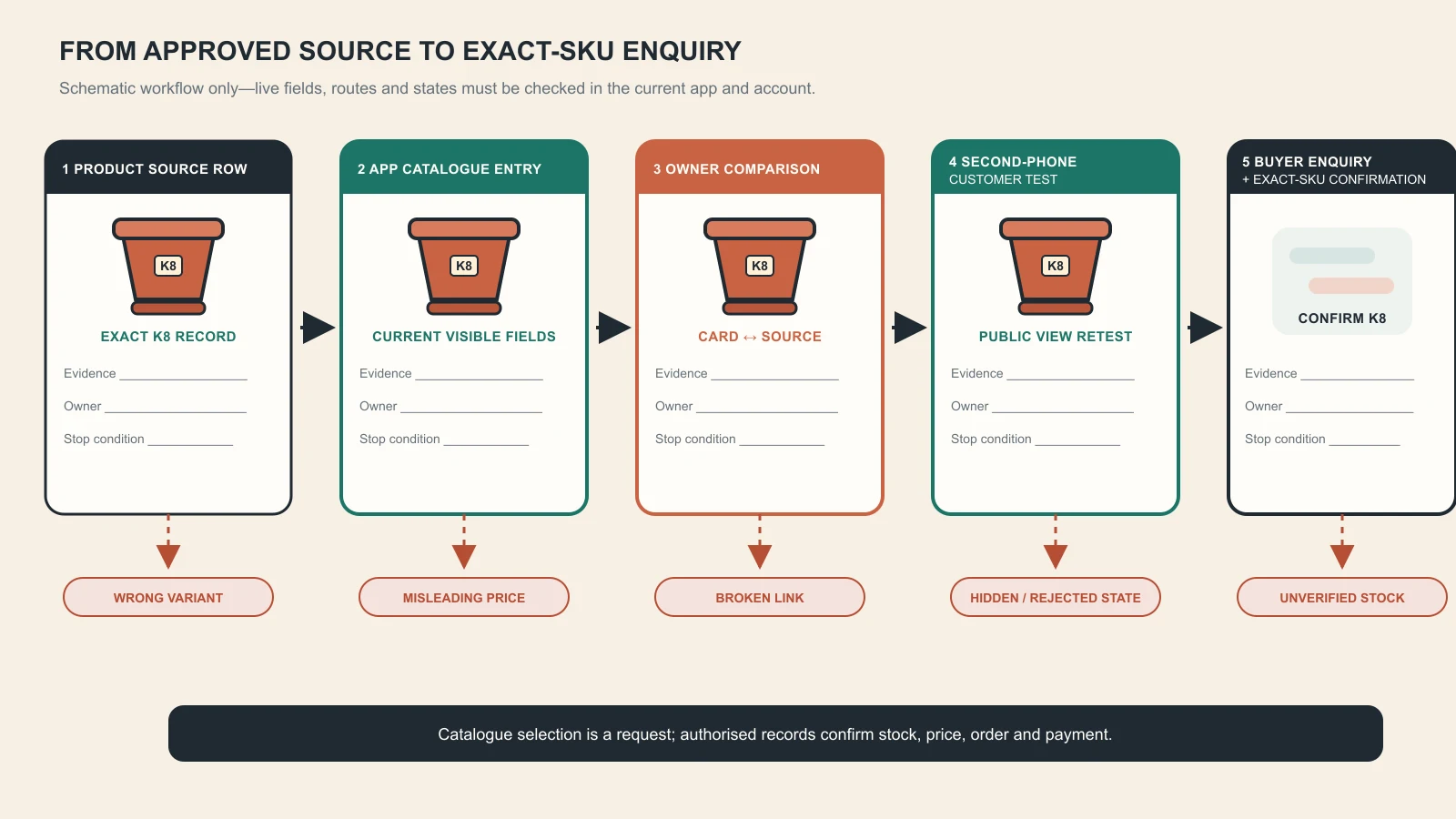
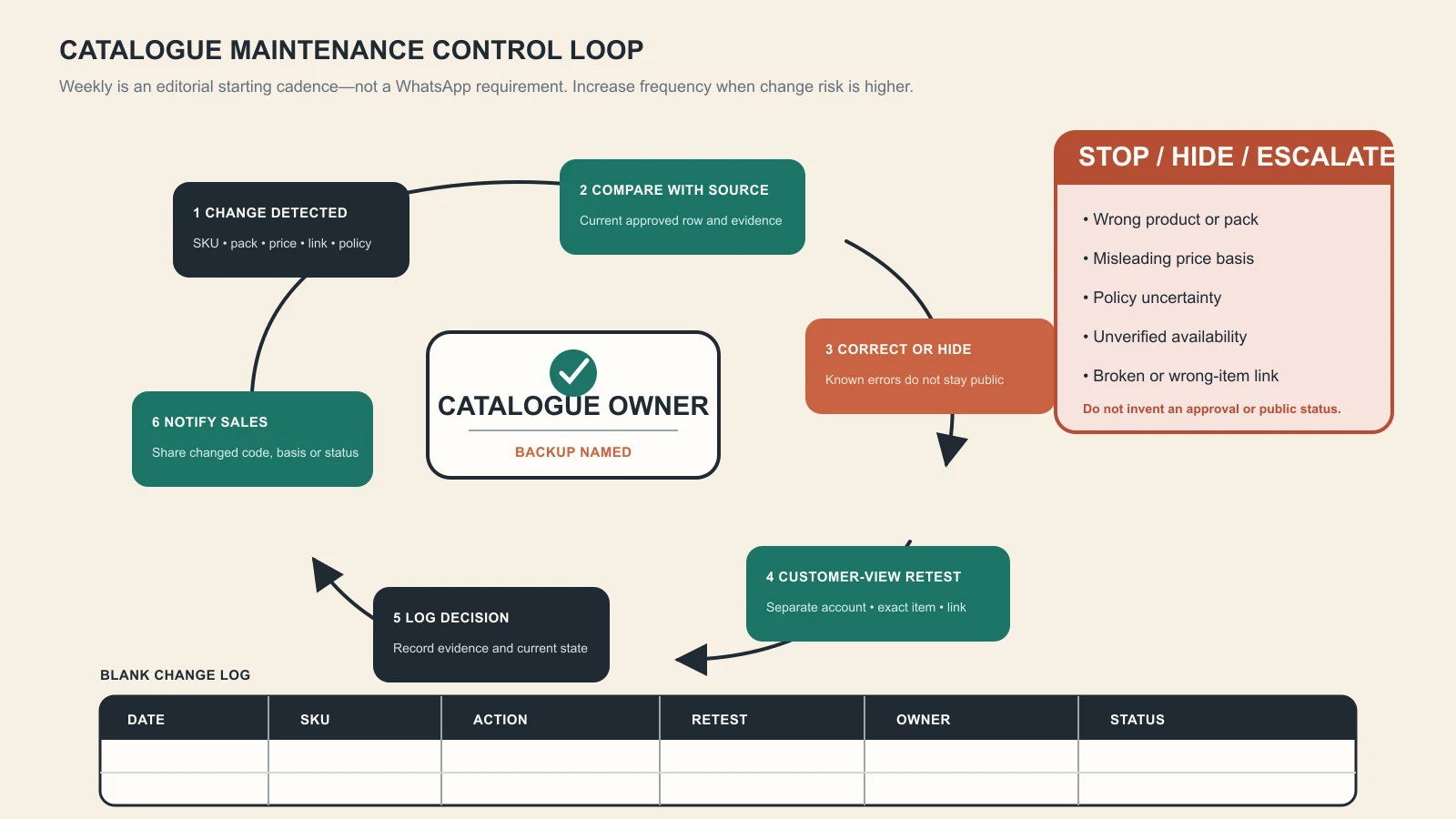
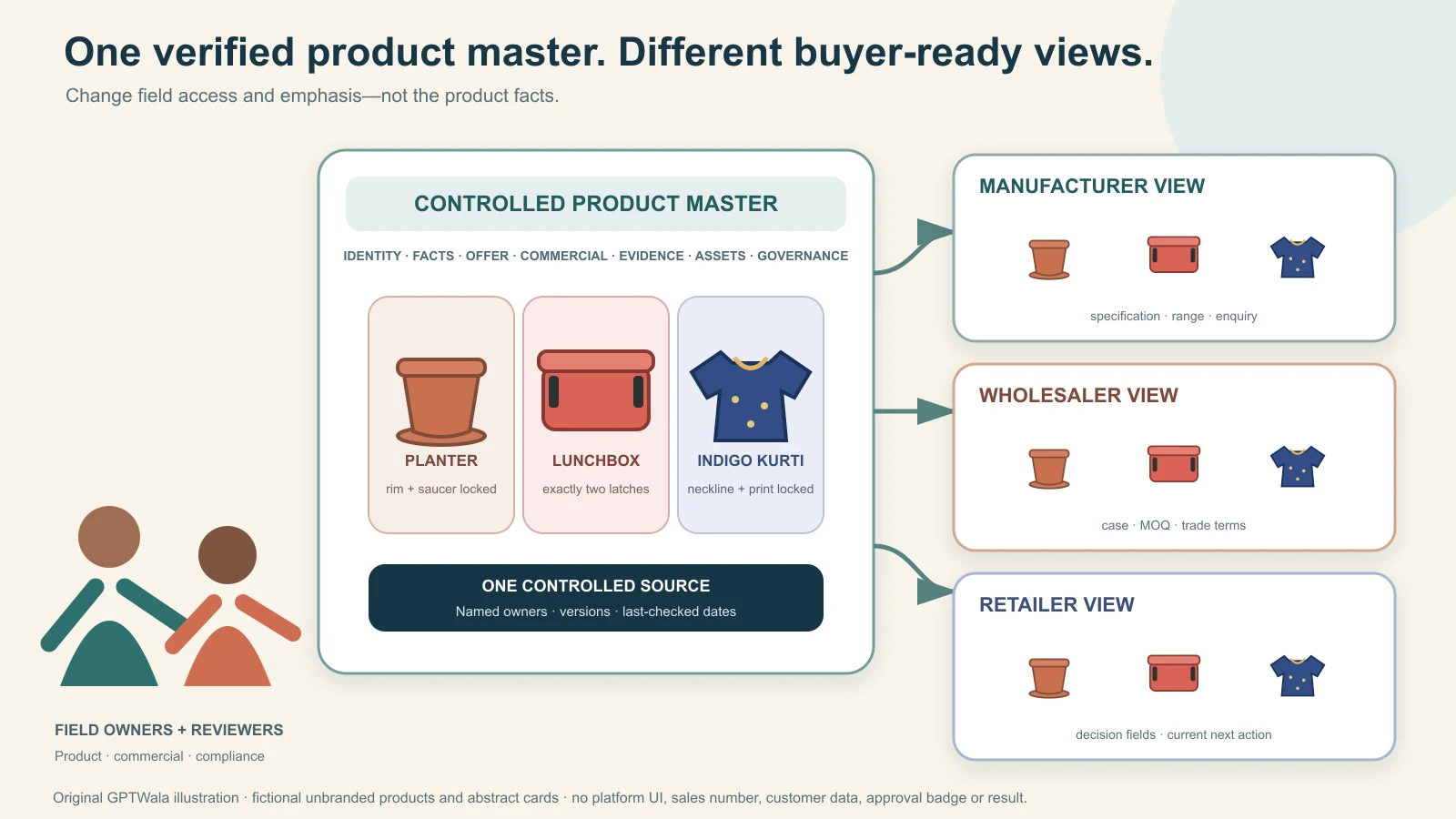
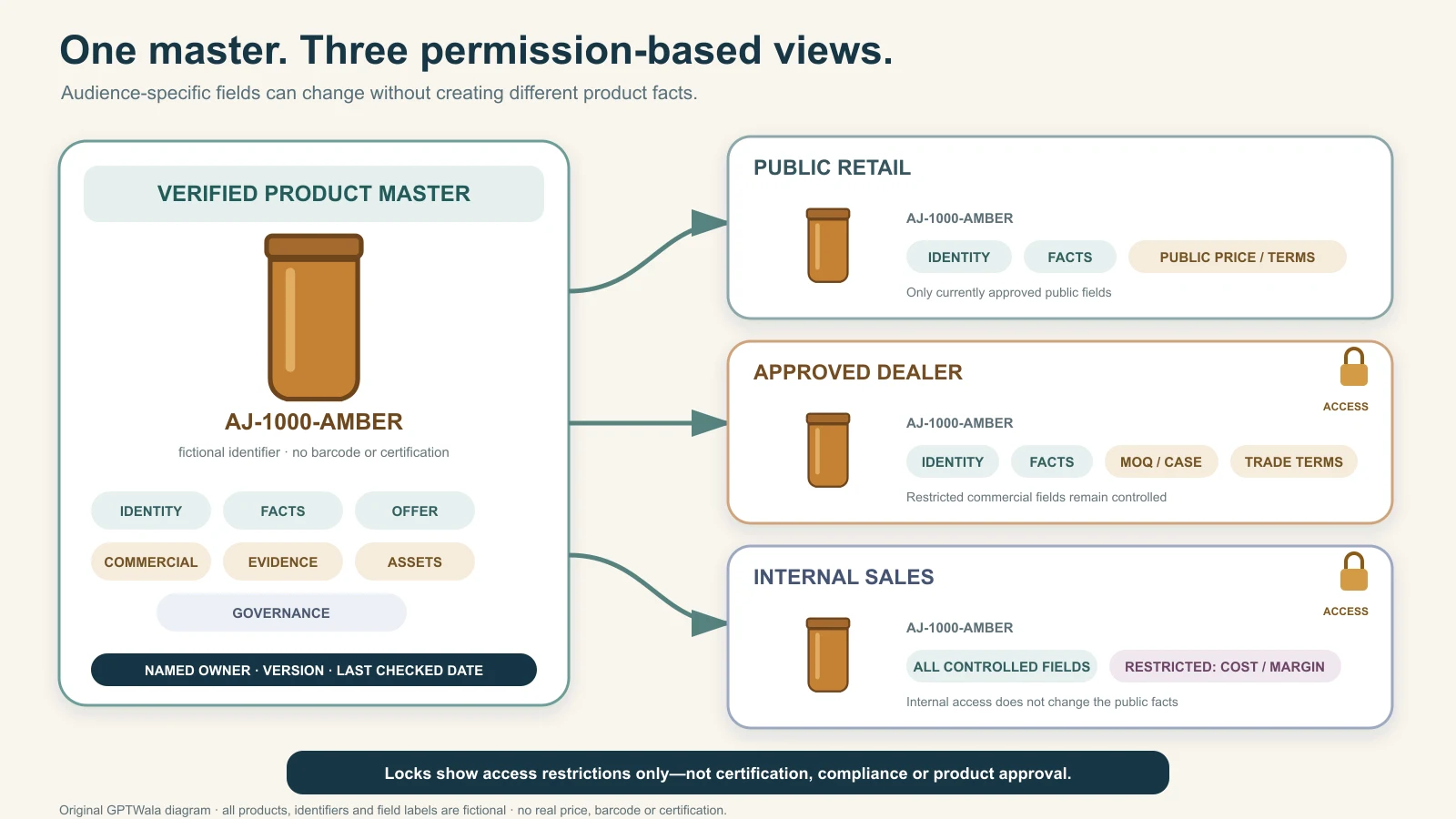
Catalogue version control is the system that ensures buyers, sales teams, websites and partners receive current, approved product information. It connects product master data, change decisions, document releases, distribution and retirement. File names such as final-final-new cannot provide that control.
This guide owns catalogue governance beneath GPTWala’s digital product catalogue strategy. It applies whether the business uses a PIM, ERP, shared drive, website, portal or carefully governed spreadsheet.
A product record, asset, technical document, price list and catalogue release can change independently. Define each object and its source. A catalogue version should not create a new product revision merely because page order changed. A material product change may require updates to several outputs.
Controlled object
Example change
Primary owner
Product master
Variant, dimension or lifecycle
Product data
Technical document
Specification or method
Engineering or quality
Commercial record
Price, MOQ or terms
Sales or finance
Digital asset
Image, drawing or rights
Marketing with product owner
Catalogue release
Selection, layout and approved content
Catalogue owner
Map all outputs to the underlying item identity. GS1’s architecture treats master data as descriptive information associated with identifiers, which supports consistent downstream use.
Name one source and functional owners
Choose the canonical system for each field. If price comes from one system and technical data from another, document the ownership and synchronisation. The catalogue file is usually an output, not the authority for every fact.
Assign a catalogue owner who coordinates release but cannot unilaterally approve technical or commercial changes. Use a responsibility matrix that distinguishes request, evidence, approval, implementation and release.
Choose a readable release ID such as a sequential number or approved major-minor scheme. Define what increments it. Pair the ID with status, owner, approved point, market or audience, and change summary. Do not rely on the file’s modified timestamp.
Major and minor need local definitions
A major release might change product scope, commercial policy or buyer workflow. A minor release might correct approved text without changing buyer decisions. The labels are useful only when the business defines them.
Release field
Purpose
Example value type
Catalogue ID
Identify the document family
B2B-CAT-CORE
Version
Identify the controlled release
Sequential or major-minor
Status
Prevent draft use
Draft, approved, retired
Audience
Limit distribution
Public, dealer or internal
Change summary
Explain material difference
Products, prices or correction
Owner
Route questions
Named role
Create a documented change-request path
Every change should state affected product or section, current value, proposed value, reason, source evidence, urgency, channels and request owner. Classify the change as identity, technical, commercial, legal, asset, copy, layout or correction. This determines reviewers and impact.
Change type
Required evidence
Impact check
Identity or variant
Approved product record
SKU, GTIN and channel mapping
Technical
Specification or controlled source
Claims, data sheets and quotations
Commercial
Approved price or policy
Audience, currency and effective point
Asset
Current file and rights
Crops, channels and old downloads
Correction
Verified error and cause
Where wrong value was distributed
Use the fact-safe AI content method for wording changes. AI suggestions remain change proposals, not evidence.
Run an impact assessment before approval
Search every place the information appears: web product page, catalogue, line sheet, price list, quotation template, marketplace feed, sales presentation, chat catalogue, distributor portal, printed stock and partner file. Record whether the change is immediate, effective later or limited to new production.
Channel
Impact question
Evidence after change
Website
Which pages and structured data use the field?
Live-page reconciliation
Feed or marketplace
Will validation or identifier mapping change?
Diagnostics pass
Sales documents
Which active files contain the value?
Reissued controlled link
CRM or quotation
Do templates or open opportunities need action?
Owner review
Partners and print
Who received the old version?
Notification or withdrawal record
Follow the product-page SEO guide when URL or page ownership is affected. Do not change stable URLs merely to mirror catalogue version numbers.
Approve facts, then approve the release
Functional owners approve their information before the catalogue owner approves assembly and distribution. Use a pre-release comparison against the current approved version and the product master. Confirm tables, units, links, price basis, image mapping and buyer actions.
Gate
Reviewer
Pass evidence
Data completeness
Product-data owner
Required fields and mappings valid
Technical accuracy
Technical or quality owner
Claims match approved source
Commercial accuracy
Sales or finance
Terms, price and audience current
Brand and accessibility
Marketing and digital owner
Readable, truthful and usable
Release integrity
Catalogue owner
Correct version, links and archive plan
ISO’s public guidance on documented information highlights control of information maintained for operations and retained as evidence. Apply that principle proportionately rather than creating signatures with no meaningful review.
Publish one approved release and retire the old one
Use one canonical link or portal where possible. Replace the file behind a controlled route only when buyers can still identify the new version and older references remain understandable. Otherwise issue a new controlled link and redirect users from the old location with a clear retired notice.
Remove edit access from general users, restrict public folders and search for copies in shared locations. Watermarks can help distinguish draft from approved, but they do not replace access control. Microsoft describes version history as a way to view, compare and restore earlier file versions; use platform history as support, not as the release decision itself.
Distribution control
Action
Evidence
Canonical link
Point users to approved version
Current release opens
Shared folders
Remove draft and duplicate links
Search passes
Email and chat
Send link, not attachment where possible
Recipients reach current file
Print stock
Withdraw or mark retired copies
Field confirmation
Partner portals
Replace and notify material changes
Partner acknowledgement where needed
Reconcile product data across channels
After release, sample identities, variants, specifications, price, availability, images and documents across the catalogue, website and feeds. Google Merchant Center notes that incorrect or conflicting product data can create display and eligibility problems. Treat channel diagnostics and customer corrections as data-governance signals.
Keep the WhatsApp catalogue synchronised at the level it supports, but link technical buyers to controlled detail. Use automated feeds only when ownership, monitoring and rollback exist.
Reconciliation field
Compare
Failure response
Identity
Master, catalogue, web and feed
Stop duplicate or mismatched listing
Variant
Allowed combinations and labels
Correct mapping
Price and availability
Commercial source and visible offer
Update or temporarily suppress
Image
Correct product and rights
Replace affected assets
Document
Current approved file
Retire stale download
Handle incorrect releases as an information incident
If a released catalogue contains a material error, stop distribution, identify affected products and channels, assess customer or safety impact, publish a corrected controlled release and notify recipients proportionately. Preserve the erroneous version and cause record rather than deleting evidence.
Incident step
Question
Owner
Contain
Where can the wrong value still be used?
Catalogue and channel owners
Assess
What decision or transaction may be affected?
Functional owner
Correct
What is the verified value and release?
Data and approvers
Notify
Who needs an explicit correction?
Sales or service owner
Prevent
Why did the control fail?
Process owner
Do not silently edit a technical or commercial value after buyers may have relied on it. Link affected enquiries and quotations to the B2B sales workflow.
Measure catalogue-control health
Track time from approved change to channel completion, stale-copy findings, correction requests, failed mappings, unauthorised edits, broken links and version adoption. Separate copy changes from material product and commercial changes so teams can prioritise appropriately.
Metric
What it reveals
Target behaviour
Change completion time
Release process friction
Risk-based, owned completion
Stale version findings
Distribution weakness
Declining and corrected quickly
Cross-channel mismatch
Integration or ownership gap
Reconciled to master
Correction recurrence
Root cause not fixed
Process improvement
Partner acknowledgement
Material change reached users
Traceable where needed
Review the control after system migrations, catalogue redesigns, supplier changes, channel additions and incidents. Keep the system simple enough that sales uses it, but strict enough that the approved information remains dependable. Use the brand system to maintain consistent presentation without turning visual edits into uncontrolled product changes.
Frequently asked questions
What is catalogue version control?
It is the controlled process for requesting, approving, identifying, publishing, distributing, reconciling and retiring catalogue information and releases.
How do you number catalogue versions?
Use a defined sequential or major-minor scheme with a catalogue ID, status, audience, owner and change summary. Define exactly what each increment means.
Who should approve catalogue changes?
Product data, technical or quality, commercial, asset and digital owners approve fields within their authority, while one catalogue owner controls release.
How do you stop sales teams using an old catalogue?
Provide one canonical approved link, restrict edits, retire duplicates and attachments, withdraw print copies, notify material changes and verify active sales locations.
Should product prices be version controlled?
Yes. Control the price source, currency, unit, audience, effective point and validity, then reconcile every channel where it appears.
What is the difference between a catalogue version and product revision?
A catalogue version identifies a released sales document. A product revision represents a controlled change to the product or its technical definition. One may change without the other.
A line sheet, catalogue and lookbook can contain the same products, but they solve different buyer problems. A line sheet supports selection and ordering, a catalogue explains a broader range, and a lookbook creates context and desire. Confusing them produces beautiful files that cannot take an order or dense files that do not tell a persuasive story.
This comparison sits beneath GPTWala’s digital product catalogue strategy and helps manufacturers, wholesalers and product brands choose a practical document set.
The document name matters less than the task it supports. A wholesale buyer needs identities, variants, prices, minimums, packs, delivery information and an order route. A technical evaluator may need specifications and documents. A press, retail or brand audience may need collection story, styling and strong imagery.
Document
Primary buyer job
Typical density
Line sheet
Select and order a defined range
High commercial density
Catalogue
Discover and compare products or families
Moderate to high information density
Lookbook
Understand mood, use and collection story
Low data, high visual emphasis
Order form or portal
Submit quantities and terms
Transactional structure
JOOR describes line sheets as shopability-focused, while lookbooks emphasise visual presentation. Shopify’s wholesale guide similarly treats a ready line sheet and order form as operating basics.
Build a line sheet for a specific selling window
A line sheet should let a buyer scan products and prepare an order with minimal back-and-forth. Include brand and contact, season or validity, product name, style or SKU, clear image, variants, size or pack, wholesale price, suggested retail price when relevant, MOQ or case pack, order deadline, delivery window and terms reference.
Line-sheet field
Buyer decision
Control
SKU and product name
Identify order line
Match product master
Image
Confirm item and variant
Use current approved view
Variants
Choose valid combination
Use controlled labels
Wholesale price
Assess commercial fit
Currency, unit and validity
MOQ or case pack
Build viable order
State per item or range
Delivery window
Plan receipt
Use approved basis
Keep account-specific discounts or confidential terms inside the permitted sales process. Link the line sheet to the approved pricing strategy.
Use a catalogue for range understanding and comparison
A catalogue can cover families, applications, selection logic, shared specifications, product summaries, authentic images, documents and enquiry actions. It may be public or audience-restricted. Compared with a line sheet, it can explain more and order less.
A technical B2B catalogue should not be reduced to lifestyle photography. It must help buyers rule products in or out. A consumer catalogue may emphasise benefits and presentation while still keeping prices, variants and availability accurate.
A lookbook shows how a range feels, combines or performs in context. It uses editorial sequences, application scenes, detail views and concise captions. It can support launches, sales appointments, retail buying, press or social storytelling.
Prices are optional because the job may be persuasion rather than ordering. If commercial information is included, make it current and clearly scoped. Do not rely on the lookbook as the only product record; every featured item should map to a stable identity in the line sheet, catalogue or website.
Ask who receives the document and what they must do immediately after reading. A distributor choosing a full assortment may need a catalogue plus line sheet. A retailer at a buying appointment may start with a lookbook and finish in a line sheet or portal. A technical buyer may need a catalogue plus controlled data sheets and quotation.
Situation
Lead document
Supporting document
New wholesale range review
Lookbook or curated catalogue
Line sheet and order form
Repeat wholesale order
Line sheet or portal
Current terms and stock view
Technical product discovery
Catalogue
Data sheet and enquiry
Retail launch story
Lookbook
Product pages and buying link
Trade meeting
Short catalogue
Account-ready line sheet
Do not build three independent sources. Build three views from the same approved product data and asset library.
Create one product-data backbone
Maintain product identity, variants, attributes, images, rights, pricing, MOQ, pack, availability and lifecycle in controlled systems. Each sales document consumes the fields it needs. GS1’s product-data standards demonstrate the value of harmonised attributes across channels.
A line sheet needs aligned grids, repeated field positions and enough space to mark quantities. A catalogue needs hierarchy, contents, comparisons and readable evidence. A lookbook needs rhythm, image quality and captions that do not compete with the story. All need legible text, contrast, descriptive links and a usable reading order.
For digital use, test narrow screens, ordinary laptops, downloads, links and search. A wide line-sheet table may work better as a portal than a phone PDF. W3C accessibility guidance should inform web versions and downloadable documents.
Format
Strength
Limitation
Responsive web
Searchable, linkable and updateable
Requires maintained website
Buyer portal
Current availability and ordering
Access and onboarding needed
Screen PDF
Portable and familiar
Can become stale and hard on phones
Print
Useful in meetings and field sales
Cannot update after distribution
Connect each document to a sales handoff
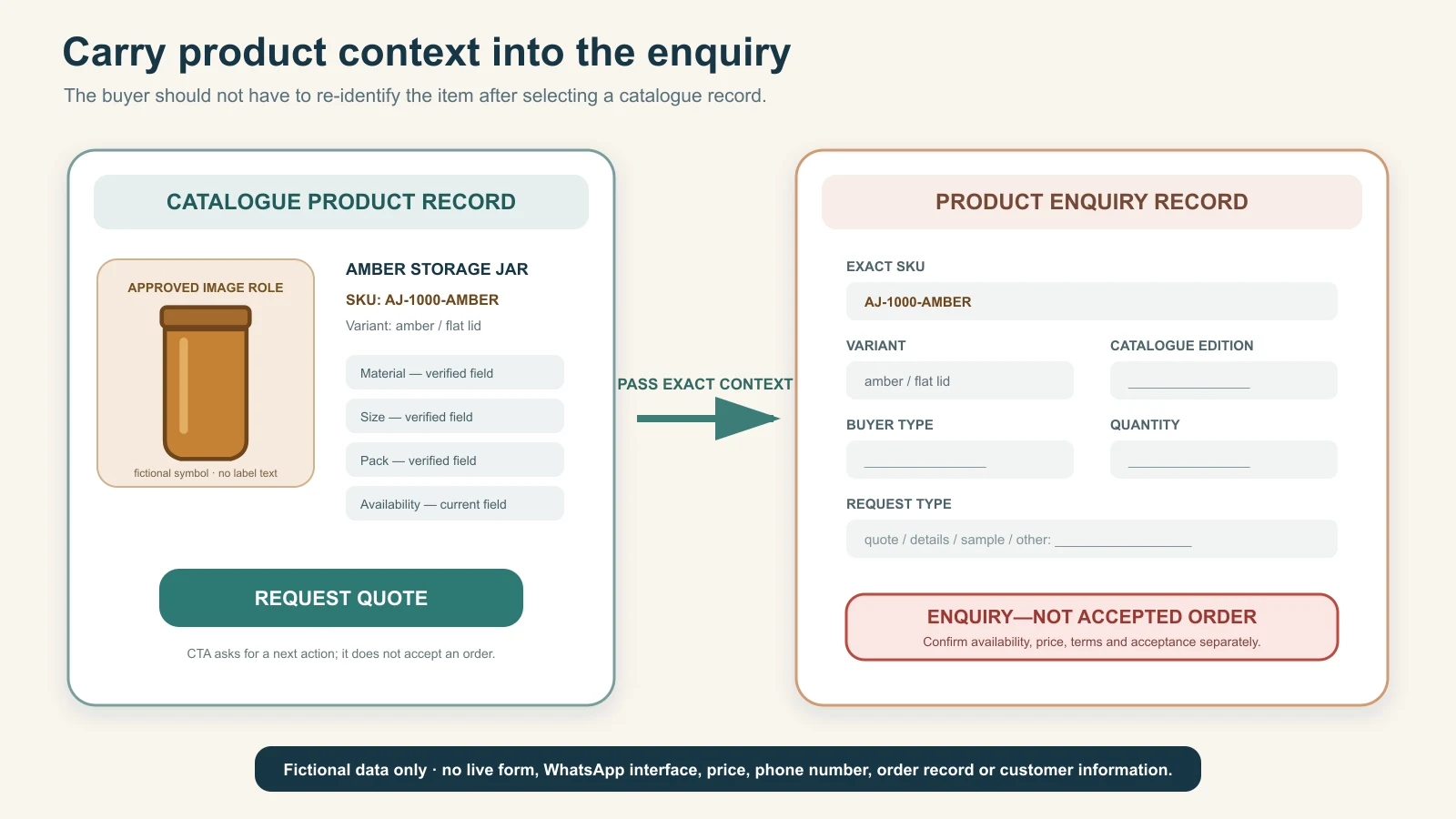
Put a current contact, buyer action and product context where the reader needs them. A line sheet should point to the order or quotation route. A catalogue should carry the selected family or SKU into an enquiry. A lookbook should link a featured item to selection detail.
Show title, audience, currency or market where relevant, release status and owner. Retire old downloads, buyer links and printed stock. A date alone does not explain what changed; keep a change summary and product-level source.
Measure buyer use according to job: line-sheet orders and clarification rate, catalogue searches and qualified enquiries, lookbook product clicks and appointments. Sales feedback should identify missing fields and confusing comparisons, not merely praise visual quality.
Document
Quality metric
Maintenance trigger
Line sheet
Order completeness and correction rate
Price, range, MOQ or delivery change
Catalogue
Qualified selection and enquiry
Product, proof or navigation change
Lookbook
Movement to product or appointment
Collection, rights or campaign change
All
Broken links and stale versions
Any master-data or contact change
Keep all three aligned to the brand identity system while preserving their distinct jobs.
Frequently asked questions
What is the difference between a line sheet and a catalogue?
A line sheet is a compact wholesale selection and ordering document. A catalogue explains a broader range, comparison logic and product evidence.
What is the difference between a line sheet and a lookbook?
A line sheet prioritises identities, variants, prices, minimums and ordering. A lookbook prioritises collection story, context and imagery.
What should a wholesale line sheet include?
Include contact, validity, product names, SKUs, images, variants, wholesale price, relevant retail price, MOQ or pack, delivery window, terms reference and order route.
Does a lookbook include prices?
It can, but prices are often omitted when the purpose is storytelling. Any price shown must state its audience, currency, unit and current validity.
Do manufacturers need both a catalogue and a line sheet?
Many do when buyers first need range and technical understanding, then a concise commercial document for selection or ordering.
How often should sales documents be updated?
Update them after relevant product, price, pack, availability, rights, contact or policy changes and review active documents on a fixed cadence.
A product data sheet is a controlled record of the information needed to identify, explain, sell, fulfil and maintain a product across channels. It can feed a B2B catalogue, website, marketplace, quotation, sales presentation and customer response without forcing each team to retype facts.
This guide provides a practical template and governance method beneath GPTWala’s digital product catalogue system. The template should be adapted to the product category, applicable standards and buyer decisions.
Decide whether the sheet is the source of truth, a controlled view of a product master or a sales-facing extract. A technical specification sheet may focus on performance and conditions, while a product data sheet combines identity, descriptive, commercial, digital and operational fields. Do not call a marketing brochure the master record.
Document
Primary content
Owner
Product master record
Canonical attributes and identifiers
Product data
Product data sheet
Approved cross-functional view
Product data with functional owners
Technical specification
Performance, conditions and limits
Engineering or quality
Sales sheet
Audience-focused benefits and next step
Sales and marketing
Quotation
Account, quantity and validity terms
Sales or commercial
Link each output back to the controlled record. If a field changes, the owner should know which channels and documents need an update.
Start the template with identity and lifecycle
Use one field per value. Capture product name, internal SKU, GTIN where applicable, manufacturer or brand, family, variant, packaging level, lifecycle status, replacement item and effective dates where needed. Keep identifiers separate from descriptions.
Capture buyer selection and descriptive attributes
Record the use case, material, dimensions, capacity, compatibility, configuration, included items, exclusions and decision-relevant features. Use controlled names, units and allowed values. Put explanations in a separate field rather than mixing prose into numeric data.
GS1’s Global Data Model and attribute implementation guidance show how harmonised foundational attributes support listing, ordering, moving, storing and selling. A small business can create its own minimum field set while maintaining the same discipline.
Attribute type
Data form
Control
Measurement
Number plus defined unit
Approved method and tolerance
Material
Controlled term
Specification or supplier evidence
Compatibility
Named product or condition
Owner-approved relationship
Feature
Short factual statement
No unsupported superlative
Use limitation
Clear condition or exclusion
Visible near relevant claim
Separate technical evidence, claims and documents
For each specification or claim, store source, owner, test or operating condition, approval status and review trigger. Link current manuals, certificates, safety sheets, drawings and technical data sheets. State scope and validity rather than copying a badge or number without context.
Claim field
Required companion
Do not publish
Performance value
Unit, condition and source
Result without test context
Certification
Scope, issuer and current status
Expired or unrelated certificate
Material statement
Approved specification
Supplier marketing text as proof
Compatibility
Verified boundary
Universal claim from one test
Sustainability claim
Method and evidence
Vague “green” language
AI may help format approved facts through the fact-safe description workflow, but it must not generate technical evidence.
Add controlled commercial and fulfilment fields
Store sell unit, order unit, case pack, MOQ, price basis, tax class, lead-time basis, stock policy, service region, warranty reference, return rule and quotation requirements. Not every field belongs on every public channel. The data sheet should mark visibility and audience.
Commercial field
Master value
Channel rule
Sell and order unit
Controlled unit pair
Show where buyer orders
Pack or MOQ
Current operational rule
Keep synchronised with quote
Price
Source and effective status
Expose only to permitted audience
Lead time
Basis and conditions
Avoid unconditional promise
Warranty or return
Controlled policy reference
Link current full terms
Use the product pricing strategy to define the value, then let channels consume it through approved visibility rules.
Map fields to ecommerce and search channels
Maintain a mapping from the master attribute to website, Merchant Center, marketplace and partner fields. Google notes that missing or incorrect identifiers, variants, images, price or availability can limit product eligibility and create display problems. The website and feed should not contradict each other.
Master attribute
Website use
Feed or partner use
Name and brand
Title and visible heading
Title and brand fields
Identity
Visible where helpful and structured data
SKU and valid identifier fields
Variant
Selector and descriptive content
Item group, size, colour or equivalent
Price and availability
Visible offer information
Current required values
Image
Accessible gallery
Compliant image link and metadata
Follow the product-page SEO guide and current Google Product structured-data requirements. Mark up only information visible and applicable to the page.
Create an asset and rights block
List primary image, additional views, diagram, video, manual, certificate and downloadable sheet with stable file reference, product link, view or type, rights owner, approval, version and validity where relevant. Assets are product data, not loose attachments.
GS1’s image guidance includes product identity, image type, rights and version-related metadata. Use a proportionate subset and the catalogue photography workflow.
Asset field
Purpose
Quality check
Asset ID or URL
Locate current file
Resolves and uses stable storage
Product mapping
Prevent wrong-item use
SKU or valid identity matches
View or type
Explain what it shows
Consistent controlled label
Rights
Confirm permitted use
Owner and restriction recorded
Approval and version
Prevent stale reuse
Current status visible
Use a field-level template, not one giant description box
Build the master in a database, PIM, ERP or controlled sheet according to scale. Use columns or fields for values and a data dictionary for definition, type, unit, required status, allowed values, owner, visibility and validation. A visually designed data-sheet output can then pull from the structured master.
Template block
Core fields
Validation
Governance
Owner, status, approval, revision
Required controlled values
Identity
Name, SKU, identifiers, family, variant
Unique and mapped
Selection
Use, material, dimensions, compatibility
Units and code lists
Technical
Specifications, conditions, claims, documents
Source and approval
Commercial
Units, pack, MOQ, price basis, lead time
Current policy
Digital
Descriptions, SEO, assets, channel mapping
Length, links and visibility
Data dictionary example
For “net weight,” define whether packaging is excluded, allowed unit, decimal precision, source owner, channel visibility and what change triggers review. Repeat this precision for decision-critical fields.
Create, approve and distribute through a workflow
Start with a new-product or change request. Product data creates identity and required fields; functional owners provide and approve facts; marketing adapts approved language; ecommerce maps channels; a final release reconciles outputs. Missing required facts should block release or be clearly excluded, not guessed.
Stage
Owner
Gate
Request
Product or commercial owner
Defined product and business need
Enrich
Data, technical, sales and marketing
Required fields complete
Approve
Functional owners
Facts and visibility approved
Release
Product-data owner
Version and channel package created
Synchronise
Channel owners
Website, feeds and sales assets match
Monitor
Data owner
Errors and changes are resolved
Feed appropriate items into the WhatsApp catalogue while retaining richer technical records outside chat.
Run completeness, consistency and freshness QA
Validate required fields, allowed values, units, identifier formats, variant relationships, image mapping, link status and source approval. Compare website, feed, catalogue, quotation template and current inventory data. Sample real products instead of trusting an empty template.
QA dimension
Test
Failure action
Completeness
Required field by category
Block or route missing owner
Validity
Type, range, unit and code list
Correct source value
Consistency
Same identity and offer across channels
Reconcile master and mapping
Accuracy
Physical or approved evidence check
Correct and investigate cause
Freshness
Review trigger and current status
Reapprove or retire
Review after product, packaging, claim, policy, supplier, system or channel changes, plus a fixed cadence for priority items. Use correction patterns to improve the template rather than repeatedly patching outputs.
Frequently asked questions
What should a product data sheet include?
Include governance, identity, lifecycle, selection attributes, technical facts, commercial fields, channel mappings, assets, documents, visibility rules and revision information.
What is the difference between a product data sheet and a specification sheet?
A specification sheet focuses on technical performance and conditions. A product data sheet usually adds identity, descriptive, commercial, digital and operational information.
How do you create a product data sheet template?
Define field-level requirements by product category, add a data dictionary with units and owners, build validation, then generate audience-specific outputs from the controlled record.
Who owns product data in a business?
A named product-data owner controls the record, while technical, commercial, marketing, operations and channel owners approve fields within their authority.
How do you use one product data sheet across sales and ecommerce?
Store structured master fields, map visibility and destination rules, then generate sales, web, feed and catalogue views without retyping the facts.
How often should product data sheets be updated?
Update them after material product, packaging, claim, policy, supplier, system or channel changes and review priority records on a fixed cadence.
A good SKU naming system gives each sellable or stocked item one stable internal code that people and systems can use without ambiguity. It should support receiving, picking, sales, reporting and channel mapping, but it should not attempt to describe every product fact inside the code.
This guide owns internal SKU governance beneath GPTWala’s digital product catalogue strategy. It distinguishes an internal SKU from external identifiers such as GTINs and from the barcode symbols that may encode identifiers.
Decide whether a SKU represents a base product, each sellable variant, each packaging level, a service part or a bundle. Most product businesses need one SKU per distinct inventory or order line. A colour, size, pack or material change that affects stock, price, fulfilment or buyer choice normally needs a separate SKU.
Write the rule in business language before choosing characters. Record systems that store the SKU, field limits, case sensitivity, barcode needs, marketplace constraints and existing codes that cannot change.
Question
Decision
Risk if unclear
What is one item?
Variant and packaging boundary
Stock mixes across offers
Where is code used?
ERP, POS, website, warehouse and feeds
Field truncation or mismatch
Who creates it?
Named product-data owner
Duplicate codes
When is it retired?
Lifecycle rule
Old code is reused incorrectly
Use stable, unique and machine-safe rules
Prefer uppercase letters and digits with one approved delimiter if systems support it. Avoid spaces, ambiguous characters, punctuation with special meaning and codes that change when a product moves category or supplier. Keep the scheme within the strictest connected system’s length.
A code does not need to be memorable at any cost. Search, labels and product names should help people find items. Overly short codes collide; overly descriptive codes break when facts change.
Principle
Good rule
Weak pattern
Unique
One code maps to one item
Code reused after discontinuation
Stable
Code survives editable descriptions
Category name embedded and later changes
Parseable
Fixed segment positions where needed
Variable free-form abbreviations
Compatible
Works in every connected system
Symbols rejected by one channel
Governed
Created by one controlled process
Each team invents codes
Choose only durable attributes for code segments
If people benefit from meaning inside the SKU, use a limited structure such as family, model, variant and pack. Include an attribute only when it is controlled, durable, short and genuinely useful during work. Do not encode price, supplier, warehouse location, campaign, year of purchase or other facts likely to change.
Example pattern without prescribing a universal code
A hypothetical pattern could be FAM-MOD-VAR-PK, with each segment taken from a controlled code list. The correct segment length depends on the catalogue. Test for collisions before approval.
Candidate segment
Use when
Avoid when
Family
Stable range groups exist
Products often move between groups
Model
It is an approved durable identifier
Marketing name changes frequently
Variant
Code list covers material, size or finish
Combinations are inconsistent
Pack
Packaging creates a separate order item
Pack is only a temporary promotion
Create variant combinations systematically
Build a variant matrix before assigning codes. List all allowed dimensions and values, then generate only commercially valid combinations. A code for a non-existent variant creates errors in feeds and planning. Use the same variant labels across SKU, product name, website, data sheet and channel exports.
Base product
Variant dimension
SKU outcome
One model
Three sizes
Three distinct item codes
One model
Two materials and three sizes
Up to six valid codes after rule check
Single item
Marketing image only changes
Keep same SKU if item is unchanged
Bundle
Contents or quantity differs
Create distinct bundle SKU and component map
Build descriptions from approved attributes using the product-page copy template; do not force the SKU to carry customer-facing language.
Separate SKU, GTIN, barcode and serial number
An SKU is controlled inside a business. A GTIN is a globally standardised trade-item identifier issued under GS1 rules. A barcode is a data carrier that can encode an identifier. A serial number identifies an individual instance, while a batch or lot identifies a production group. Keep these in separate fields.
GS1’s standards and Google Merchant Center product data requirements help explain why a seller must not place an internal SKU in a GTIN field. Use valid externally assigned identifiers where required and follow assignment rules for packaging levels and changes.
Identifier
Scope
Typical use
SKU
Internal item
Inventory, ordering and reporting
GTIN
Trade item in external ecosystem
Retail, marketplaces and partner exchange
Barcode
Machine-readable carrier
Scanning
Serial number
Individual unit
Warranty, traceability or service
Lot or batch
Production group
Quality and recall traceability
Create a controlled SKU-assignment workflow
Require an approved product or variant request before code creation. Search current and retired codes, validate required attributes, reserve the next code or valid combination, write it to the product master, map external identifiers and publish to connected systems. The product-data owner should be the authority even when software generates the code.
Stage
Control
Evidence
Request
Required product and variant fields
Approved new-item form
Duplicate check
Search active and retired items
No existing identity match
Assignment
Use controlled rule or sequence
Reserved unique SKU
Mapping
Attach GTIN, supplier and channel IDs
Identifier crosswalk
Release
Synchronise systems and labels
Channel reconciliation
Retire
Block new use without deletion
Lifecycle status
Keep catalogue data consistent with the WhatsApp catalogue workflow and web product records, but never let a channel create the master SKU independently.
Validate rules automatically and operationally
Use field validation for allowed characters, segment length, required values and uniqueness. Then test labels, scanner workflows, order imports, exports, spreadsheets, leading zeros and case handling across all systems. A technically valid SKU may still be hard to read on a small label or easy to mistype by phone.
Test
Example failure
Correction
Length
Marketplace truncates final segment
Shorten rule before release
Case
One system converts to lowercase
Treat code consistently
Leading zero
Spreadsheet drops zero
Store as text
Delimiter
ERP rejects slash
Use approved safe delimiter
Speech
Similar codes sound alike
Add separation or check digit approach
Run a small pilot using real operational roles. Product data, sales, warehouse, finance and ecommerce may reveal different failure modes.
Govern changes, retirement and exceptions
Do not change an SKU merely to improve its appearance. If the physical or commercial item has not changed, update editable product attributes instead. If a material change creates a new item under business or external identification rules, create a new SKU and map the predecessor.
Never recycle retired codes. Keep status, replacement SKU, retirement reason and effective point. Exceptions should be approved, documented and rare. A temporary campaign should not create a permanent naming exception.
Change
SKU action
Related action
Description correction
Keep SKU
Update controlled text
Supplier changes, item identical
Usually keep SKU
Update supplier mapping after review
Variant or pack becomes distinct stock
Create SKU
Update channels and inventory
Discontinued item
Retire, do not delete
Map approved replacement
Scheme migration
Preserve crosswalk
Freeze legacy assignment
Migrate a weak legacy scheme without losing history
Inventory every active and retired code, detect duplicates, classify records and choose whether to preserve legacy SKUs or create new internal keys with aliases. A full renumbering can break orders, labels, history, partner files and customer references. Prefer a staged migration with a crosswalk and explicit cutover.
Reconcile open orders, stock, price lists, website URLs, marketplace feeds, documents and analytics. Product URLs should not depend solely on an SKU that may change. Follow GPTWala’s product-page SEO guide for stable page ownership.
Migration control
Pass condition
Owner
Crosswalk
Every old code maps once
Product data
Stock
Quantities reconcile by location
Operations
Transactions
Open documents retain meaning
Finance and sales
Channels
Listings map without duplicates
Ecommerce
Support
Teams can search old and new
Process owner
Publish the rule and monitor data quality
Create a short standard with purpose, scope, syntax, segment dictionary, examples, prohibited characters, request workflow, retirement rule and exception owner. Train staff through new-item scenarios. Keep the code dictionary and creation tool in one controlled location.
Monitor duplicate attempts, missing variant values, manual overrides, unmapped channel IDs, retired code use and order corrections. Use the product image rules to align asset names and identifiers without assuming that a file name itself is the product master.
Metric
Meaning
Action
Duplicate attempts
Rule or search is weak
Improve validation
Manual overrides
Workflow does not fit
Review exceptions
Unmapped listings
Channel synchronisation gap
Repair crosswalk
Pick or order errors
Codes are hard to distinguish
Review readability
Retired-code use
Old files remain active
Remove distribution source
Frequently asked questions
What is a good SKU naming system?
It creates one stable, unique, machine-safe internal code per stocked or sellable item through controlled rules, validation, ownership and retirement.
How many characters should an SKU have?
Use enough characters to remain unique and useful, but stay within the strictest connected system and label. There is no universal ideal length.
Should an SKU include product details?
Include only a few durable, controlled attributes when they help operations. Keep changing facts such as price, supplier or location outside the code.
Is an SKU the same as a barcode or GTIN?
No. An SKU is an internal item code, a GTIN is a standard external trade-item identifier, and a barcode is a carrier that can encode an identifier.
Can an SKU be changed after launch?
Avoid changing a live SKU for cosmetic reasons. Materially new items may need a new SKU, while descriptions and other editable attributes should change separately.
How do you create SKUs for product variants?
Define valid variant dimensions and code lists, generate only real combinations, assign one code per distinct inventory or order line, and map all external identifiers.
A B2B product catalogue should help a buyer identify the right family, compare relevant options, confirm minimum fit and take a commercial next step. It is not merely a collection of attractive pages. Its design depends on accurate product data, a clear hierarchy, controlled claims and a route from interest to specification, sample, quotation or order.
This checklist owns the design and buyer-use intent below GPTWala’s digital product catalogue strategy. It applies to web catalogues, buyer portals and maintained screen or print files.
Write the catalogue brief before choosing a layout
Define audience, buying situation, product scope, language, channel, update frequency and action. A distributor comparing a range, an engineer checking fit and a retailer selecting an assortment need different emphasis. Name the commercial owner and the product-data owner separately.
Brief field
Decision
Design consequence
Audience
Technical buyer, retailer or distributor
Changes terminology and evidence
Use moment
Discovery, comparison or ordering
Changes density and navigation
Scope
Full range or selected family
Controls hierarchy
Channel
Web, portal, screen PDF or print
Controls interaction and file size
Action
Enquiry, sample, quote or order
Determines CTA and fields
Link the catalogue to the broader B2B lead-generation system. A document without routing and follow-up can create interest that nobody owns.
Build a buyer-led information architecture
Group products by a decision buyers understand: application, product family, material, performance class or industry only when the business has genuine industry-specific evidence. Avoid organising solely by internal department or factory sequence. Use a contents page, section dividers, stable family codes and clear cross-references.
Keep the hierarchy consistent across the website, catalogue, data sheet, quotation and CRM. A buyer should not have to translate different names for the same family. GS1’s Global Data Model aims to harmonise foundational product attributes across channels, which is a useful principle even when a business does not implement the full standard.
Level
Job
Typical content
Catalogue
Explain range and route
Families, selection logic and contact
Family
Support comparison
Shared specifications and variants
Product
Confirm a defined offer
Identifier, attributes and assets
Data sheet
Provide technical detail
Conditions, units and revision
Quotation
State account-specific terms
Price, quantity, validity and delivery basis
Create a controlled product-data minimum
Define required fields before layout. At minimum, capture product name, internal identifier, externally used identifier where applicable, family, short description, variant attributes, units, dimensions or performance facts, packaging, availability basis, documents, asset rights and owner. Do not squeeze unknown values into a template.
Field group
Examples
Source owner
Identity
Product name, SKU, GTIN where applicable
Product master-data owner
Selection
Use case, material, size, grade
Product or technical owner
Commercial
MOQ, pack, price basis, lead-time basis
Sales and operations
Evidence
Specification, certification scope, test condition
Quality or engineering
Assets
Images, drawings, manuals and rights
Marketing with owner approval
Use GPTWala’s product-page copy template to turn approved fields into readable text without making the catalogue the only source of truth.
Design family and product pages for scanning
Each spread or screen should answer where the buyer is, what is being compared and what to do next. Use a repeatable grid, readable type, meaningful whitespace and a small number of comparison dimensions. Place units next to values. Avoid rotated text, tiny footnotes and decorative icons that obscure meaning.
Choose density by decision
A family overview can show several items when buyers only need a short comparison. A complex product needs a dedicated page or linked data sheet. There is no universal number of products per page. Test whether a buyer can identify and compare the right item without zooming or guessing.
Page type
Primary content
Avoid
Family opener
Selection logic and range map
Long company introduction
Comparison
Common attributes in aligned columns
Different units without explanation
Product detail
Identity, proof, variants and next step
Marketing claims without evidence
Reference
Symbols, terms and contact route
Critical rules hidden in small print
Use images as product evidence
Use authentic, current images that help identification, scale, configuration or application. Maintain consistent angle, crop and background within a comparison set. Add supporting views only when they answer a buyer question. Do not let lifestyle imagery hide connection points, controls, packaging or material details.
GS1 publishes product-image specifications and metadata guidance. A small manufacturer can borrow the discipline: stable file names, product links, rights, version, view type and quality review. Follow GPTWala’s AI catalogue photography workflow and cross-channel product image rules. Any AI-assisted image must preserve product truth.
Asset
Buyer question
Control
Primary image
Which product is this?
Consistent, current, linked to identifier
Detail view
What feature matters?
Caption and approved crop
Scale or dimension
Will it fit?
Units and verified drawing
Application image
Where is it used?
Authentic context and permission
Document icon
What proof is available?
Link current controlled file
Make commercial information explicit but controlled
Decide whether the catalogue shows list price, wholesale price, a price range, “request quote” or no public price. The right choice depends on configuration, account terms, channel conflict, currency and update ability. If prices are shown, state currency, tax basis, effective period, pack or unit basis and whether freight is included.
Commercial item
Show when
Control
MOQ or case pack
It affects buyer fit
Specify unit and variant rule
Lead time
A reliable basis exists
Explain stock versus made-to-order
Price
Audience and update process permit it
State basis and validity
Availability
Data can stay current
Use status and update timestamp
Terms
Public terms are approved
Keep account-specific terms in quotation
Build channel economics through GPTWala’s product pricing strategy, then publish only what the catalogue owner can maintain.
Protect digital usability and accessibility
A web catalogue should use semantic headings, descriptive links, keyboard access, readable contrast, useful alternative text and responsive tables. A PDF should have selectable text, a logical reading order, bookmarks, tagged headings and properly structured tables where the production tool supports them. W3C WCAG guidance provides the accessibility baseline for web content.
Keep screen files reasonably sized, but do not compress images until specifications become unreadable. Test on a narrow phone, ordinary laptop, slow connection and printed page. Avoid making essential content available only through a QR code, animation or image.
Test
Pass condition
Failure
Navigation
Contents and links reach the right section
Page numbers or anchors break
Text
Readable without extreme zoom
Specifications are baked into image
Table
Columns remain understandable
Horizontal clipping hides values
Download
File opens and size is proportionate
Large file fails in sales use
Contact
CTA identifies next step and owner
Generic inbox with no routing
Design enquiry and ordering handoffs
Use action labels that match buyer intent: request a data sheet, discuss an application, request a sample, build a quotation or place a repeat order. Carry the product or family identifier into the form or message so the buyer does not retype it. State what information will help the next response.
For chat-based journeys, connect the catalogue to the WhatsApp Business catalogue workflow without forcing the chat catalogue to carry every technical field. For website enquiries, link to a focused product landing page with owned routing.
CTA
Required context
Handoff owner
Request specification
Product ID and application
Technical sales
Request sample
Variant, quantity and destination
Sales operations
Request quotation
Items, quantities and commercial details
Assigned sales owner
Ask a question
Page and product context
Qualified support route
Run approval, release and measurement
Before release, reconcile the catalogue against the product master, current commercial policy and approved assets. Assign approvals for technical facts, commercial information, brand, accessibility and final release. Publish one version and retire superseded downloads and printed stock.
Measure searches, page or section views, downloads, product-level CTA starts, qualified enquiries, sales feedback and correction requests. Do not treat downloads as revenue. Review which comparisons help buyers and which questions still require manual clarification.
Release check
Evidence
Owner
Product completeness
Required fields pass
Data owner
Claims
Source and scope confirmed
Technical or quality owner
Commercial accuracy
Current terms and prices
Sales or finance
Links and access
Devices and files tested
Digital owner
Distribution
Old version removed
Catalogue owner
Keep changes aligned to the brand identity system without sacrificing operational clarity.
Frequently asked questions
What should a B2B product catalogue include?
Include buyer-led categories, product identities, approved attributes, comparison logic, authentic images, commercial boundaries, supporting documents, clear next steps and version ownership.
How do you structure a manufacturer product catalogue?
Organise by a buyer decision such as application or product family, then use consistent family, product, data-sheet and quotation levels.
How many products should be on a catalogue page?
There is no fixed number. Use only as many as a buyer can identify and compare without tiny text, hidden differences or excessive zoom.
Should a B2B catalogue include prices?
Include prices only when the audience, channel strategy and update process support accurate currency, unit, tax, pack and validity information.
How do you make a digital catalogue easy to use?
Provide clear hierarchy, contents, search or links, readable text, accessible tables, responsive layouts, manageable files and product-specific enquiry paths.
Who should approve a manufacturer catalogue?
Product data, technical or quality, sales, brand and digital owners should approve their respective facts, with one catalogue owner controlling release.
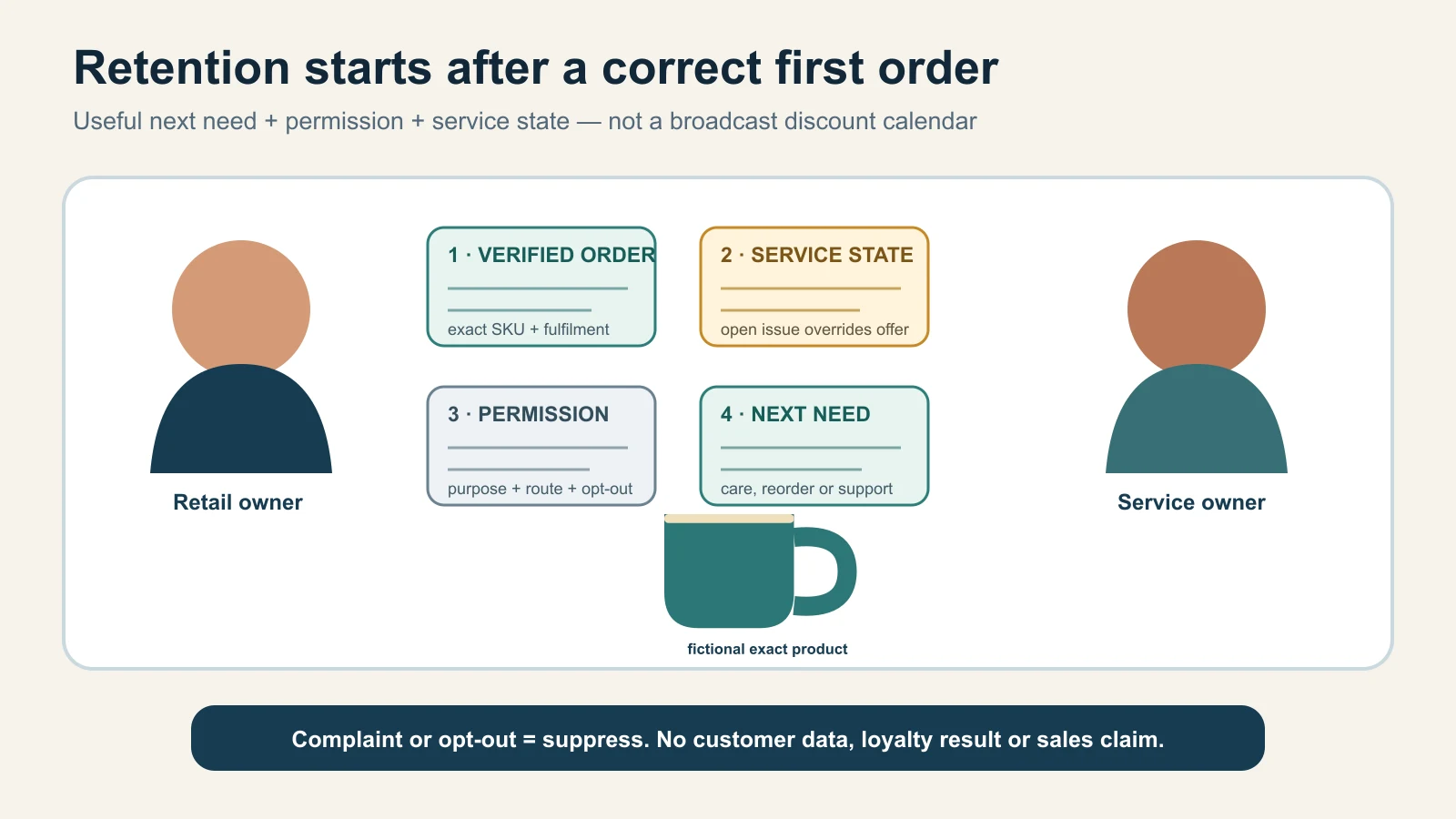
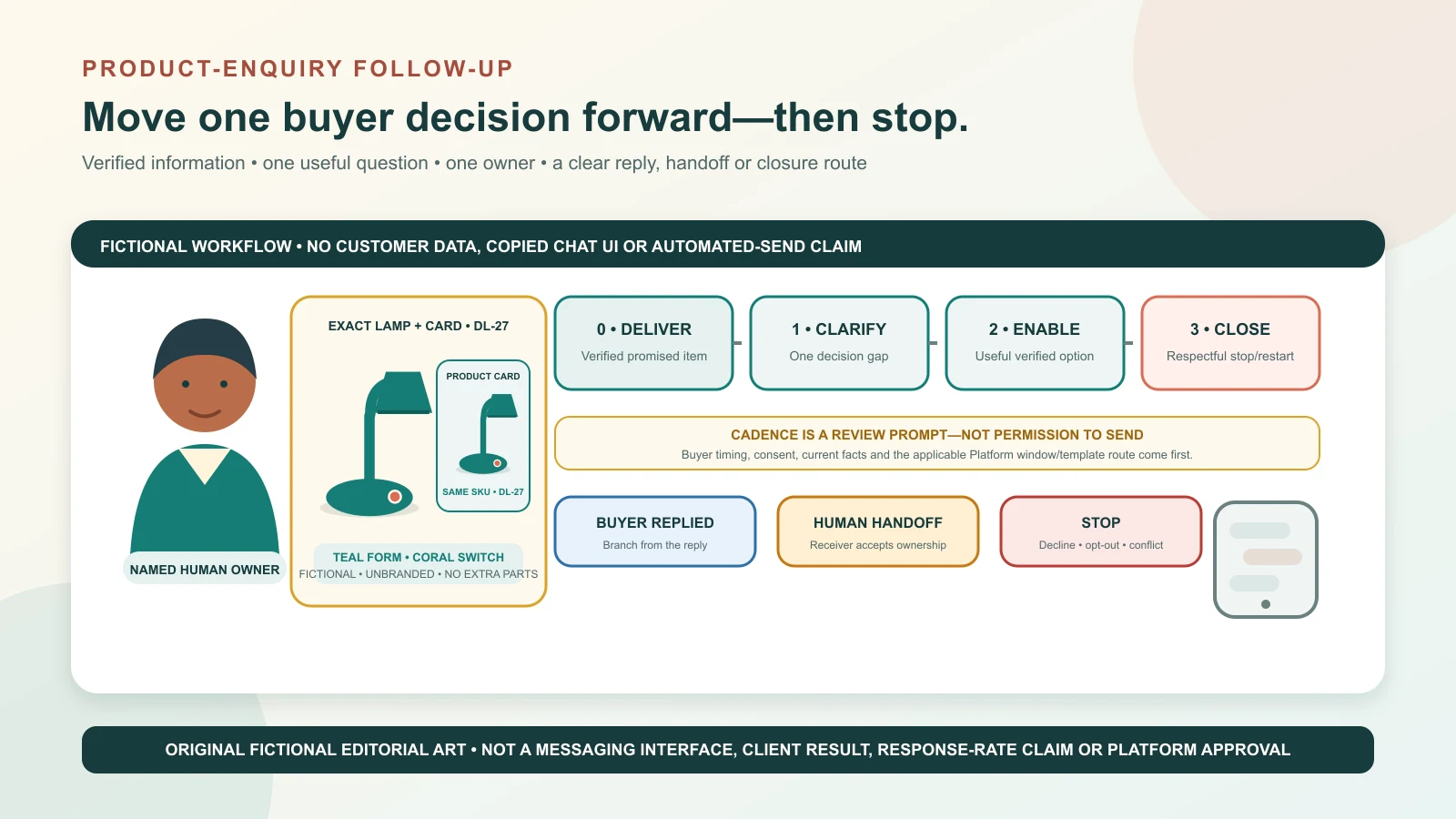
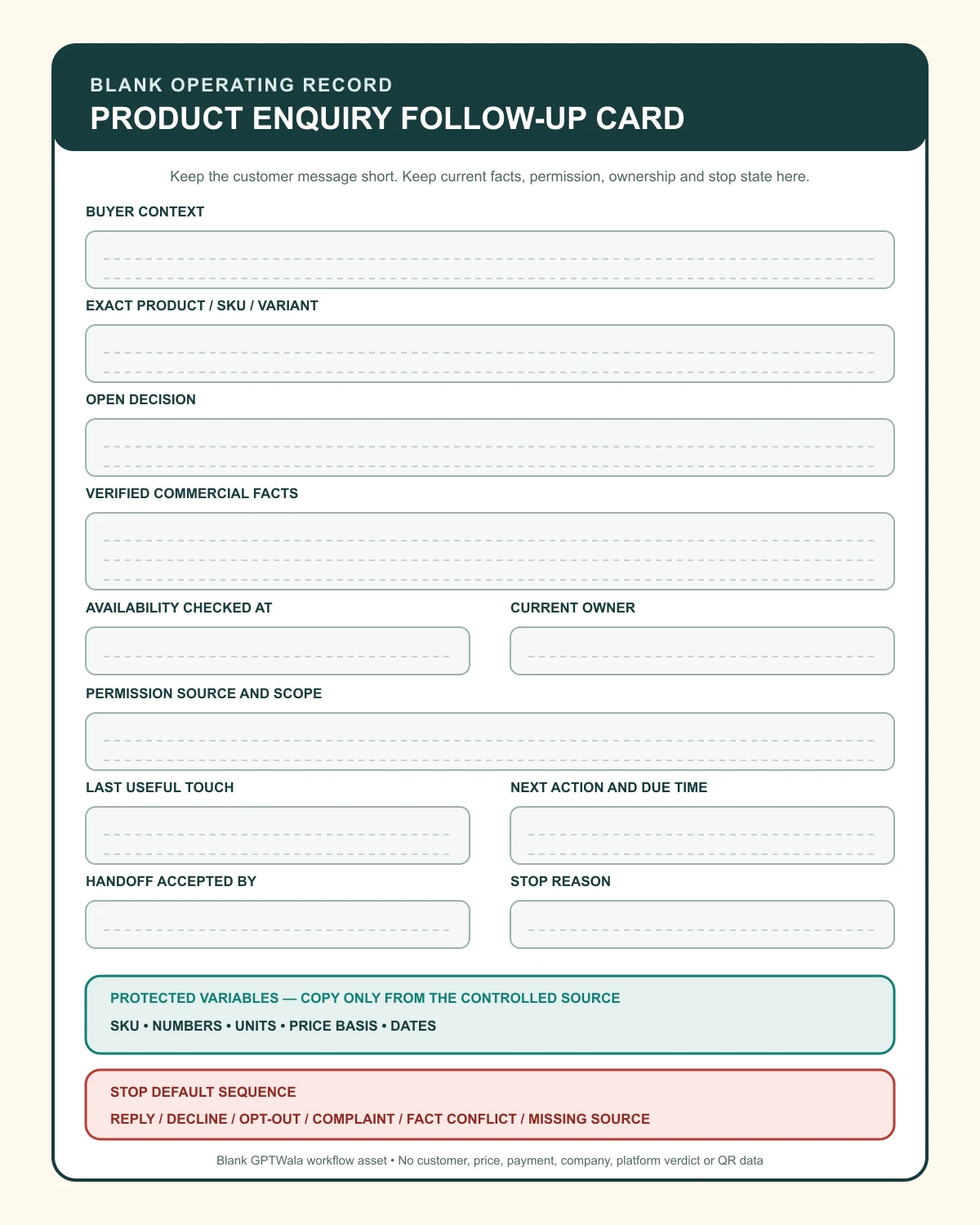
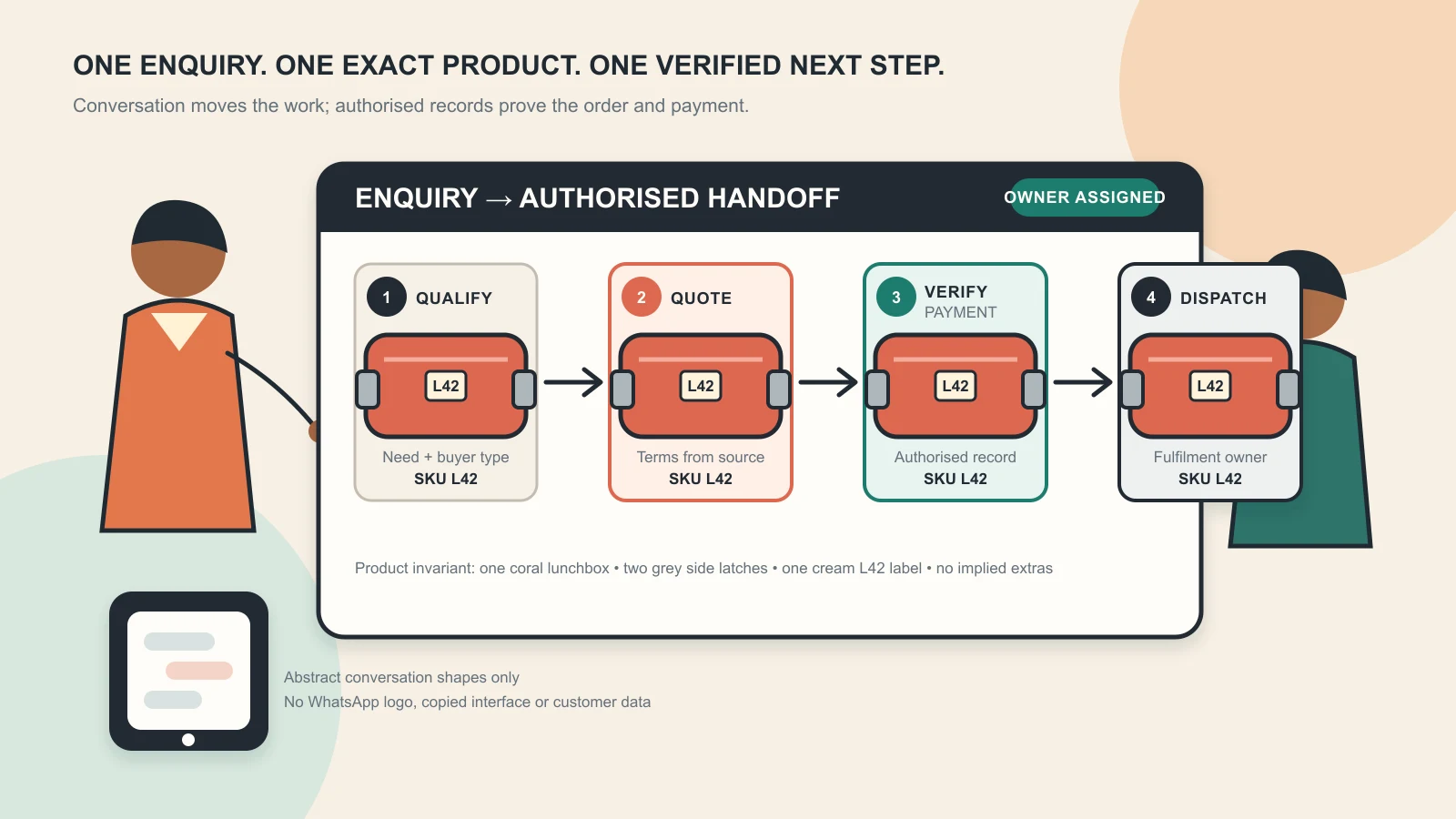
Original GPTWala editorial illustration using fictional people, one fictional exact product and blank operating cards. It is not a client result, loyalty dashboard or sales claim.
Reviewed and updated: 12 August 2026
To improve repeat purchase and customer retention, a local retailer should start with a correct completed-order record, not a promotional list. Record the exact product and variant, fulfilment outcome, service or replenishment logic, customer’s chosen communication route, permission purpose and opt-out state. Then send only the next message that is useful for that product lifecycle: care or service, a genuine replenishment need, a compatible recommendation, a relevant seasonal range or a respectful win-back. Stop when the customer opts out, complains, the source facts are uncertain or the offer no longer fits.
Retention is the business’s ability to keep delivering value after the first transaction. Repeat purchase is one possible outcome. A durable appliance may create retention through reliable service rather than frequent buying; a neighbourhood grocery may see regular replenishment; a jewellery shop may retain a customer through care, repair and trust. The system should fit the product—not force every customer into the same discount calendar.
This guide owns the post-purchase retention operating system. The WhatsApp selling guide owns enquiry-to-order and fulfilment. The WhatsApp follow-up templates own active-enquiry messages before purchase. The digital catalogue guide owns product-master structure, and the future product-business unit-economics guide will own contribution, margin and affordable-acquisition calculations.
The examples below are fictional operating models, not GPTWala client results. Messaging, privacy, consumer, loyalty, product and sector requirements vary; verify the current rules and the actual customer/data flow before implementation.
Customer retention is not “message everyone who ever bought.” It is the continuation of a worthwhile customer relationship through accurate products, fulfilled promises, relevant service and permissioned communication.
Separate the outcomes
Outcome
What it means
What it does not mean
Successful first order
Correct product, terms, payment and fulfilment completed
Customer wants marketing
Retained customer
Relationship remains useful and in good standing over a defined period
Customer must buy frequently
Repeat purchase
Customer completes another eligible order
The reminder caused the order
Reorder
Same or related product is purchased again based on a real need
Every product has a fixed cycle
Service retention
Customer returns for care, support, repair or warranty route
Service interaction is permission to upsell
Referral
Customer makes a genuine introduction/recommendation
Business may use their name or contacts without permission
Reactivation
A previously inactive customer completes a new relevant action
A promotional send itself is a win-back
A retailer can improve one outcome while damaging another. A discount may create an early second order but teach the customer to wait, compress margin or increase returns. A high message volume may create replies and opt-outs at the same time.
Write a retention objective with a boundary
Use this pattern:
Help [defined completed-order cohort] get the next legitimate value from [exact product/category] through [service/replenishment/compatible range], using [permitted channel/purpose], while protecting [margin, product truth, opt-out and complaint guardrails].
Fictional example:
Help customers who bought the exact two-tier steel tiffin receive care guidance and, only where permission exists, see compatible replacement seals when the approved service interval or customer request creates a real need; stop promotional sends on complaint or opt-out.
That is more useful than “increase retention by 20%”, especially when no baseline or evidence supports the target.
Choose the business record that proves the outcome
Use completed orders, verified refunds/returns, support/service records and the business’s customer record. Do not treat these as repeat purchases:
message delivered;
catalogue opened;
coupon clicked;
“interested” reply;
item reserved but never paid/collected;
duplicate order record;
test order; or
exchange that merely corrects the first transaction.
Choose the real customer lifecycle
Different products create different reasons to return.
Assuming the new phase matches the old specification
Do not invent a replenishment interval because marketing software asks for one. Use product size, documented use guidance where applicable, actual order history and customer preference. A bottle of shampoo, a bag of rice and a water purifier filter do not share a cadence.
Map the relationship state
Useful post-purchase states include:
fulfilment pending;
delivered/collected, verification pending;
issue or complaint open;
successful use/onboarding;
service/care due by a verified rule;
replenishment may be relevant;
compatible cross-sell may be relevant;
seasonal/collection interest with permission;
inactive but permission still valid under current rules;
opted out/suppressed; and
closed/deleted/archived under the business’s policy.
A customer with an unresolved issue should not enter the promotional lane because a calendar date arrived.
Define inactivity by product, not ego
Someone who buys a sofa once in three years is not necessarily a “lost customer” after 60 days. A weekly-grocery buyer may be genuinely inactive after a much shorter business-defined interval. Use observed purchase patterns and product logic; do not publish a universal dormant-customer benchmark.
Create an order-to-retention handoff
Retention starts when the first order is confirmed correctly and fulfilled. Build the handoff before creating campaigns.
The retention-ready order card
Field group
Record
Why it matters
Customer/account
Controlled ID, buyer type and preferred name/language as appropriate
Connects orders without relying on chat memory
Product
Exact SKU, variant, pack, quantity and approved product name
Prevents wrong recommendations
Offer
Price/discount basis, included items and material terms
Separates first-order promise from future offer
Fulfilment
Delivery/collection date, status and any exception
Starts service only after reality is known
Service
Care, installation, warranty/service route and relevant schedule source
Supports useful post-purchase help
Permission
Channel, purpose/category, source, date and expectation
Controls subsequent messaging
Suppression
Opt-out, complaint, sensitive-case or do-not-promote state
Stops harmful sends
Next need
Rule and earliest review trigger—not a guessed date
Routes service/replenishment responsibly
Owner
Person/team responsible for service, offer and suppression
Prevents unowned automation
Do not put payment credentials, identity documents or unnecessary sensitive notes into a shared marketing sheet.
Confirm product truth before recommending anything
The retention record must identify what the customer actually received, not merely what appeared in the abandoned cart or first quote. Check:
exact SKU and variant;
package/version;
quantity and included accessories;
delivery or exchange outcome;
compatibility details genuinely known;
warranty/service status as applicable; and
any complaint or product-safety restriction.
If the customer exchanged size M for L, a later “more like your size M” message is both irrelevant and a data-quality warning.
Close the first-order defects first
Before promotion, confirm:
delivery/collection completed;
payment/refund state reconciled;
missing/damaged/wrong item issue routed;
installation or onboarding need handled;
promised document/invoice/warranty path delivered; and
customer preference/opt-out captured.
Retention cannot be repaired by sending a coupon over an unresolved service failure.
Record permission, purpose and suppression
Permission is not one permanent yes/no cell. It has a source, channel, purpose, expectation and current state.
Use a communication-permission record
Field
Example of a controlled value
Avoid
Channel
WhatsApp / SMS / email / call / app
“All channels” by default
Purpose
Order service / care / replenishment / new collection / loyalty
“Marketing” with no expectation
Source
Checkout choice, in-store form, conversation request or contract route
“Number is in billing system”
Date/version
Timestamp and notice/wording version
No evidence of what was agreed
Scope
Product/category/store/region as appropriate
Unlimited unrelated promotions
Frequency expectation
Customer-facing description or preference
Hidden high-frequency automation
Status
Active / paused / opted out / suppressed / unresolved
Deleted opt-out message with no action
Actioned across
WhatsApp list, CRM, SMS/email tool and manual sheet
Suppressed in one place only
Do not infer promotional permission from an invoice, warranty registration, support request, public phone number or saved contact.
Separate service from marketing
Examples of service/task continuation may include an order update, a requested invoice, an applicable care instruction or a response to a warranty question. A replenishment offer, new collection, cross-sell, birthday coupon, referral reward or “we miss you” message may be marketing.
The exact classification and permitted route depend on the channel, content, context and current rules. WhatsApp’s current Business Messaging Policy requires the person’s number plus opt-in permission for subsequent messages/calls, requires opt-outs to be honoured and places responsibility for notices, permissions and legal compliance on the business. Its Platform-specific message categories and service-window controls must not be copied casually onto another channel or product.
Make opt-out a system action
When a customer says stop, unsubscribe, do not message or an equivalent clear instruction:
acknowledge without adding a promotion;
suppress the relevant purpose/channel promptly;
cancel pending scheduled sends;
update every sending source, not only the chat label;
keep only the minimum suppression record needed under the approved policy; and
define who can reverse a suppression and on what new evidence.
Do not force the customer to visit the store, call another number or complete a long form to stop promotional messages.
Treat legal timing as current work
India’s data-protection framework has phased commencement. The official DPDP Act commencement record records commencement beginning 13 November 2025 with many core provisions scheduled later. That is a freshness warning—not a ready-made consent script. Verify current law, rules, channel policy, customer context and data flow before implementation.
Segment by the next legitimate need
Useful segmentation changes what the business should do. Decorative labels such as “VIP”, “gold” or “high value” often change only tone.
Start with lifecycle and fit
Segment
Entry evidence
Appropriate action
Stop/exit
New fulfilled customer
First completed order, no open issue
Care/onboarding and preference check
Complaint, return or opt-out
Replenishment eligible
Exact product plus supported consumption/order-history rule
Ask whether a reorder is useful
Customer says not needed; product unavailable
Service due
Verified product and documented service schedule
Service reminder/booking route
Service completed, product disposed/transferred or opt-out as applicable
Compatible recommendation
Exact owned product plus verified compatibility
Show one relevant option and why
Compatibility uncertain or customer declines
Seasonal opt-in
Recorded category/season interest and permission
Curated current range
Permission ends, season/stock changes
Lapsed relationship
Business-defined inactivity plus valid route/purpose
One respectful relevance check or stop
No interest, complaint, invalid permission or opt-out
Complaint/recovery
Open issue/service failure
Human resolution only
Close only after documented outcome
Suppressed
Opt-out, policy or risk state
No promotional action
Authorised new permission/evidence only
Do not segment with unsupported inference
Avoid assuming or deriving sensitive or intimate traits from product history or conversations. Do not infer health conditions, religion, pregnancy, financial hardship, relationship status or personal events to make a promotion feel personalised.
Use the least information needed:
exact purchased product;
relevant variant/compatibility;
transaction date and quantity;
service area;
chosen language/channel;
permission purpose; and
explicit preferences the customer actually provided.
Keep value and risk separate
A high-spend customer with an unresolved complaint should not receive a “VIP upgrade” before resolution. A low-spend customer may be an excellent long-term relationship. Maintain separate fields for:
commercial history;
service/complaint state;
permission state;
product/compatibility facts; and
next legitimate need.
Do not let a single score override a hard stop.
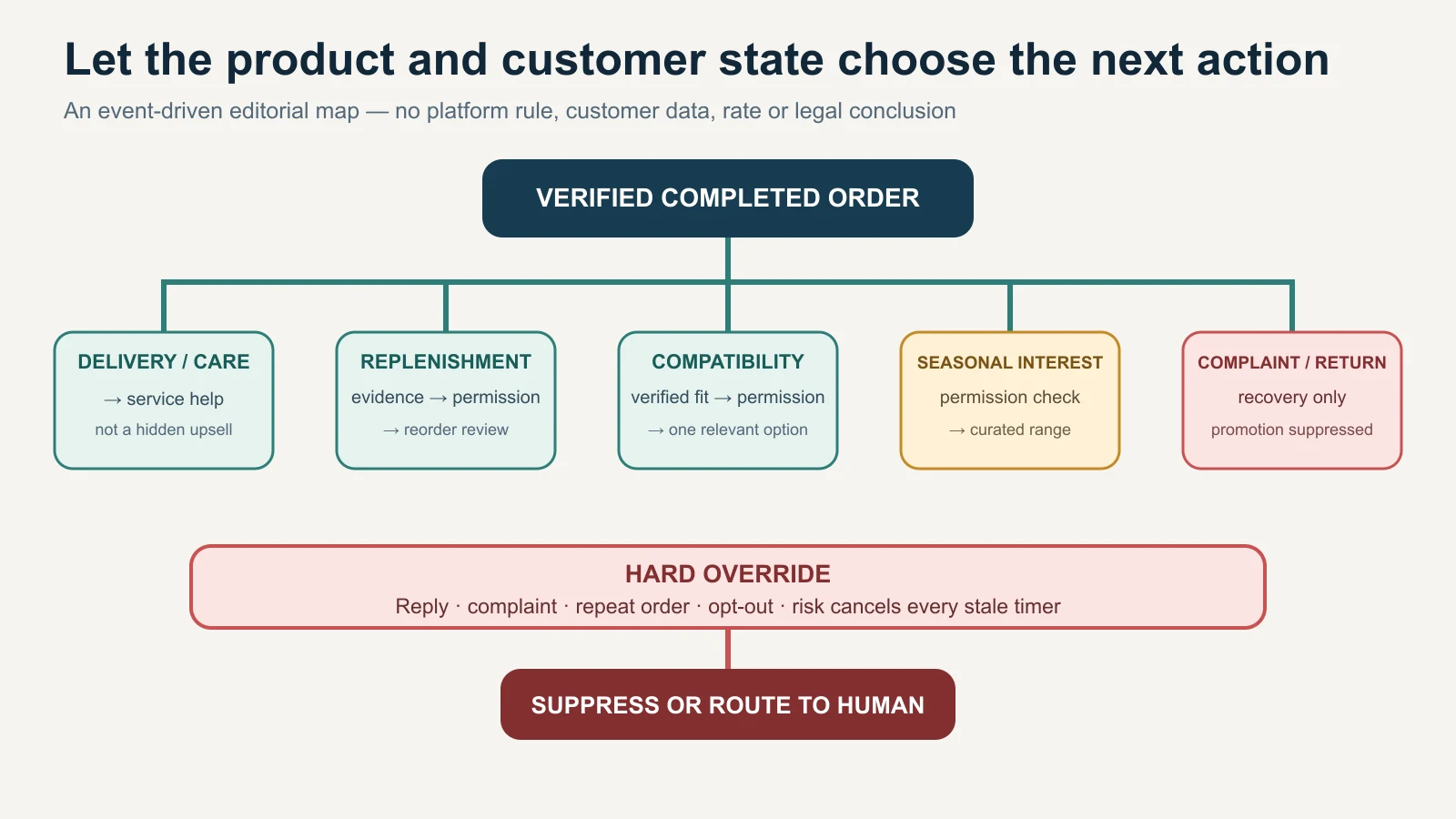
Build an event-driven retention map
Calendar blasts are easy to schedule. Event-driven messages are more likely to be explainable.
Trigger library
Trigger
Source required
Message job
Hard stop
Delivery/collection completed
Fulfilment record
Confirm receipt/care/support path
Delivery unresolved or wrong item
Care/setup window
Product-specific instruction and actual fulfilment
Help correct use/maintenance
Advice not approved or safety issue
Replenishment review
Exact product/pack plus customer/order pattern
Ask if restock is useful
Timing guessed, product expired/discontinued or no permission
Documented service due
Product/service schedule and serial/order reference as applicable
Offer official service route
Schedule/product identity uncertain
Compatible accessory
Exact product plus verified compatibility
Explain one relevant accessory
Compatibility not documented
Seasonal/new collection
Current range, stock basis and category permission
Curated discovery
Wrong segment, false scarcity or no permission
Price/offer change
Approved offer version
Communicate accurate terms to eligible segment
Old price, unavailable product or misleading saving
Customer request
Recorded question/preference
Respond to stated task
Request withdrawn or already resolved
Complaint/return
Support record
Resolve and learn
Any promotional automation
Recall/safety correction
Authoritative incident/compliance process
Urgent factual service communication
Marketing team improvises wording
Use a trigger decision card
Before each send, answer:
Which exact customer/order/product qualifies?
What event or evidence created the need?
Is the purpose service, marketing or another defined category?
Is the chosen channel permitted under current policy/law?
What current product, price, stock and claim sources support the content?
What response should move or stop the flow?
Who owns exceptions and opt-outs?
Which record proves the action and outcome?
If an automation cannot answer these fields, it is not ready.
Event beats timer
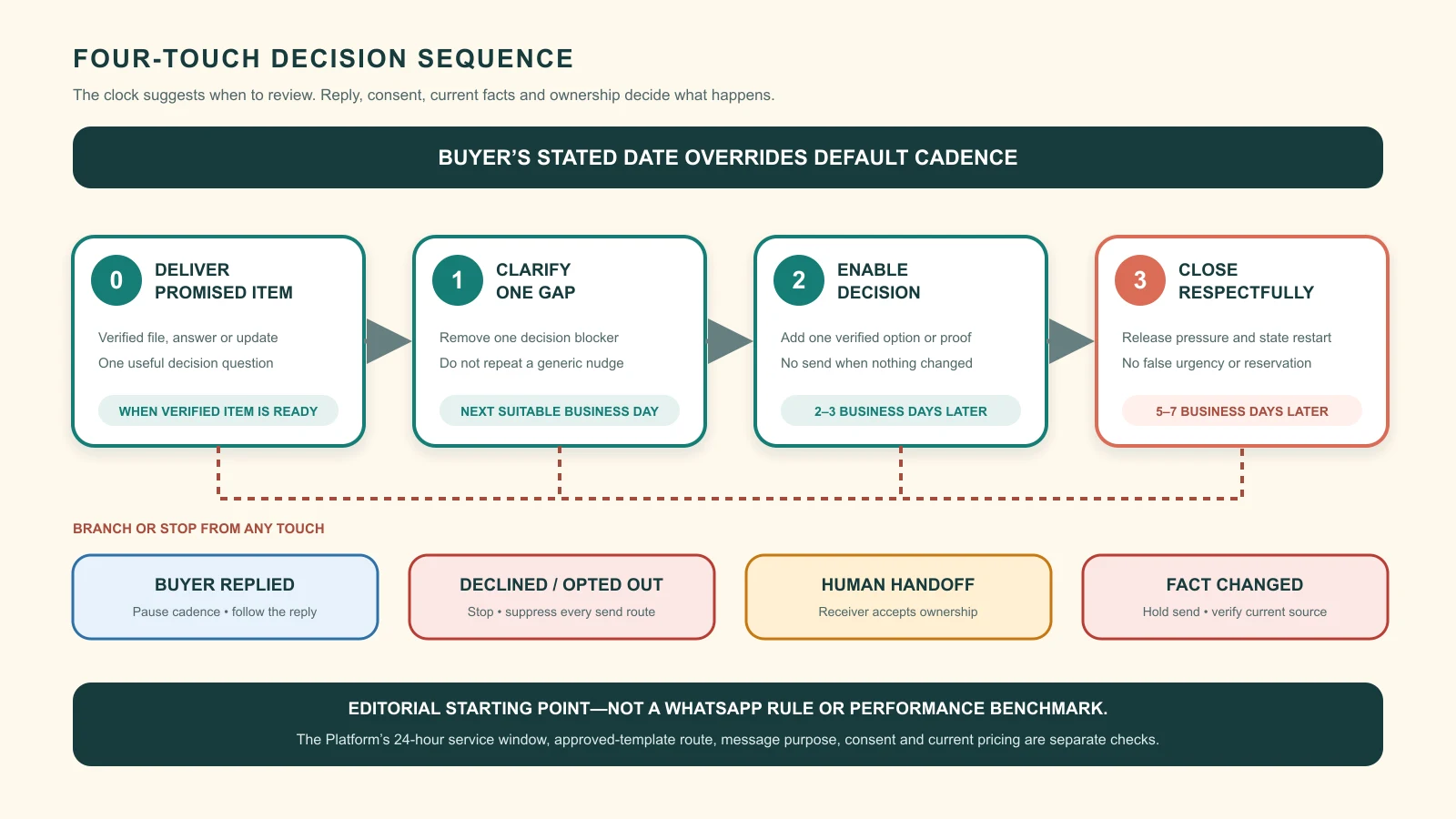
If a customer replies, complains, returns the product, purchases again, changes preference or opts out, cancel the old timer and route the new state. Never keep sending a scheduled “time to reorder” sequence after the customer reports that the product caused an issue or was returned.
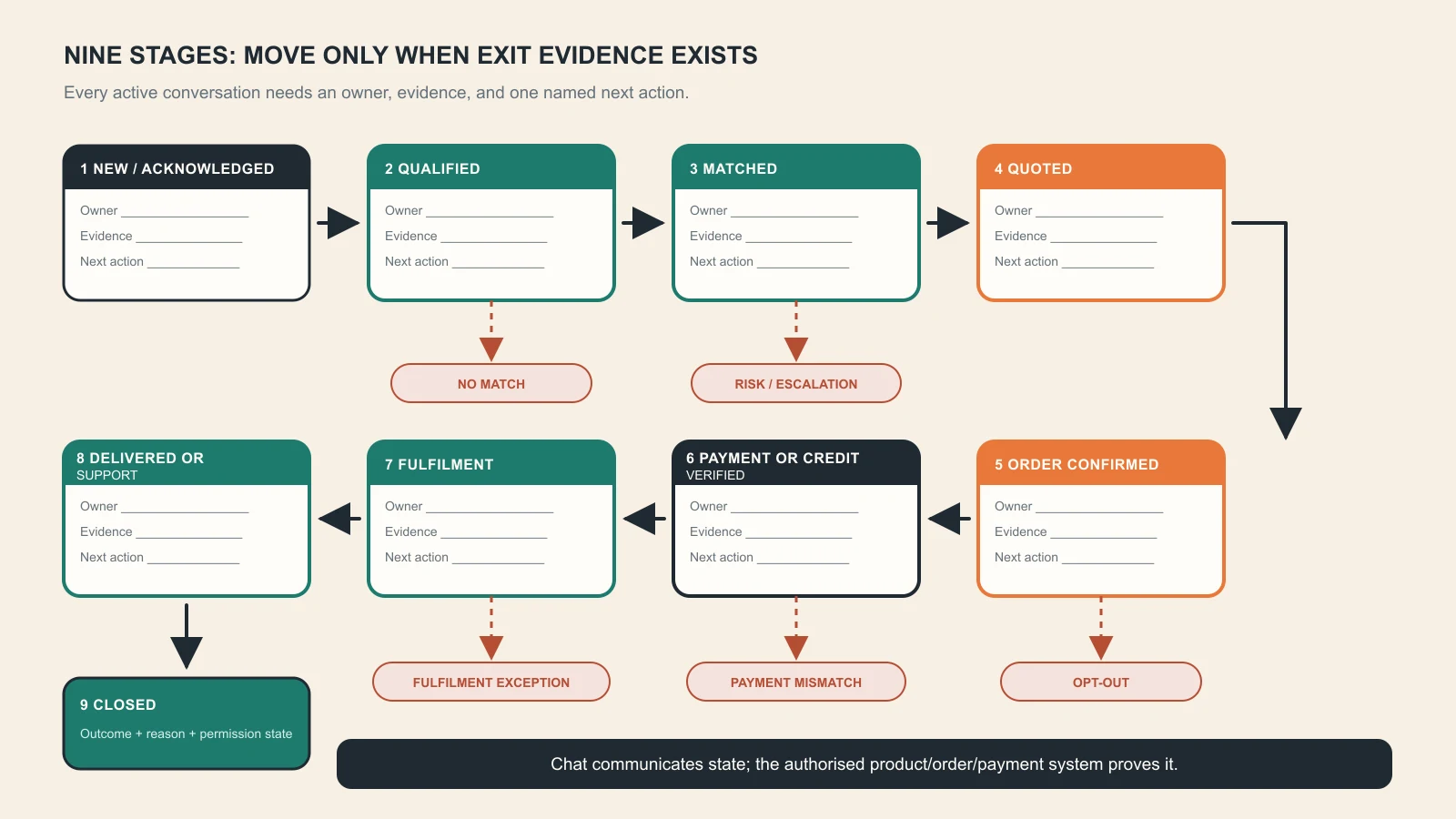
Original GPTWala operating diagram with no customer data, result or legal conclusion. Complaints, repeat orders and opt-outs override stale timers.
Make service the foundation of retention
The first post-purchase message should reduce uncertainty, not manufacture another purchase.
Design the service layer
Depending on the product, include:
receipt/delivery check;
setup, care or storage guidance from an approved source;
invoice or warranty-document route;
correct support contact and hours;
installation or service booking;
exchange/return process as applicable;
product-safety or usage limits; and
clear escalation for damage, missing parts or wrong variant.
Do not turn a legal or contractual consumer right into a “special loyalty benefit”. The CCPA’s Guidelines for Prevention of Misleading Advertisements and Endorsements, 2022 include a condition that an advertisement should not present rights conferred by law as a distinctive feature of the advertiser’s offer.
Use a service-close record
For an issue or request, capture:
order/SKU and issue type;
date reported and owner;
evidence supplied/checked;
agreed next step and deadline;
actual resolution;
refund/replacement/service record where applicable;
customer confirmation or documented closure state; and
product/process root cause.
Do not mark a complaint “resolved” because the promotional calendar needs the customer back in an active segment.
repeated care questions → catalogue/landing-page content update; and
opt-outs after one campaign → permission, relevance and frequency review.
Service recovery is not only a customer-message problem.
Design repeat offers without discount addiction
A repeat offer should solve the next need more clearly than another seller, not merely be cheaper.
Use five repeat-purchase value routes
Convenience: saved exact product/variant, easier reorder and known service route.
Relevance: compatible or genuinely adjacent products, not the whole catalogue.
Continuity: same specification, shade, size, pack or documented replacement.
Service: installation, care, alteration, repair, refill or pickup where genuinely offered.
Recognition: transparent loyalty benefit or early access within permission and stock reality.
Price can be part of the offer. It should not be the only reason the relationship exists.
Write a repeat-offer truth card
Field
Required decision
Exact product/offer
Same SKU, replacement, compatible accessory or new range?
Buyer fit
Why is it relevant to this segment?
Price/benefit basis
Fixed, tiered, coupon, points or quote; current conditions
Availability
Source and last checked; no fake scarcity
Inclusion/quantity
Exact unit, pack and exclusions
Claim evidence
What proves quality, compatibility, saving or performance?
Timing
Product/customer event—not an arbitrary automation date
Channel/permission
Current purpose and opt-out route
Margin/operations
Can the business fulfil it responsibly?
Stop owner
Who pauses it for stock, complaint, data or claim failure?
The product-business unit-economics guide should be used when live to test whether discounts, delivery, returns, service and staff time leave acceptable contribution.
Avoid false urgency and fake personalisation
Do not write:
“Your favourite is almost gone” when favourite/stock is inferred;
“Only for you” when the offer is public;
“Last chance” when the deadline will reset;
“You need a replacement now” without a verified basis;
“Best customer price” without defined comparison; or
“We saved this for you” when nothing is reserved.
Truthful urgency can exist when a real, dated stock/offer/service condition supports it. Record the source and stop the message when it expires.
Build a simple, honest loyalty programme
A programme is useful only when customers and staff can understand and operate it.
Start with one behaviour and one benefit
Examples:
verified points on eligible completed purchases;
a clearly defined reward after a stated number/value of eligible orders;
member price on named products/periods;
paid or earned service/alteration benefit;
early access to a limited current assortment; or
referral benefit after the referred customer completes the stated action.
Do not launch points, tiers, cashback, referrals, birthdays and paid membership together if the business cannot reconcile one.
Publish the programme rules clearly
State:
who can join;
what earns value and what does not;
how returns/cancellations affect it;
how and where benefits can be used;
exclusions, limits and expiry where lawful/applicable;
how balances/corrections are handled;
data and communication choices;
opt-out/closure route; and
contact/escalation path.
Avoid tiny-text expiry, surprise exclusions, hidden automatic enrolment or a reward that cannot realistically be redeemed.
Treat points and benefits as controlled records
Assign owners for:
rule/version approval;
balance/reward calculation;
adjustment authority;
fraud/error review;
returns/reversals;
financial/accounting treatment;
customer support; and
programme pause/closure.
A handwritten stamp card can work for a small shop if it is clear and reconcilable. A complicated app is not automatically more trustworthy.
Handle complaints, returns and recovery
Complaint handling is not a cross-sell opportunity.
Apply the recovery-first rule
When a complaint or return opens:
suppress unrelated promotions;
identify the exact order/product/variant;
acknowledge the issue without inventing the cause;
follow the current return, warranty, service and legal route;
give a named next step and owner;
record the actual outcome; and
correct the product, offer, fulfilment or content source when needed.
Do not offer a coupon on the condition that the customer withdraws a complaint or posts a positive review. Do not use AI to decide fault or eligibility from an emotional chat summary alone.
Separate goodwill from rights and facts
A goodwill gesture may be appropriate under approved authority. It should not:
replace an applicable right or promised remedy;
require a misleading review;
hide a safety/quality issue;
imply the customer accepted fault;
become a public promise for every case unless intended; or
be calculated by an unapproved AI rule.
Learn at product level
Group issues by exact SKU, batch/pack/version where relevant, store, supplier, fulfilment route and issue type. A rising complaint count may reflect more sales; use rates with denominators and severity, not raw counts alone.
Escalate safety, regulatory, counterfeit, recurring defect or data incidents through the appropriate specialist process. Marketing should not improvise a recall or technical statement.
Ask for feedback, reviews and referrals responsibly
Feedback is operational evidence. A public review is the customer’s representation. A referral introduces another person. Treat them differently.
Ask for honest feedback at a sensible moment
Wait until the customer has had a fair chance to receive/use the product or complete service. Ask an open question such as whether the product and experience matched expectations. Route a problem to support; do not pressure the customer to publish before help is available.
Keep review requests neutral
ask for an honest review, not a five-star review;
do not write the customer’s praise for them;
do not suppress every negative customer while asking only happy customers to publish if that would mislead;
disclose incentives/material conditions where required;
follow the review platform’s current policy; and
never fabricate a name, photo, quote, rating or purchase.
The ASCI Code requires objectively ascertainable claims to be capable of substantiation and advertising not to mislead through statement, implication, omission, ambiguity or exaggeration. A customer quote does not prove every technical or performance claim inside it.
Ask for referrals with context and permission
Better:
If another local retailer needs the same 24-piece assortment, you may share this current catalogue link. Please do not send us anyone’s number without their permission.
Avoid uploading a customer’s contacts, asking for “five numbers” or starting WhatsApp outreach to a referred person without a valid channel/purpose route.
Verify referral rewards
State who qualifies, the required action, reward, timing, reversals and exclusions. “Refer and earn” should not imply unlimited income or guarantee. Do not mark a referral successful until the defined verified action occurs.
Use WhatsApp and AI without losing trust
WhatsApp can support service and permissioned retention, but it should not become a broadcast shortcut around relevance.
Use the right WhatsApp product and message route
The Business app and Business Platform have different tools and controls. The Platform has current message-category, template, service-window and pricing rules; app features and limits can also change. Check the official Business Messaging Policy, Messaging Guidelines and actual authorised account before implementation.
Do not use scraped numbers, harmful bulk/automation behaviour, repeated unwanted contact or a personal account as a hidden mass-marketing system.
Use a five-part retention-message brief
This article does not provide a full copy library; Article 22 owns message templates. For each retention communication, record:
customer/order/product context;
trigger and purpose;
one useful fact or offer;
one truthful next action; and
stop/opt-out route where relevant.
The message should still make sense if the discount is removed.
Appropriate AI assistance
AI may help:
normalise approved product names and categories;
draft variations from supplied facts;
translate a reviewed message for human language approval;
summarise a service thread with links to the source;
flag missing fields or incompatible states;
group anonymous issue reasons for review; and
produce controlled content layouts.
Human or authoritative-system approval required
Do not let AI decide or invent:
permission, opt-out or legal basis;
customer identity or sensitive traits;
exact product, variant or compatibility;
stock, price, discount, points or reward balance;
warranty, return, refund or complaint outcome;
safety, performance, health or certification claim;
delivery/service promise;
fraud or customer fault; or
whether a customer should receive a high-pressure message.
Do not paste raw customer chats or order records into an AI tool without reviewing the selected account’s current terms, access, training, retention, deletion and business privacy position.
Use AI imagery with product truth
When creating retention creatives or a “matching product” visual:
use the exact approved product/variant asset;
preserve shape, colour, material, pattern, text and included quantity;
do not generate a fake before/after, customer, review or result;
do not show incompatible accessories;
keep prices/terms as controlled native text; and
label fictional/editorial imagery so it cannot be mistaken for customer evidence.
Measure retention with cohorts and guardrails
Retention metrics are meaningful only when the customer, order, product and time definitions are explicit.
Start with one completed-order cohort
A cohort could be customers whose first eligible order in one product family completed during a defined month. Follow them for an observation window appropriate to that product lifecycle. Give every customer equal observation opportunity before comparing cohorts.
Do not compare a cohort observed for twelve months with one observed for two weeks and call the difference retention.
Useful measures
Measure
Definition
Guardrail
Cohort repeat-purchase rate
Eligible cohort customers with a verified second eligible order in the defined window ÷ eligible cohort customers
State window, exclusions and completion rule
Reorder interval
Time between eligible completed orders for repeat customers
Use product/category context; report distribution/median where useful
Purchase frequency
Eligible completed orders ÷ distinct purchasing customers in the period
Separate exchanges/tests/cancellations
Service completion
Eligible service cases completed under definition ÷ eligible service cases
Do not treat closure code as customer satisfaction
Permission coverage
Customers with current recorded route/purpose ÷ customers considered for that communication
No permission means not eligible, not “missing opportunity”
Opt-out action completeness
Opt-out requests suppressed across all relevant send systems ÷ opt-out requests
Must be 100% operationally targeted; investigate any failure
Defined complaints/returns ÷ eligible completed orders
Segment by SKU/cause/severity; raw count can mislead
Repeat-order contribution
Verified contribution from repeat orders under current cost rules
Route full calculation to A29; revenue alone is insufficient
No universal “good retention rate” is published here. Product cycle, observation window, buyer type, store model, data quality and margin structure differ.
Separate influence from cause
A customer may return because of product quality, location, staff relationship, habit, price, service, referral, season, availability or a message. Record source where possible, but do not credit the last WhatsApp message with the entire repeat order automatically.
Use guardrails beside growth
Review repeat outcomes with:
opt-outs and complaints;
wrong-product recommendations;
duplicate sends;
returns/exchanges;
discount and delivery cost;
service load;
data/permission defects;
stock/fulfilment failures; and
gross margin/contribution.
A retention campaign that raises repeat orders while creating permission failures or unprofitable fulfilment is not ready to scale.
Original blank GPTWala template. It contains no customer data, benchmark, rate or business result.
Run a controlled first retention cycle
Start with one product family, one completed-order cohort and one useful next need.
Step 1: audit the source records
Verify exact orders, fulfilment, product variants, service/complaint state, channel permissions, opt-outs and duplicates. If the data cannot distinguish an order from an enquiry or one variant from another, repair the source before messaging.
Step 2: choose one lifecycle job
Examples:
post-delivery care for a durable product;
permissioned replenishment review for one consumable pack;
documented service reminder;
compatible accessory recommendation; or
one seasonal category update for customers who chose it.
Do not combine service, cross-sell, loyalty launch, referral and win-back in the first cycle.
Step 3: write the decision rules
Record:
entry criteria;
source fields;
purpose/channel permission;
content/offer version;
timing/event rule;
response branches;
complaint/opt-out suppression;
owner and escalation; and
outcome/guardrail measures.
Step 4: rehearse fictional and staff journeys
Test at least these states without real promotional sends:
correct product and permission;
wrong variant in the record;
open complaint;
opted-out customer;
product discontinued;
no stock;
incompatible accessory;
customer already repurchased;
duplicate customer record; and
request in another language.
The goal is to find truth and routing defects, not to create a response-rate claim.
Step 5: run a small authorised cohort
Use only eligible customers under the approved route. Inspect every message and response. Give service/operations authority to pause the cycle for product, offer, stock, fulfilment, complaint, permission or data errors.
Step 6: review and decide
Choose one:
continue with the same rule;
correct a specific defect and retest;
change the lifecycle job or eligible segment;
stop because the need, permission, economics or operating control does not support the cycle.
Do not add more customers simply because few people replied.
Apply the system to Indian local retailers
These scenarios are fictional and illustrate routing decisions, not customer results.
Neighbourhood personal-care retailer
Lifecycle: replenishable products with product/skin/health claim risk.
Useful retention: receipt check, storage/use information from the approved label, and a permissioned reorder review based on the exact pack and customer preference.
Product-truth stop: do not infer a medical condition, guarantee a result, rewrite directions, recommend a different formulation as equivalent or send an expired/old-pack image. Route adverse reactions or health questions appropriately; do not treat them as sales opportunities.
Useful retention: preserve actual final size/variant after exchange, record explicit category preference, and send a curated current range rather than every arrival.
Product-truth stop: do not say “your size” when the record is uncertain, alter garment colour/print/fit in AI imagery or manufacture festival scarcity. Suppress promotions during unresolved exchange/quality issues.
Appliance and electronics retailer
Lifecycle: installation, warranty/service, compatible accessories and replacement over a long horizon.
Useful retention: verified setup/service route, documented service reminders and model-specific accessories.
Product-truth stop: do not make a paid accessory look required for warranty, recommend an incompatible part or promise same-day service without current capacity. A service reminder must not disguise a generic upgrade sale.
Jaipur jewellery retailer
Lifecycle: care, repair, appointment, exact-item/collection interest.
Useful retention: care guidance, repair/service route and permissioned appointment or matching-piece discovery using the exact item record.
Product-truth stop: do not change stone count, setting, chain, clasp, hallmark, colour or scale; do not imply purity or investment return from an image or generic testimonial.
Local homeware and kitchen shop
Lifecycle: add-on pieces, replacements and gifting/seasonal range.
Useful retention: exact compatibility for lids, seals or accessories; care support; curated opt-in collection.
Product-truth stop: do not show props as included, recommend a lid because it “looks similar” or claim food-safety/performance without an approved source.
Neighbourhood grocery or speciality-food retailer
Lifecycle: regular replenishment, availability and expiry/storage sensitivity.
Useful retention: customer-chosen list/reorder support, current pack/price/availability confirmation and category-specific storage information.
Product-truth stop: do not infer dietary/health needs, make medical/nutritional promises, substitute pack sizes silently or call a product “fresh” without a defined current basis.
Local B2B uniform or packaging retailer
Lifecycle: exact-spec reorder and seasonal/business demand.
Product-truth stop: never copy an old logo/artwork/specification or price into a new order without buyer confirmation. Repeat does not mean unchanged.
Avoid common retention mistakes
Mistake
Why it fails
Safe correction
Every past buyer enters one broadcast list
Purpose, relevance and permission differ
Record channel/purpose and lifecycle eligibility
Retention begins with a coupon
First-order/service defects stay unresolved
Complete the order-to-retention handoff first
Fixed reorder timer for every product
Need and use cycles vary
Use product/order/customer evidence
“VIP” score overrides complaints
High spend hides risk and poor experience
Keep complaint/suppression as hard gates
AI guesses preferred size or product
Wrong recommendation damages trust
Use exact fulfilled order and explicit preference
New-customer price shown as loyalty
Benefit is misleading or inaccessible
Define genuine member/repeat value and conditions
Points rules live only in staff memory
Balances and redemption become disputed
Publish versioned earning/redemption rules
Service message contains hidden upsell
Customer cannot distinguish support from marketing
Separate purpose and keep service action primary
Fake urgency drives win-back
Deadline/stock claim is untrue
Use verified time/stock basis or remove urgency
Customer must call to opt out
Friction prolongs unwanted messages
Simple channel-appropriate suppression process
Complaint closed to resume promotion
Root issue and customer state are ignored
Require documented resolution/closure
Review request asks for five stars
Feedback becomes pressured/misleading
Ask neutrally and follow platform/current rules
Referral means uploading contacts
Third parties are contacted without proper route
Ask customer to share a link or obtain permission
Delivered messages counted as retention
Communication activity replaces business outcome
Use completed-order cohorts and service records
Repeat revenue celebrated without cost
Discounts, returns and service may destroy contribution
Measure guardrails and use A29 economics
Connect retention to the DAA growth system
Retention strengthens Digital Presence when customers can find accurate care, service, reorder and support routes. AI Content Creation can make those explanations more repeatable when facts and customer data remain controlled. ₹100/day WhatsApp ads belongs to acquisition testing—not a reason to neglect existing customers or message them without permission.
GPTWala’s workshop teaches the DAA sequence: Digital Presence → AI Content Creation → ₹100/day WhatsApp ads. The budget is a taught test-system concept, not a guarantee of reach, customers, repeat orders, revenue, profit or return on ad spend. Retention still depends on product value, fulfilment, service, permission, relevance and economics.
It is the continuation of a useful customer relationship after the first order through correct fulfilment, service, relevant next needs and permissioned communication. It does not require frequent buying for every product category.
How can a small shop increase repeat purchases?
Start with accurate completed-order records, fix first-order issues, identify the product’s real next need, record communication permission, send one relevant service/replenishment/compatible offer and measure verified second orders with complaints and opt-outs beside them.
How often should I message existing customers?
There is no universal cadence. Base timing on the product lifecycle, actual order/use pattern, customer expectation, message purpose, current permission and channel rules. Replies, complaints, repeat orders and opt-outs should override scheduled timers.
Does a previous purchase mean I can market on WhatsApp?
Do not assume so. WhatsApp’s Business Messaging Policy requires the person’s number and opt-in permission for subsequent messages/calls and requires opt-outs to be honoured. Responding to an order or support task is not unlimited permission for unrelated promotions.
What customer information should a retailer keep for retention?
Keep the minimum controlled information needed: customer/account ID, exact fulfilled product/variant, order date/quantity, service or complaint state, relevant next-need rule, chosen channel/language, permission purpose/source/date and opt-out/suppression state. Restrict access and define retention/deletion.
Should I give discounts to retain customers?
Only when the benefit is clear, truthful, maintainable and economically acceptable. Convenience, relevance, compatibility, service and recognition can create repeat value without constant discounting. Measure contribution after delivery, returns, rewards and staff/service cost.
How do I calculate repeat-purchase rate?
For a defined completed-order cohort and observation window, divide eligible customers with a verified second eligible completed order by eligible cohort customers. State the product, window, exclusions and completion rule; do not compare cohorts with unequal observation time.
What is a good customer-retention rate for retail?
There is no single rate that fits groceries, apparel, jewellery, appliances and B2B supplies. Product cycle, buyer type, period, margin, data quality and definition differ. Compare like-for-like cohorts and improve against your own trustworthy baseline without sacrificing guardrails.
Can AI automate customer retention?
AI can draft from approved facts, translate for review, classify states and flag missing fields. It should not decide permission, opt-outs, product compatibility, price, stock, reward balances, complaints, refunds, safety or sensitive traits without authoritative systems and human approval.
How should I handle a customer complaint before sending promotions?
Suppress unrelated promotions, identify the exact order/product, route the current service/return/warranty process, record the outcome and fix the source defect. Resume only when the relationship and permission state support it—not because a timer expires.
Is a loyalty programme necessary for retention?
No. Reliable product truth, service, easy reorder and relevant communication may be enough. If a programme is used, start with one earning behaviour and one understandable benefit, publish the rules and control balances, returns, expiry, access and support.
How do I ask for referrals without spamming people?
Ask a satisfied, eligible customer to share a current link with someone who may genuinely need the product. Do not request or upload third-party contacts without an authorised permission route, and state any referral reward conditions clearly.
A useful WhatsApp Business catalogue begins with an exact SKU, truthful images and a named person responsible for updates.
Visual disclosure: Original GPTWala editorial illustration using one fictional, unbranded matte terracotta K8 planter with one matching saucer and abstract catalogue shapes. It is not a WhatsApp interface, platform approval, client result or sales claim; the planter’s rim, taper, colour, finish, K8 label and saucer count remain identical in every representation.
Reviewed and updated: 12 August 2026
To build a useful WhatsApp Business catalogue, start with a small approved set of products, prepare one accurate record for each SKU, add truthful images and buyer-relevant details in the WhatsApp Business app, group related items into collections where the feature is available, and inspect the public result from a customer’s phone. Then use the catalogue as a discovery and conversation tool—not as proof of stock, a final quotation, a payment record or a guarantee of sales.
For each enquiry, share the most relevant item or collection, confirm the exact variant, quantity, current price, availability, delivery conditions and included parts, and move the confirmed order into the business’s authorised order system. Assign one person to correct outdated catalogue entries and keep a dated update log.
This guide owns the current WhatsApp Business app catalogue setup and practical usage workflow. The WhatsApp selling guide owns the full enquiry-to-order process; the WhatsApp follow-up template guide owns timed message sequences and permission; and the digital product catalogue guide owns range architecture, dealer information and larger B2B catalogues.
Understand what a WhatsApp Business catalogue does
WhatsApp describes the Business app catalogue as a mobile storefront for products and services. Its current Business app feature page says businesses can group similar items into collections, share the complete catalogue or specific item links, and let customers select catalogue items into a cart that is sent as one message. See the official WhatsApp Business app features.
That makes the catalogue useful for three jobs:
discovery: a buyer can see what the business offers without requesting photos one by one;
identification: a shared item can give both sides a clearer product reference; and
conversation: a buyer can select an item and ask a specific question or send a cart message.
The catalogue does not automatically become the business’s inventory, accounting, quotation, tax, payment, shipping or warranty system. WhatsApp’s current policy says the business remains responsible for its transactions, sales terms, privacy terms, taxes, fees and fulfilment. A customer selecting an item or sending a cart is therefore an enquiry or order request until the business verifies and confirms it.
Catalogue, product database and quote are different records
Record
Primary job
What it should control
What it must not pretend to prove
Product source of truth
Authoritative product facts
SKU, variant, specifications, approved images, current pack and claims
Buyer intent or confirmed stock allocation
WhatsApp catalogue
Mobile discovery and product reference
Approved public item cards and collections
Real-time inventory, final freight, credit or tax treatment
Quote or order summary
Commercial commitment for one buyer
Exact item, quantity, price, charges, delivery and terms
Payment settlement or dispatch
Accounting/order system
Transaction and fulfilment control
Payment/credit status, invoice, allocation, dispatch and reconciliation
A substitute for clear customer communication
The safest design is a chain: source of truth → catalogue item → buyer conversation → confirmed order record. When one link changes, update the downstream records or temporarily hide the affected item.
Choose the correct WhatsApp product
This article is for a small business or a manageable team using the WhatsApp Business app. WhatsApp currently positions that app as the small-business product and the Business Platform as the programmatic route for larger-scale messaging. The two products have different setup, management, pricing and messaging controls.
Use the Business app workflow when:
one owner or a small team can review every catalogue change;
the launch range is manageable manually;
current stock and price can be verified before confirmation;
individual customer conversations are handled by people; and
no ERP, CRM or automated catalogue integration is required.
Evaluate the Business Platform or a qualified implementation partner when:
several agents need controlled access and routing;
the product range or availability changes too quickly for manual maintenance;
catalogue data must come from an ERP, ecommerce platform or inventory service;
the business needs programmatic single- or multi-product messages; or
governance, reporting and integrations exceed what the app can reliably handle.
Do not follow Business Platform instructions inside the Business app or copy the Platform’s 24-hour/template rules into an app setup without checking which product you use. This page does not teach Commerce Manager, API integration or provider selection.
Complete the business profile first
Before adding catalogue items, make the business identity clear. WhatsApp’s current policy requires an accurate Business profile with customer-support contact information and at least one of an email address, website address or telephone number. The current Business app page also describes profile fields such as business description, hours and website.
Check:
legal or trading name used with customers;
recognisable logo that the business owns or may use;
plain-language description of what the business sells;
current address or service area where appropriate;
customer-support contact route;
correct working hours; and
website or verified landing page if one exists.
A complete profile cannot prove trustworthiness, but an inaccurate one creates avoidable doubt and can breach policy. Do not use another brand’s name, logo or dealer status without authority.
Prepare the catalogue source of truth
Do not type the catalogue from memory while holding the phone. Prepare an approved product sheet first. One row should represent one saleable SKU or clearly defined product configuration.
Use a catalogue source row
Field
What to record
Reject or pause when…
Internal SKU
Stable code used by staff
The code maps to more than one item or variant
Public item name
Product type plus the buyer’s key differentiator
The name depends on vague words such as “premium” or “best”
Variant
Colour, size, material, pack or model
The images show a different variant
Current image set
Approved filenames and review date
A label, pattern, stone, part or pack version is uncertain
Short description
Material, dimensions, use and included quantity that can be substantiated
A benefit, certification or compatibility claim lacks evidence
Display price decision
Exact public price, “contact for current quote,” or another live-app-supported choice
Tax, MOQ, unit basis or variant price would make the displayed figure misleading
Product code
Customer-safe code if useful
It exposes confidential data or differs from the sales system
Product/website link
Canonical landing page for the exact item, if available in the current app
The page is broken, mismatched or outdated
Stock/availability note
Internal status and last check time
Staff cannot verify it before confirming an order
Owner
Person responsible for catalogue accuracy
Nobody has authority to edit or hide the item
Meta’s original catalogue announcement documented price, description and product code as item information. The current app may show additional, fewer or differently labelled fields by operating system, version, account and market. Use the controls actually visible in the current app and do not invent a value merely to fill a field.
Write names that survive chat
The item name should help a customer and salesperson identify the same product after the image is separated from its collection. A useful pattern is:
Product type + model/range + key variant
Examples:
Stainless Steel Tiffin R3 — 3 Tier, 900 ml Total
Cotton Kurti S17 — Indigo, Size M
Gold-Plated Brass Earrings J42 — Green Stone Pair
Ceramic Planter K8 — Matte Terracotta, 18 cm
Tile Sample Box M12 — Stone Finish, 300 × 600 mm Range
These are fictional examples, not claims about real products. Match the unit, material and variant to the business’s evidence. Do not cram offers, emojis, urgency or unverifiable superlatives into the name.
Treat price as a controlled field
Display a price only when a buyer can understand what that figure covers. Record:
unit basis: piece, pair, set, metre, kilogram, carton or another exact unit;
whether the figure includes applicable taxes;
minimum order quantity where relevant;
pack size and included parts;
variant dependency;
whether freight, installation or customisation is separate; and
the date or event that should trigger revalidation.
If a wholesale, made-to-order or commodity-linked price cannot remain accurate, use the current app’s supported presentation carefully and direct the buyer to request a current written quote. Never place a placeholder number such as ₹1 merely to make the card look complete.
Build the first launch set
Start with a small set that the team can keep accurate. “Small” is an operating recommendation, not a claimed WhatsApp limit. Ten well-maintained items are more useful than a large catalogue containing wrong variants, discontinued stock and mixed price bases.
Choose launch items that are:
frequently requested;
currently saleable;
easy to identify from approved images;
supported by complete product facts;
permitted by current WhatsApp and Meta commerce policy; and
manageable by the person responsible for updates.
Exclude an item for now if:
the product or pack is changing;
a buying-critical detail is not photographed clearly;
price, tax, MOQ or delivery wording is unresolved;
a certification, composition or performance claim is unverified;
the item falls into a prohibited or restricted category; or
the business cannot fulfil enquiries for it reliably.
Select the image set by job
Use the first image to identify the exact sale item. Additional images should answer buyer questions rather than repeat the same angle.
Interface labels change. On many current app versions, the catalogue is reached through Settings or the main menu → Business tools → Catalogue. Treat that path as orientation, not a permanent promise. Update the app from an official store, open the Business tools visible in the account and follow the current on-screen route.
Step 1: Open the catalogue manager
Confirm that you are in the correct business account and phone number before editing. If the catalogue control is absent, do not install unofficial WhatsApp builds or give a third party remote access to the phone. Work through the troubleshooting gate later in this guide.
Step 2: Add one pilot item
Do not upload the whole range first. Add one low-risk, fully documented item. Use the source row—not memory—to enter the visible fields.
In the current item form:
add the approved images in the intended order;
enter the exact public item name;
enter a price only if its unit and conditions remain truthful;
add a concise description with material, size, pack and relevant buying detail;
add the customer-safe product code if the field exists and helps identification;
add the exact product link if offered and verified; and
save the item as the app permits.
Field availability and labels can vary. If the app marks an item as pending, hidden, rejected or under review, record the displayed state and follow the current in-app guidance. Do not promise an approval time and do not repeatedly recreate the item to bypass a policy decision.
Step 3: Compare the saved card with the source row
Check the saved item line by line:
correct SKU and variant;
image order and crop;
complete product and included parts;
name, spelling and units;
price basis and currency;
description and product code;
link destination; and
visible availability or review state.
Correct the source or the catalogue; do not tolerate a mismatch because “customers will ask anyway.”
Step 4: Add the remaining approved launch items
Use a second person for a spot check when the catalogue contains high-value, regulated, technical or variant-heavy goods. Add in short batches so a repeated mistake can be caught before it affects the full range.
The catalogue is a controlled publishing layer between the product source of truth and the buyer conversation. Original GPTWala deterministic workflow: it is not a WhatsApp interface, and every field, route, state and customer view still requires a live-app/account check before publication or use.
Organise items into useful collections
WhatsApp’s current Business app feature page says catalogue items can be grouped into collections. Use collections to reduce buyer effort, not to reproduce every internal department or supplier folder.
Good collection logic reflects how a customer begins a decision:
material: cotton, brass, ceramic, stainless steel; or
confirmed availability: ready to dispatch, made to order—only if the status is actively maintained.
Avoid overlapping names such as “New,” “Latest,” “Trending” and “Featured” unless the team has a written rule for membership and expiry. A product can appear exciting and still be impossible to locate.
Give each collection one clear job
Buyer question
Better collection
Weak alternative
“Which planters can ship this week?”
Ready-to-dispatch planters, with an update owner
Best planters
“What do you supply to boutiques?”
Boutique wholesale starter range
Business products
“Show me your cotton kurtis”
Cotton kurtis
Fashion collection
“Which earrings are under my current budget?”
Use a current, maintained price band only
Cheap jewellery
“Do you have sample packs for dealers?”
Dealer sample packs
Special
Do not create a “ready stock” or price-band collection unless its owner can remove items when the status changes. If the app/account does not offer collections, keep item names consistent and share specific item links rather than inventing a workaround that misleads buyers.
Verify the customer view before sharing
The editor’s view is not the customer’s proof. Test from a separate, ordinary customer account that is not an administrator of the business.
Run the second-phone test
Ask a colleague to open the business profile and catalogue as a customer would. Test both Wi-Fi and mobile data if access problems are reported. Check:
Can the customer find the catalogue from the business profile?
Are the intended items and collections visible?
Does the main crop show the complete product?
Are name, variant, units, price conditions and code readable?
Does each link open the exact working page?
Can a specific item or full catalogue be shared through the controls currently shown?
If cart is available, does the selected item arrive in the business chat clearly?
Does the salesperson know that this message is not yet a confirmed order?
Capture the date, device type, app version if accessible, tester and result in the launch log. Do not publish a filled fictional log as though it were a real test.
Use a blank catalogue verification record
Check
Result
Evidence or issue
Owner
Retest date
Business profile accurate
Catalogue visible to second account
Collections understandable
Exact item image and crop correct
Name, variant and unit correct
Displayed price not misleading
Product link resolves correctly
Cart/item message identifies SKU
Policy-sensitive items checked
Final decision: launch, revise or pause
Use the catalogue in real buyer conversations
WhatsApp’s feature page says a business can share the whole catalogue or specific item links on WhatsApp, Facebook and Instagram from within the app. It also describes carts as a way for customers to choose catalogue items and send them as one message.
Use the smallest relevant share:
one item link when the buyer asks about a specific product;
one collection when the buyer has named a category or use;
the full catalogue when the range is genuinely small or the buyer asks to browse; and
a separate B2B catalogue or landing page when specifications, tiers and many variants cannot fit clearly in the app.
Sending the full catalogue to every “Hi” makes the buyer do the qualification work. First ask one useful question such as product category, use, size, quantity, budget range or delivery city—whichever materially changes the answer.
Use a catalogue-to-confirmation micro-flow
Clarify the need. “Is this for retail use or a wholesale requirement?”
Share the narrowest relevant item or collection. Include the public item name or code in native text.
Invite a specific response. “Please send the item code, colour and quantity you want checked.”
Verify current facts. Check stock, current price, MOQ, tax, freight and dispatch promise in the authorised records.
Summarise the order or quote. Write the exact SKU, variant, quantity, price and conditions.
Get explicit confirmation. Correct changes before taking payment or allocating stock.
Verify payment or approved credit separately. A screenshot or cart message is not settlement.
The message examples are operating templates, not platform requirements or tested conversion claims. Adapt them to the business’s voice and current terms. The WhatsApp selling system owns the complete process after the catalogue share.
Do not count a cart as a paid order
A cart message can be a useful structured request, but the business must still confirm:
exact variant and quantity;
availability or production lead time;
current price, tax, discount and freight;
delivery or pickup details;
return, cancellation and warranty terms where applicable;
buyer confirmation; and
authorised payment/credit status.
Only then should fulfilment receive an order record.
Handle prices, stock, variants and B2B terms
Most catalogue failures are data-governance failures, not design failures.
Keep one variant per unambiguous card
If colour, size, material, pack or model changes the item, the card must not make the buyer guess which variant the image and price represent. Use separate items when that is the clearest supported setup, or state the available choice without implying that every photographed variant has the displayed price or stock.
For apparel, a card named “Cotton Kurti — all sizes” is risky if the image shows one print, the price applies only to one size, or some sizes are unavailable. For jewellery, one pair cannot silently represent different stone counts or metal finishes. For industrial components, a family image cannot prove the dimensions of every part number.
Never use catalogue availability as the final stock promise
Before committing, check the live source controlled by the business. If stock is manual, state the last checked time internally and assign a person to reconcile reservations, store sales and damaged units.
Use honest phrases such as “Please confirm current availability” only where they do not contradict a stronger displayed claim. Do not label a collection “Ready stock” while keeping sold-out items visible for convenience.
Separate B2B discovery from quotation
A manufacturer or wholesaler can use WhatsApp catalogue cards for representative products, ranges or sample packs. The final quote may still depend on:
grade, specification or tolerance;
minimum order and pack multiple;
quantity tier;
tax registration and invoice needs;
branding or customisation;
production lead time;
freight, insurance and destination; and
approved credit terms.
Put stable discovery information in the catalogue. Put buyer-specific commercial terms in a versioned quote. Use the digital product catalogue guide for richer B2B range structure.
Before approving any real or AI-assisted image, compare it with the physical item and controlled source photos.
Reject when the output changes or invents:
silhouette, proportions, openings, handles, lids or parts;
colour, finish, material or transparency;
printed text, logo, label, hallmark or certification mark;
pattern, weave, seam, stone count, setting or construction;
included quantity or accessory;
scale or dimension; or
a use, result or performance that has not been substantiated.
Use AI for a background or controlled context only when the product layer remains verifiably true. If the source does not show a detail, recapture it instead of prompting the tool to guess.
Keep claims tied to evidence
Claim type
Evidence needed before publishing
Unsafe shortcut
Material
Supplier/specification record and exact SKU mapping
Inferring from appearance
Dimensions/capacity
Current technical or measurement record
Estimating from a photo
Certification/compliance
Valid document covering the exact product and claim
Using a badge from another SKU
Performance
Applicable test or defensible substantiation
Treating a styled scene as proof
“Handmade,” “organic,” “waterproof” or similar
Defined, documented basis appropriate to the claim
Repeating supplier marketing without review
Included quantity
Current pack/BOM and complete image
Showing props that look included
When a claim is not ready, remove it from the catalogue; do not soften it with an asterisk that leads nowhere.
Follow commerce, messaging and privacy rules
Catalogue setup does not create permission to market to everyone whose number the business has.
WhatsApp’s current Business Messaging Policy requires businesses to maintain accurate profile information, contact only people who have provided their number and opt-in permission for subsequent messages or calls, respect block/discontinue/opt-out requests, and avoid spam, deception or surprise. It also makes the business responsible for required privacy notices, permissions and legal compliance. See the WhatsApp Business Messaging Policy.
Check product eligibility before listing
The same policy says businesses using catalogue or other commerce experiences must comply with Meta Commerce Policy and applicable terms, laws and regulations. It also lists prohibited or restricted activities and products, with surface- and country-specific exceptions in limited cases.
Do not rely on a short blog checklist for a policy-sensitive business. Before listing, open the current policy and determine:
whether the product, service or business model is allowed;
whether the rule differs between the Business app and Business Platform;
whether India is an allowed market for any stated exception;
what age, geography, licence or other conditions apply; and
whether separate Indian product, advertising or sector rules apply.
If uncertain, pause the item and obtain appropriate compliance advice. “Another seller has it in their catalogue” is not evidence of permission.
Minimise personal data in catalogue conversations
Do not ask for full payment-card numbers, financial-account numbers, government ID numbers or unrelated sensitive data in chat. Collect only what the specific transaction needs, at the stage it is needed, and control who can access it. Use authorised payment routes and verify settlement in the bank, gateway or accounting record—not from a screenshot.
Respect the boundary between service and promotion
Sharing the exact item a customer requested is different from repeatedly sending unrelated offers. Record how the person opted in, what category of messages they expect and how they can stop them. Honour an opt-out across the team.
The WhatsApp follow-up templates should own timed follow-up and permission language when live. Do not turn this setup article into a broadcast playbook.
Maintain the catalogue with a weekly control loop
Assign a catalogue owner and a backup. The owner does not need to create every image, but must have authority to correct, hide or escalate an inaccurate item.
Run this loop at a frequency matched to the business. Weekly is a practical starting recommendation, not a platform rule.
Review changes: new SKU, new pack, discontinued item, price change, stock risk, policy change or broken link.
Compare: catalogue card against the current product source row.
Correct or hide: do not leave a known error live while waiting for a redesign.
Retest: inspect the changed item from a customer account.
Record: date, item, change, reason, editor, reviewer and final state.
Notify sales: tell staff when an item code, price basis or availability message changed.
A catalogue remains useful only when source changes trigger correction, retesting and team notification. Original GPTWala deterministic operating diagram; the blank log contains no client data or fabricated status, and the weekly cadence is an editorial starting recommendation—not a WhatsApp requirement.
Keep a blank change log
Date
SKU/item
Change trigger
Catalogue action
Customer-view retest
Owner/reviewer
Status
Useful statuses are draft, pending/current app state, visible, hidden, revise, retired. Use the exact platform status in a separate field if it differs. Never fill the public template with fictional approvals.
Use stop rules
Hide or pause an item when:
the current product or pack no longer matches the image;
the displayed price or unit basis can mislead;
stock or fulfilment cannot be verified;
a key link is broken or opens the wrong item;
an item is rejected or restricted and the reason is unresolved;
a material, certification or performance claim is challenged;
the catalogue owner cannot maintain it; or
customers repeatedly confuse variants or included parts.
The correct response to a known catalogue error is not “explain it later in chat.” Fix or remove the public card.
Measure usefulness without inventing sales attribution
Do not assume every catalogue view caused a sale or every order came from the most recently shared link. Use measurements the business can actually observe and define.
Record a catalogue-assisted enquiry
Add these fields to the enquiry or order log where useful:
enquiry source;
catalogue, collection or item shared;
item code named by the buyer;
qualified or not, under a written rule;
current availability confirmed;
quote sent;
order confirmed;
payment/credit verified;
fulfilment status;
mismatch or correction needed; and
opt-out or complaint.
Then ask operational questions:
Which items attract qualified questions rather than repeated confusion?
Which cards create variant, unit or price misunderstandings?
How often is an item shared while unavailable?
Which broken links or wrong images recur?
How long do known errors remain visible?
Which catalogue-assisted enquiries become confirmed orders in the authorised records?
Do not publish a conversion benchmark until the business has a defined denominator, attribution rule, time window and enough reliable data. A small sample may support no conclusion.
Use an issue rate as a guardrail
One simple internal guardrail is:
catalogue mismatch rate = catalogue-assisted enquiries with a material item error ÷ catalogue-assisted enquiries reviewed
Define “material item error” before counting—for example wrong variant, misleading price basis, unavailable promised stock, broken product link or incorrect included quantity. This is an editorial measurement recommendation, not an industry standard. The goal is to find preventable harm, not manufacture an impressive dashboard.
Troubleshoot common catalogue problems
Symptom
Likely checks
Safe next action
Catalogue control is missing
Correct app, current official version, business account, device/account availability
Update through the official store, restart, check current Help Center/in-app support; do not sideload unofficial builds
Item is pending, hidden or rejected
In-app status, product category, image/text, current commerce policy
Record the exact state, correct substantiated errors, use official appeal/support route where offered; do not promise review time
Share a narrower item/collection and improve information; do not claim the platform “doesn’t work” from an undefined sample
Team keeps reintroducing old errors
No source row, owner or change log
Lock the source, assign an owner and require a customer-view retest
Escalate to a Platform/integration evaluation when manual synchronisation repeatedly creates customer harm or the team cannot keep the app catalogue aligned with its authorised product and inventory records.
Apply the workflow to Indian product businesses
These examples are illustrative operating scenarios, not GPTWala client results.
Surat apparel seller
Build collections by stable buyer logic such as cotton kurtis, co-ord sets and wholesale starter packs. Give each print/colour/size combination an unambiguous mapping. Do not use an AI model image to prove fit or drape unless the exact garment has passed the apparel product-truth checklist. Confirm current size stock and pack quantity before quoting.
Jaipur jewellery business
Use exact pair/set images and a customer-safe design code. Check stone count, setting, metal colour, clasp, pair symmetry, dimensions and included quantity. Do not infer purity, hallmarking or gemstone identity from an image. High-value or fine-detail products need the jewellery photography truth checks before catalogue approval.
Rajkot kitchenware manufacturer
One tiffin family may contain different tier counts, capacities, latch designs and steel grades. A family card is useful for discovery only if it does not imply that the pictured configuration and displayed price cover every model. Send the relevant technical sheet and a current quantity-based quote after qualification.
Morbi tile wholesaler
Use collections for finish or application where that matches buyer search. Treat catalogue images as colour/texture guidance, not a guarantee that every screen shows exact colour. Map sample codes to current batches and send specification, packing, quantity and freight terms in the quote. Do not compress a whole tile series into one card when variations materially affect the purchase.
Local gift or homeware retailer
Create a manageable ready-to-check range rather than photographing every shop shelf. The catalogue can help a buyer shortlist, but a “ready today” label needs same-day maintenance. Remove sold one-off pieces or clearly reverify availability before accepting payment.
B2B wholesaler with many SKUs
Use WhatsApp for a curated entry range and conversation, not as the only database. Ask buyer type, category, quantity and location, then send the relevant digital product catalogue or landing page. Maintain one shared product master so the WhatsApp card, PDF and quote do not contradict one another.
Use the launch checklist
Before setup
[ ] The account is the official WhatsApp Business app account intended for customers.
[ ] Business identity and support details are accurate.
[ ] Each launch item has one approved source row and owner.
[ ] Product eligibility has been checked against current policy.
[ ] Images show the exact SKU, variant and included quantity.
[ ] Price, unit, tax/MOQ/freight wording cannot mislead.
During setup
[ ] One pilot item is entered from the source row.
[ ] Saved fields, image order and links match the approved record.
[ ] Collections follow buyer logic and have an update rule.
[ ] Any pending/rejected state is recorded without invented approval timing.
[ ] Remaining items are added in reviewable batches.
Before sharing
[ ] A second customer account can find the intended catalogue and items.
[ ] Main crops show the complete product.
[ ] Item and catalogue links open the correct destination.
[ ] Cart/item messages identify the product clearly where available.
[ ] Sales staff know that a selection is not a confirmed or paid order.
[ ] Stock, price, MOQ, freight and delivery are rechecked before commitment.
After launch
[ ] A catalogue owner and backup are named.
[ ] Source changes trigger a public-card review.
[ ] Errors are corrected or hidden promptly.
[ ] Customer-view retests and changes are logged.
[ ] Catalogue-assisted enquiries are measured with defined fields.
[ ] Opt-in, privacy and opt-out controls apply to later messaging.
Turn the catalogue into one part of an online-growth system
A truthful WhatsApp Business catalogue gives an offline product business a useful Digital Presence inside a familiar conversation channel. Accurate product images and descriptions are the AI Content Creation layer. Once the catalogue, enquiry handling and tracking are ready, a controlled ₹100/day click-to-WhatsApp test can be evaluated without treating spend as a sales promise.
That is the GPTWala DAA sequence: Digital Presence → AI Content Creation → ₹100/day WhatsApp ads. The workshop is educational and does not guarantee enquiries, orders, revenue, profit or return on ad spend.
See the GPTWala workshop
Learn how a verified catalogue fits into the wider DAA path for taking an offline product business online.
Frequently asked questions
Is WhatsApp Business catalogue free?
WhatsApp currently describes the Business app as free to download and includes catalogue capabilities among its business tools, while also noting that the app has a mix of free and paid features. Costs can still arise from data, devices, staff, ads, third-party tools or other services. Check the current official Business app resource and the controls visible in the account; do not assume every business feature or connected service is free.
How many products can I add to a WhatsApp Business catalogue?
This guide does not publish a product limit because no current first-party limit was verified for this manuscript and limits can change by product or implementation. Check the live Business app and current WhatsApp Help Center before planning capacity. Operationally, launch only the number the team can keep accurate.
What information should a catalogue item include?
Use the exact product name, variant, truthful images, buyer-relevant description and customer-safe product code. Display price only when unit, pack, tax, MOQ and variant conditions cannot mislead. Add an exact landing-page link if the current app offers the field and the destination is maintained.
Can I use one card for all sizes or colours?
Only when the card makes the available variants and the pictured/priced choice unambiguous. If size, colour, material, pack or model changes the product, price or stock, separate cards or a controlled follow-up may be safer. Never let one image silently stand for a different variant.
Does a WhatsApp cart message confirm an order?
No. Treat it as a structured request. Confirm the exact item, variant, quantity, availability, price, charges, delivery and terms; obtain buyer confirmation; then verify payment or approved credit in the authorised system before fulfilment.
Can manufacturers and wholesalers use a WhatsApp catalogue?
Yes, as a curated discovery and conversation layer. It should not replace specifications, quantity tiers, MOQ, tax, freight, lead time, credit terms or a versioned quote. Large or dynamic ranges need a controlled product master and may require a richer digital catalogue or Platform/integration route.
Can AI-generated product images go into the catalogue?
Only after a human verifies that the image truthfully represents the exact SKU. Reject changed shape, colour, material, text, pattern, part count, included accessories, scale or performance. If the AI cannot preserve a buying-critical detail, use the real photograph or a specialist workflow.
Why is my catalogue item not visible?
Check the exact status shown in the app, current product/commerce policy, correct business account, item fields, customer-view test, app version and connection. Follow official in-app or Help Center guidance. Do not promise a review time, repeatedly recreate a rejected item or install unofficial software.
Can I send my catalogue to every phone number I have?
No. A catalogue link does not remove messaging-permission requirements. WhatsApp’s policy requires the appropriate opt-in and says businesses must respect opt-outs and avoid spam or surprise. Respond to the buyer’s request and keep later promotional messaging within the permission they gave.
Original GPTWala editorial illustration using three fictional, unbranded products and abstract catalogue cards. One controlled master feeds buyer-specific views; no platform interface, client result, sales figure, customer data or approval claim appears.
Reviewed and updated: 12 August 2026
To build a useful digital product catalogue, start with one controlled product master—not a PDF design. Give every sellable SKU or variant a stable identifier, verified images, buyer-relevant specifications, pack and quantity rules, current commercial terms, an owner and a last-checked date. Then organise those records around how a buyer searches, compares and enquires. Publish only the fields appropriate to that buyer and channel, and route every enquiry with the exact product code and catalogue version attached.
A manufacturer may need technical families, case packs and enquiry routing. A wholesaler may need brand/category navigation, minimum order quantities and dealer terms. A retailer may need simple benefits, exact variants, price, availability language and service conditions. The interface can be a website, PDF, spreadsheet, portal or messaging catalogue; the operating system underneath should remain the same.
This guide owns catalogue structure and buyer information. The AI catalogue photography guide owns image-production consistency. The WhatsApp selling guide owns the enquiry-to-sale process. The future WhatsApp Business catalogue guide owns current in-app setup, and the product landing-page guide owns conversion-page construction.
The examples below are operating models, not reported GPTWala client results. Legal and sector requirements vary by product, buyer, transaction and current law; verify the fields that apply to your business before publication.
A digital product catalogue is a controlled collection of product records presented so a specific buyer can discover, compare and take the correct next action. The public screen or PDF is only one output. The catalogue system also includes the product master, image library, price and policy sources, approval rules, update log and enquiry handoff.
A catalogue is not just a designed PDF
A beautiful PDF can fail if:
the buyer cannot find the relevant family;
two colours share one ambiguous product code;
the visible image shows a part that is not included;
an old price circulates after a revision;
specifications are copied differently across pages;
the enquiry arrives without a SKU or quantity; or
nobody owns corrections.
Conversely, a plain but well-structured catalogue can be useful when every product is identifiable, comparable and connected to a clear action.
A catalogue is not the stock ledger, quotation or contract
Unless the catalogue is reliably integrated with those systems, it should not pretend to be them.
Stock: “Available” is time-sensitive. Say how availability will be confirmed.
Price: a catalogue price may exclude freight, tax, installation, customisation or dealer-specific terms. State the basis.
Quotation: a quote is buyer-, quantity-, destination- and time-specific.
Order: an enquiry or cart submission is not necessarily an accepted order.
Specification: a catalogue summary may not replace a controlled technical datasheet, drawing, test certificate or safety instruction.
The catalogue should move a buyer to the next decision without silently making commitments that belong to another record.
One source can support several catalogue outputs
A single approved product record can feed:
a public web catalogue;
a dealer or distributor portal;
a buyer-specific PDF shortlist;
a trade-show tablet view;
a sales-team product finder;
a marketplace or shopping-feed preparation file; and
a WhatsApp Business catalogue entry.
Do not rebuild the facts from memory for every output. Filter and format the same controlled fields.
Choose the buyer and the catalogue job
“Show all our products online” is too vague to design well. Start with one buyer, one decision and one next action.
Define the primary buyer
Useful buyer definitions describe commercial context rather than broad demographics:
a retailer looking for a repeatable wholesale assortment;
an architect comparing surface finish, size and application;
a procurement team shortlisting components against a drawing;
a consumer choosing a colour and pack size;
a reseller asking for a low-risk opening order;
an existing dealer checking newly launched variants; or
a sales representative building a buyer-specific shortlist.
The same item can need different information for each audience. A technical buyer may need tolerance and compatibility before a lifestyle image. A consumer may need use, size and included pieces before a factory detail.
Pick one primary catalogue job
Catalogue job
Primary buyer question
Essential structure
Typical next action
Range discovery
“What do you sell?”
Category, family, use and visual overview
Open a family or request a shortlist
Product comparison
“Which option fits my need?”
Comparable attributes and differences
Select exact variant
Wholesale/dealer buying
“Can I stock this range?”
Pack, MOQ, assortment, price basis and service area
Request trade terms or quote
Technical shortlisting
“Does it meet the requirement?”
Dimensions, material, performance fields and documents
Send specification/drawing for review
Retail purchase
“What exactly will I receive?”
Exact offer, price, availability, delivery and returns
Buy or enquire
Sales enablement
“What should I show this buyer?”
Filters, approved claims and shareable shortlist
Send controlled selection
A catalogue can support a secondary job, but one primary job should determine the hierarchy. Otherwise every card becomes crowded and no buyer gets a fast answer.
Write the catalogue promise
Use a sentence such as:
This catalogue helps independent kitchenware retailers compare our current wholesale tiffin range by capacity, tier count, case pack and finish, then request a dated quote using the exact SKU.
That sentence defines the buyer, assortment, comparison fields and next action. It also reveals what the catalogue must not imply: live inventory, universal pricing or automatic order acceptance unless those capabilities genuinely exist.
Build a product master before designing pages
Create one row or record per sellable variant. A folder of images and a price list are not a product master because neither reliably connects identity, offer, facts and ownership.
Minimum product-master fields
Field group
Minimum controlled fields
Why it matters
Identity
Internal SKU, approved product name, status, family and variant
Prevents two different items from sharing one public identity
Buyer language
Short description, use, differentiator and approved claim wording
Gives sales and publishing teams consistent copy
Physical truth
Material, colour, finish, dimensions, weight or capacity as relevant
Supports comparison and reduces assumption
Offer
Included pieces, excluded props, unit/pack/case quantity and accessory relationship
Defines what the buyer receives
Commercial
Price source, MOQ, order multiple, tax/freight basis, validity and availability source
Stops a catalogue from becoming an uncontrolled quote
Operations
Lead time basis, service area, dispatch method and customisation route
Sets a responsible next expectation
Evidence
Datasheet, test/certification source, claim owner and expiry/review date where relevant
Keeps factual claims tied to proof
Assets
Approved main image, detail images, alt text, file version and rights/consent status
Connects the exact record to the exact visual
Governance
Record owner, approver, last checked, next review and change note
Makes maintenance possible
Use only the fields that apply, but do not omit a buying-critical field merely to make the page cleaner. Move detailed information into a specification table, document or next step rather than hiding it.
Separate facts, commercial terms and marketing copy
These three layers change for different reasons:
Product facts come from engineering, production, approved packaging or another authoritative source.
Commercial terms come from finance, sales operations, stock and fulfilment.
Marketing copy explains the product using approved facts and substantiated claims.
One person may maintain a small catalogue, but the source for each field must still be clear. A copywriter should not infer a load rating from a photograph. A designer should not turn “confirm on enquiry” into “in stock”. A salesperson should not overwrite a master dimension in a forwarded PDF.
Use an import template, not copy-and-paste production
For a 20-SKU pilot, a well-controlled spreadsheet can be enough. Give each column a definition, format, allowed values and owner. Examples:
SKU: unique internal identifier; never reused;
public_name: buyer-readable approved name;
status: draft / approved / paused / discontinued;
colour_name: controlled catalogue value, not free-form synonyms;
pack_qty: number of sale units in the named pack level;
price_note: display basis, not a bare number without context;
image_main: exact approved asset reference;
last_checked: date the record was reviewed; and
next_action: route plus the product code passed into it.
Validation lists reduce spelling drift, but they do not verify the fact itself. A human owner must still compare the record with the current product and business source.
Create a catalogue structure buyers can navigate
Your factory organisation chart is rarely the best buyer navigation. Buyers may not know internal department names, legacy series codes or how stock is arranged in a godown.
Build a buyer-facing taxonomy
Start with the questions buyers naturally use:
What is it used for?
Which product family is it in?
What material, size, capacity or style do I need?
Is it retail, wholesale, custom or project supply?
What is available for my location or buyer type?
A practical structure is:
Catalogue → category → product family → product group → exact variant
Example for a fictional Morbi surface manufacturer:
Surfaces → wall tiles → matte stone-look series → 300 × 600 mm group → charcoal variant, SKU MWS-3060-CH
The buyer can enter through use, family or filter, while the business still lands on an exact variant record.
Keep categories mutually understandable
Avoid mixing different classification logics at one level:
“Kitchen”, “Premium”, “Steel” and “New” are use, position, material and lifecycle labels—not four peer categories.
“Women”, “Cotton”, “Kurtis” and “Under ₹999” are audience, material, product type and price filter.
“Fasteners”, “OEM”, “Automotive” and “Ready stock” are product family, business model, industry and availability state.
Choose a primary hierarchy, then expose other attributes as filters or badges. A product can have several attributes without living in several competing category trees.
Design the filter vocabulary before the interface
Choose only filters that:
matter to the buyer’s decision;
exist reliably across the relevant range;
use controlled values; and
lead to a useful set of results.
For apparel, size, colour, material, pattern and product type may help. For industrial components, thread, material, finish, standard, diameter and application may help. “Trending”, “premium quality” and “best” are not useful filters unless the business defines and maintains them objectively.
Give every collection a short orientation
A category or family page should explain:
what belongs in the collection;
the main differences between options;
the two or three attributes to compare first;
any important use boundary; and
the next action when the buyer is unsure.
This prevents the catalogue from becoming a wall of nearly identical thumbnails.
Design one complete product record
The product record is the catalogue’s smallest trustworthy decision unit. It should answer “Is this the right item?” and “What do I do next?” without forcing the buyer to decode the image filename.
Use a buyer-first information order
For many product businesses, this sequence works:
approved product name and exact SKU/variant;
one-sentence use and differentiator;
truthful main image;
buying-critical attributes;
included quantity and package level;
applicable price/MOQ/availability language;
relevant detail images or documents;
delivery, service, return or enquiry conditions as applicable; and
one primary action carrying the SKU.
The exact order changes by buyer. A technical procurement catalogue may bring the specification table and downloadable drawing above commercial copy. A retail catalogue may bring variant selection, price and delivery earlier.
Write names that distinguish variants
An approved name should be specific enough for a buyer and operator to recognise the item. Compare:
weak: “Designer Kurti 7”;
stronger: “Indigo Cotton Straight Kurti — Round Neck — Size M — SKU SK-IND-RN-M”; and
Do not stuff every search phrase into the name. Put secondary attributes in structured fields.
Use descriptions to resolve decisions
A useful short description explains:
what the product is;
who or what use it fits;
the most important verified differentiator; and
the limit a buyer must know.
Avoid copy such as “best-in-class”, “100% safe”, “guaranteed results”, “export quality” or “eco-friendly” unless the term has a defined, supported basis appropriate to the product and context. The CCPA’s 2022 misleading-advertisement guidelines state that a valid, non-misleading advertisement should be truthful and honest and should not exaggerate a product’s capability or performance. A catalogue is not exempt because it feels informational.
Show exact inclusions and exclusions
Use explicit offer language:
“Includes 1 jar and 1 matching lid.”
“Sold as a pair.”
“Case contains 24 retail units.”
“Display stand shown for scale; not included.”
“Mattress, cushions and installation are not included.”
If a photo contains multiple units, props or optional accessories, the written offer must remove ambiguity. Better still, choose a main image that does not create it.
Control variants, identifiers and product families
Variant confusion is one of the fastest ways to turn a catalogue into an order-error generator.
Use one record per sellable variant
Create a separate variant record when the buyer can order it separately and a field such as size, colour, material, pattern, pack, capacity, voltage or finish changes. Each record should map to the identifier used by sales, inventory and fulfilment.
Do not show six colours on one card and accept “blue one” if operations recognise three different blues. Do not combine 500 ml and 750 ml packs because the photograph is similar.
Keep parent and child identity separate
The product group explains what variants share. The child record states what differs.
Level
Fictional example
Fields that belong here
Family
Stackable pantry jars
Shared use and navigation
Product group / parent
Airtight Jar Series AJ
Shared construction, material and compatible accessories
Variant / child
AJ-1000-AMBER
1,000 ml, amber, exact dimensions, image, pack and price
If the catalogue is implemented as an ecommerce website, Google’s current product-variant structured-data documentation uses ProductGroup plus variant Product records and requires unique identifiers for variants and groups. That is implementation guidance for eligible web markup—not a reason to invent GTINs, a ranking promise or a substitute for correct visible page content.
Do not invent identifiers
An internal SKU can be designed by the business under its own controls. A GTIN is different. GS1 describes the Global Trade Item Number as an identifier for trade items that may be priced, ordered or invoiced in the supply chain. Use a GTIN only when it has been legitimately assigned and maps to the exact trade item; never generate a plausible barcode number for visual completeness.
Treat bundles and pack levels as offers, not decoration
“One bottle”, “pack of six”, “retail display of 24” and “master case” may need separate orderable records. Record:
product unit;
inner pack;
case quantity;
order multiple;
included assortment, if mixed;
dimensions/weight at the relevant logistics level; and
identifier used for that order level.
A photograph of six pieces does not itself establish that six are included.
Present prices, MOQs, packs, stock and terms honestly
Commercial fields are useful only when their basis and freshness are controlled.
Decide what price the catalogue is allowed to show
Price approach
Appropriate when
Required context
Fixed retail price
The current sell price can be maintained reliably
Taxes, delivery and offer conditions as applicable
“Starting from”
A genuine purchasable configuration exists at that price
Which configuration; what changes the total
Price range
Variants or quantities legitimately span the range
Range basis and route to exact quote
Wholesale/dealer login
Terms differ by approved buyer
Eligibility, login/access and quote rules
Request a quote
Configuration, freight, volume or raw material materially changes price
Do not imply “best price”; give a clear enquiry route
Never use a crossed-out price, discount, scarcity message or “only today” label without a current and supportable basis. Do not make an enquiry form look like a confirmed order if acceptance still requires a quote, credit check or stock verification.
State MOQ and order multiple separately
MOQ answers the minimum acceptable order.
Order multiple answers the increment in which quantity must be ordered.
Case pack answers how units are packed.
Assortment rule answers whether colours/sizes can be mixed.
Example: “MOQ 120 units; order in multiples of 24; one case contains 24 units; mixed colours require confirmation.” That is clearer than “MOQ: 5 boxes” when the buyer does not know the box quantity.
Use bounded availability language
If inventory is not live, use language such as:
“Availability confirmed at quotation.”
“Made to order; lead time confirmed after specification review.”
“Current range; selected variants may be temporarily unavailable.”
“Discontinued—replacement options available.”
Avoid a permanent green “in stock” badge fed by a manually updated sheet. Record the stock source and last refresh if the interface displays availability.
Separate catalogue terms from buyer-specific terms
The public catalogue can explain the general basis. A dated quote or trade agreement can then confirm:
exact quantity and variant;
applicable price and tax treatment;
freight or delivery basis;
lead time;
payment or credit terms;
quote validity;
warranty/service scope; and
cancellation or return conditions.
The WhatsApp selling guide owns the later qualification, quote, confirmation and fulfilment controls.
Use product images without changing the offer
Product images are evidence about appearance only to the extent that they truthfully show the exact offer. A polished image cannot prove a hidden specification, material grade, certification, capacity or performance claim.
Give each image a defined job
Use a controlled set such as:
main image: identifies the exact product/variant clearly;
alternate view: shows another side or geometry;
detail image: shows a buying-critical construction, label, texture or closure;
scale/context image: helps explain size or use without changing inclusions; and
instructional diagram: explains dimensions, parts or compatibility using verified data.
The AI catalogue photography guide covers capture standards, approved asset libraries and batch consistency. This article’s rule is simpler: every displayed asset must resolve back to the exact product record.
Apply a product-truth gate
Before approving an image, compare it with the physical SKU and authoritative references. Reject or correct it when any of these change:
silhouette, proportions, openings or construction;
colour, finish or material cue;
print, weave, motif, label, logo or text;
stone, clasp, fastener, handle, tier or part count;
included quantity or accessory;
scale, use context or compatibility implication; or
safety, certification or performance cue.
Use the deeper product-accuracy audit for AI-assisted assets. Do not label an image “AI-generated” and assume the disclosure cures a false product representation.
Keep claims and dimensions as native text
Do not ask an image generator to draw a specification table, certification mark, price badge, warranty or pack declaration. Keep buyer-critical text in editable, accessible page/PDF content sourced from the product master. AI-rendered text can be wrong even when it looks convincing.
Name and version assets against the record
A practical pattern is:
SKU_role_view_version.ext
For example:
AJ-1000-AMBER_main-front_v03.webp
The filename supports traceability; it does not replace alt text, a database relationship or human review. GS1’s Product Image Specification Standard likewise emphasises that digital assets need associated product data and that there is no single image output suitable for every use.
Choose the right catalogue format
Do not begin with “Which catalogue app should we buy?” Begin with the buyer job, data-change rate, team capability and next action.
Format
Strength
Main limitation
Good use
Responsive web catalogue
Searchable, linkable, updateable and measurable
Needs maintenance, hosting, permissions and technical QA
Public range, durable discovery, dealer portal
Controlled PDF
Easy to download, print and forward
Old copies keep circulating; weak filtering; links and text can break
Do not make a PDF the only source and then extract facts from it for a website. Do not treat the WhatsApp catalogue as the master and copy from phone screenshots into dealer sheets.
Make PDFs expire visibly
If your business uses PDFs:
show edition/version and effective date on the cover;
show a contact or URL for the current edition;
state whether price and availability require confirmation;
use selectable text, headings, bookmarks and working links;
give each product an exact code; and
archive replaced editions without silently deleting the history needed for disputes or review.
A date does not make a PDF current. It lets the reader and team identify whether it may be stale.
Evaluate tools with your own product records
Before adopting a catalogue platform, test:
parent/variant structure;
required B2B and technical fields;
permissions and price visibility;
update and export workflows;
mobile navigation;
enquiry payload with exact SKU;
redirects if URLs change;
ownership/export of data and images;
privacy/security needs; and
total operating effort, not just subscription price.
This article does not recommend or rank catalogue software. No tool was hands-on benchmarked for Article 23.
Create different views from one source of truth
A single public catalogue often fails because the business tries to show every buyer every field.
Use field permissions, not duplicate masters
Field
Public retail view
Approved dealer view
Internal sales view
Product identity and exact variant
Show
Show
Show
Public description and approved claims
Show
Show
Show with source/owner
Retail price
As applicable
Optional/reference
Current source
Dealer price or discount
Hide
Show by access/terms
Show with authority
MOQ, case pack and assortment
When relevant
Show
Show
Live/estimated stock
Only if reliable
Controlled
Authoritative source/link
Cost, margin and internal notes
Never
Never
Restricted
Technical documents
Public set
Buyer-appropriate set
Full approved set
Discontinued/replacement mapping
Useful public note
Show
Full operational mapping
The public and dealer catalogue can be different views without becoming different factual universes.
Create buyer-specific shortlists safely
Sales teams often need to send six relevant items rather than a 600-SKU catalogue. Generate the shortlist from approved records and include:
buyer/project reference;
selected exact SKUs;
only the relevant comparison fields;
catalogue/master version used;
owner and date;
commercial-basis note; and
a clear quote or specification-review action.
Do not let the shortlist become an editable copy in which product facts drift. Buyer-specific recommendations or claims still need an approved basis.
Original GPTWala permissions diagram with a fictional amber jar and identifier. Different audiences receive different fields without creating different product facts; lock symbols indicate access only, not certification or approval.
Connect every product to a controlled next action
A catalogue that ends at “contact us” makes the buyer repeat everything they just viewed.
Pass product context into the enquiry
The next action should carry, at minimum:
SKU or product identifier;
selected variant;
catalogue version or page URL;
requested quantity/pack when known;
buyer type when relevant; and
action type: price, sample, technical review, stock check or order enquiry.
A prefilled message might say:
I am enquiring about SKU AJ-1000-AMBER from catalogue edition 2026-08. Buyer type: retailer. Expected quantity: 120 units. Please confirm case pack, price basis and availability.
The example is fictional. The message opens a controlled conversation; it is not an accepted order or stock promise.
Original GPTWala workflow using fictional data. Product context passes into a blank enquiry record, but price, availability, terms and order acceptance still require separate confirmation.
Match the call to action to readiness
Buyer state
Better next action
Avoid
Exploring a range
View family / compare variants
“Buy now” before the offer is defined
Needs compatibility check
Send requirement / ask a product specialist
Generic chat with no SKU context
Wholesale-ready
Request trade quote
Publishing uncontrolled dealer pricing
Needs sample
Request sample terms
Implying every sample is free or available
Exact retail offer is available
Buy/enquire for exact variant
Button that resets the selected variant
Custom/project product
Submit specification for review
Fixed-price promise without scope review
Route the conversation into a record
The catalogue can begin demand capture. The WhatsApp selling system should then qualify the buyer, verify the product match, issue a controlled quote/order summary, verify payment or approved credit and hand off fulfilment. Do not count catalogue opens, downloads or WhatsApp clicks as orders.
Apply India consumer and catalogue safeguards
This section is an operating checkpoint, not legal advice. Product category, packaging, buyer type, channel and transaction model affect what applies. Use current professional/compliance review for the actual offer.
Keep digital declarations aligned with the real pack and offer
The Department of Consumer Affairs’ official Legal Metrology packaged-commodities compilation includes a rule requiring specified mandatory declarations to be displayed on the digital/electronic network used for ecommerce transactions, with stated exceptions and responsibility conditions. The Department’s packaged-commodities FAQ also summarises declarations and ecommerce treatment.
Do not turn that into a universal checklist for every product. Determine whether the rules apply to the actual packaged commodity and transaction, check amendments and sector-specific requirements, and reconcile the online record with the current physical package. A catalogue team should never infer legal declarations from an old label photograph.
Possible review fields—only where applicable and verified—include:
manufacturer, packer or importer identity/address;
country of origin for imported goods;
common/generic product name;
net quantity or number;
retail sale price basis;
unit sale price where applicable;
consumer-care details; and
best-before/use-by or other category-specific information.
That list is not a determination that every field applies to every catalogue item.
Do not hide material limitations
The Consumer Protection (E-Commerce) Rules, 2020 apply to specified goods and services sold over digital/electronic networks and include obligations across ecommerce models. If the catalogue participates in an ecommerce transaction, review the current rules and amendments for the business’s role.
Operationally, keep buyer-relevant information clear and consistent:
exact seller/business identity;
total-price basis and additional charges as applicable;
delivery and fulfilment conditions;
return, refund, warranty and grievance/support routes as applicable;
country-of-origin or other required declarations where applicable; and
material product restrictions or compatibility limits.
Do not bury a contradiction in a footnote or use a disclaimer to reverse the main claim.
Treat regulated and technical categories separately
Food, cosmetics, medical devices, jewellery, electrical products, toys, chemicals and other categories can have additional laws, standards, labelling, warnings or substantiation needs. Create category-specific field sets and approval gates. Do not copy a general homeware catalogue template and assume it covers them.
If a document or mark is shown, confirm:
it belongs to the exact product/entity;
it is current and applicable;
the public statement does not overstate its scope; and
the file is released for the intended audience.
Make a web catalogue searchable and accessible
Build the visible experience for people first. Technical markup should match that experience rather than decorate it with facts the buyer cannot see.
Give important variants a stable destination
If buyers search for or share an exact variant, ensure the website can reliably preserve the selected variant and show its correct image, price/terms and availability. Google’s current variant guidance says ecommerce implementations should let a variant be preselected at a distinct URL and show the corresponding information. Apply that guidance only if the site is implementing eligible Product/ProductGroup markup.
Do not create thousands of thin indexable pages that repeat one sentence with a colour name changed. A variant page or state needs distinct, useful visible information and a maintained purpose.
Keep structured data consistent with visible content
Google’s product structured-data documentation explains Product markup for product snippets and merchant listings and notes that Search appearances remain discretionary. Use accurate visible values for price, availability, images and offers. Structured data does not guarantee a rich result and must not contain a better offer than the page.
This educational article itself should use Article/BlogPosting—not Product or Offer markup. Product markup belongs on genuine product pages when its requirements are met.
Write useful alt text
The W3C Web Accessibility Initiative’s images tutorial says informative images need text alternatives that convey their essential information, decorative images should use null alt text, and functional images should describe the action.
For catalogue images:
describe the exact visible product and differentiating view;
include visible colour/variant when it matters;
do not add unseen specifications or keywords;
describe a linked image’s function when the image is the only control; and
keep detailed specification data in page text, not only in a diagram.
Example: “Amber 1,000 ml pantry jar with matching lid, front view” is more useful than “best airtight storage jar wholesale India catalogue image”.
Support mobile comparison
On a small screen:
keep exact SKU/variant visible near the product name;
use readable native text rather than a full-page image;
let buyers open images without losing their selected variant;
make tables scroll or transform without dropping headings;
keep the primary action labelled; and
test forms and prefilled enquiries on actual devices.
A desktop PDF embedded inside a narrow frame is technically online but often not a usable mobile catalogue.
Set ownership, versioning and an update rhythm
Catalogue quality declines quietly. A product can remain attractive while its pack, price basis, image, document or contact route becomes wrong.
Assign field-level owners
Change
Authoritative owner
Catalogue action
Product construction/specification
Product/engineering/production owner
Review affected facts, documents and claims
Packaging or included quantity
Packaging/operations owner
Update offer, image and pack fields together
Price, MOQ or terms
Finance/sales operations
Update source and all allowed views
Stock/lead-time basis
Inventory/operations
Refresh status language or integration
Product image
Catalogue/content owner plus product approver
Verify exact SKU and replace mapped asset
Compliance declaration/claim
Compliance/legal/category owner
Approve wording, evidence and effective date
URL, form or message route
Web/marketing operations
Test context passing and redirect behaviour
“Marketing owns the catalogue” is insufficient if marketing cannot authorise the facts.
Do not publish a half-approved record because the design deadline arrived. Do not delete a discontinued record automatically if buyers need a replacement, support document or redirect; show a controlled status and replacement path.
Record every material change
For each release, capture:
record/SKU affected;
old value and new value;
source/authority;
effective date;
outputs that need refresh;
approver; and
completion status.
If a case pack changes, update the master, public catalogue, dealer view, price sheet, image if packaging is visible, enquiry template and fulfilment mapping. A changed PDF alone is not a complete release.
Use event-driven and scheduled review
Review immediately when a product, pack, price, regulation, claim, image, supplier, service area or policy changes. Also run a scheduled check based on risk and change rate. There is no universal “review every 30 days” rule; define an interval your owners can actually maintain and shorten it for volatile commercial fields.
Measure catalogue usefulness without false attribution
A catalogue supports decisions, but it does not cause every later sale by itself.
Measure findability and record quality
searches with useful results;
zero-result searches;
category exits;
product records with missing required fields;
variant-selection errors;
broken images/documents/links;
stale records beyond the chosen review interval; and
enquiry actions missing SKU context.
Measure buyer progression
catalogue viewers who open a family or exact product;
comparison or shortlist actions;
specification/sample/quote requests;
qualified enquiries linked to a catalogue SKU;
time from enquiry to useful product match; and
quotes/orders later connected to that enquiry in the proper business record.
Do not report a forwarded PDF as a lead, a download as a buyer, a WhatsApp click as a sale or a quote as revenue.
Measure error reduction
Track:
wrong-variant enquiries;
quotes issued with missing quantity/pack context;
orders corrected after confirmation;
disputes tied to old prices or catalogue versions;
catalogue claims/assets rejected in review; and
fulfilment errors linked to product-record mismatch.
The baseline matters. Without a before period and consistent definitions, “catalogue improved conversions” is an untested claim.
Launch a 20-SKU pilot
Do not wait for a perfect 2,000-SKU transformation. Choose a small range that exercises real catalogue decisions.
Step 1: choose the pilot deliberately
Select around 20 variants that include:
one strong product family;
common buyer enquiries;
at least two meaningful variant attributes;
one pack/MOQ issue;
one product needing a technical or detail document;
one paused or replacement case; and
enough operational importance for the team to review carefully.
The number is a practical starting recommendation, not a benchmark.
Step 2: define the field dictionary
For each field, record:
definition;
example format;
required/optional rule;
allowed values;
public/dealer/internal visibility;
source and owner; and
review trigger.
Resolve “size”, “pack”, “available”, “custom” and “price” before data entry. These words often mean different things to sales, production and buyers.
Step 3: complete and approve the records
Do not use AI to fill missing product facts. AI may help normalise supplied text, suggest category labels or draft descriptions, but a named owner must verify every output against the source. Mark unavailable information as unresolved and route it to the source owner.
Step 4: publish one buyer view
Choose one format and one audience. Test:
finding a category;
distinguishing two close variants;
understanding inclusions and pack;
opening the relevant document;
starting the correct enquiry; and
identifying the catalogue version.
Use representative buyers or sales operators where possible. Do not coach them through a confusing structure and call the test a pass.
Step 5: run a two-week operating check
The two-week window is a pilot recommendation, not a claim that results appear in that time. Log:
Check
Evidence to capture
Decision
Findability
Search/filter path and zero-result terms
Rename, reclassify or add a controlled synonym
Product truth
Variant, facts, images and inclusions
Approve, correct or unpublish
Commercial clarity
MOQ, pack, price basis and availability questions
Rewrite field or route to quote
Enquiry handoff
SKU, variant and quantity passed
Repair CTA or form/message payload
Maintenance
Time and owner needed for changes
Simplify workflow or assign authority
Business flow
Qualified enquiries, quotes and errors linked in records
Continue, revise or stop expansion
Do not claim revenue impact from a small uncontrolled pilot. Use the evidence to decide whether the structure is usable and maintainable before expanding.
See examples for Indian product businesses
These scenarios are fictional and illustrate catalogue decisions; they are not customer case studies.
Buying fields: fabric composition, neckline, sleeve, length, available sizes, size chart basis, colour/print variant, set quantity, case assortment, MOQ and reorder route.
Truth rule: a model image can show styling but must not silently change print placement, neckline, sleeve, border, colour, length or included pieces. Fit and drape claims need an appropriate real basis. Link buyers to the exact flat/product view and size information.
Rajkot engineering-component manufacturer
Buyer: OEM procurement and maintenance teams.
Structure: application → component family → standard/series → material/finish → exact part number.
Buying fields: part number, drawing revision, dimensions/tolerance as approved, material/grade, finish, compatibility boundary, pack, MOQ, sample/inspection route and lead-time basis.
Truth rule: a rendered component is not dimensional proof. Keep controlled drawings and datasheets separate, revisioned and approved. Route technical suitability to a competent product owner.
Buying fields: nominal/actual dimensions as controlled, finish, use boundary, box quantity/coverage basis, shade/batch note, technical document and sample route.
Truth rule: styled-room images must not replace the exact tile face and detail view. Perspective and generated rooms can mislead scale, joint width, repeat, reflectivity or colour. Ask project buyers to approve current samples under relevant conditions.
Buying fields: exact piece/pair, dimensions/weight basis, material description, stone/enamel details as verified, closure, included box/accessory, price basis and service/return conditions.
Truth rule: never change stone count, setting, chain, clasp, hallmark, colour or scale. A hallmark-looking mark generated in an image is not evidence of hallmarking or purity. Use controlled close-ups and exact-item review.
Local home-and-kitchen retailer
Buyer: nearby consumer browsing before a visit, delivery enquiry or WhatsApp order.
Structure: room/use → product type → size/capacity → exact colour/variant.
Buying fields: dimensions/capacity, material, included pieces, care, price, service area, delivery/pickup basis, availability confirmation and return/exchange conditions.
Truth rule: do not show food, accessories or extra containers in a way that implies inclusion. A lifestyle image should link back to the exact clean product view.
Ludhiana hosiery manufacturer
Buyer: regional distributor building a seasonal assortment.
Structure: buyer segment → garment type → season/weight range → colour-size matrix → case assortment.
Buying fields: material composition, size specification, case mix, colour availability, packaging, MOQ, production/dispatch basis and private-label enquiry route.
Truth rule: “winter”, warmth or performance language must stay within the business’s supported product information. Do not invent temperature ratings or imply certification from an editorial icon.
Avoid common digital catalogue mistakes
Mistake
Why it fails
Safe correction
Designing before defining the product master
Facts are copied inconsistently into attractive pages
Approve records and field definitions first
Using one record for many orderable variants
Enquiries and fulfilment lose exact identity
Create one child record per sellable variant
Organising by internal departments
Buyers cannot predict where products live
Build a buyer-facing hierarchy and controlled filters
Showing price without basis or date
Forwarded copies create disputes and false expectations
State scope, conditions and confirmation route
Calling manual stock “live”
Availability silently becomes stale
Integrate reliably or use bounded confirmation language
Hiding pack quantity behind “box”
Buyer and seller interpret quantity differently
State unit, inner pack, case and order multiple
Treating images as proof of unseen claims
Visual polish appears to validate specifications
Keep verified data and evidence as native controlled content
Letting AI fill missing specifications
Plausible text becomes invented product information
Stop and ask the authoritative owner
Publishing the same fields to every buyer
Public pages leak internal data or overwhelm users
Create governed views from one master
Generic “contact us” actions
Buyer context is lost at handoff
Pass SKU, variant, catalogue version and request type
No version or owner
Old files circulate and errors persist
Show edition, log changes and assign field owners
Measuring downloads as sales
Activity is mistaken for business outcome
Connect qualified enquiry, quote and order records cautiously
Put the catalogue inside a wider online-growth system
A truthful catalogue creates Digital Presence: buyers can find, understand and reference exact products. Approved photography, descriptions, comparison content and videos support AI Content Creation when AI is used under product-truth controls. Paid distribution can then bring relevant people to a product or enquiry route.
GPTWala’s workshop teaches the DAA sequence: Digital Presence → AI Content Creation → ₹100/day WhatsApp ads. The ₹100/day element is a taught test-budget/system concept, not a promise of reach, enquiries, orders, revenue or return on ad spend. A catalogue does not fix a weak offer, unprofitable economics, unavailable stock or poor follow-up.
A digital product catalogue is a controlled set of product records arranged so a defined buyer can discover, compare and take the right next action. It includes the source product data, assets, approval and update process—not only the visible PDF, website or app view.
What information should every product catalogue include?
At minimum, include an exact product/variant identifier, approved name, truthful images, buying-critical attributes, included quantity/pack, relevant price/MOQ/availability language, applicable terms, next action, owner and last-checked status. Product/category-specific legal and technical fields need separate review.
Is a PDF a digital catalogue?
Yes, a PDF can be one catalogue output. It is best for a dated, controlled edition or guided sales use. It is weaker for fast-changing price/stock, filtering and version control, so show its edition and route readers to the current source.
Should manufacturers show prices in a catalogue?
Only when the price basis can be stated and maintained responsibly. If configuration, quantity, freight, raw material, tax treatment or buyer terms change the amount, show a genuine range/basis or request a quote. Do not publish a bare number that behaves like an uncontrolled promise.
How should wholesalers show MOQ and case pack?
State MOQ, order multiple, case quantity and mixed-assortment rule separately. For example: “MOQ 120 units; order in multiples of 24; 24 units per case; mixed colours subject to confirmation.” Avoid “five boxes” when a buyer cannot see what one box contains.
Do I need a separate catalogue for retail and wholesale buyers?
You often need separate views, not separate sources. Keep one approved product master and expose the right fields, prices, terms and actions to each audience. Never expose internal cost, margin or restricted dealer information in the public view.
Can AI build my full catalogue automatically?
AI can help classify supplied records, normalise wording, draft descriptions, resize approved assets and generate layouts. It must not invent specifications, price, stock, certification, legal declarations, product features or buyer terms. Human owners should verify every product record and image.
How many product images should a catalogue include?
There is no universal number. Include enough verified views to identify the exact product and resolve buying-critical questions: usually a main view plus relevant alternate, detail, scale/context or diagram roles. More images do not help if they repeat the same view or introduce product errors.
How often should a digital catalogue be updated?
Update it whenever a product, variant, pack, price basis, stock language, image, claim, document, policy or contact route changes. Add scheduled reviews based on the field’s risk and change rate. A fixed interval does not replace event-driven updates.
Is a WhatsApp Business catalogue enough for a product business?
It can be useful for a curated range inside conversations, but it should not be the only product master. Larger, technical or multi-buyer ranges usually need a controlled source and other views. Use the dedicated WhatsApp Business catalogue guide for current platform setup when it is live.
Does Product schema make a catalogue rank on Google?
No. Accurate Product and ProductGroup structured data can help Google understand eligible ecommerce product pages, but appearance remains discretionary and markup must match visible content. It does not guarantee rankings or rich results, and it does not belong on this educational article as if the article were a product offer.
A useful follow-up advances one real buyer decision; it does not repeat “just checking” until the person replies. Original GPTWala editorial illustration using a fictional unbranded lamp and abstract message cards; it is not a messaging-platform interface, client result, response-rate claim or platform approval.
Reviewed and updated: 12 August 2026
The best WhatsApp follow-up for a product enquiry gives the buyer one verified piece of decision information, asks one easy question and records one next action. It should not simply repeat “Any update?” A practical starting sequence is: send promised information as soon as it is verified, make one relevant nudge on the next suitable business day, send one decision-enabling follow-up two to three business days later, then close the enquiry politely after another five to seven business days if there is still no response. Change that timing when the buyer gave a date, the requirement is urgent, the quote has a genuine expiry or the category needs a different service rhythm.
Those intervals are GPTWala operating recommendations to test, not WhatsApp rules, legal advice or universal conversion benchmarks. On the WhatsApp Business Platform, the current policy has a separate 24-hour customer-service window and approved Message Template requirements. Permission, message purpose, current template/category rules and an opt-out must govern what can actually be sent.
This guide owns the timed product-enquiry sequence, copy templates, branch rules and human handoffs. The complete WhatsApp selling guide owns the wider enquiry-to-order pipeline. The digital product catalogue guide owns catalogue structure, and the WhatsApp Business catalogue guide owns in-app catalogue setup.
A sequence is a controlled set of decisions. Every touch should answer five questions:
Why is this person receiving a message?
What exact product or requirement is in context?
What new verified value does this message add?
What single action can the buyer take next?
When should the business stop, wait or hand off?
If the operator cannot answer those questions, the next message is probably noise.
Follow up on the open decision
Product buyers usually go silent around a specific uncertainty:
the exact variant is not clear;
the price does not include tax, freight or installation;
the buyer needs a smaller quantity or different pack;
a shopkeeper needs margin, case-mix or delivery information;
a manufacturer needs a drawing, sample, specification or compatibility answer;
the buyer is waiting for another decision-maker;
the desired item is out of stock; or
the seller has not made the next action obvious.
Follow up on that uncertainty. “Would a front-and-back view of SKU J42 help you confirm the clasp?” is more useful than “Did you see my message?”
A message is not a stage change
Do not mark an enquiry “qualified”, “quoted”, “confirmed” or “won” merely because a template was sent. Change the stage only when the required evidence exists. A buyer opening a message is not a product decision; a payment screenshot is not bank settlement; and “looks good” is not a complete order confirmation.
Stop sequences when reality changes
Pause automation and route to a person when:
the customer replies, even if the reply does not match an expected keyword;
the product, price, stock, quote or delivery fact has changed;
the buyer asks a technical, safety, legal, warranty or regulated-category question;
the chat becomes a complaint, refund, payment or fraud issue;
the buyer asks to stop, says they are not interested or chooses another supplier;
two team members appear to be handling the same enquiry; or
the business cannot verify the next message from its source records.
Separate service follow-up from marketing
“Follow-up” is an operating label, not a WhatsApp message category. The purpose and content matter.
Service or task-continuation follow-up
This continues something the buyer requested or a transaction already in progress, for example:
sending the specification the buyer asked for;
asking for one missing field needed to prepare a quote;
confirming an agreed sample, pickup or dispatch update;
answering an open product question; or
routing the buyer to a product specialist.
Keep it limited to the stated task. Do not attach an unrelated festival offer to an order update.
Promotional or re-engagement follow-up
An offer, product recommendation, cross-sell, abandoned-cart reminder or attempt to revive a dormant prospect can be marketing. WhatsApp’s official marketing-message page includes offers, product suggestions, cart reminders and re-engagement among marketing uses. The current WhatsApp Business Messaging Policy requires a business to have the person’s number and opt-in permission for subsequent messages or calls, and to honour opt-outs. Its best-practice section recommends setting expectations by message category.
Therefore, do not treat an old enquiry, an invoice, an exhibition visitor list, a business card, a group membership or a saved phone number as permanent permission to promote.
The Platform’s 24-hour control is different from this cadence
For the WhatsApp Business Platform, current policy says a business may reply without a Message Template within 24 hours of the user’s last message. Outside that customer-service window, only approved Message Templates may be sent. Business-initiated conversations must use approved templates, and automation during the service window must offer a clear path to human escalation.
The 24-hour window does not mean “send a reminder every 24 hours”. Nor does this article’s next-business-day suggestion override Platform policy. Before implementation, verify:
whether the business uses the Business app or Business Platform;
whether the service window is open;
the purpose and current category of the proposed message;
whether an approved template is required and available;
whether consent covers the message; and
current pricing and account/country eligibility.
The official Platform pricing page currently describes marketing, utility, authentication and service categories, with charges and conditions that vary by market and category. Do not hard-code an old price or assume a message will be free.
Build a verified follow-up card
Templates are safe only when their variables are safe. Create one follow-up card for every active enquiry.
Field
What to record
Truth source
Buyer context
buyer type, stated use and location if relevant
Buyer’s own message
Exact product
approved name, SKU, variant, size, finish, pack
Product master/catalogue
Open decision
the one answer or action still needed
Conversation plus stage record
Commercial facts
price, tax, freight, MOQ, quote validity
Current price/quote master
Availability
stock or production status and when checked
Inventory/production owner
Promised item
image, drawing, quote, sample update or call
Named internal owner
Permission
source, scope and opt-out state
Consent/customer record
Sequence state
last useful touch, next action and due time
Inbox/CRM/controlled log
Owner
one named person or queue
Team roster
Stop reason
replied, declined, opted out, duplicate, invalid or closed
Recorded event
Lock the buying-critical variables
Use placeholders such as:
[BUYER_NAME]
[BUSINESS_NAME]
[PRODUCT_NAME]
[SKU]
[VARIANT_SIZE_FINISH]
[PACK_OR_MOQ]
[PRICE_AND_TAX_BASIS]
[FREIGHT_OR_DELIVERY_BASIS]
[STOCK_STATUS_AS_OF_TIME]
[QUOTE_ID_AND_VERSION]
[VALID_UNTIL]
[ONE_NEXT_ACTION]
[HUMAN_CONTACT_OR_ROUTE]
Do not allow AI or a bulk tool to fill these from a similar product. Pull them from the approved record, or leave the message unsent.
Use a five-part message anatomy
A useful product follow-up can usually be built from:
Identity: who is writing.
Context: the exact enquiry, SKU or quote.
Verified value: one new fact, view, option or resolved question.
One question: the smallest decision the buyer can make now.
Exit or handoff: how to pause, decline or reach a person.
Example anatomy:
Hello [BUYER_NAME], this is [OWNER] from [BUSINESS_NAME]. You asked about [SKU / EXACT PRODUCT]. I have now verified [ONE FACT] as of [TIME]. Would you like [OPTION A] or [OPTION B]? If this requirement is on hold, tell me and I will close the enquiry for now.
This is a structure, not a claim that a certain wording increases replies.
Use the four-touch baseline
Start with this sequence, then adjust it using your own response, qualification and closure data.
Touch
Suggested trigger and timing
Job
Do not send when
0. Deliver
As soon as the promised verified item is ready, within stated business hours
Fulfil the promise and ask one decision question
The item is unverified or another owner is already replying
1. Clarify
Next suitable business day after no response
Remove one likely decision gap
Buyer gave a later decision date or asked not to be contacted
2. Enable
Two to three business days later
Add a real comparison, term, proof view or alternate route
Nothing new can be added
3. Close
Five to seven business days later
Release pressure, keep the record clean and state how to restart
There is an active order, service issue or promised internal action
These are not mandatory gaps. Use the buyer’s stated date instead of your default. A dealer who says “call Friday after my partner returns” should not receive Tuesday and Wednesday nudges. A buyer asking for same-day stock should receive a verified answer as soon as it exists, not wait for a cadence.
Event-driven messages outrank timed nudges
Send a verified event update when:
the requested quote is ready;
the correct product image or drawing is approved;
production confirms feasibility;
stock changes materially;
a sample is dispatched; or
the buyer’s requested follow-up date arrives.
Do not send both the event update and the scheduled nudge. Cancel or reset the scheduled step.
Set a response promise you can keep
If the answer needs work, acknowledge the enquiry and state a realistic next update:
Thanks for the enquiry about [SKU]. [OWNER] from [BUSINESS_NAME] is checking [STOCK / SPECIFICATION / FREIGHT]. We will update you by [DATE AND TIME]. If your requirement is urgent, reply with the needed quantity and delivery location.
Do not promise “in 10 minutes” merely to sound responsive. The response promise should match staff coverage and source availability.
The clock suggests when to review an enquiry; the buyer’s reply, consent state and verified facts decide what happens next. The intervals are editorial starting points, not messaging-platform rules, approved templates or performance benchmarks.
Copy the enquiry and qualification templates
Replace every bracket with verified information. Remove unused clauses. Never send visible placeholder text.
Template 1: acknowledgement when the answer needs checking
Hello [BUYER_NAME], this is [OWNER] from [BUSINESS_NAME]. I received your enquiry for [PRODUCT / SKU]. I’m verifying [SPECIFIC FACT] and will update you by [DATE / TIME]. To check the right option, is this for [PERSONAL USE / RETAIL RESALE / WHOLESALE / MANUFACTURING APPLICATION]?
Use when a useful answer cannot be given immediately. The deadline must be owned.
Template 2: one missing qualification field
I can prepare the right option for [PRODUCT]. Please confirm one detail: do you need [QUANTITY / SIZE / MODEL / DELIVERY PINCODE / APPLICATION]? I will use that only to check the suitable product and terms.
Ask one question, not a form disguised as a message.
Template 3: vague “price?” enquiry
The price depends on [VERIFIED VARIABLE, such as pack size or finish]. For the exact quote, should I check [OPTION A] or [OPTION B]? I will include [TAX / FREIGHT BASIS] clearly.
Do not send a misleading “starting from” figure if the buyer’s likely configuration cannot receive it.
Template 4: first no-response clarification
Hello [BUYER_NAME], following up on [PRODUCT / SKU]. To avoid sending an irrelevant list, I only need [ONE FIELD]. You can reply with [SHORT RESPONSE OPTIONS], or say “not now” and I will pause the enquiry.
Template 5: move from voice note to exact requirement
I noted [QUANTITY] and [PRODUCT FAMILY] from your voice message. Before I quote, please confirm: does [QUANTITY] mean [PIECES / SETS / CASES], and is the required variant [VARIANT]? I will send the written summary for your check.
Never infer units, colours or models from unclear audio.
Follow up after a recommendation or catalogue share
A catalogue link is not the follow-up. Help the buyer compare a small, relevant set.
Template 6: exact recommendation plus trade-off
Based on [BUYER’S STATED NEED], the current match is [PRODUCT / SKU / VARIANT]. Compared with [ALTERNATIVE], the main trade-off is [VERIFIED DIFFERENCE]. Would you like the [DETAIL VIEW / SPECIFICATION / PACK AND PRICE] for this exact SKU?
Template 7: after sharing product images
The images I sent are for [EXACT SKU / VARIANT]. The [PROP / MODEL / ROOM SETTING] is context and is not included. Would a close-up of [BUYING-CRITICAL DETAIL] help you decide?
If an image is AI-assisted, it must still preserve the exact item. Use the product-accuracy checklist before a visual supports a purchase decision.
Template 8: two-option comparison
You shortlisted [SKU A] and [SKU B]. The verified differences are: [DIMENSION 1] and [DIMENSION 2]. [SKU A] suits [SUPPORTED USE]; [SKU B] suits [SUPPORTED USE]. Which difference matters more for your order?
Do not claim one is “best” unless the recommendation follows the buyer’s criteria and approved evidence.
Template 9: catalogue-share follow-up
I shared the [COLLECTION / CATEGORY] catalogue for your [USE / STORE TYPE]. To narrow it down, send me up to three product codes and your approximate quantity. I will check the current variant, pack, stock and quote basis for those exact items.
The digital product catalogue guide explains what buyer information belongs in the catalogue; this message only moves the conversation forward.
Follow up after a quote
Do not ask “Did you check the quotation?” without making the decision easier.
Template 10: quote receipt and one decision
Hello [BUYER_NAME], I sent quote [QUOTE ID / VERSION] for [EXACT PRODUCT AND QUANTITY] on [DATE]. It includes [TAX / FREIGHT / DELIVERY BASIS]. Is the open question the product, quantity, timing or commercial terms? Reply with one and I will route it correctly.
Template 11: buyer is comparing suppliers
Understood. When comparing, please check that both quotes cover the same [SKU / MATERIAL / SIZE / PACK / TAX / FREIGHT / WARRANTY SCOPE]. If you want, send the comparison fields without the other supplier’s confidential document and I will clarify our quote.
Do not invent a competitor weakness or pressure the buyer to disclose confidential pricing.
Template 12: genuine quote validity
Quote [ID / VERSION] is valid until [DATE] because [VERIFIED REASON, if useful]. Current availability is [STATUS AS OF TIME], not a reservation. Would you like us to recheck availability, revise the quantity or close this version?
Never add a fake midnight deadline, “last piece” line or countdown. The ASCI Code requires factual claims to be substantiated and says advertising should not mislead through implication, omission, ambiguity or exaggeration. A promotional WhatsApp message should follow the same truth discipline.
Template 13: revised quote
I have prepared quote [NEW ID / VERSION] with the agreed change from [OLD FACT] to [NEW FACT]. Please ignore version [OLD VERSION]. Before we proceed, confirm [SKU / VARIANT / QUANTITY / TOTAL / DELIVERY BASIS] in the new written summary.
Never allow two live versions to compete inside a long chat.
Template 14: decision delayed to a stated date
Thanks, I have noted that you will review this on [BUYER’S DATE]. I will pause messages until then. If price, stock or lead time changes before that date, should I update you only if it affects quote [ID]?
Record the answer; do not assume permission.
Handle stock, MOQ, sample and custom requirements
Template 15: stock is unverified
I do not want to confirm availability from an old message. I am checking [SKU / VARIANT / QUANTITY] with [INVENTORY OWNER] and will update you by [TIME]. Please do not treat it as reserved until we confirm in writing.
Template 16: product is out of stock
[SKU / VARIANT] is currently [OUT OF STOCK / UNAVAILABLE] as verified at [TIME]. I can check [EXACT ALTERNATIVE] or notify you if you have opted in for a restock update. The alternative differs in [VERIFIED DIFFERENCE]. Which route do you prefer?
Do not silently substitute a similar colour, size, material or model.
Template 17: wholesale MOQ or case multiple
For [SKU], the current wholesale term is [MOQ / CASE MULTIPLE], with [PACK MIX RULE] and [PRICE BASIS]. You asked for [BUYER QUANTITY]. Would you like the nearest valid pack, a different SKU with a lower minimum, or no further follow-up?
Template 18: sample request
For the [SKU / MATERIAL] sample, the verified process is [CHARGE / CREDIT / COURIER / LEAD TIME]. A sample confirms only [DEFINED PURPOSE]; final production follows [APPROVED SPECIFICATION / TOLERANCE]. Shall I prepare the sample request with your company and delivery details?
Do not claim that one sample guarantees the appearance or performance of every production unit.
Template 19: custom or technical requirement
Your requirement for [CUSTOM DIMENSION / APPLICATION] needs review by [PRODUCT / ENGINEERING OWNER]. I have recorded [KNOWN FACTS]. The open point is [ONE TECHNICAL QUESTION]. May I hand this to [ROLE], who will respond by [TIME]?
Do not let a salesperson or AI infer compatibility, load, safety, certification or manufacturing feasibility.
Template 20: location or freight is missing
The product price is verified, but the delivered total is not complete without [PINCODE / DESTINATION / UNLOADING CONDITION]. Please share [MINIMUM NECESSARY LOCATION FIELD], or I can quote ex-[WORKS / STORE] without claiming a delivered total.
Collect only what is needed at the current stage. The WhatsApp Business policy says businesses are responsible for necessary notices, permissions and lawful data handling, and prohibits requesting full payment-card, financial-account and other sensitive identifiers.
Branch when the buyer replies
The first reply should cancel every pending automated follow-up. Then route by intent.
Buyer response
Next action
Safe reply structure
“Yes / proceed”
Build and verify an order summary
Confirm exact SKU, variant, quantity, total, delivery and terms; ask for explicit confirmation
“Send details”
Identify which detail changes the decision
Offer specification, exact view, terms or human call—not a 20-file dump
“Too expensive”
Diagnose comparison basis
Ask whether the gap is budget, quantity, pack, delivered total or specification
“Need later”
Ask for a buyer-chosen date and permission
Pause until that date; do not continue the default cadence
“No”
Record reason if volunteered and close
Thank the buyer; do not argue or trigger a discount automatically
“Stop / remove me”
Suppress further sends
Confirm the opt-out action without adding a promotion
Complaint or payment issue
Exit sales sequence
Route to support/finance with one owner and verified record
Unclear reply or language issue
Ask one clarification or use a human
Do not force it through keyword automation
Price objection template
Thanks for saying that. To compare fairly, is the issue the total budget, minimum quantity, delivered cost or required specification? I can check one approved alternative; I will not change the specification or terms without showing the difference.
“Not now” template
Understood. I will pause this enquiry. If you want a follow-up, choose a date or month; otherwise you can message us again with [SKU / QUOTE ID]. This does not add you to promotional updates.
Opt-out confirmation
Understood. We have recorded your request not to receive further [CATEGORY] messages from [BUSINESS_NAME]. You may contact us if you need service for an existing order.
The exact suppression action must occur in every sending list or system, not only as a label in the chat.
Use customer-facing and internal handoffs
A handoff is complete only when the receiver accepts ownership and the customer knows what will happen next.
Customer-facing product-specialist handoff
Your question about [TECHNICAL POINT] needs [ROLE]. I have shared only the relevant enquiry details with [NAME / TEAM]. [THEY / WE] will respond by [TIME] in this chat / through [APPROVED ROUTE]. I remain the owner until they accept the handoff.
Customer-facing shift handoff
I am handing your enquiry for [SKU / QUOTE ID] to [NEW OWNER] because [REASON]. They have the confirmed details: [ONE-LINE SUMMARY]. The next update is due by [TIME]; you do not need to repeat the full enquiry.
Internal five-line handoff
Buyer and requested outcome
Exact product, SKU, quantity and quote/order version
Verified facts and their sources
Open question, risk or consent limitation
New owner, required action and due time
Finance handoff
Internal: Buyer says payment was made for order [ID]. Do not mark paid from the chat or screenshot. Finance owner [NAME / QUEUE] must verify [AMOUNT / REFERENCE] in the authorised bank, gateway or merchant record and return status [VERIFIED / PENDING / MISMATCH] by [TIME].
Never ask a buyer for a UPI PIN, OTP, full card number, password or account credential. Payment and refund status must come from the authorised financial record.
Fulfilment handoff
Internal: Confirmed order [ID / VERSION] for [SKU / VARIANT / QUANTITY]. Buyer-confirmed delivery/pickup basis: [TERM]. Payment/credit status from finance: [VERIFIED STATUS]. Operations owner: [NAME]. Next verified update due: [TIME]. Exceptions: [NONE / LIST].
The message stays short because the operational record carries the facts, owner, permission state and next action. This blank asset contains no customer, company, price, payment, result or platform-verdict data.
Close silent enquiries respectfully
Closure is part of good follow-up. It prevents an inbox full of false “active leads” and stops repeated unwanted contact.
Template 21: final close-the-loop message
Hello [BUYER_NAME], I have not heard back about [PRODUCT / QUOTE ID], so I will close this enquiry for now and stop the follow-up sequence. If you want to restart, reply with [SKU / QUOTE ID]; we will recheck price, stock and terms then. No product or quantity has been reserved.
Template 22: close when the promised information is no longer current
The [PRICE / STOCK / LEAD TIME] shared on [DATE] is no longer safe to rely on without a fresh check. I am closing this version rather than leaving an old offer open. Message us with [SKU] if you want a current quote.
Do not manufacture urgency before closure
Avoid:
“Final chance” when the offer remains available;
“You will lose this price tonight” without an approved, genuine expiry;
“Only one left” without current inventory evidence;
“Your competitors are buying” without authorised evidence and relevance;
repeated punctuation, guilt or fear; and
a surprise discount immediately after every silence.
WhatsApp’s Messaging Guidelines prohibit spam and repeated unwanted contact. Its business policy also tells businesses not to confuse, deceive, mislead, spam or surprise people. A short, truthful closure is safer than an endless sequence.
Record a useful close reason
no response after the allowed sequence;
no product match;
price, MOQ, pack or freight mismatch;
timing or service-area mismatch;
buyer chose another option;
duplicate or invalid enquiry;
buyer deferred to a known date;
opt-out; or
complaint/support route opened.
Do not invent a reason when the buyer did not provide one. Use “no response after sequence”, not “price too high”.
Adapt templates for Indian product businesses
The following are fictional workflow examples, not client results or claims about an industry’s typical conversion rate.
Surat apparel wholesaler
A retailer asks for “24 blue sets”. The follow-up must resolve whether 24 means pieces or sets, the size ratio, fabric/collection code, case multiple, tax/freight basis and delivery city. It should not send a model image from a similar garment as proof of fit or colour. If AI-assisted apparel imagery is used, apply the garment-truth checklist and keep the exact SKU beside the order decision.
Useful next question:
For collection [CODE], should the 24-unit requirement use [APPROVED SIZE RATIO A] or [RATIO B]? I will then verify the blue variant, case and delivered quote basis.
Jaipur jewellery retailer
The buyer wants the piece shown in a styled image. The operator should send exact front, back, clasp, setting and scale views for the actual SKU, then clarify material, finish, size, inclusions and documented hallmark/certification facts where applicable. Do not imply stone identity, purity, weight or certification from appearance.
Rajkot component manufacturer
A purchasing team asks whether a component fits an application. The sales sequence pauses for engineering or product-owner review. The handoff carries drawing/version, material, dimension, quantity, application and open technical question. A catalogue similarity is not a compatibility approval.
Morbi tile manufacturer
The buyer has a room render and wants an export quote. The follow-up should identify exact tile code, nominal size, finish, batch/variation disclosure, pack, quantity, destination, incoterm/freight assumption and required documents. A room visual is context, not proof of shade, slip performance, installation result or batch uniformity.
Local appliance retailer
The buyer asks whether a model can be delivered and installed. Verify the exact model, stock, pincode/service area, included accessories, installation responsibility, warranty terms and delivery basis. Do not turn “delivery available” into a same-day promise without operations acceptance.
Use regional languages without changing commercial facts
Translate the conversational layer, but lock:
SKU and model code;
numbers, units and pack multiples;
material and specification terms;
price, tax and freight basis;
date and time;
warranty/return language; and
the opt-out meaning.
Ask a fluent reviewer to check high-stakes or ambiguous translations. Do not transliterate a technical term if it changes what the buyer may understand.
Use AI without inventing commercial facts
AI can help draft and organise; it cannot become the source of truth.
Safe assistance
suggest a shorter version of an approved message;
identify the one unanswered buyer question;
classify a proposed follow-up for human review;
translate approved copy while locking protected variables;
summarise a chat into the five-line handoff;
flag missing fields, repeated messages or an approaching due time; and
propose two question phrasings for the human owner.
Human approval required
stock, price, discount, quote validity and delivery commitment;
product fit, performance, compatibility, certification or safety;
custom feasibility, technical tolerances and regulated claims;
payment, refund, dispatch and return status;
consent scope, opt-out exceptions and message-category decisions;
complaint, warranty, legal or vulnerable-customer messages; and
any text built without an approved product/policy source.
Prompt pattern for an internal draft
Draft one concise follow-up using only the approved fields below. Preserve SKU, numbers, units, price basis, dates and policy wording exactly. Add no scarcity, guarantee, compatibility, stock, delivery, payment or performance claim. Ask one question. If any required fact is missing or contradictory, output HUMAN CHECK — [missing field] instead of a customer message. Approved fields: [CONTROLLED DATA].
Never paste customer addresses, IDs, private dealer pricing, invoices, payment details or confidential drawings into an external AI service unless the provider terms, business policy, permissions and applicable law allow that use.
Set up the workflow in the Business app or Platform
Small team using the Business app
WhatsApp’s current Business app feature page lists greeting and away messages, quick replies and labels among its tools. It also notes that some newer broadcast capabilities are limited to eligible users in selected countries. Check the actual account rather than assuming a feature is available.
A simple operating setup is:
Create labels for new, qualification, match pending, quote sent, buyer decision, handoff, closed and opted out.
Save message structures, not stale prices or stock statements, as quick replies.
Keep the follow-up card in a controlled sheet/CRM/order system appropriate to the business.
Assign one owner and next-action time to every active enquiry.
Review due follow-ups at opening and before closing each business day.
Cancel pending steps immediately on reply, handoff, decline or opt-out.
Audit a small sample weekly for product truth, duplicate sends and closure quality.
Team using the Business Platform
Add Platform-specific controls:
store the last user-message time;
distinguish the open service window from business-initiated sending;
map each proposed template to its current approved purpose/category;
maintain consent evidence and suppression centrally;
expose a clear human escalation route;
prevent overlapping campaigns and service sequences;
record template version and variables actually sent;
monitor delivery and quality signals without treating delivery as a sale; and
recheck official policies, pricing and templates before rollout.
Do not use unofficial automation, scraping or harmful bulk messaging. The current WhatsApp Messaging Guidelines explicitly prohibit scraping and bulk/auto-messaging or automation used to harm WhatsApp or users.
Pre-send checklist
Is the buyer and enquiry correctly identified?
Is the message expected and permitted for this purpose?
Is the Platform service window open, or is the correct approved template route being used?
Is every product, price, stock, quote and date field current?
Does the message add one useful fact or action?
Is there only one question?
Is another owner or automation already contacting the buyer?
Is the stop/opt-out state clear?
Is there a human route for exceptions?
If any answer is no or unknown, hold the send.
Measure the sequence without fake benchmarks
Do not claim a universal WhatsApp open rate, reply rate, conversion rate or ideal number of touches. Define and compare your own stages.
Metric
Definition
What it diagnoses
Due follow-up completion
due follow-ups completed or correctly paused ÷ due follow-ups
quotes needing correction/clarification ÷ quotes followed up
Quote clarity and product-data gaps
Handoff acceptance on time
accepted handoffs by due time ÷ handoffs due
Team continuity
Opt-out suppression completeness
opt-outs suppressed across all send systems ÷ opt-out requests
Consent control
Truth-defect rate
reviewed sends with wrong SKU/price/stock/term/claim ÷ sends reviewed
Commercial risk
Closed-with-reason rate
closed enquiries with evidenced or honest reason ÷ closed enquiries
Pipeline hygiene
Segment results by source, product group, buyer type, owner and sequence version. A click-to-WhatsApp ad, a store visit, an exhibition relationship and an existing dealer enquiry are not equivalent. The ₹100/day click-to-WhatsApp guide owns the small-budget acquisition workflow; this page starts after the enquiry exists.
Run a controlled improvement loop
Choose one enquiry type, such as retail product-price enquiries.
Use one approved sequence version for a defined period or sufficient operational sample.
Record stage outcomes and truth defects—not just replies.
Review silent conversations to identify missing decision information.
Change one element: timing, question, proof item or handoff rule.
Keep consent, product truth and closure controls unchanged.
Document the new version and compare like with like.
Do not declare a winning script from a few conversations or a seasonally distorted week.
Turn follow-up into a wider online growth system
Better follow-up prevents avoidable leakage after an enquiry, but it does not create a complete online growth system. The business still needs a trustworthy digital presence, accurate product content and a controlled way to create demand.
If your manufacturer, wholesale, retail or product brand still depends mainly on walk-ins, dealer calls, exhibitions or forwarded catalogues, GPTWala’s DAA workshop explains the path: Digital Presence → AI Content Creation → ₹100/day WhatsApp ads. It connects discovery, content and conversation into a practical operating model. It does not guarantee leads, sales, reply rates or return on ad spend.
Frequently asked questions
How many times should I follow up on a WhatsApp product enquiry?
There is no universal number. A useful starting point is the promised-information touch, one clarification, one decision-enabling follow-up and one respectful closure. Stop sooner when the person declines, opts out, gives a later date or the enquiry moves to support/order handling. Test your own sequence by buyer type and stage.
How long should I wait before the first WhatsApp follow-up?
Send promised information as soon as it is verified. If the buyer does not respond, the next suitable business day is a reasonable operating baseline for many ordinary enquiries. Use the buyer’s stated timing, urgency and business hours instead of following the clock blindly. This suggestion is not a WhatsApp rule.
What should I write instead of “just checking”?
Reference the exact product or quote, add one verified fact or useful option, and ask one small question. For example: “For quote Q14, would clarifying the case quantity or delivered total help you decide?”
Can I follow up after 24 hours on WhatsApp?
It depends on the product route and permission. On the Business Platform, current policy says free-form replies are allowed within 24 hours of the user’s last message; outside that window, approved Message Templates are required. Business-initiated messages also use approved templates. Verify current category, consent, template and pricing rules before sending. Do not interpret this as permission to send an unwanted message.
Is a product-enquiry follow-up a service or marketing message?
The label “follow-up” does not decide the category. A response that fulfils the buyer’s open request differs from an offer, recommendation or attempt to re-engage a dormant prospect. Review the message’s actual purpose against current WhatsApp guidance; do not automatically label every quote reminder as utility or service.
Can I copy these messages directly into WhatsApp?
Use them as editable structures. Replace every bracket with verified facts, remove irrelevant text, check permission and current Platform rules, and have a human approve high-risk messages. Never send an unresolved placeholder.
Should I offer a discount when a buyer does not reply?
Not automatically. Silence may mean missing information, internal approval, wrong timing or no interest. Diagnose the open decision. Use only an authorised, truthful discount with clear terms; do not manufacture scarcity or train every buyer to wait for a lower price.
How do I follow up with a wholesale or manufacturing buyer?
Reference the exact requirement, quote/drawing version, quantity, MOQ/pack, commercial basis and one open decision. Give the buyer’s internal review time. Route technical fit, custom feasibility, credit, export and production commitments to the authorised owner.
What should happen when a customer says “not now”?
Pause the default sequence. Ask whether they want a follow-up on a date they choose; if not, close the enquiry and let them restart. “Not now” is not permission for indefinite promotional messages.
Can AI automate the entire follow-up sequence?
AI can draft, classify, summarise and flag missing fields, but a controlled source must provide product, price, stock, quote, consent, payment and fulfilment facts. Human review is required for exceptions and high-risk claims. Automation must stop on reply, decline, opt-out, complaint, conflict or missing source.
How do I know whether the sequence is working?
Measure stage progress, useful information, truth defects, duplicate sends, accepted handoffs, opt-out action and qualified commercial outcomes by source and product. A delivered message or reply alone does not prove a sale or profitable acquisition.
WhatsApp selling works when every conversation has an owner, an exact product and one verified next step.
Visual disclosure: Original GPTWala editorial illustration created with AI using one fictional, unbranded coral lunchbox (SKU L42) and abstract conversation shapes. It is not a WhatsApp interface, client result or sales claim; the lunchbox geometry, two grey side latches, cream label, colour and included pieces remain identical at every stage.
Reviewed and updated: 12 August 2026
WhatsApp selling is a controlled enquiry-to-sale process, not simply replying fast or sending a catalogue. A product business should identify the buyer’s need, match an exact SKU, confirm stock and terms, send a written quote/order summary, receive explicit confirmation, verify payment or approved credit in its own system, hand the order to fulfilment and keep one owner until delivery or closure. Automation can assist; it must not invent a product, price, promise or payment status.
For an Indian manufacturer, wholesaler, retailer, shopkeeper or product brand, the key record is the confirmed order card, not the chat thread. The card connects what the buyer requested to what the business can actually supply.
This root guide owns the complete enquiry-to-sale operating system. The future WhatsApp follow-up template guide will own timed scripts and handoff messages. The digital product catalogue guide will own catalogue information architecture, while the WhatsApp Business catalogue guide will own the current app setup. The ₹100/day click-to-WhatsApp system owns that particular ad workflow.
WhatsApp can be the conversational layer of a sale. The customer can ask, compare, clarify, confirm and receive updates in one familiar thread. But the business still needs accurate product data, inventory, quotation, payment, fulfilment, service and consent controls outside the conversation.
A conversation is not automatically a lead
An inbound message can be:
a genuine product enquiry;
an existing customer seeking support;
a dealer asking for a range or price list;
a duplicate from another source;
an enquiry outside the service area or minimum order;
a supplier, job seeker or collaboration request;
spam or fraud; or
a person who has not yet said what they need.
Classify first. Do not report every “Hi” as a lead.
A “yes” is not automatically an order
“Send this”, “book it”, a screenshot or a voice note can omit the exact variant, quantity, delivery conditions or total. An actionable order needs a written summary that the buyer confirms and the business can fulfil.
A catalogue is not inventory or a quotation
A catalogue helps discovery. It may not reflect real-time stock, buyer-specific pricing, freight, tax, minimum quantity or a custom configuration. Confirm those separately. The platform itself says businesses are responsible for transactions, sales terms, taxes and fulfilment; WhatsApp is not the seller or fulfiller. See the WhatsApp Business Messaging Policy.
A sent message is not a sale
Track the pipeline through qualified enquiry, product match, quote, confirmation, verified payment/credit, dispatch and delivery. Revenue should come from the accounting/order record—not a salesperson’s count of chats.
Choose the Business app or Platform
WhatsApp currently positions the Business app for small businesses that personally manage conversations and the Business Platform for medium-to-large businesses using programmatic access at scale. See the official WhatsApp Business product overview and Business Platform overview.
Choose based on operating complexity, not status.
Need
Business app is usually the simpler start
Platform/API route deserves evaluation
Conversation ownership
One owner or a small manageable team
Multiple agents, queues, routing or specialist handoffs
Volume
Human review of every active conversation remains reliable
Inbox volume causes missed, duplicate or unowned work
Product data
Small range, controlled catalogue and manual stock check
Large/dynamic range connected to catalogue, CRM, ERP or order system
Messaging
Inbound, personal replies and simple business tools
Approved templates, programmatic notifications or governed automation
Reporting
A label/list plus a small order log is enough
Auditable events, integrations and role-based reporting are needed
Exceptions
Owner can handle custom terms
Rules need escalation across sales, finance, fulfilment and support
The Business app’s current official feature page lists business profiles, greetings, away messages, quick replies, labels, catalogues, carts, catalogue links and entry points such as QR codes and short links. Some features, broadcasts, payments and commerce options vary by country, eligibility or account. Check the actual app before designing a process around them. See WhatsApp Business app features.
The Business Platform has different messaging, template, pricing and automation rules. Its current pricing page uses message categories and market/category-dependent pricing; do not copy an old rate into a business plan. Verify the live WhatsApp Business Platform pricing.
Use one official business identity
Whichever route you choose:
use an accurate business name, category and contact information;
state service hours and expected response time;
separate business and personal conversations;
identify the human/business when an automated message opens the chat;
control who can access the number, linked devices and customer data; and
document an exit/backup plan if the primary phone, person or provider is unavailable.
WhatsApp’s policy requires a Business profile with customer-support contact information and accurate, up-to-date details, and prohibits impersonation or misleading people about the nature of the business.
Build a product and policy source of truth
Do this before driving more enquiries.
Product master
For every sellable item or configuration, store:
SKU/product code and approved name;
current variant, size, colour, finish and packaging;
exact product images and buying-critical detail views;
shipping, delivery zone, freight and pickup terms;
offer dates, coupon/discount conditions and stock limits;
payment methods and official payee identity;
credit approval authority for B2B orders;
cancellation, return, exchange and refund process;
warranty/after-sales scope; and
quote validity.
Communication master
Approve:
product names and words that must not be translated;
English and regional-language terminology;
greeting/away message and response-time promise;
qualification questions by buyer type;
quote and order-confirmation structure;
payment-safety note;
escalation messages; and
opt-in/opt-out wording by message category.
Saved replies should pull from these masters. They are controlled shortcuts, not permanent truths; review them whenever price, stock, policy or product changes.
System-of-record map
Name the authoritative record for each fact:
Fact
Authoritative source
WhatsApp’s role
Product/specification
Approved product/PIM/catalogue record
Explain and link/share the exact item
Stock
Inventory/owner-confirmed stock record
Communicate last verified availability
Price/offer
Current price/offer master
Send a dated quote
Customer and consent
Approved CRM/consent log where required
Capture the conversation and preference
Order
Order/accounting/ERP record or controlled order sheet
Obtain confirmation and send updates
Payment
Bank, payment gateway or authorised merchant record
Share official method; never self-certify from a screenshot
Dispatch
Fulfilment/courier record
Communicate verified status/tracking
Return/refund
Service/accounting record
Collect issue, confirm decision and update customer
When these sources disagree, pause the sale and resolve the fact. Do not choose whichever answer closes fastest.
Control entry points and permission
Make it easy for a buyer to start the right conversation and hard for the business to send an unexpected one.
Useful customer-initiated entry points
a short link beside the exact product/page;
a QR code in the store, on an authorised catalogue, invoice, booth or package insert;
a “message us” action on a controlled social profile;
a product landing page with a prefilled product code;
an existing customer’s support/order-update link; or
an approved click-to-WhatsApp ad.
Use a source code or prefilled line such as SAREE-S214 / dealer catalogue so the operator knows what caused the conversation. Do not make the buyer re-explain the product shown beside the link.
The future product landing-page guide will own that page workflow. A20 owns paid click-to-WhatsApp acquisition.
Permission is not a purchased contact list
WhatsApp’s current Business Messaging Policy says a business may contact people only when it has their mobile number and opt-in permission confirming they want subsequent messages or calls. It also requires businesses to respect requests to stop or opt out and says communications must not confuse, deceive, spam or surprise people. See the current policy.
Therefore:
record where, when and for what category a person opted in;
do not scrape numbers or message an exhibition list simply because the number is visible;
do not treat group membership, an old invoice or a one-time support chat as blanket permission for promotions;
make the sending business and purpose clear;
give a simple opt-out route and action it across the operating list; and
keep order/service updates separate from promotional permission.
A customer who starts a product enquiry has asked for a response to that enquiry. Do not silently turn it into indefinite marketing permission.
Platform-specific 24-hour rule
For the WhatsApp Business Platform, the policy says a business may respond without a Message Template within 24 hours of the user’s last message; outside that customer-service window it may send only approved Message Templates. It also requires a clear human escalation route when automation is used. These are Platform-specific controls, not a generic instruction for every Business-app reply.
Check current templates, message categories, pricing and account eligibility before implementation. A22 will own the detailed follow-up sequence.
Use the nine-stage enquiry-to-sale pipeline
Every active chat needs a stage, an owner and a next action time.
Stage
Required output
Exit condition
Stop/escalate when
1. New/acknowledged
Source, time, owner and response expectation
Buyer/product context identified
Spam, abuse or wrong business
2. Qualified
Buyer type, need, quantity/application, location and timing
Enough information to recommend
Regulated/high-risk need or unclear authority
3. Matched
Exact SKU(s) or an honest “no match”
Buyer sees verified option/evidence
Product cannot meet stated need
4. Quoted
Dated price/terms/validity from approved master
Buyer asks to proceed or declines
Stock, freight, tax, credit or claim unresolved
5. Order summary sent
Complete written order card
Buyer explicitly confirms or corrects
Variant/quantity/address/terms ambiguous
6. Payment/credit verified
Bank/gateway confirmation or approved B2B credit/PO status
Order authorised for fulfilment
Screenshot only, mismatch or suspicious request
7. Fulfilment
Order ID, picking/production/dispatch owner and due date
Dispatched/ready for pickup
Stock variance, damage or delay
8. Delivered/support
Verified delivery/pickup and issue route
Customer accepts or issue is opened
Wrong/damaged/missing item or safety concern
9. Closed
Won/lost reason, final record and permission state
Record complete
Open refund, complaint, warranty or payment issue
Do not move a chat because time passed. Move it only when the exit condition is evidenced.
Stage 1: acknowledge and set the next expectation
An acknowledgement should do four things:
name the business/operator;
recognise the item or request if known;
state when a useful answer will arrive; and
ask one easy next question.
Example structure:
“Hello, this is Meera from [Business]. I can help with product code S214. I’m checking today’s colour and case availability now. Are you buying for a retail shop or for personal use?”
This is an anatomy example, not a claim that instant replies guarantee sales.
Stage 2: qualify only what changes the recommendation
Ask the fewest questions needed to avoid a wrong match. Do not collect identity or sensitive information because it might be useful later.
Stage 3: match or say no honestly
Recommend only products supported by the product master. If there is no safe/exact match, state that and route to a product specialist. “No match” protects trust and prevents returns.
Stages 4 and 5: separate quotation from order confirmation
A quote is an offer under stated conditions. An order summary is the exact configuration the buyer asks you to fulfil. Keep separate IDs/versions if terms change.
Stages 6–9: finance and operations take ownership
Sales should not mark “paid”, “dispatched”, “delivered” or “refunded” from an assumption. The authoritative team/system supplies those states and the chat communicates them.
Move a conversation only when the stage’s exit evidence exists—not because time passed. Original GPTWala deterministic pipeline; it contains blank owner/evidence/next-action fields and exception exits, not customer data, platform UI or claimed results.
Qualify without interrogating the buyer
B2C qualification card
Ask only what affects serviceability and product fit:
exact item/use case;
size, colour, variant or compatibility need;
serviceable city/pincode or pickup preference;
timing/occasion if stock or customisation depends on it; and
one decision question or constraint.
Do not ask for a complete address, ID document or payment information before it is needed.
B2B qualification card
For a dealer, retailer, wholesaler, institutional or industrial buyer, record:
business/buyer type and city;
product family, application or exact code;
quantity, case/pack requirement or expected repeat pattern;
specification/quality/packaging requirement;
delivery location and requested timeline;
catalogue, sample, data sheet or quotation next step; and
purchase order, tax invoice or approved-credit process where applicable.
Do not treat every “price?” as an opportunity that sales must chase forever. If minimum order or service area does not match, answer respectfully and close with a coded reason.
Qualification should work in Indian languages
Ask the buyer’s preferred language. Preserve:
SKU/model names;
units, decimals and pack counts;
technical terms that should remain in English;
price, tax, shipping and payment meaning;
warranty/return limitations; and
delivery dates and addresses.
If a buyer sends a voice note, summarise the order-critical facts in writing and ask them to confirm. Voice recognition or AI translation is not the order record.
Match and present the exact product
Use a three-part recommendation
Exact match: SKU, variant and one line explaining why it fits the stated need.
Evidence: approved product view, data sheet, dimensions, pack contents or real demonstration.
Boundary: what is not included, not verified or not suitable.
Example:
“Based on 24 pieces for resale, the current match is SKU J42-G, gold-tone, 12-pair dealer case. The attached real front/back/clasp views are for J42-G. Display tray and model styling are not included.”
Send fewer, better options
Do not flood a buyer with 40 unrelated images. Share one recommended option and, if useful, two meaningfully different alternatives. Explain the trade-off: material, size, pack, finish, price band, lead time or use case.
Product-image truth rules
label every image with SKU/variant internally;
do not mix old and current packaging;
show required sides/details before payment;
do not let an AI background change size, colour, texture, label, components or quantity;
state when a lifestyle scene is illustrative and props are not included;
use real capture for fit, drape, reflection, mechanism, scale, texture, safety and performance proof; and
withdraw an image when the sellable product changes.
An attractive but inaccurate image is not a conversion asset. It is an order-error risk.
Quote and confirm the order in writing
The quote card
Include:
quote ID, date and validity;
buyer/business name where appropriate;
exact SKU/variant and description;
quantity, unit/pack/case logic and included pieces;
unit price, applicable taxes/charges and discount conditions;
shipping/freight/pickup and destination assumptions;
dispatch or production estimate stated accurately;
payment/credit terms;
return, exchange, cancellation and warranty reference;
total payable or clearly marked items still to be calculated; and
salesperson/approver.
Do not hide a mandatory charge until the final message. If freight is unknown, say “freight pending for pincode confirmation”, not “free delivery”.
The confirmed order card
After the buyer agrees, send a new summary:
Field
Required entry
Order/quote reference
Unique ID and version
Buyer
Name/business and contact
Item
Exact SKU, variant, pack and quantity
Price
Unit/line total, tax/charges, discount and final total
Delivery
Full address/pincode or pickup point; promised estimate
Terms
Payment/credit, cancellation, return/exchange and warranty reference
Special instruction
Only approved, operationally feasible instruction
Confirmation
Buyer’s explicit confirmation and timestamp
Internal owner
Sales plus fulfilment/finance owner
Ask the buyer to correct any line and explicitly confirm. Do not interpret an emoji or payment screenshot as confirmation of all terms.
Changes create a new version
If SKU, quantity, price, address or terms change, issue an updated summary and ask for confirmation again. Do not edit the old message silently and hope operations notices.
Convert chat into a versioned order card, then verify payment independently before fulfilment. Original GPTWala blank template: it contains no personal data, QR code, bank or WhatsApp logo, transaction status, filled amount or fabricated order result.
Verify payment and hand off fulfilment
Share only approved payment routes
Use the business’s authorised merchant/acquirer, payment link, bank account, UPI ID or other approved method. The payee name the customer sees should be expected and explainable. Never request a full card number, bank account credentials, UPI PIN, OTP or sensitive identity number in chat; WhatsApp’s Business policy also prohibits asking people to share full card/account numbers or other sensitive identifiers.
A screenshot is not settlement evidence
Verify payment in the business’s own bank, gateway or authorised merchant record and reconcile amount, payer/reference, order ID and status. If status is pending or mismatched, mark it pending—not paid.
NPCI’s UPI FAQ says a merchant receives money after the customer confirms payment into the merchant’s bank/pool account under the merchant arrangement. NPCI’s fraud-awareness page also warns that scanning a QR code and entering a UPI PIN is for making a payment, not receiving one. See NPCI’s UPI FAQ and NPCI Fraud Awareness.
For a seller:
never enter a UPI PIN to “receive” a customer payment;
never approve a collect request just because the sender says it is a refund or verification;
train staff to verify the credit in the authorised record;
use the official bank/acquirer complaint route for a disputed status; and
separate payment access from casual shared-phone access.
B2B credit and purchase orders
If the buyer uses an approved credit line or purchase order, finance—not chat—authorises fulfilment. Record PO/reference, credit approval, due terms and responsible owner. “Old customer” is not a credit decision.
Fulfilment handoff
Finance/operations receives the confirmed order card, not a forwarded conversation dump. The handoff must identify:
order ID and confirmed version;
exact picking/production instruction;
verified payment/credit state;
dispatch/pickup commitment and owner;
packing/label/customisation instruction;
buyer delivery/contact information restricted to those who need it; and
exception/escalation route.
Send verified updates for acceptance, dispatch, tracking, pickup readiness, delay and delivery. Do not fabricate a tracking number or promise a date operations has not accepted.
Organise the inbox and team handoffs
The Business app currently provides tools such as labels/lists, quick replies, greeting and away messages. Use the actual labels available in the current app, but keep the stage logic stable.
Minimum stage labels
New/unowned
Needs qualification
Product match pending
Quote pending
Buyer decision
Confirmation/payment pending
Fulfilment
Support/exception
Won/closed
Lost/closed
Opted out/do not market
A label is not the result. A conversation can be labelled “Payment pending” only when the order summary is confirmed and finance knows what to verify.
Ownership rule
At any moment, one named person or queue owns the next action. The record should show:
current stage;
owner;
next action;
due time/date;
blocker;
last verified product/offer/order version; and
escalation owner.
Avoid the shared-inbox phrase “someone please reply”. Assign the conversation.
Daily operating rhythm
At opening:
triage new/unowned messages;
check time-sensitive quotes, payments and fulfilment exceptions;
verify availability changes; and
confirm who covers the inbox.
During the day:
update the stage when exit evidence appears;
create order/quote records immediately;
escalate product, finance or complaint exceptions; and
keep replies tied to the correct source master.
At close:
no active conversation remains unowned;
every next action has a due time;
payment/dispatch exceptions are handed over; and
lost/no-decision reasons are recorded.
Team handoff note
Use five lines:
Buyer and requested outcome
Exact product/order version
Facts already confirmed
Open question/risk
Named next action and deadline
Do not ask the customer to repeat the full conversation because internal ownership changed.
Use AI and automation with a human stop rule
AI can help a team handle repetition, but the business owns every answer and commitment.
Safe assistance tasks
classify a conversation into a proposed stage;
draft a reply from approved product and policy sources;
summarise long chats or voice-note facts for human verification;
translate an approved message while locking SKU, units and commercial terms;
identify missing fields in the quote/order card;
suggest a relevant catalogue item from a controlled set;
flag an angry customer, payment-risk phrase or safety question; and
prepare internal daily summaries with access controls.
Human approval or direct handling required
product fit, compatibility, safety or regulated-category advice;
non-standard discount, credit, refund or compensation;
warranty, legal or liability language;
stock, dispatch and custom-production commitments;
payment/refund verification;
complaint, threat, vulnerable customer or serious incident;
high-value/custom B2B negotiation; and
any answer without an approved source.
The no-source rule
If the assistant cannot retrieve the exact product/policy/transaction source, it should say what is missing and route to a person. It must never invent:
a SKU or compatible model;
stock, price, discount or delivery date;
product performance or certification;
order, payment, refund or tracking status;
return/warranty permission; or
a customer’s consent.
Protect customer and business data
Do not copy customer chats, invoices, addresses, IDs, unpublished pricing, dealer lists or confidential drawings into an external AI tool until the provider’s current terms, the business’s policy and applicable law permit the intended use. Limit access, retain only what is needed and keep customer data out of public prompt libraries.
For Platform automation, WhatsApp’s policy says businesses using automation within the customer-service window must provide prompt, clear and direct escalation paths, such as a human-agent transfer, phone, email, web support, store/branch or support form.
Handle follow-up, marketing and opt-out correctly
This root page defines the controls; A22 will provide the timed message sequence and reusable templates.
Service follow-up
Service messages should continue the buyer’s stated task:
answer an open product question;
confirm a promised quote/sample/data sheet;
request one missing order field;
give an authorised payment or fulfilment update; or
resolve support/return/warranty.
Do not disguise a promotion as an order update.
Marketing follow-up
Before sending offers, launches, restock notices or recommendations:
confirm opt-in covers that message category;
identify the business and why the message is relevant;
use current product/offer facts;
choose a frequency consistent with the expectation set;
include and honour a clear opt-out; and
apply Platform template/category rules where applicable.
WhatsApp’s Messaging Guidelines prohibit fraud/spam and repeated unwanted contact, and prohibit unauthorised bulk messaging, auto-messaging or automation that harms WhatsApp or users. See the WhatsApp Messaging Guidelines.
Closed-lost is not “message forever”
Record why the enquiry closed:
no product match;
MOQ/price/timing/service area mismatch;
no response after an allowed, expected follow-up sequence;
buyer chose another option;
duplicate/spam; or
opt-out.
That reason guides product and process decisions. It does not create permission for repeated promotions.
Apply India product, ad and payment safeguards
Product and advertising truth
The Central Consumer Protection Authority’s 2022 guidelines address misleading advertisements and endorsements. The ASCI Code says advertisements should not mislead through statements or visual presentation by implication, omission, ambiguity or exaggeration. See the Department of Consumer Affairs’ official guidelines page and the ASCI Code.
The same truth discipline should govern an ad, catalogue card, status update, saved reply, product photo, quote and chat:
exact item and pack;
substantiated feature/performance claims;
genuine current price/offer;
visible material conditions;
no fake testimonial, urgency, certification or demonstration; and
no disclaimer that contradicts the main message.
This is operational guidance, not legal advice.
Consumer/e-commerce obligations do not disappear in chat
The Department of Consumer Affairs maintains the Consumer Protection (E-Commerce) Rules, 2020 and amendments in its official consumer-protection rules index. Applicability and exact disclosures depend on the seller’s role and model. Obtain appropriate advice and ensure the buyer receives the business/product/price/terms, grievance and transaction information required for the sale.
WhatsApp also says businesses using commerce features must comply with the Meta Commerce Policy, applicable terms/laws, and remain responsible for sales terms, privacy terms, taxes, payment and fulfilment.
Restricted and regulated products
WhatsApp’s current Business policy restricts or prohibits messaging/commerce for various illegal, regulated or restricted goods and services and contains product-, country- and surface-specific exceptions. Do not assume a licence automatically makes the Business app, Platform messaging, catalogue or payment feature permissible.
Before using WhatsApp for a regulated product:
check the current Business Messaging and Commerce policies;
check the specific country and Business app/Platform surface;
confirm age, licence and geographic controls;
obtain category-specific legal/compliance approval; and
build enforcement and audit evidence before outreach.
Do not publish a static “allowed products” list from memory; the policy can change.
Use the system in different product businesses
The scenarios below are fictional operating examples. They are not client results, regional-market claims or promises that WhatsApp is the best channel for every business.
Surat apparel wholesaler: convert the voice note into an exact case order
A retailer sends a voice note asking for “the blue set, 24 pieces”. The seller should not forward it to packing. The operator identifies the collection/SKU, verifies whether “24” means pieces or sets, confirms size/colour assortment, case multiple, wholesale price, tax/freight, destination and buyer timeline, then sends the written order card.
Real garment images must preserve colour, construction, included pieces and pack logic. Use the AI model-photo garment-truth guide when styled visuals are shared, but keep product-only/detail evidence available.
Rajkot component manufacturer: route technical fit to a product owner
A buyer names an application but not the exact part. The operator records operating condition, required specification, existing model/connection and quantity, then routes the match to an authorised technical person. The quote links the verified data sheet and identifies assumptions.
The chatbot must not infer compatibility from a similar product name. If the application carries safety or performance consequences, WhatsApp is the handoff layer—not the engineering approval record.
Jaipur jewellery retailer: keep the exact item beside the payment decision
The customer enters from a festive lifestyle image. The operator confirms the exact SKU, real front/back/clasp views, dimensions/weight information as approved, metal/stone description, included box, price conditions, availability and return/warranty terms before sending a payment route.
AI sparkle, altered stone count or a synthetic model must not replace real product evidence. The AI jewellery photography checklist owns the detailed visual review.
Local appliance retailer: verify model and service area
A customer sends a screenshot without the model number. The operator requests the exact code, explains what is included, checks current stock and serviceable delivery/installation area, and issues a dated quote. The confirmed order card names the exact model; finance independently verifies payment.
If installation is performed by another party, state who is responsible and what is/is not included. Do not imply installation, warranty or same-day delivery from an attractive creative.
Morbi tile exporter: WhatsApp is the conversation, not the complete contract
The buyer asks for an export quotation. WhatsApp can capture size, finish, quantity, destination, sample/data requirement and timeline, but the formal quote/order system should hold packing, quality/specification, commercial terms, freight assumptions, documents and approvals. A showroom/rendered room is context, not shade, finish, slip, variation or installation evidence.
When terms are complex or high-value, move the validated requirements into the authorised commercial documents and use the chat to coordinate—not to replace them.
Measure the pipeline without invented benchmarks
Do not claim WhatsApp “converts at” a fixed rate or that messages have a universal open rate. Measure your own process with defined denominators.
Volume and ownership
Metric
Formula
Decision use
New enquiries
eligible first-time enquiry records in period
Workload by source/product
Unowned-active rate
active conversations without an owner ÷ active conversations
active conversations with owner + next action + due time ÷ active conversations
Whether follow-up can be managed
Qualification and commercial flow
Metric
Formula
Decision use
Qualification rate
qualified enquiries ÷ eligible enquiries
Source/message fit; do not assume higher is always better
Product-match rate
enquiries with a verified match ÷ qualified enquiries
Range/knowledge gap
Quote-ready rate
quotes issued from approved facts ÷ qualified enquiries
Sales operations readiness
Quote-to-confirmed-order rate
confirmed order cards ÷ valid quotes
Commercial fit; analyse by product/source
Confirmation-to-authorised-fulfilment rate
payment-verified or credit-approved orders ÷ confirmed orders
Payment/credit friction or risk
Truth and operations
Metric
Formula
Decision use
Wrong-SKU/order correction rate
confirmed orders corrected for product/variant/quantity error ÷ confirmed orders
Product/confirmation failure
Price/stock exception rate
quotes changed for unverified price/stock ÷ quotes
Source-master freshness
Payment verification exception rate
attempted handoffs with screenshot-only/mismatch/pending status ÷ payment-stage orders
Finance/safety control
On-time fulfilment handoff
authorised orders handed to operations by agreed internal time ÷ authorised orders
Sales-to-operations control
Post-order issue rate
delivered orders with wrong/missing/damaged/term-related issue ÷ delivered orders
Product/fulfilment quality; classify cause
Opt-out action completeness
opt-outs removed/suppressed across sending records ÷ opt-out requests
Messaging-policy control
Business outcome
Track:
qualified enquiries and orders by source, product, region and buyer type;
contribution-aware order or customer-acquisition cost where attribution is credible;
cancellation, return and refund impact;
repeat orders from appropriately permissioned customers; and
lost reasons that product, price, service area or process can actually address.
Do not credit WhatsApp alone when an ad, store visit, distributor relationship, price change or salesperson created the demand. The small-budget AI ad-testing guide uses qualified WhatsApp outcomes instead of chat starts; the unit-economics guide should govern profitability decisions.
Know when chat should not be the system of record
WhatsApp may remain the buyer-facing conversation while another system controls the transaction.
Escalate beyond a chat-led record when:
SKU count, stock or buyer-specific price changes faster than humans can verify;
multiple agents create duplicate, missed or conflicting replies;
the order needs formal quotation, PO, credit, export, tax or compliance documents;
customer/payment data needs role-based access and retention controls;
delivery, returns or warranty need case management;
messages must connect to inventory, CRM, accounting or ERP;
regulated products require age, country, licence or audit controls;
one phone/person is a business-continuity risk; or
management cannot reconcile chats with orders and money.
Do not buy automation merely because it exists. First define the pipeline, sources, roles, consent and exception logic. Automation will scale a contradiction as efficiently as it scales a good process.
A practical first rollout
Choose one representative product family and one enquiry source.
Build its product, commercial and communication masters.
Define stages, exit evidence, owners and escalation paths.
Create the quote and confirmed-order cards.
Test ten fictional scenarios: exact request, vague request, wrong product, out of stock, wholesale, custom, payment mismatch, change after confirmation, complaint and opt-out.
Train the operator and finance/fulfilment owners on the handoff.
Start with one controlled entry point and inspect every conversation.
Measure errors and stage leakage before adding ads, broadcasts or automation.
Add a Platform/CRM/integration only when a named operating limitation justifies it.
The goal is not “zero manual work”. It is zero unowned commitments and fewer preventable order errors.
Turn conversations into a wider online growth system
WhatsApp can convert and serve demand, but it does not create a complete digital presence by itself. Buyers may still need a trusted website/page, accurate product content, discovery, advertising and consistent follow-up.
If your product business still depends mainly on walk-ins, exhibitions, dealer calls or forwarded catalogues, GPTWala’s workshop explains the DAA path: Digital Presence → AI Content Creation → ₹100/day WhatsApp ads. The workshop connects these pieces into an online enquiry system without guaranteeing leads, sales or return on ad spend.
WhatsApp can support discovery, conversation, order capture and updates, and some commerce/payment features may be available by country/account. The business remains responsible for product truth, terms, payment, taxes, fulfilment, returns and applicable law. Use a confirmed order record outside or alongside the chat.
Should I use WhatsApp Business app or the Business Platform?
Start with the Business app when a small team can personally own every conversation and maintain the order record. Evaluate the Platform when you need multiple agents, routing, programmatic messages, governed automation or CRM/ERP integration. Do not choose by a fixed message number; choose by control failure and process needs.
Do customers need to opt in before I message them?
WhatsApp’s current Business Messaging Policy requires the number plus opt-in permission for subsequent business messages/calls and requires opt-out requests to be honoured. A customer-initiated enquiry permits a relevant response to that task; it should not be treated as unlimited promotional consent.
What is the 24-hour WhatsApp customer-service window?
It is a Business Platform rule: after a user’s message, a business can respond without a Message Template within the 24-hour service window. Outside it, business-initiated messages require approved templates under current policy. Recheck the live policy, category and pricing before implementing follow-up.
How should I organise WhatsApp sales leads?
Give every active chat a stage, owner, next action and due time. A practical flow is new, qualified, matched, quoted, order confirmed, payment/credit verified, fulfilment, delivered/support and closed. Labels help navigation; a controlled order/CRM/accounting record holds the transaction.
What information should I collect before confirming an order?
Collect only what the sale needs: exact SKU/variant, quantity/pack, price and charges, delivery/pickup details, applicable terms, special instruction and buyer confirmation. For B2B, add business/buyer type, PO/credit and invoice requirements as applicable. Delay sensitive data until genuinely required.
Is a UPI payment screenshot enough to dispatch an order?
No. Verify the credit and status in the business’s authorised bank, gateway or merchant record, then reconcile it to the order. Never enter a UPI PIN to receive money or approve an unexpected collect request as “verification”.
Can AI answer customers and close orders automatically?
AI may classify, draft, translate, summarise and retrieve approved facts. A human or authoritative system must control product suitability, stock, price, discounts, credit, payment/refund, delivery, warranty, safety and exceptions. If the exact source is unavailable, AI should stop and escalate.
Can I send promotions to everyone in my contacts?
No. A saved number is not automatically current, category-specific marketing permission. Record opt-in, set a clear expectation, send relevant truthful messages, provide opt-out and honour it. Do not use scraped lists or repeated unwanted contact.
What should I measure in WhatsApp selling?
Measure qualified enquiries, ownership, product match, quotes, confirmed orders, verified payment/credit, fulfilment, errors, issues, opt-outs and business outcomes by source/product. Avoid counting “Hi”, sent messages or catalogue shares as sales.