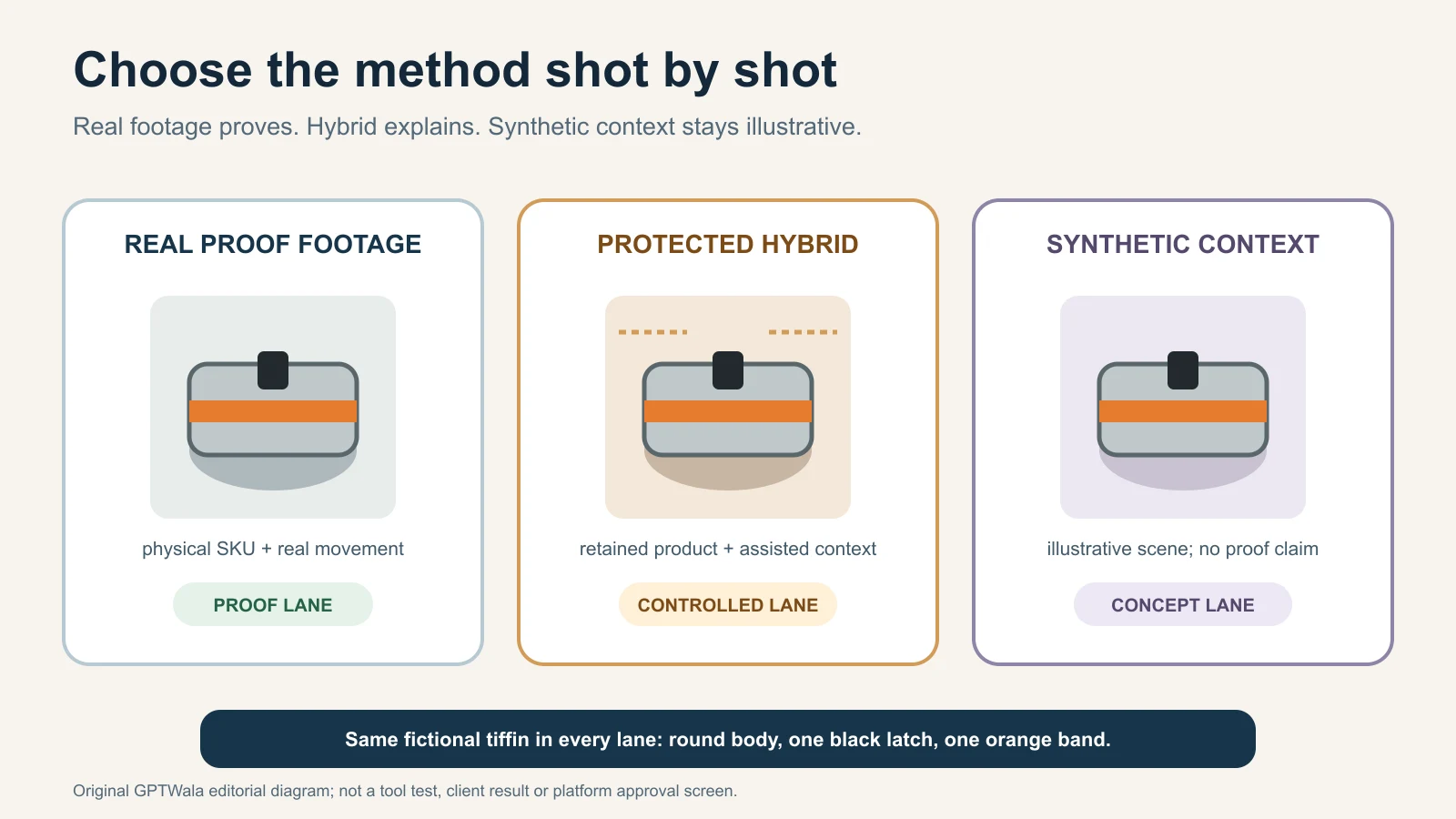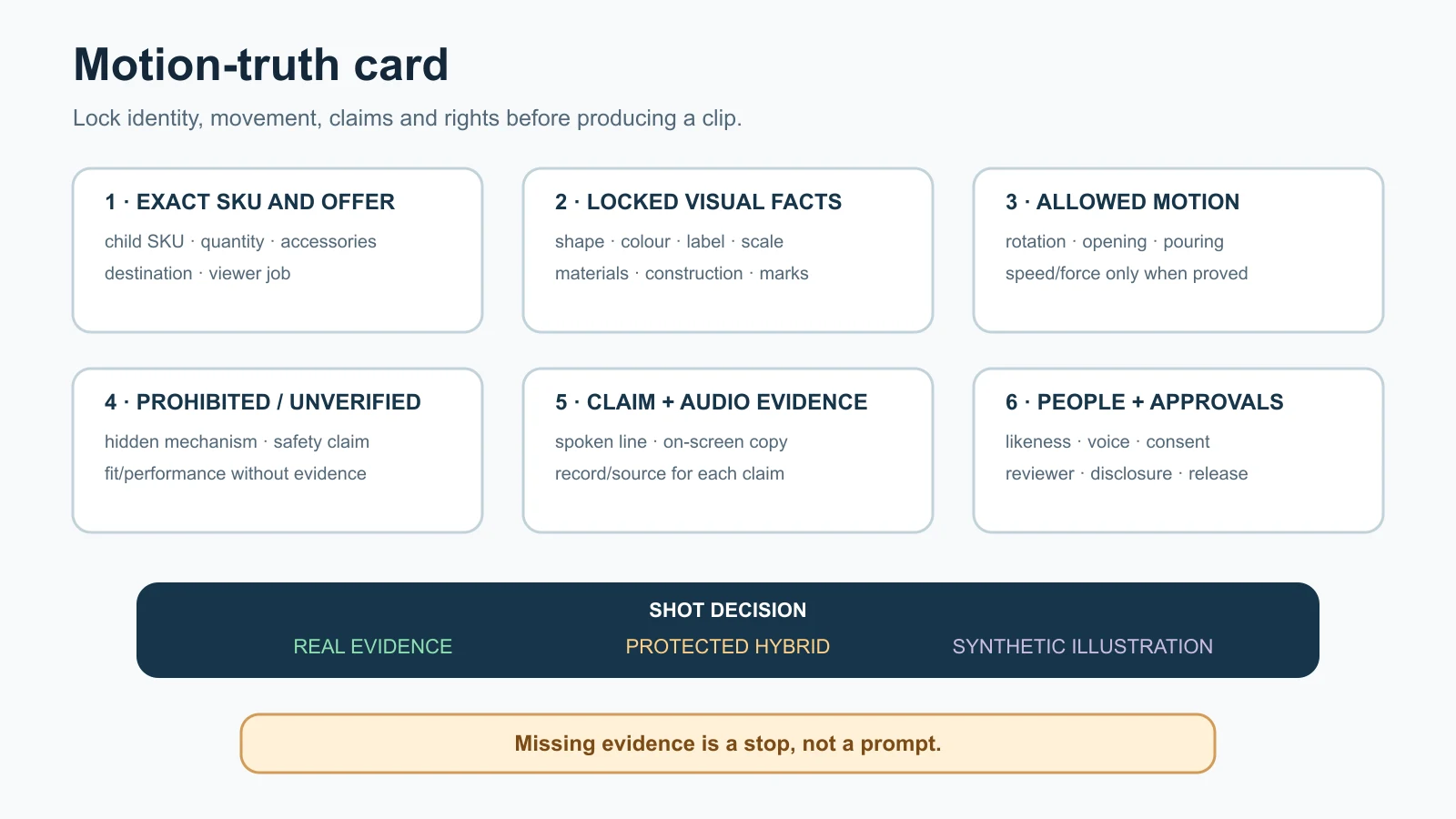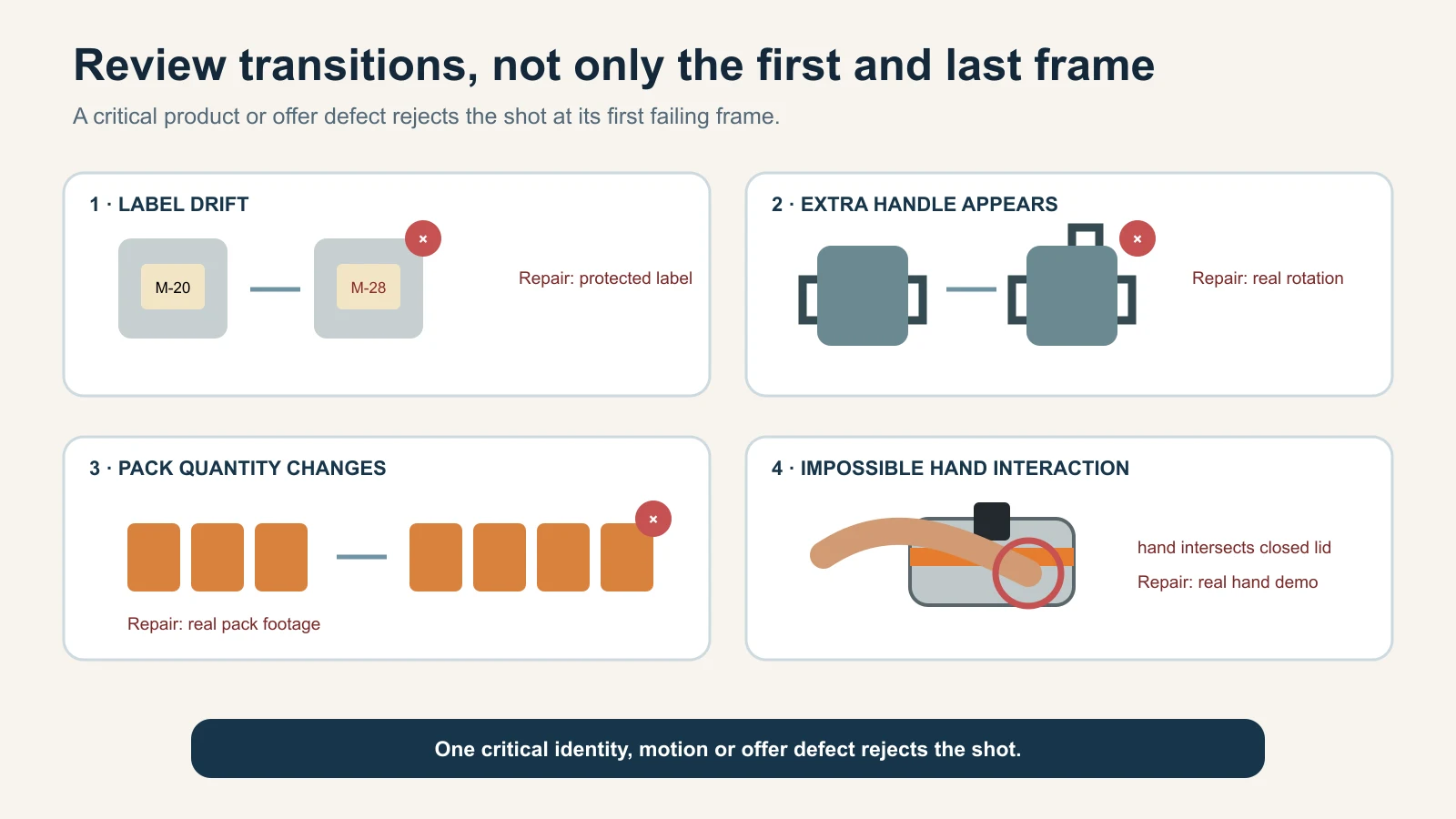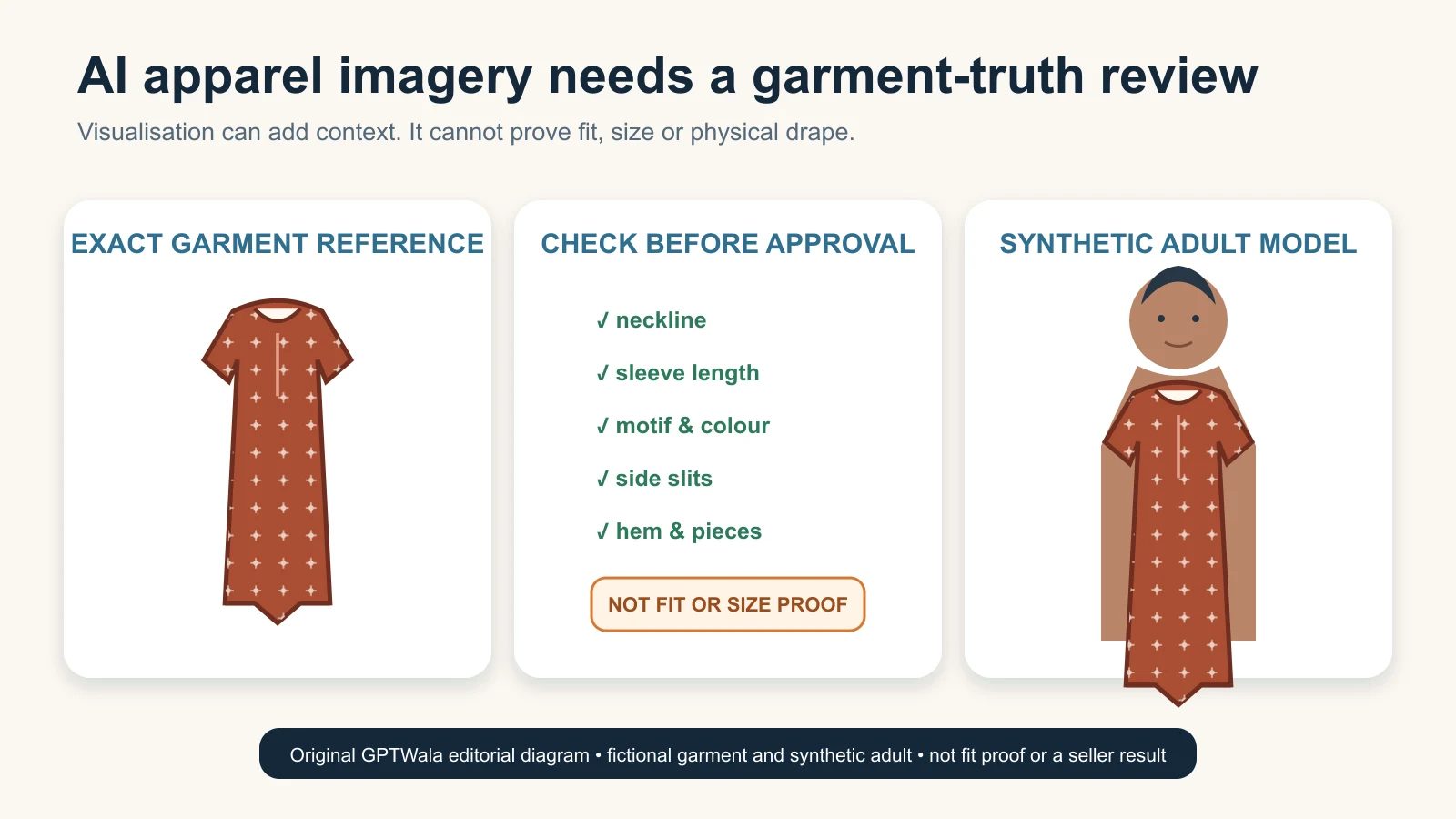
Category: AI in Ecommerce

  • Common AI Product Photography Mistakes: Troubleshooting and Rejection Checklist

    Reviewer tracing an AI product-image defect from the source photo to the final export
    Find the first file where product truth fails; repair that stage or recapture the missing evidence. Original GPTWala diagnostic illustration using one fictional, unbranded product; not a client result, tool test or platform interface.

    Reviewed and updated: 12 August 2026

    Editorial disclosure: GPTWala did not run a product shoot, AI editor, marketplace submission or controlled accuracy test for this article. The diagnostic system is editorial guidance based on current official sources and production reasoning. Product owners must compare every candidate with the exact physical SKU and verified product records.

    The safest way to fix an AI product-photo mistake is to find the first file where the product becomes wrong. Compare the source, mask, generated candidate, composite and export in order. Repair only that failing stage. Reject and recapture when identity, quantity, label, geometry, material, scale or another buying-relevant fact cannot be verified. Do not keep regenerating until a plausible image hides the defect.

    Table of contents

    1. What counts as an AI product-photo mistake?
    2. Quarantine the image before troubleshooting
    3. Find the first wrong file
    4. Use the complete troubleshooting table
    5. Diagnose identity, text and quantity failures
    6. Diagnose shape, colour and material drift
    7. Diagnose edges, shadows and scale
    8. Diagnose file, channel and hand-off failures
    9. Choose a safe repair level
    10. Know when to stop and recapture
    11. Apply the method to Indian product businesses
    12. Prevent repeat failures without building more bureaucracy
    13. Run the rejection checklist
    14. Frequently asked questions

    What counts as an AI product-photo mistake?

    An AI product image has failed when it is unusable for its intended job, even if it looks polished. There are four different failure types:

    Failure type The image may look like The real problem Appropriate response
    Product-truth failure Attractive and believable A buyer-relevant product or offer fact changed Reject; restore verified evidence or recapture
    Presentation failure Rough, cut out or poorly grounded Product may still be correct, but the image distracts or confuses Repair the background, edge, shadow or crop without touching the SKU
    Destination failure Correct on the editing screen The crop, overlay, file, metadata or current channel rule fails after export Re-export from the approved master and verify the destination
    Process failure Each file looks acceptable alone Wrong SKU mapping, inconsistent batch style or unclear approval lets the wrong asset travel Quarantine the batch; correct mapping, ownership or hand-off

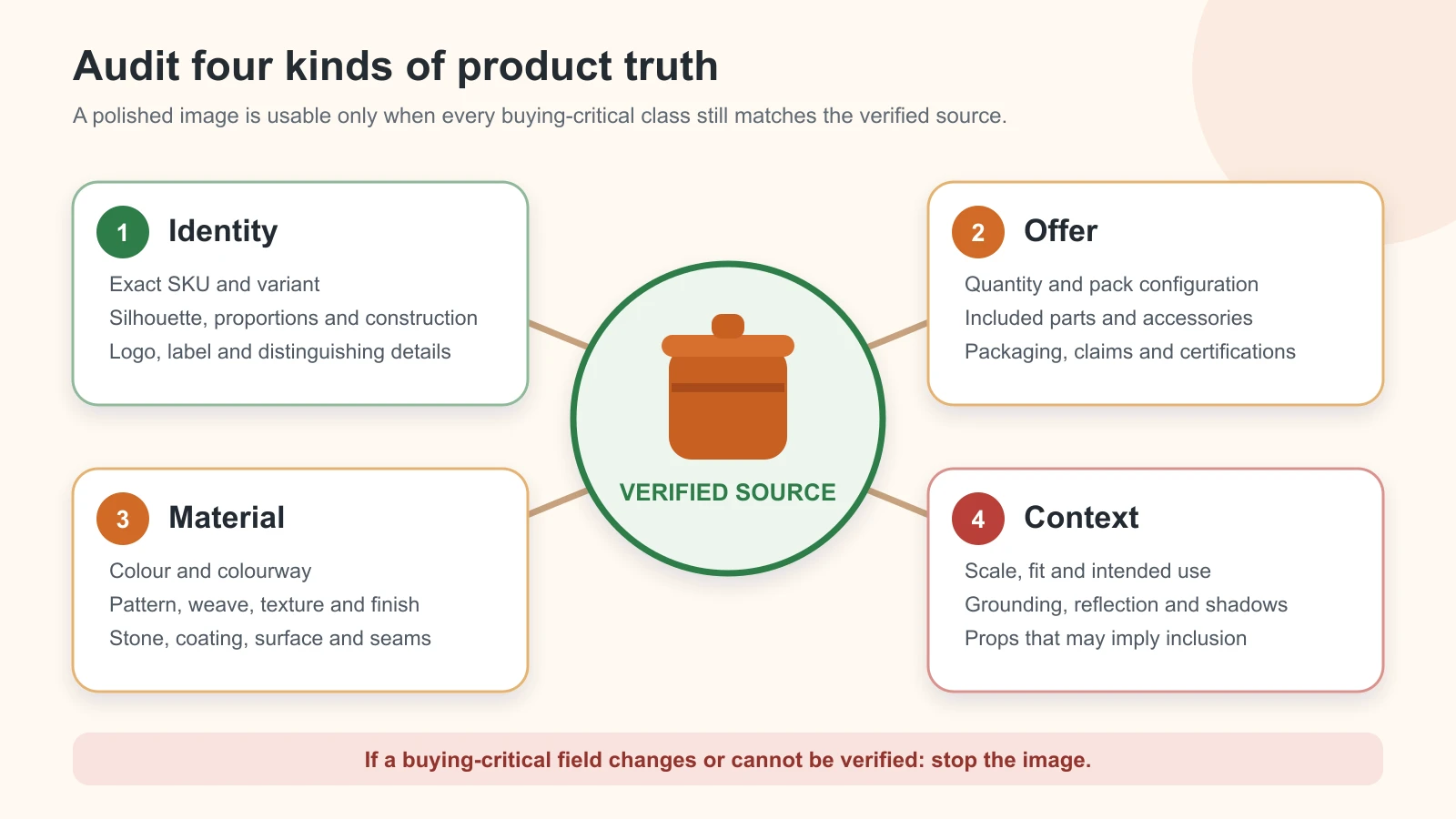
    The most dangerous mistake is not always the most obvious. A rough shadow is visible and usually repairable. A subtly changed valve port, sari border, stone setting or pack quantity can look professional while describing the wrong product.

    This guide owns symptom-led diagnosis and the fix-or-reject decision. It does not repeat the full phone-to-approved image workflow, the one-phone-photo tutorial, the background-generation workflow or the broader AI image accuracy governance system. Use those pages for their respective jobs.

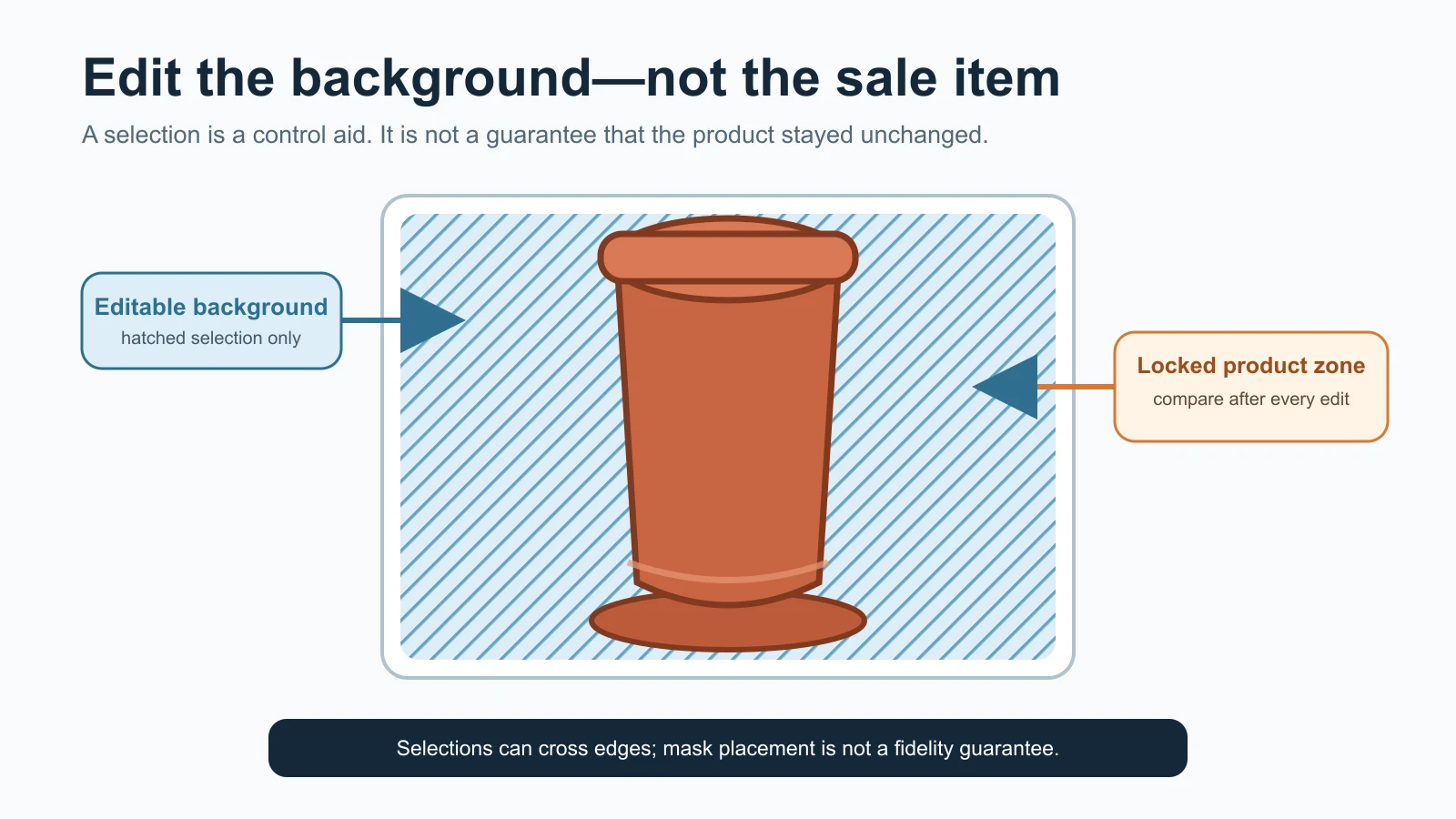
    A mask is not a product lock

    Selecting only the background does not prove that the product will remain untouched. OpenAI’s current image-editing guidance says selections are not always precise and an edit may extend beyond the targeted area. Google’s current Product Studio guidance calls its generative features experimental and warns that unexpected outputs may occur. Those are useful operating cautions, not evidence that every edit will fail.

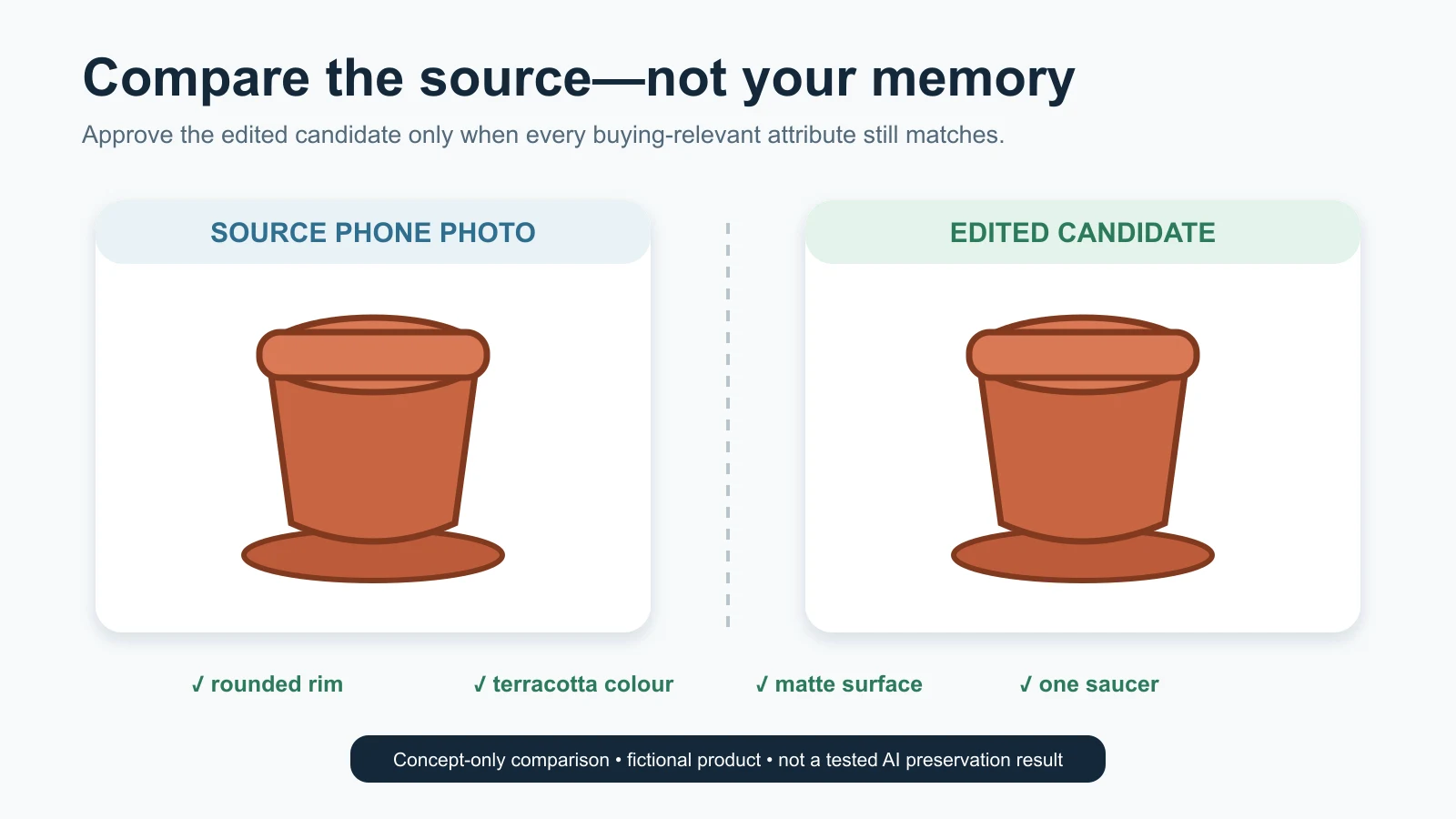
    Assume every generated candidate is unapproved until it has passed a comparison with the exact source and the physical or recorded product truth. A prompt can state a constraint; it cannot sign off the output.

    Quarantine the image before troubleshooting

    When someone notices a defect, stop the candidate from moving into a catalogue, ad folder or seller upload. Do not overwrite the approved source or rename the faulty export as final.

    Record these eight facts before editing again:

    1. exact SKU, child variant and offer quantity;
    2. intended image role: proof, main, detail, context, ad or internal concept;
    3. destination and current specification owner;
    4. source file used, including date or version;
    5. first visible symptom;
    6. first file in which the symptom appears;
    7. product record, physical sample or source view used to verify it; and
    8. decision: narrow repair, recapture, change method, specialist review or reject.

    Call this a defect card. It need not be a new software system. One row in the existing production register is enough.

    Describe the symptom without guessing the cause

    Write “the right handle disappears at the rear edge” before writing “bad prompt.” Write “the blue child SKU is attached to the green-variant file” before writing “AI colour problem.” The first statement can be checked. The second can send the team to the wrong repair.

    Avoid vague diagnoses such as:

    • “looks fake”;
    • “AI issue”;
    • “make premium”;
    • “colour is off” without naming the reference and viewing condition; or
    • “marketplace rejected” without recording the actual account message and submitted file.

    A precise symptom narrows the investigation. It also prevents a team from regenerating the product when the real fault is a crop preset, a mislabelled source or a compressed export.

    Find the first wrong file

    Follow the files in production order:

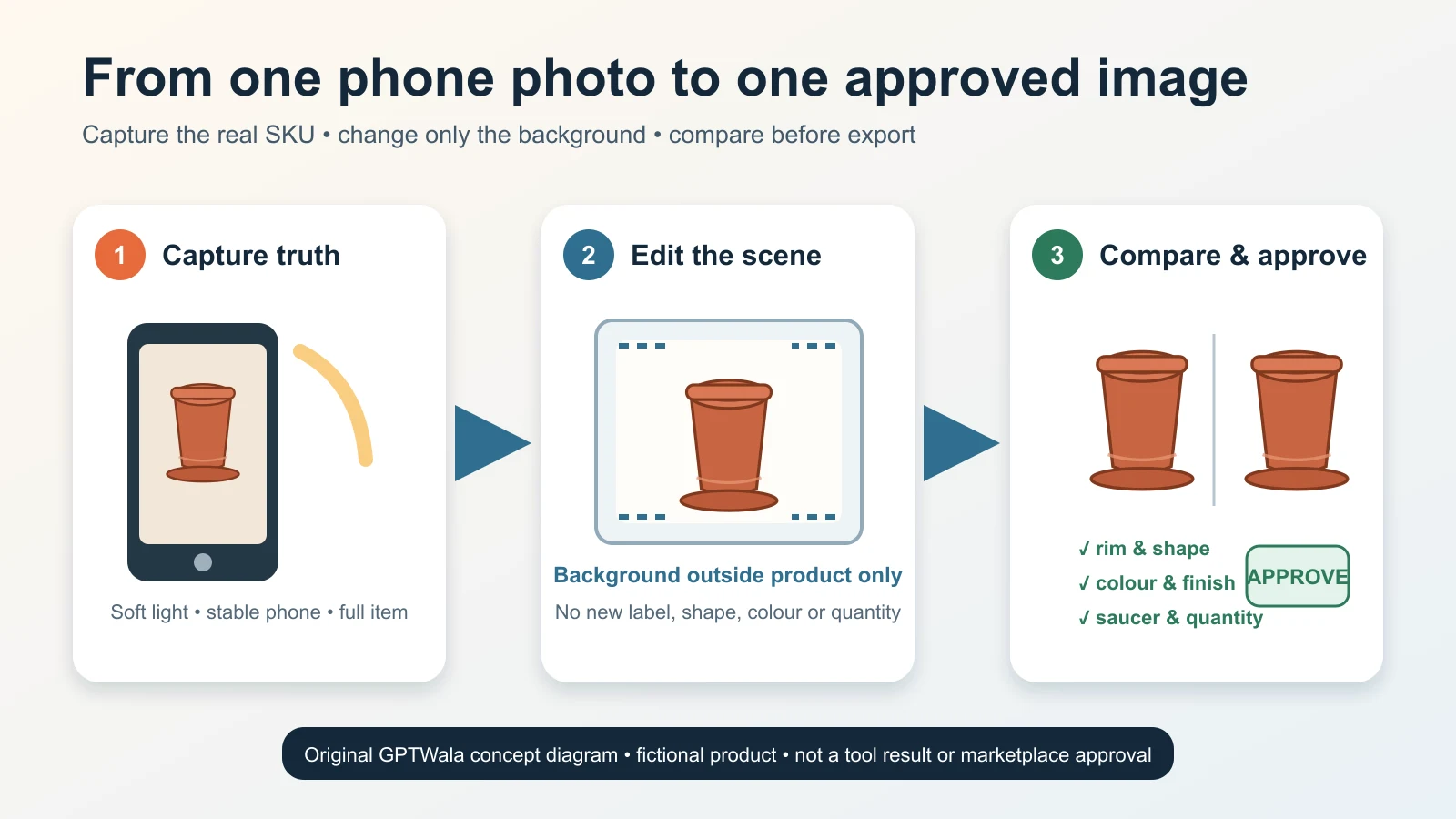
    Verified source → selection or mask → generated candidate → composite → approved master → destination export

    Open them side by side at useful magnification. Ask one question at every step: Is the named defect already present here?

    First wrong stage What it usually means First safe action
    Verified source The camera did not capture the field, the wrong SKU was photographed, or the record is incomplete Stop editing; correct the SKU mapping or recapture
    Selection or mask Fine edges, holes, transparent areas or gaps were included/excluded incorrectly Rebuild a smaller, cleaner non-destructive selection
    Generated candidate The editor altered protected pixels, inferred an unseen detail or introduced an object Reject candidate; constrain the edit or retain the real product layer
    Composite Light, perspective, contact, scale or occlusion no longer agrees Rebuild the composite with measured geometry and a real retained product layer
    Approved master Approval was attached to the wrong version or an unverified repair was flattened in Revoke approval; return to the last verified file
    Destination export Crop, resize, colour conversion, metadata handling or overlay changed the approved asset Re-export from the approved master; do not regenerate

    This “first wrong file” method matters because late-stage repairs can conceal an early truth failure. If the source never shows the back label, sharpening the final image cannot recover it. If the approved master is correct but a square preset cuts off the handle, a new AI image is unnecessary.

    Run one diagnostic check, not five speculative edits

    Choose the smallest test that can confirm or reject the suspected cause:

    • toggle the candidate over the source at 50% opacity;
    • place matching landmarks on silhouette, holes, seams or corners;
    • compare an exact label crop with the verified artwork or source photo;
    • count components and included items;
    • view source and candidate under the same colour-managed conditions;
    • disable the generated background and inspect the product edge;
    • compare the approved master with the delivered export; or
    • open the production register and verify the SKU-to-file relationship.

    If the check does not isolate the problem, return to the symptom. Do not compensate by adding more prompt adjectives.

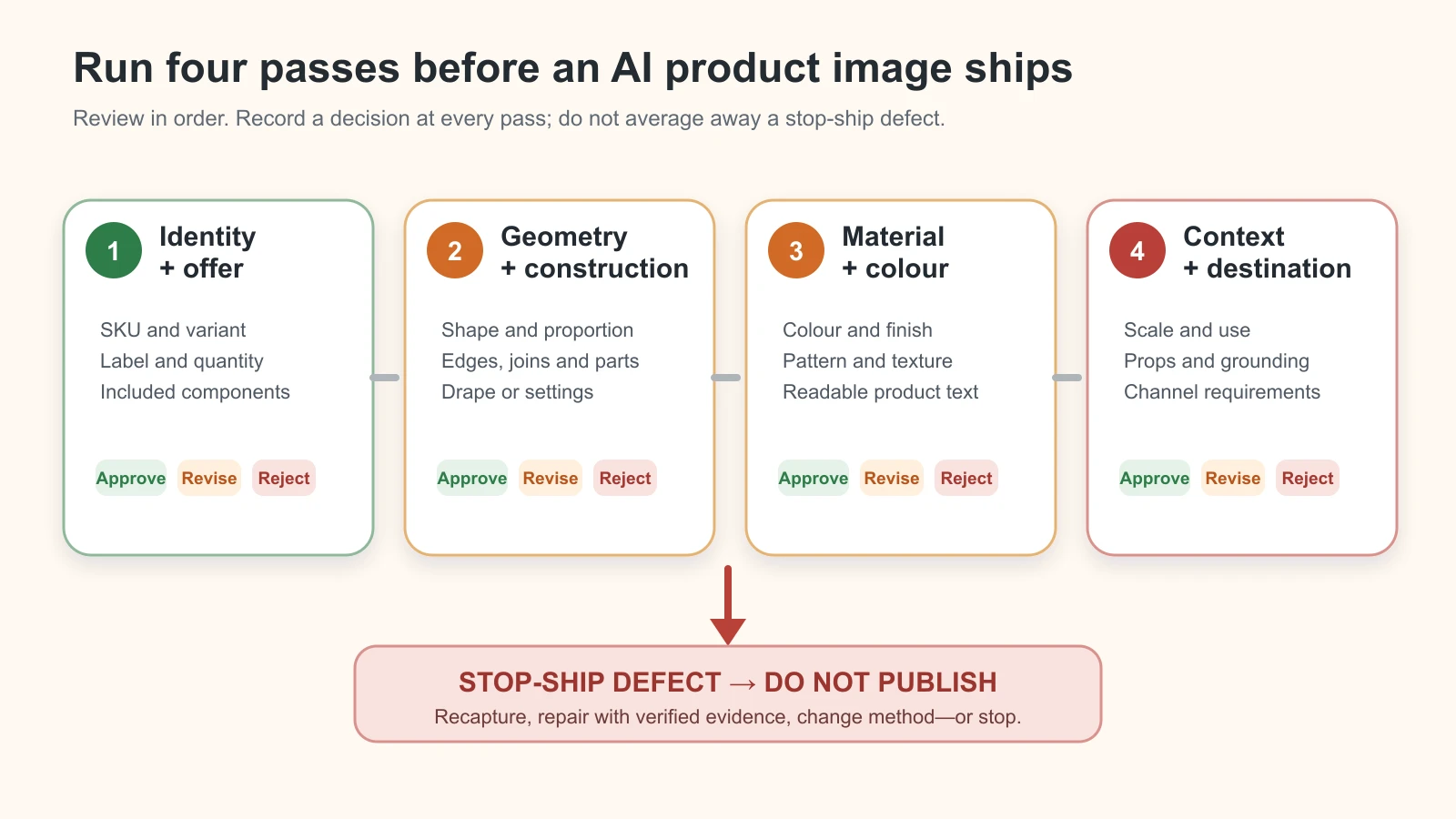
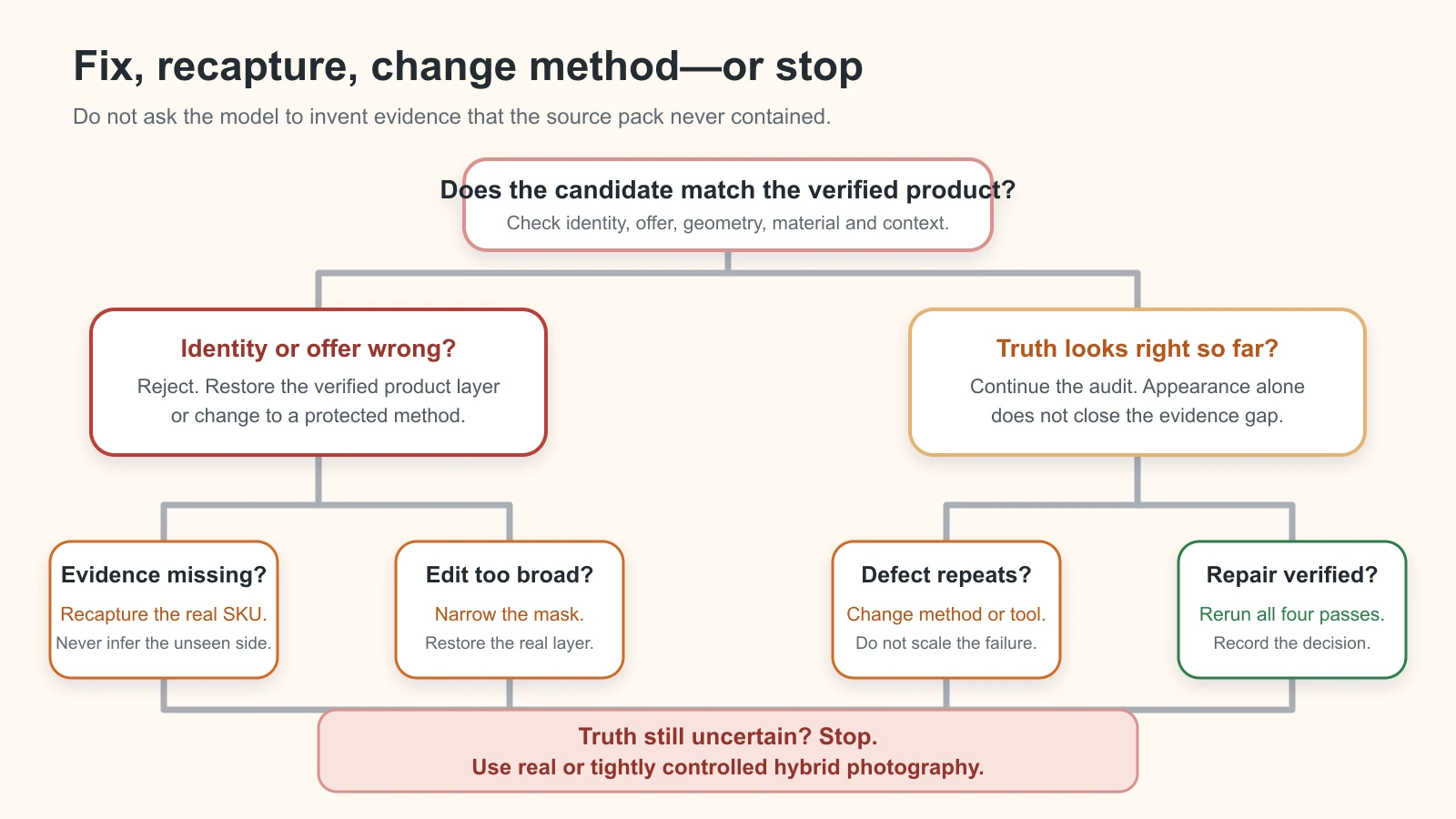
    Diagnostic flow from source photo through mask, AI candidate, composite and export to the safest repair

    Fix the earliest wrong stage; do not conceal it downstream. Original GPTWala diagnostic flow with native labels; it reports no provider score, model test or marketplace result.

    AI product photography mistakes: symptoms, causes, fixes and stop rules

    Use this table as triage. “Likely cause” is a hypothesis to test, not a diagnosis made from appearance alone.

    Symptom Likely cause Diagnostic check Safe fix Stop or recapture when
    Wrong product or neighbouring variant Wrong source, filename or SKU mapping Match physical item, SKU record and source identifier Correct mapping; restart from the verified source Exact variant cannot be established
    Label, logo or printed text is garbled Generative reconstruction, low-resolution source or aggressive enhancement Compare characters, line breaks, placement and legal/product fields with verified artwork and real pack Restore exact approved artwork or untouched real label layer Source/artwork is missing, outdated or unreadable
    Pack count or included accessory changes Model inferred a set or styling prop; offer record was vague Count every sale unit and component against the offer record Remove non-included props non-generatively; rebuild from the exact quantity source It is unclear what the customer receives
    Product gains or loses a part Occlusion, incomplete source pack, mask error or generative completion Compare front, back and detail views; trace the part into the mask Restore verified pixels; repair mask narrowly Part is not visible in any source or affects function/safety
    Silhouette, port, seam or construction drifts Broad edit changed protected geometry Overlay source and candidate; pin landmark coordinates Use retained real product pixels or revert the generation Geometry cannot be restored without invention
    Product looks stretched or tilted Perspective correction, resize or compositing mismatch Compare corner/axis landmarks and source aspect ratio Re-transform from the original with proportions locked Dimensions or fit would be materially misrepresented
    Colour variant shifts Mixed light, auto correction, background influence, colour conversion or generative relight Compare with physical item and neutral reference; inspect the approved master/export path Correct conservatively from a verified reference; publish multiple truthful views if appearance varies No trustworthy colour reference exists
    Matte becomes glossy, metal becomes plastic, weave disappears Smoothing, relighting, denoising or invented material Compare highlight shape and microtexture at full resolution Restore source texture; reduce the edit to the surrounding area Material/finish cannot be verified after repair
    Pattern, print or texture repeats incorrectly Generative fill tiled or reconstructed detail Align motifs, border sequence, grain and intentional irregularity Restore the real product layer or exact verified texture region Pattern is a selling feature and source evidence is incomplete
    Jewellery stone, prong, clasp or link changes Fine repeated geometry was generated or erased Count stones/settings; compare macro and construction views Reject candidate; use real macro or jewellery specialist workflow One buying-relevant element differs or a mark is unclear
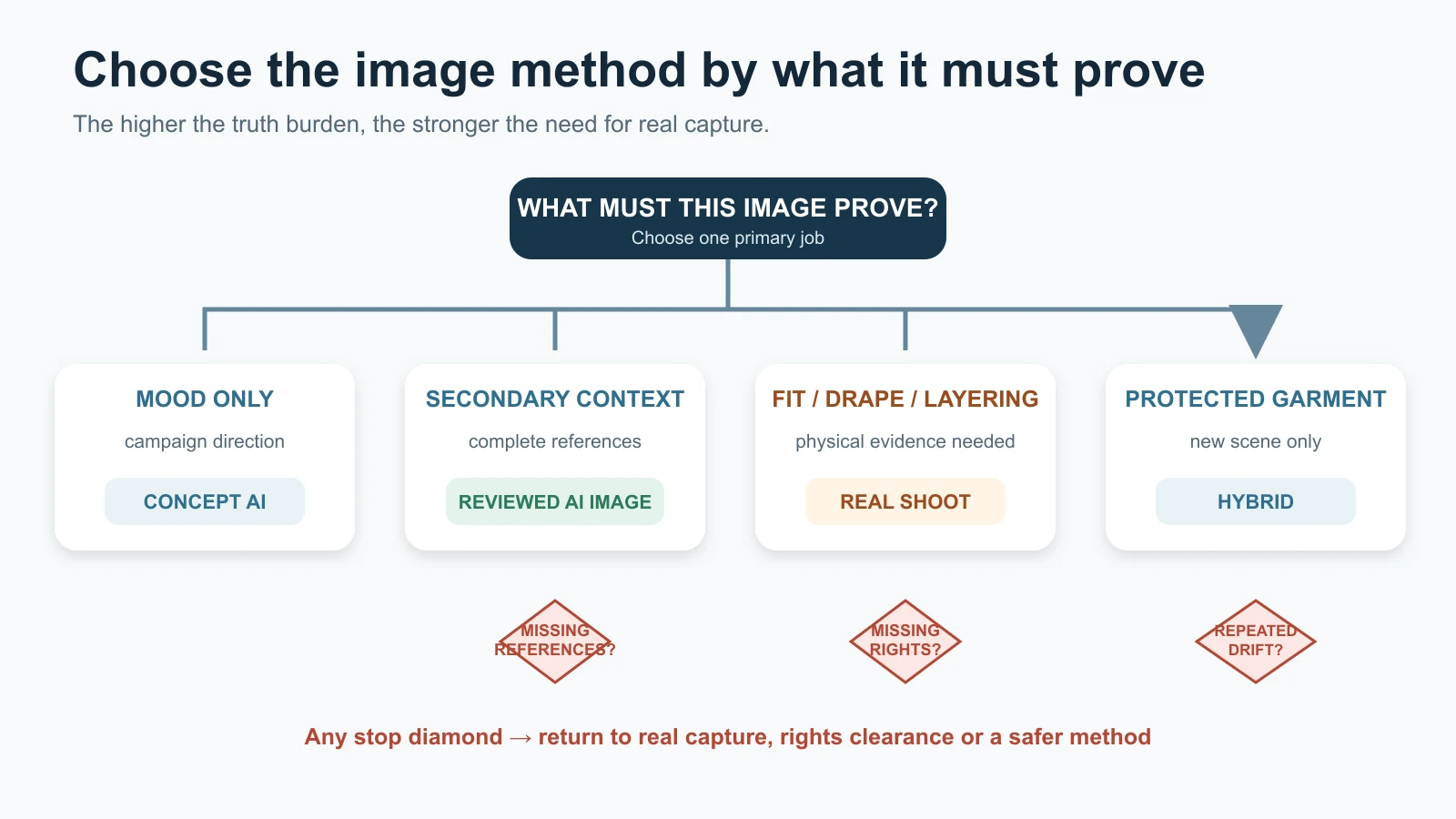
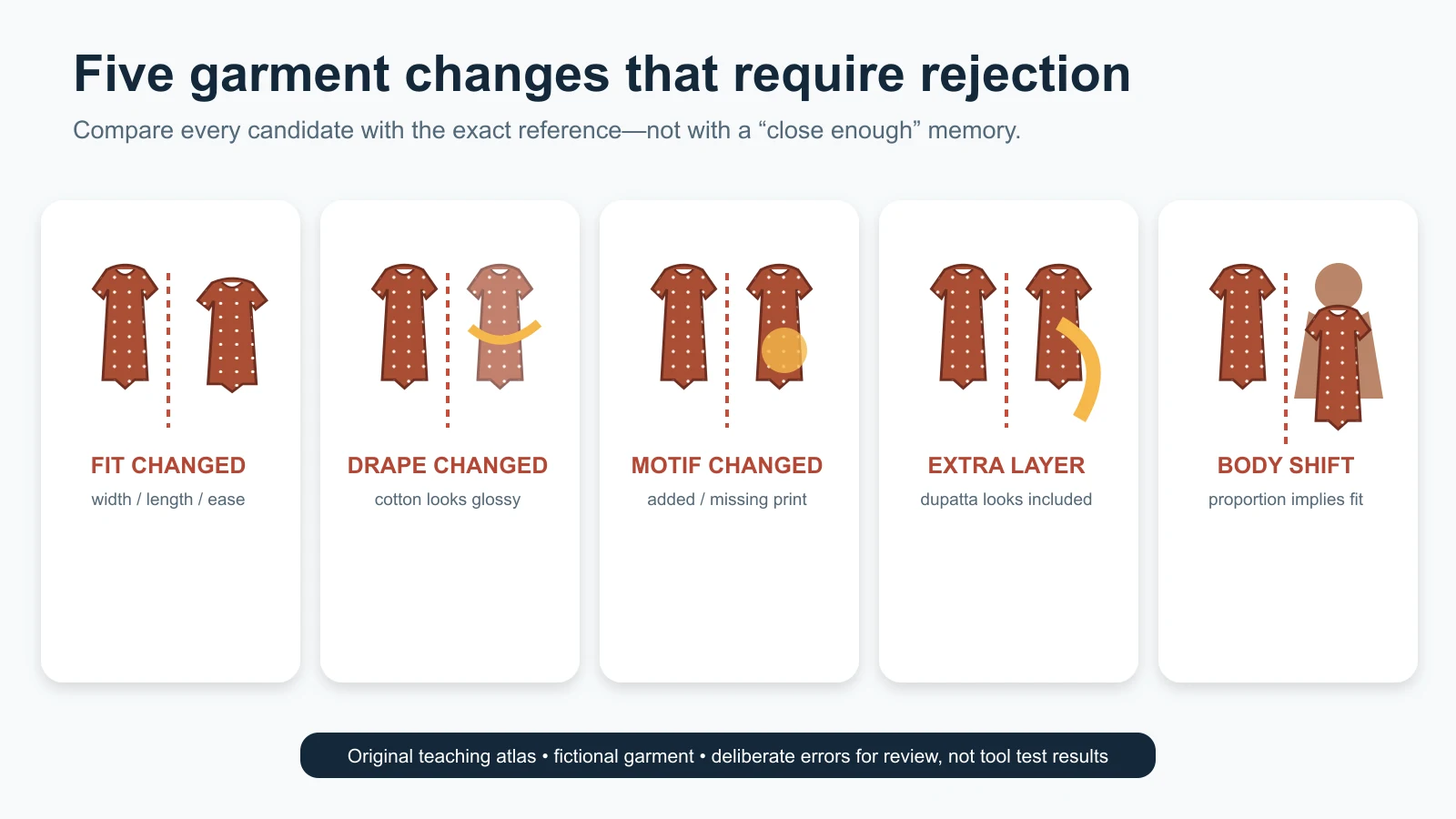
    Apparel fit, drape, neckline or border changes Garment was re-generated on a model; source does not prove worn behaviour Compare flat, mannequin and measured references; inspect seam/border map Use retained garment layer or real model/mannequin capture Fit, coverage, fall or construction is a purchase decision
    Halo, missing edge or jagged cutout Mask includes background or removes fine/transparent detail View on black, white and mid-grey; toggle mask edge Rebuild mask from source; use manual or specialist cutout Edge cannot be separated without inventing fibres, chain or transparency
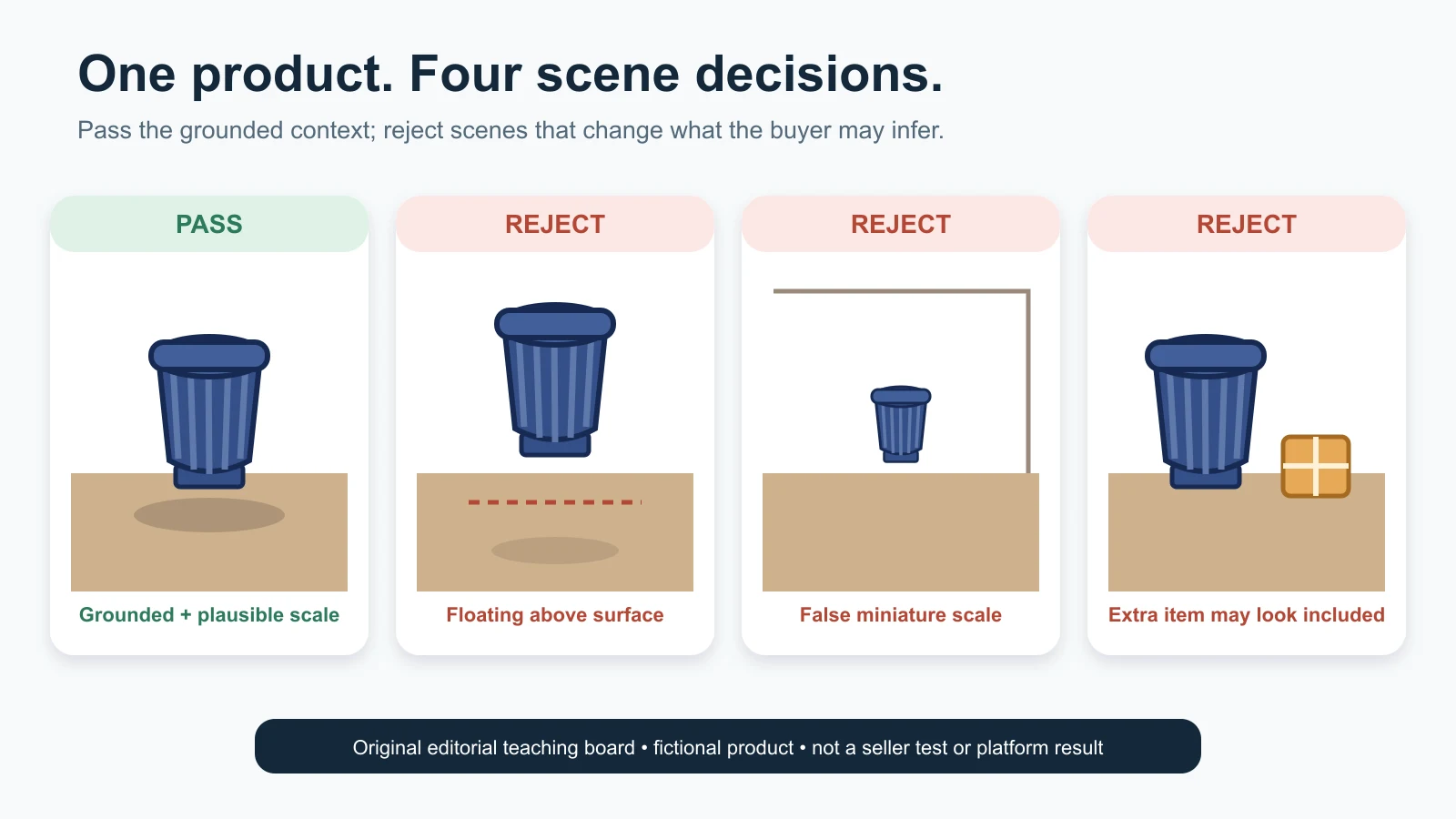
    Product floats or shadow points the wrong way Contact point, light direction or surface plane mismatch Draw baseline and light direction; inspect gap at contact edge Rebuild a subtle physically consistent shadow outside the product Product scale/contact cannot be verified in the scene
    Product appears too large or small in context Unmeasured scene, generated hand/model or lens/perspective mismatch Compare recorded dimensions with a known plane or reference object Rebuild at measured scale; label dimensions accurately Context determines fit, clearance or safe use and measurement is absent
    Context implies an unsupported use Prompt created installation, ingredient, compatibility or performance meaning Ask what claim a reasonable buyer could infer; compare product records Choose a neutral context or a verified real use case Use, compatibility, safety or performance is not documented
    Crop hides a handle, connector, border or pack edge Destination template or subject detection cropped the product Compare approved master and export with safe-area overlay Re-export with a product-specific crop Required identifying or functional feature will not fit the format
    Text overlay becomes part of the product offer Promotional badge, price or claim overlaps or appears printed on pack Compare clean master and destination creative; read the full message Keep clean commerce master; add only reviewed native overlay for an allowed role Destination forbids overlay or claim is unsupported
    Upscale looks sharp but creates false microdetail Generative upscale or sharpening fabricated texture/characters Compare pixels with the highest-quality real source, not only the low-res version Use a better source or conservative non-generative resize Detail is needed to verify label, finish, setting or construction
    AI/provenance metadata disappears Export, conversion, CDN or download path stripped metadata Inspect the actual delivered file with a metadata reader Re-export through a tested path; retain original and provenance record Destination requires metadata and preservation cannot be confirmed
    Correct image is attached to the wrong listing Manual copy, reused folder, ambiguous filename or variant merge Reconcile file ID, SKU, product record and destination item ID Correct the mapping and review affected neighbouring records Scope of the mapping error is unknown; quarantine the batch
    Batch style changes from one SKU to the next Prompts, templates, reviewers or source angles vary View contact sheet grouped by visual family while keeping SKU truth cards open Correct presentation controls in a small batch “Consistency” repair would change a real variant field
    Final file differs from the approved master Wrong version, compression, colour conversion or post-approval edit Hash/version check where available; visually compare exact delivered file Replace with a fresh derivative from the approved master Approval trail cannot identify the released source

    Do not turn this table into a blind automation

    The table helps a reviewer choose the next check. It cannot see the physical SKU, know the seller’s offer or decide whether a material difference matters. A reviewer with product authority must make the final call.

    Diagnose identity, text and quantity failures

    Identity, text and quantity failures are automatic commercial risks because they can change what the customer believes they will receive.

    Wrong SKU is a mapping problem until proven otherwise

    Before blaming the model, inspect the folder and register. Similar variants are easily confused: two Morbi tile finishes, adjacent bottle sizes, right- and left-hand machine components, a necklace sold with or without earrings, or a sari design in two border colours.

    Verify:

    • physical sample or authorised source ID;
    • exact child SKU and revision;
    • colour, size, finish and configuration;
    • pack quantity and included components;
    • source date; and
    • destination item ID.

    If the source belongs to another variant, no prompt can repair the mapping. Start again with the correct record.

    Restore text; do not rewrite it from memory

    Labels can contain identity, ingredients, capacity, warnings, directions, certification references, manufacturer information and other important fields. A visually plausible replacement is not acceptable.

    Use one of these routes:

    1. retain the exact real label pixels when they are clean and legible;
    2. place authorised current artwork at the verified angle and dimensions, then obtain owner approval; or
    3. recapture the pack or label.

    Do not ask a generative model to “make the text readable.” Do not reconstruct blurred characters from memory. Do not borrow artwork from a related size or market. If the current artwork is disputed, the content owner—not the image operator—must resolve it.

    Count the offer twice

    Count the physical items in the source and count the items in the final candidate. Then compare both with the actual offer record.

    A styling bowl beside a spice pack can look included. A generated necklace set can acquire a second bangle. A B2B component image can show four pieces although the quote is per piece. A “pair” can accidentally become one item through cropping.

    Where the offer is ambiguous, stop. Fix the commercial record before making the image.

    Diagnose shape, colour and material drift

    These errors often survive a quick review because the candidate looks believable. Inspect with the physical product nearby whenever possible.

    Geometry: use landmarks, not overall resemblance

    Choose points that should not move:

    • outer corners and silhouette breaks;
    • hole, port, handle and fastener centres;
    • neckline, seam, hem and border intersections;
    • clasp, prong, hinge and joint positions;
    • cap, shoulder, base and label boundaries; and
    • intentional gaps or negative spaces.

    Overlay the candidate on the source and toggle visibility. Small camera changes can prevent perfect pixel alignment, so the purpose is not to manufacture a numeric accuracy score. It is to expose a changed construction, proportion or missing part.

    Recent research still treats fine-grained product identity preservation—including branding and text—as a hard image-editing problem. The 2026 ProductConsistency paper is a preprint, not a commercial tool guarantee, but its problem framing supports the conservative rule: plausible resemblance is not proof of exact product preservation.

    Colour: trace the whole path

    Colour can change at capture, edit, compositing, export or display. Diagnose in order:

    1. Was the source captured under mixed or strongly coloured light?
    2. Is there a neutral reference or the physical product for comparison?
    3. Did the background create a visual colour contrast?
    4. Did the AI relight or “enhance” the product?
    5. Did the export change colour space or profile?
    6. Does the delivered file differ from the approved master?

    Do not promise that every viewer will see an exact screen match. Preserve the real variant, avoid dramatic colour grading and give multiple truthful views when a finish changes with angle or light.

    Material: keep the cues that make it identifiable

    Material truth often lives in small cues: weave, grain, pores, brushed lines, edge highlights, translucency, uneven handmade texture or surface reflection. Removing all “imperfections” can remove the product itself.

    Reject an edit that:

    • turns brushed metal into mirror chrome;
    • smooths handloom weave into synthetic-looking fabric;
    • makes glazed tile appear matte or vice versa;
    • converts translucent packaging into opaque plastic;
    • invents uniform sparkle across jewellery; or
    • fills wood, leather or stone with a repeated synthetic texture.

    If those cues were not captured, recapture under better light. An upscale cannot reveal real detail that the camera never recorded.

    Diagnose edges, shadows and scale

    These are presentation problems until they begin changing product meaning.

    Check edges on three backgrounds

    Place the cutout against black, white and mid-grey. This reveals white fringes, dark contamination, missing translucent detail and over-feathered edges. Inspect at normal page size and at magnification.

    Repair the selection, not the product. Fine apparel fibres, glass edges, jewellery chains, handles, holes and open metalwork may need a manual path, channel-based mask, specialist retouch or a better source. If the edge cannot be separated without reconstructing the product, stop and recapture.

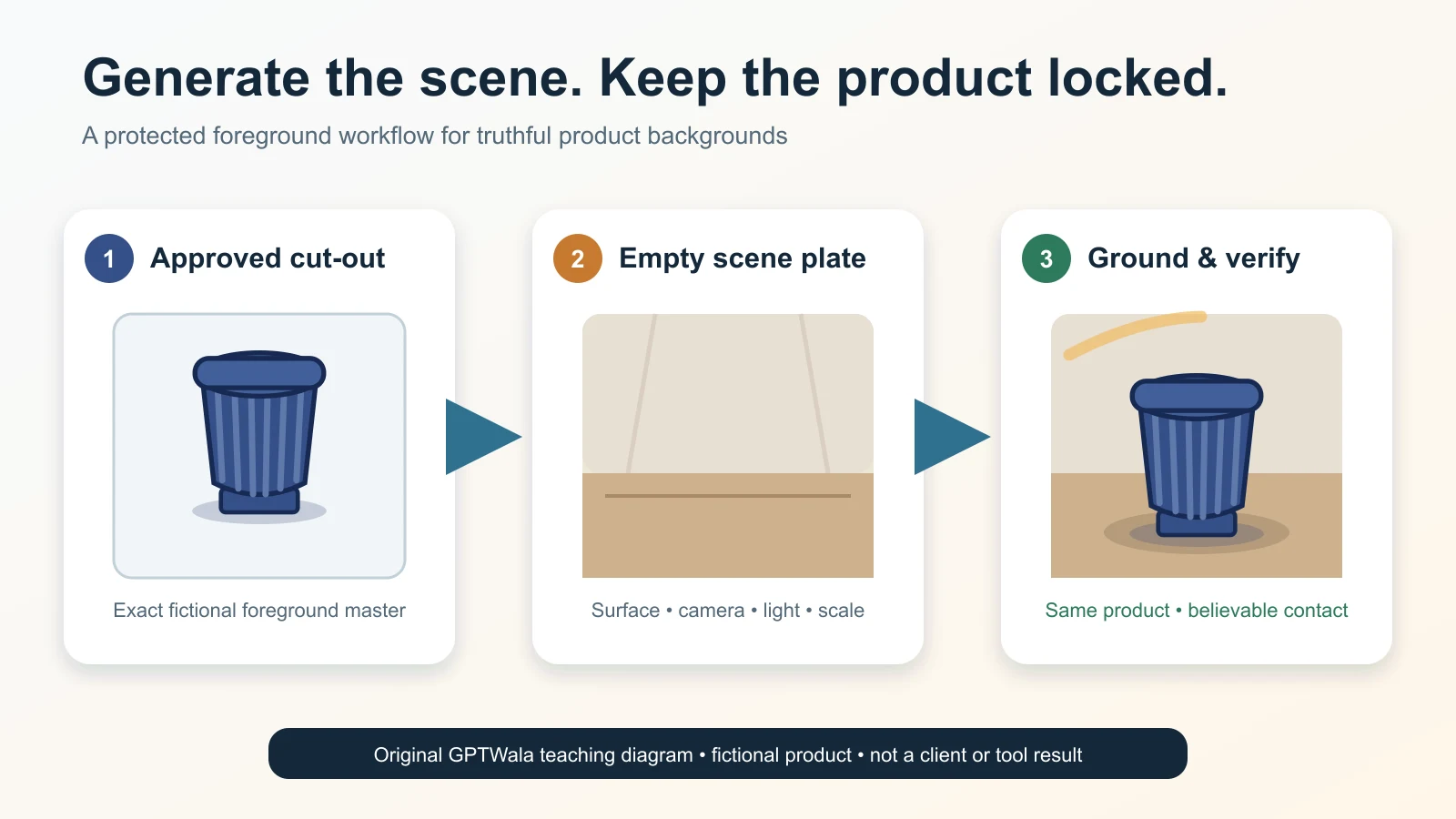
    For the full process of creating a new setting while protecting product pixels, use the AI product-background generation guide. This troubleshooting page only diagnoses the fault.

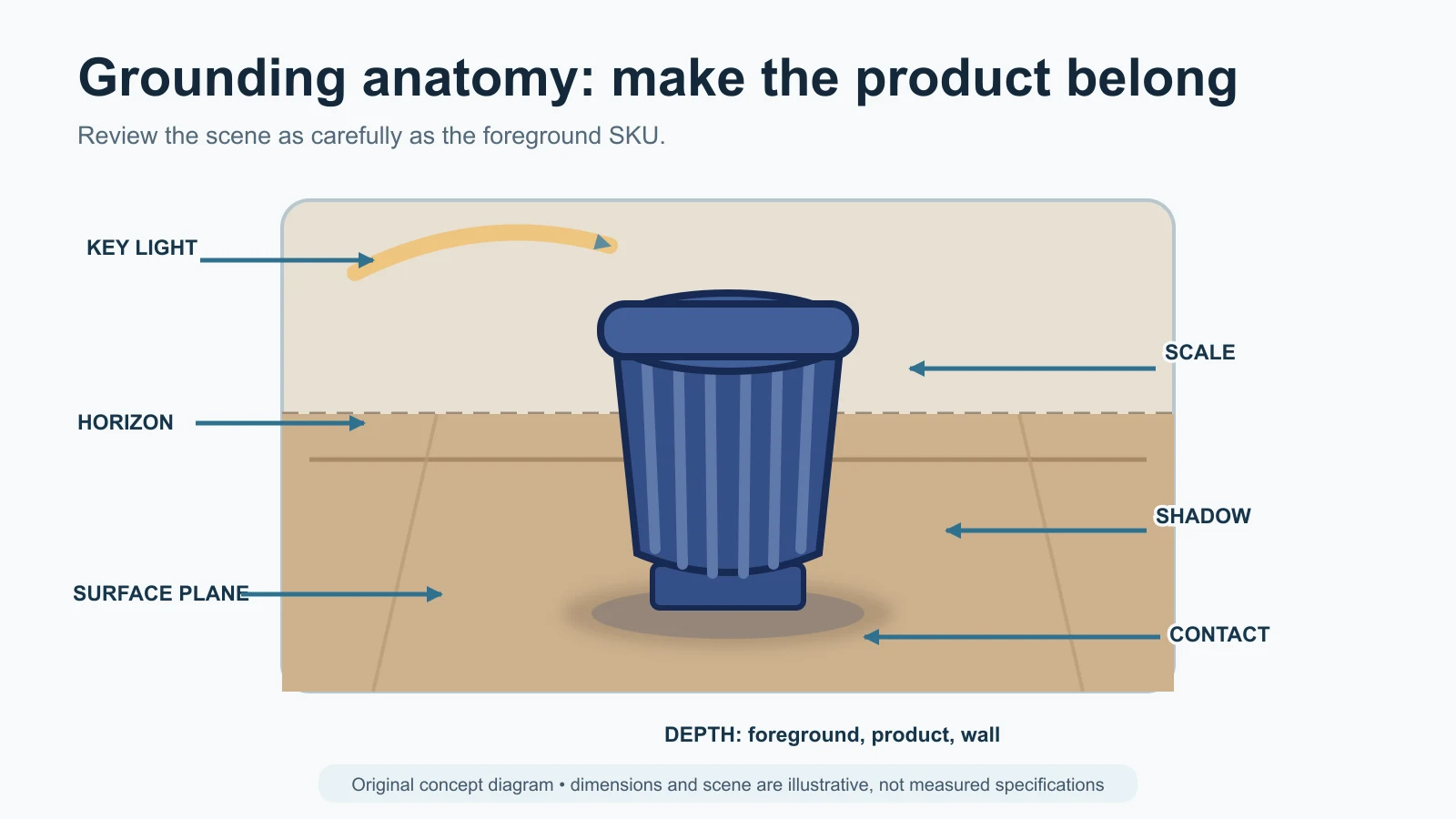
    Ground the product before beautifying the scene

    A grounded product needs agreement between contact, surface plane, perspective, shadow direction and light. Use a simple diagnostic:

    • draw the contact baseline;
    • mark the dominant light direction;
    • identify the surface plane;
    • check whether the shadow begins where the product touches it; and
    • ask whether the shadow softness fits the apparent light size and distance.

    If the scene is too complex to solve without changing the product, simplify it. A neutral background with a quiet, physically plausible shadow is safer than an impressive room that makes the product float.

    Measure scale when context influences purchase

    A generated hand, shelf, room or model can change apparent size. Record product dimensions first. Then check the object’s placement on a known plane or use a real measured reference outside the clean image.

    Use real capture when context answers a fit, clearance, installation or safety question: garment fit, jewellery fall, furniture proportions, machine clearances, connector placement or an item worn near the face/body. A generated context can illustrate an idea; it should not become unverified measurement evidence.

    Diagnose file, channel and hand-off failures

    The product can survive the AI edit and still fail after approval.

    Reopen the delivered file

    Inspect the exact file that a website, feed, dealer or marketplace will receive—not only the editor canvas. Check:

    • product and offer still match;
    • crop retains the whole required view;
    • small text and detail remain legible where needed;
    • colour and transparency behave as expected;
    • filename/version maps to the correct SKU;
    • overlays are allowed and supported;
    • file format and size match the current destination; and
    • required provenance metadata remains in the delivered asset.

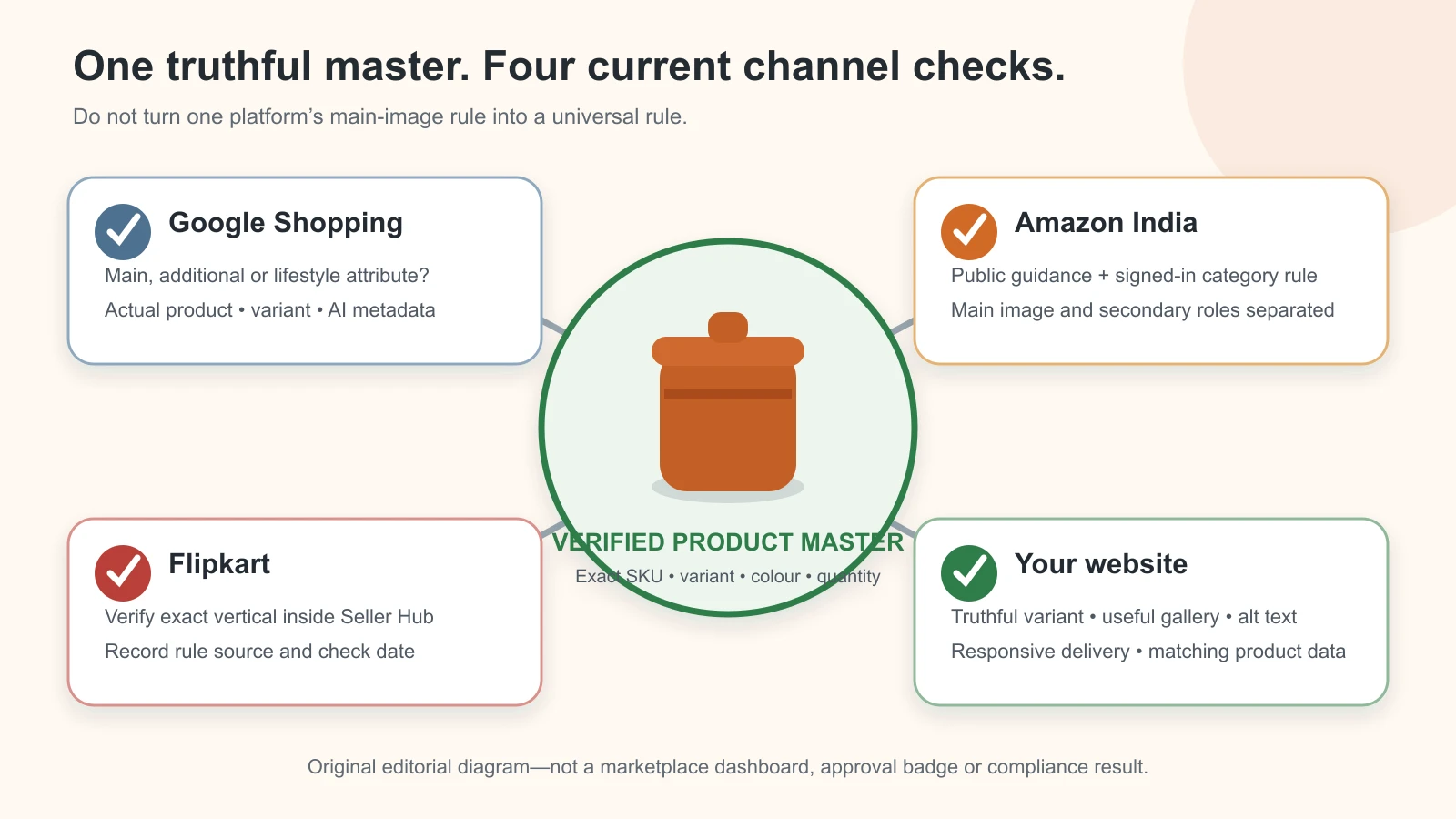
    Google Merchant Center’s current main-image guidance asks for the actual, correct product and variant, including colour, pattern and material, and restricts placeholders and promotional overlays. Its current AI-content guidance says applicable generative-AI product images submitted in specified image attributes should retain the named IPTC digital-source metadata. Those are Google-specific requirements; use the product-image rules by channel for a broader destination check.

    Do not assume that an editor export, WebP conversion, WordPress optimisation plugin, CDN or platform download has preserved metadata. Test the real delivery path. C2PA’s own explainer also cautions that provenance can be incomplete or removed and that provenance alone does not establish whether content is true. Keep product review and file provenance as separate checks.

    Treat “rejected by platform” as an observed event, not a diagnosis

    Record:

    • the exact submitted file;
    • seller account, category and destination;
    • submission time;
    • actual status or message;
    • any human-support response; and
    • the next controlled change.

    Do not invent a reason from a generic article. Do not claim that a file is “marketplace-approved” because it looks compliant. Rules, enforcement and account states can differ and change.

    Misleading can happen by implication

    The Advertising Standards Council of India’s current code says advertisements should be truthful and honest and that visual presentation should not mislead through implication, omission, ambiguity or exaggeration. ASCI is a self-regulatory body, and this article is not legal advice. The practical lesson is simple: a false impression can come from scale, context, included props or a perfected material—not only from written copy.

    Choose the safe repair level

    Use the lowest repair level that can restore a verified result.

    Level Action Appropriate when Never use it to
    0 — Mapping correction Attach the right approved file to the right SKU/destination Image is correct; relationship is wrong Pretend a neighbouring variant is acceptable
    1 — Re-export Create a fresh crop/format/size from the approved master Failure appears only after export Rebuild missing product detail
    2 — Narrow presentation repair Correct mask, dust, outside background or physically consistent shadow Product pixels and truth fields remain verified Alter label, construction, material or quantity
    3 — Restore verified product evidence Return the real product layer or authorised artwork Generation damaged a known field but exact evidence exists Invent unseen sides or characters
    4 — Recapture Photograph the exact item, angle, label, texture, scale or part again Source evidence is missing or technically unusable Avoid resolving an uncertain SKU/offer record
    5 — Change method or specialist Use real studio, hybrid composite, retoucher or category specialist Repeated defects affect high-risk detail Turn an unverified candidate into proof
    6 — Stop/reject Remove asset from production Truth, rights, safety or offer cannot be verified Keep a plausible image because of deadline pressure

    One controlled repair is better than a chain of untracked regenerations. If the same locked field fails again, escalate the method. Repetition is evidence that the current lane is a poor fit for that product, not an invitation to lower the approval standard.

    When to stop AI and recapture the product

    Recapture is mandatory when the source cannot prove a buying-relevant fact and no exact verified asset can restore it.

    Stop and use real capture when:

    • exact SKU or child variant is uncertain;
    • label, legal text, warning, mark or identifier is unreadable;
    • a hidden side contains ports, seams, fasteners, ingredients, settings or accessories that matter;
    • colour/finish is important and no trustworthy reference exists;
    • count, quantity or included components are disputed;
    • scale, fit, drape, clearance or installation is a buying decision;
    • jewellery settings, hallmark area or fine construction cannot be checked;
    • an AI enhancement has invented microdetail;
    • transparent, reflective or fine-edged material cannot be separated reliably;
    • rights to the source, artwork, model or reference are unclear;
    • a safety, compatibility, certification or performance impression cannot be supported; or
    • two controlled attempts repeat the same truth failure.

    The “two attempts” point is a practical escalation rule, not a universal accuracy statistic. A critical identity failure can require stopping after the first candidate. A harmless crop adjustment may take more than two non-generative exports.

    Automatic-reject fields

    Reject immediately if the final asset changes or leaves unresolved:

    • product identity or variant;
    • offer quantity or included component;
    • label, logo, mark or buying-relevant text;
    • silhouette, construction, fit or functional geometry;
    • material, finish, pattern or meaningful colour;
    • product scale where context affects the decision;
    • compatibility, safety, use or performance implication;
    • rights or consent; or
    • final SKU-to-file mapping.

    The product-accuracy audit for AI images remains the owner of the full governance and approval record. This page tells the reviewer what to do after a symptom appears.

    Troubleshooting examples for Indian product businesses

    These are fictional operating examples, not client results, city-wide claims or tested tool outcomes.

    Surat apparel seller: the sari border changes on a model

    Symptom: motifs near the pallu repeat differently and the border becomes narrower.

    First wrong file: the generated model candidate; the flat source and mask are correct.

    Diagnostic: compare the border sequence, seam intersections and pallu map with the real sari. Check whether the garment was re-generated rather than retained.

    Decision: reject. Use the real garment layer, a controlled mannequin composite or a real model shoot. Fit and drape need the specialist AI model-photo workflow for apparel; prompt repetition is not a safe repair.

    Jaipur jewellery retailer: an earring gains a stone

    Symptom: the product still looks symmetrical, but one accent stone and two prongs differ.

    First wrong file: the generated candidate.

    Diagnostic: count each stone and setting against a real macro of both actual earrings. Check backs and offer quantity separately.

    Decision: reject the candidate. Restore real pixels or recapture. Use the AI jewellery photography truth checklist for stone, setting, clasp, reflection and hallmark-specific review.

    Rajkot component manufacturer: the threaded port is softened

    Symptom: an internal thread looks smooth and the hole diameter appears larger.

    First wrong file: an aggressive cleanup/upscale.

    Diagnostic: compare the original macro and engineering/product record; inspect whether the feature is necessary for identification or fit.

    Decision: stop AI enhancement. Recapture the port or supply an approved technical/detail photograph. Do not use a generated thread as compatibility evidence.

    Morbi tile wholesaler: two finishes become one

    Symptom: matte and satin variants look nearly identical after background and colour standardisation.

    First wrong file: the batch composite; the source files preserve the difference.

    Diagnostic: compare highlight width, surface texture and child-SKU mapping under the same viewing conditions.

    Decision: restore each real surface and create separate visual-family settings if required. Consistency should standardise presentation, not erase the finish a buyer orders.

    Packaged-goods retailer: the front label is “cleaned up”

    Symptom: the brand looks correct at a glance, but one quantity line and two characters differ.

    First wrong file: the generated enhancement.

    Diagnostic: compare with current authorised artwork and the exact physical pack; verify the pack size and market version.

    Decision: reject. Use real label pixels, exact authorised artwork with owner sign-off, or a new capture. Never recreate packaging text from memory.

    Multi-SKU wholesaler: the correct image reaches the wrong row

    Symptom: the image itself passes review, but a six-hole part appears against the four-hole SKU.

    First wrong stage: catalogue mapping after approval.

    Diagnostic: reconcile asset ID, child SKU, product record and destination item ID; inspect adjacent rows for the same copy error.

    Decision: quarantine the affected batch, repair the mapping and re-review the release manifest. Use the AI catalogue photography system for manufacturers and wholesalers to prevent recurrence.

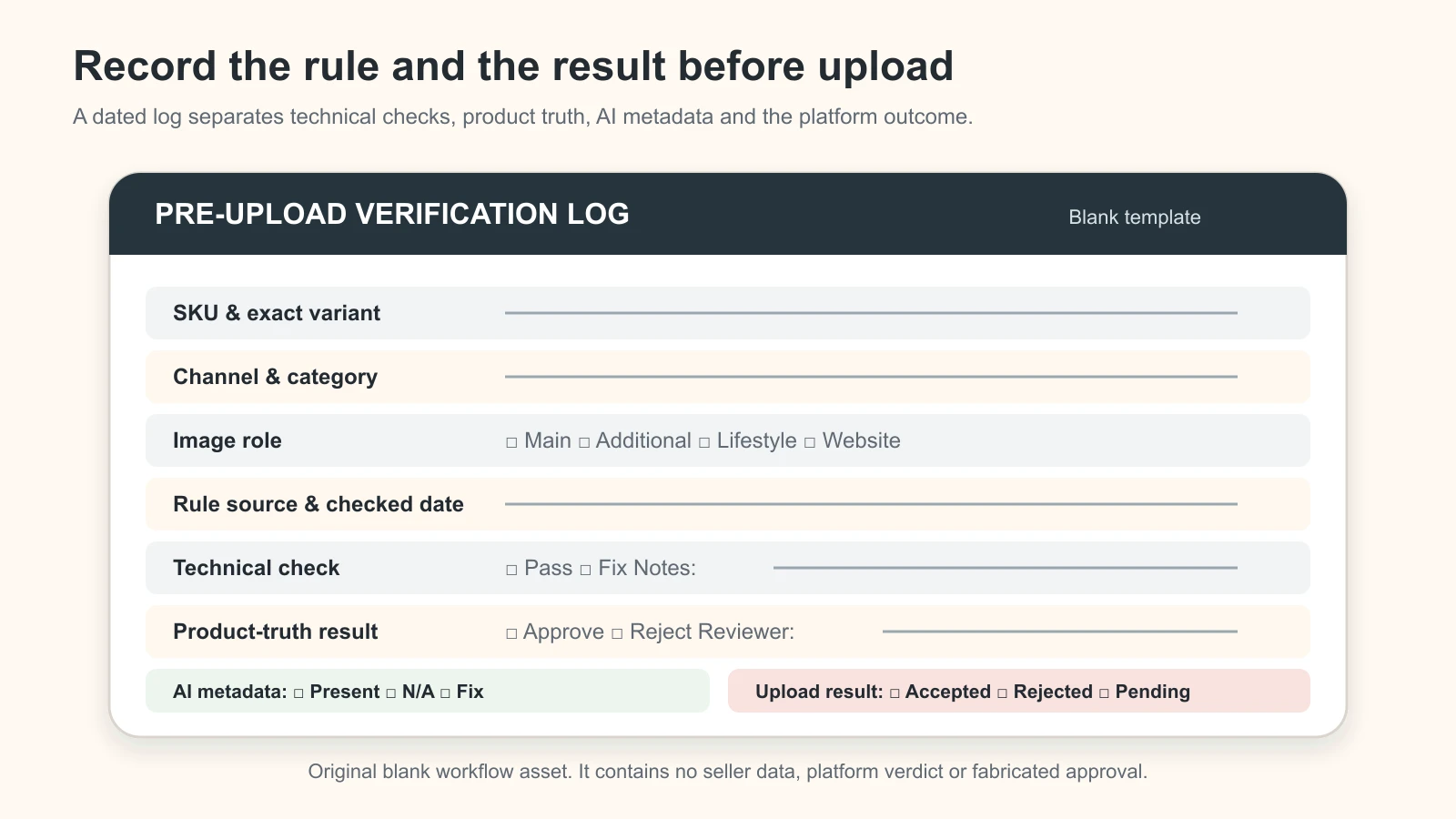
    Prevent repeat failures with a small defect log

    A defect log should accelerate production, not become a new project. Add one row only when a candidate fails or requires a consequential repair.

    Field Example value
    Asset/SKU Fictional SKU MUG-TEAL-02
    Symptom Right handle gap filled
    First wrong file Generated candidate v03
    Suspected layer Selection/reference
    Diagnostic check Source/candidate overlay; black-background edge check
    Safe action Rebuild mask; retain real handle pixels
    Result Candidate rejected; v04 sent to review
    Reviewer/date Named product owner / date

    Use short reason codes to make patterns visible:

    Code Meaning Example
    ID01 Identity or variant Wrong child SKU
    OF01 Offer, quantity or text Extra accessory; pack count changed
    GE01 Geometry or construction Missing handle; changed seam
    MA01 Material, colour or pattern Matte became glossy
    CT01 Context, scale or claim Product floats; unsupported installed use
    PL01 Platform/destination Disallowed overlay or current rule conflict
    EX01 Export/delivery Crop, compression, colour or metadata loss
    RT01 Rights/consent Source or reference permission unresolved

    Review the log after a meaningful batch, not after every pixel change. If the same code repeats for one product family, alter the source pack, template, method or review gate. Do not interpret a small internal log as a model-wide accuracy benchmark.

    Contact sheet illustrating wrong label, geometry, material, floating, scale and export defects

    Illustrative defects built manually from one locked fictional product for training; not observed results or a model comparison.

    Final AI product image rejection checklist

    Use this on the exact delivered file. One “no” in a critical field keeps the asset out of production.

    Identity and offer

    • [ ] Exact child SKU and revision are confirmed.
    • [ ] Colour, size, finish and configuration match.
    • [ ] Pack quantity and every included component match the offer.
    • [ ] No prop or context object appears included by mistake.
    • [ ] Label, logo, mark and product text match verified evidence.

    Product construction and appearance

    • [ ] Silhouette, dimensions and proportions are not stretched.
    • [ ] Ports, holes, handles, seams, fasteners, settings, joints and accessories are complete.
    • [ ] Pattern, border, texture, grain and intentional irregularity remain real.
    • [ ] Material, finish, colour and reflection cues remain truthful.
    • [ ] No generated detail is being used as proof.

    Presentation and context

    • [ ] Edge is clean on light, dark and mid-tone backgrounds.
    • [ ] Product contact, perspective, light and shadow agree.
    • [ ] Context does not imply unsupported size, fit, installation, safety, compatibility or performance.
    • [ ] Crop preserves all features needed for this image role.
    • [ ] Any native text overlay is accurate, approved and allowed for the destination.

    File and release

    • [ ] Final delivered file matches the approved master.
    • [ ] Filename, asset ID and destination item map to the correct SKU.
    • [ ] Current account/category/platform requirements were checked at publication time.
    • [ ] Required AI/provenance metadata is present in the actual delivered file where applicable.
    • [ ] Rights, model consent, artwork authority and reviewer sign-off are recorded.

    Record approved, rework, real capture required or rejected. “Looks fine” is not a release status.

    Turn fewer rejected images into a stronger online system

    Troubleshooting is useful when it gets verified product content moving again. It should not become endless image polishing.

    The GPTWala workshop connects this AI Content Creation work to the DAA path: Digital Presence → AI Content Creation → ₹100/day WhatsApp ads. The workshop is educational; it does not promise enquiries, sales, earnings or return on ad spend. Advertising claims, targeting, landing pages and follow-up still need their own decisions and controls.

    See the GPTWala workshop and decide whether the DAA framework fits your product business.

    Frequently asked questions

    Why does AI keep changing product labels and logos?

    Generative editors may reconstruct small or complex text instead of preserving exact pixels, especially when the source is low resolution or the edit touches the product. Compare the candidate with current authorised artwork and the physical pack. Restore the real label layer or recapture it; never rebuild buying-relevant text from memory.

    Why does my product change colour or shape after a background edit?

    The selection may include product pixels, the editor may relight or re-generate the object, or the final export may change colour or proportions. Find the first wrong file, then test the mask, source overlay and approved-master/export path. If no verified colour or geometry reference exists, recapture.

    Should I fix an AI product image or generate it again?

    Use a narrow fix when the source is verified and the defect is limited to presentation or export. Regeneration is not automatically safer. If identity, text, quantity, construction or material changed, restore real evidence, change the method or recapture. Reject repeated truth failures.

    What should I do when AI removes a handle, clasp or small part?

    Check whether the part is present in the source and mask. If verified real pixels exist, rebuild the selection and restore them. If the part is hidden, blurred or absent from every source, photograph it. Do not ask AI to guess functional construction.

    How do I fix a floating AI product photo?

    Check the contact baseline, surface plane, perspective, light direction and shadow origin. Rebuild only the scene and shadow around a retained real product layer. If product size or placement cannot be measured, simplify the background or use a real contextual capture.

    Can a better prompt guarantee product accuracy?

    No. A constraint prompt can reduce ambiguity, but it cannot verify the result or make an unseen detail true. Use exact sources, narrow edits and a human comparison. The product owner—not the prompt—approves identity and offer fields.

    Does AI metadata prove an image is accurate?

    No. Provenance metadata can help describe an asset’s history, but it may be incomplete or removed and does not prove the depicted product is true. Check both the delivered file’s required metadata and the product itself against verified evidence.

    When is one phone photo not enough?

    One view is not enough when the missing side contains a label, pattern, component, mark, clasp, seam, port, texture or dimension needed for purchase or review. Capture additional real views. The single-phone-photo tutorial is for controlled presentation candidates, not invention of unseen product truth.

    When should I use a photographer or specialist instead of AI?

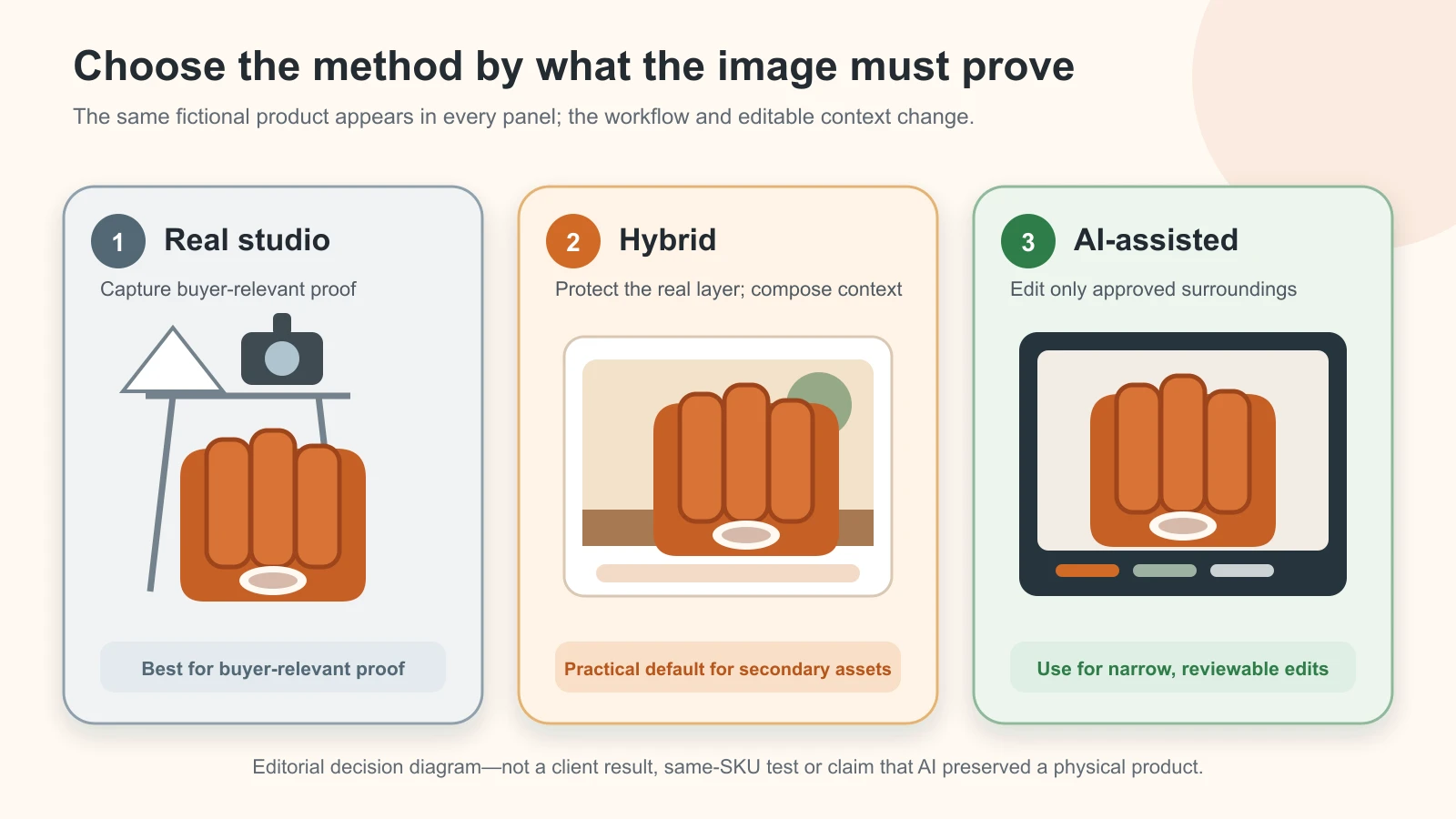
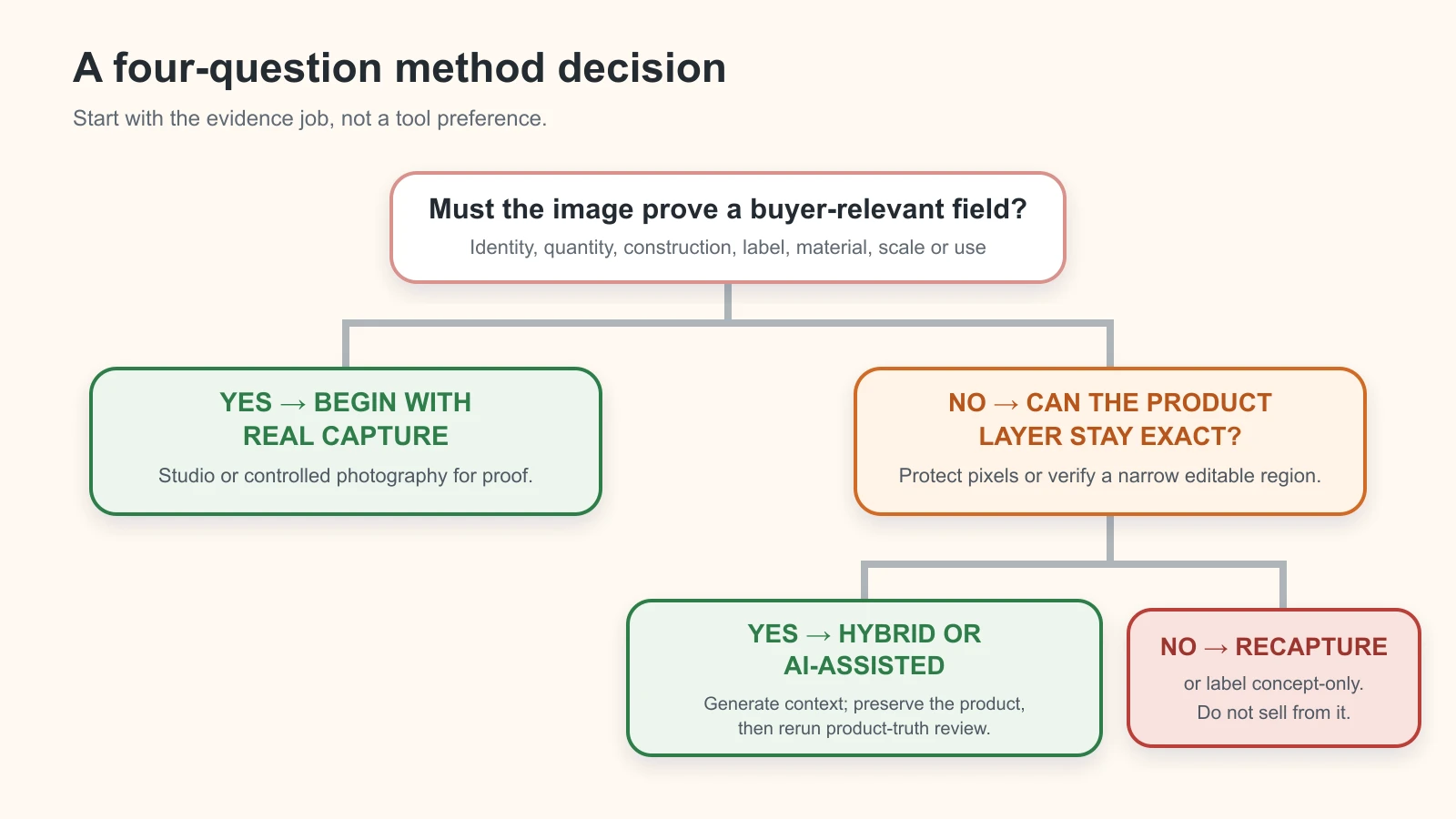
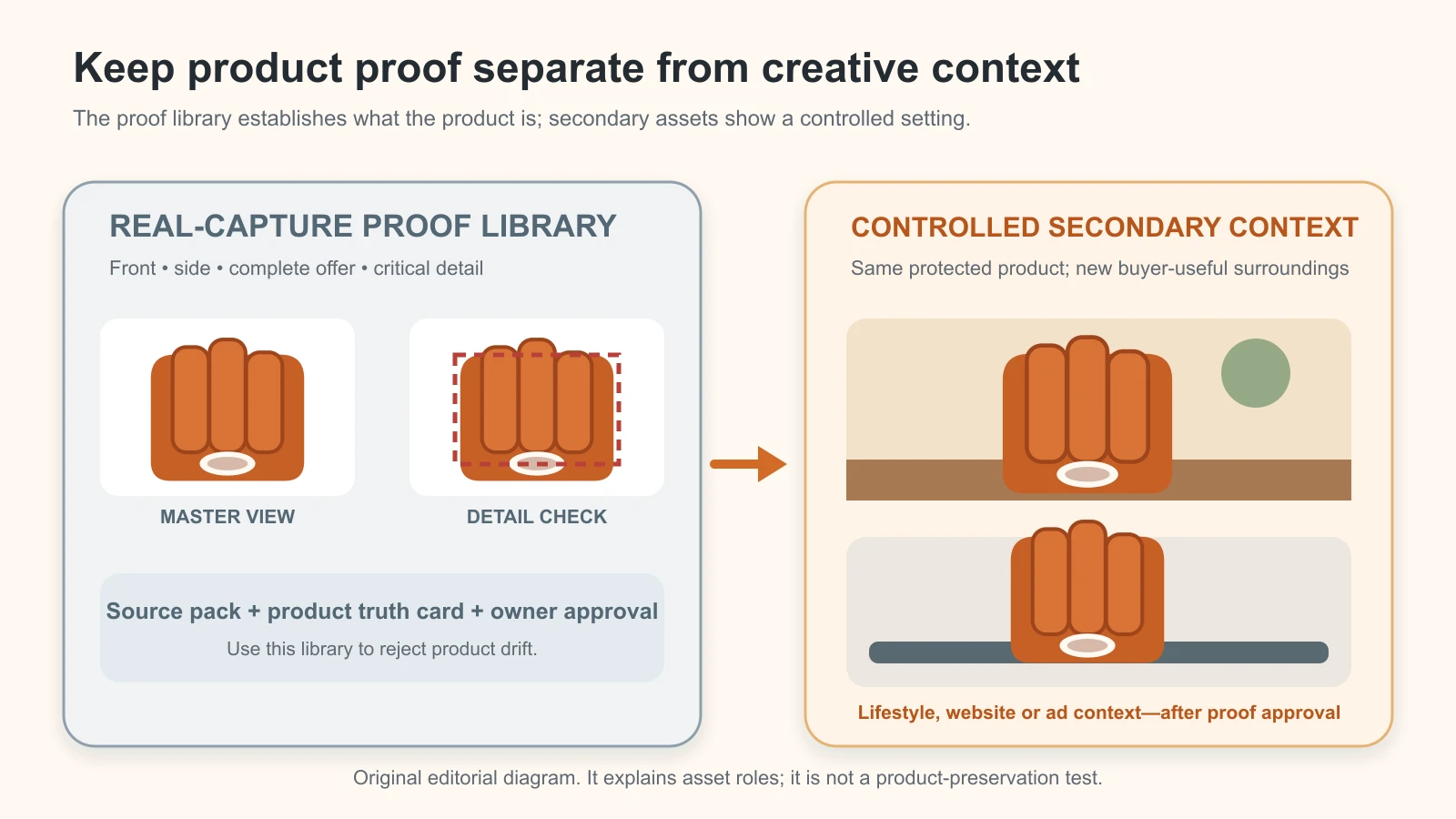
    Use a photographer, retoucher or category specialist when accurate colour, fine construction, reflective/transparent material, apparel fit, jewellery detail, regulated information, installation or high-value proof cannot be captured and verified in the AI lane. The AI versus studio versus hybrid guide helps select the method.

    Sources and review method

    Reviewed 12 August 2026. Official sources were used for named editor limitations, Google product-image and AI-metadata requirements, Indian advertising context, structured-data implementation and provenance cautions. One current research preprint is used only to support the continuing difficulty of exact product-identity preservation, not as a tested tool result. Operational tables, reason codes, repair levels and Indian examples are original GPTWala editorial guidance. Recheck platform- and account-sensitive claims within 24 hours of publication.

  • AI Product Photography Prompt Pack That Protects Product Truth

    Fictional terracotta jar shown as a neutral source reference and in a warm contextual scene, separated by four prompt-layer cards
    AI-generated editorial illustration using a fictional, unbranded reference image. It is not a merchant result, physical-SKU test or product-accuracy benchmark.

    Reviewed and updated: 12 August 2026

    Template status: every prompt on this page is a tool-neutral template to verify with your own SKU. GPTWala has not labelled these templates “tested” because a dated, controlled exact-SKU prompt test has not yet been completed. A prompt can direct an edit; it cannot certify the output.

    A safer AI product photography prompt has four layers: source truth, permitted change, scene specification, and negative plus acceptance conditions. Attach photographs of the exact SKU and name the details that must not change. Words such as “photorealistic” or “premium” are not evidence. Negative instructions reduce ambiguity, but they cannot guarantee fidelity; compare every output with the real product and reject any material change.

    Table of contents

    1. The safest prompt formula
    2. Make a product truth card
    3. Catalogue and main-image prompts
    4. Lifestyle and additional-image prompts
    5. Specialist product prompts
    6. Ad-creative prompt
    7. Prompt repair ladder
    8. How to test prompts
    9. Indian business adaptations
    10. What prompts cannot solve
    11. FAQs

    The safest AI product photography prompt formula

    Tell the tool what is true before telling it what to create. A commercial product-image prompt should answer four questions in this order:

    Layer Question it answers What belongs here
    1. Source truth Which exact sale item is authoritative? SKU, variant, supplied views, locked visible attributes and verified dimensions
    2. Permitted change What is the tool allowed to edit? Background, selected region, canvas, surrounding light or other narrow change
    3. Scene and output What useful image should be made? Image role, destination, setting, viewpoint, crop, contact shadow and aspect ratio
    4. Negative + acceptance conditions What causes rejection? Prohibited additions and a clear stop rule for any change to product or offer truth

    Four prompt layers moving from source truth to permitted change, scene specification and rejection conditions

    Original GPTWala prompt-anatomy diagram. A prompt narrows the edit boundary; it does not guarantee that a model will preserve the product.

    Copy this modular master prompt and replace every field in square brackets:

    SOURCE TRUTH
    Use the attached photographs of the exact [SKU and variant] as the only source of
    product identity. The [front / 45-degree / back / label / detail] references all show
    the same physical item. Locked attributes: [silhouette and proportions], [colour],
    [material and finish], [pattern], [label/logo/text], [quantity and included parts],
    and [verified dimensions or supplied scale cue].
    
    PERMITTED CHANGE
    Change only [background / canvas outside the product / lighting around the product /
    selected region]. Keep the supplied product layer intact. Do not redraw, recolour,
    relabel, resize, beautify, add to, or remove any part of the product.
    
    SCENE AND OUTPUT
    Create a [main catalogue / additional / lifestyle / dealer-detail / ad] image for
    [destination and audience]. Show [setting and surface] from [viewpoint], with
    [lighting direction], a physically plausible [contact shadow/reflection], [crop],
    and [aspect ratio]. Keep props secondary and scale believable.
    
    NEGATIVE + ACCEPTANCE CONDITIONS
    No extra product units, accessories, text, logos, badges, hands, claims or offer
    elements unless they are supplied and verified. Reject the result if any locked
    attribute changes, any generated text is substituted for the real label, or the
    intended quantity, included parts, scale or use becomes unclear.
    

    The non-negotiable fields are the exact SKU/variant, locked attributes, permitted edit and rejection conditions. You may omit decorative details such as a named interior style. Never ask the model to infer a missing colour, reverse view, component, quantity, dimension or claim.

    A compact mobile version

    If a mobile interface makes long prompts awkward, keep product identity and the stop rule:

    Edit the attached photos of exact SKU [ID/variant]. Change only [area]. Preserve its
    exact shape, proportions, colour, material, finish, pattern, label text, quantity,
    included parts and verified scale. Create [scene/output/crop]. Add no product parts,
    props that look included, text or claims. Reject any result that changes the product.
    

    Shorter is acceptable; vague is not. “Make this premium, cinematic, ultra-realistic and 8K” says almost nothing about the sale item.

    Completed editorial example

    The following demonstrates the grammar with the fictional terracotta jar used in GPTWala’s parent guide. The reference exists only as an editorial image; there is no physical sale SKU, so the output must remain an illustration and cannot become product proof.

    SOURCE TRUTH
    Use the supplied front reference of fictional editorial jar EDU-JAR-01 as the only
    source of visual identity. Lock its tall cylindrical silhouette, matching terracotta
    lid and knob, matte warm-terracotta body, one raised horizontal band around the upper
    body, no handles, one visible jar, and the exact front-facing proportions shown.
    
    PERMITTED CHANGE
    Change only the canvas outside the jar. Do not regenerate, reshape, recolour, relabel,
    resize, sharpen or add texture to the jar.
    
    SCENE AND OUTPUT
    Create a horizontal editorial lifestyle illustration. Place the jar on a warm neutral
    kitchen shelf, viewed at the same camera angle, with soft daylight from the left,
    a small grounded contact shadow, restrained background objects and clear negative
    space on the right. Use a 16:9 crop.
    
    NEGATIVE + ACCEPTANCE CONDITIONS
    No second jar, food claim, ingredient, logo, label, offer text, human hand or accessory
    touching the jar. Reject any result that adds handles or changes the lid, knob, band,
    body colour, finish, silhouette or perceived size. Keep the caption “fictional editorial example”.
    

    That example is useful for learning the syntax—not for proving preservation. For a commercial image, replace the fictional input with a photographed exact SKU and a real product truth card.

    Official controls differ by tool and version. As reviewed on 11 August 2026, OpenAI’s ChatGPT Images help says a user can upload an existing image, describe an edit and select a specific area. It also warns that highlights are not always precise and an edit may extend outside the selection. Google Product Studio’s help describes scene generation around a product image and warns that experimental features can produce unexpected output. A protected area is a useful control, not a warranty.

    Before you copy a prompt, make a product truth card

    The prompt should be assembled from a record, not from memory. Photograph the exact item from enough angles, then let the product owner or SKU expert complete this card.

    Product truth field Verified value Reference file or physical check Stop-ship if changed?
    SKU and variant [enter] [filename / item in hand] Yes
    Silhouette and proportions [enter] [front + side] Yes
    Colour and colourway [enter] [controlled reference] Yes
    Material and finish [enter] [macro/detail] Yes
    Pattern, weave or surface [enter] [detail] Yes
    Label, logo and readable text [enter] [label close-up] Yes
    Quantity sold [enter] [offer record] Yes
    Included parts/accessories [enter] [complete pack shot] Yes
    Dimensions and scale cue [enter] [measured record] Yes
    Permitted edit [enter] [approved brief]
    Intended image role/channel [enter] [approved brief]
    Named reviewer [enter] [approval log]

    Universal locked attributes

    Lock the SKU, variant, silhouette, proportions, colour, material, finish, pattern, label/logo, quantity, components and scale whenever they affect what the buyer receives. Also lock any small feature that distinguishes one variant from another: cap type, handle shape, port location, fastening, seam, edge profile or pack size.

    Generated label text is untrusted even when it looks readable. Keep the photographed label layer whenever possible; otherwise add text manually from an approved source and review it at full size.

    Category-specific locked attributes

    Category Add these locks Do not infer
    Jewellery Stone count, setting, prongs, metal tone, clasp, chain length and proportions Hallmark, purity, weight, stone identity or size
    Apparel Weave, print, motif/border placement, embroidery, stitching, cut, colour, drape and supplied size Exact fit on a body, unsupplied back view or colourway
    Packaged goods/cosmetics Pack shape, cap/pump, closure, label, net quantity and approved claims Ingredients, benefits, certification or revised artwork
    Footwear Upper, sole pattern, stitching, eyelets, fasteners and colourway Comfort, grip, fit, material performance or unseen outsole
    Manufactured component Holes, ports, threads, fasteners, dimensions, finish and included pieces Internal construction, load, capacity, compatibility or tolerance

    What a prompt cannot recover

    Stop and recapture if a label is unreadable, an edge is clipped, colour is visibly wrong, a reflective surface hides its geometry, a reverse side is missing, or dimensions are unknown. A longer prompt cannot recreate evidence that was never supplied. Build the source and approval workflow before prompting, then return here.

    Catalogue and main-image prompts

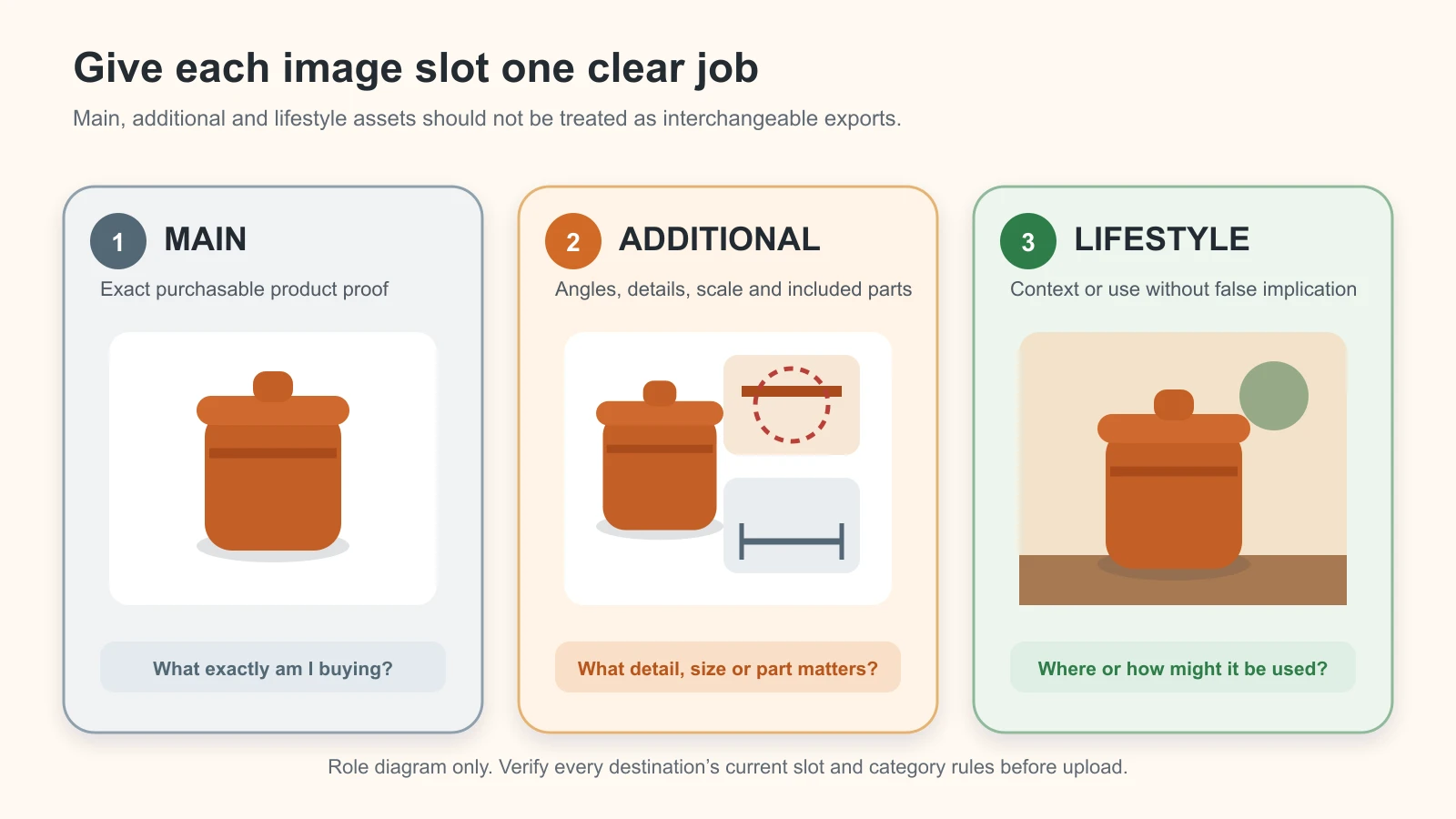
    Catalogue images answer “What exactly will I receive?” Creative freedom should be low. A prompt does not make an image compliant with Amazon, Google, Flipkart, Meesho or any other destination. Check the current rule and category in the seller account before use.

    Google’s current main product image guidance requires an actual, accurate product image, rejects generic or promotional imagery in many cases, and asks merchants to show the correct variant, colour, pattern and material. It also requires generative-AI metadata to remain embedded. Treat those as destination checks, not universal specifications for every platform.

    Prompt 1 — Clean catalogue background, preserve lane

    Status: Template—verify with your SKU and current destination rules. Use this only when the tool can keep the real product and change the area around it. For a main image, the channel’s current rules outrank the scene description.

    SOURCE TRUTH
    Use the attached front and 45-degree photos of exact SKU [ID], variant [name], as the
    only product source. Lock the exact outer edge, proportions, colour [verified value],
    material/finish [value], pattern [value], photographed label and text, one sale unit,
    all included parts [list], and verified dimensions [value].
    
    PERMITTED CHANGE
    Replace only the pixels outside the product with [pure white / destination-approved
    neutral background]. Preserve the real product layer and edge. Do not redraw,
    reconstruct, recolour, retouch or upscale product details.
    
    SCENE AND OUTPUT
    Create a clean catalogue image for [channel and image role], keeping the supplied
    camera view. Centre the product with [approved margin/crop], even neutral light and
    only a restrained physically plausible contact shadow if the destination allows it.
    Output [aspect ratio and minimum size checked on publication date].
    
    NEGATIVE + ACCEPTANCE CONDITIONS
    No props, extra units, hands, text, badges, border, watermark, invented reflection or
    unlisted accessory. Reject if the edge, colour, texture, label, quantity, included
    parts, scale or crop changes, or if the product is partially hidden.
    

    Compact version: “Keep exact SKU [ID/variant] untouched. Replace only the background with [current channel-approved background]. Preserve edge, shape, colour, texture, label, one sale unit, included parts and scale. No prop, overlay, extra unit or redraw. Reject any product change.”

    If the tool redraws the label or edge while replacing the background, do not keep regenerating. Restore the real layer with a controlled mask, use a manual cutout or move to a hybrid editor.

    Prompt 2 — Transparent cutout with natural edge control

    Status: Template—verify with your SKU and a tool that supports transparent output or controlled masking. Automatic cutouts are especially risky for glass, chrome, fine chains, fur, translucent packs, wispy fabric and soft shadows.

    SOURCE TRUTH
    Use the supplied high-resolution image of exact SKU [ID/variant]. Lock every visible
    product pixel and boundary, including [thin edge/chain/fibre/transparent area], exact
    colour, material, label, quantity, included parts and the existing product geometry.
    
    PERMITTED CHANGE
    Remove only the background outside the verified product boundary. Output transparency
    outside that boundary. Preserve legitimate openings, translucent areas and fine detail;
    do not invent missing edges or fill holes.
    
    SCENE AND OUTPUT
    Create a transparent PNG master for controlled downstream design, at the source
    resolution and original viewpoint. Keep a separate untouched source file.
    
    NEGATIVE + ACCEPTANCE CONDITIONS
    No halo, jagged edge, clipped chain/fibre, filled opening, added reflection, softened
    label, reconstructed corner or generated shadow. Reject if the mask cannot separate
    the edge confidently. Route uncertain edges to manual masking or real retouching.
    

    A transparent file is an editing asset, not proof that its edge is correct. Inspect it at 100–200% over light, mid-tone and dark temporary backgrounds before approval.

    Lifestyle and additional-image prompts

    Lifestyle images answer “Where might this product fit?” They can use more context than catalogue images, but the product, offer and use must remain truthful. Google’s lifestyle image guidance describes real-world context as a lifestyle role, bars promotional overlays in that feed field and requires generative-AI metadata to be preserved. Other channels may classify the same asset differently.

    Prompt 3 — Neutral tabletop lifestyle scene, contextualise lane

    Status: Template—verify with your SKU. Use a restrained setting before attempting a complex room or campaign.

    SOURCE TRUTH
    Use the attached exact SKU [ID/variant] product layer and reference views. Lock its
    shape, proportions, [colour], [material/finish], [pattern], real label, [quantity],
    [included parts] and verified dimensions [value].
    
    PERMITTED CHANGE
    Change only the background, supporting surface, surrounding light and contact shadow.
    Keep the product layer, view and scale unchanged.
    
    SCENE AND OUTPUT
    Place the product on a [warm neutral wood / matte stone / plain counter] in a simple
    [home/workshop/retail] setting. Use eye-level or slight 15-degree-down viewpoint,
    soft daylight from [left/right], a short contact shadow matching that light, and a
    [4:5 / 1:1 / 16:9] crop. Keep background depth subtle and props visually secondary.
    
    NEGATIVE + ACCEPTANCE CONDITIONS
    No duplicate product, hand, ingredient, accessory, logo, readable invented text,
    badge or prop that looks included in the sale. No use or performance implication.
    Reject product drift, floating contact, impossible reflection or misleading scale.
    

    Choose props by exclusion as much as by style. A lid, charger, serving spoon, chain extender or refill placed too close to the product may look included even if the prompt calls it “decor”.

    Prompt 4 — Scale-aware in-use context

    Status: Template—verify with your SKU. Only use this prompt after measuring the product and supplying a trustworthy scale reference. Never ask the model to “make it look compact” or “show its generous size.”

    SOURCE TRUTH
    Use exact SKU [ID/variant] from the supplied product views. Its verified dimensions are
    [H × W × D / diameter / length] and its verified quantity is [value]. Use the supplied
    [ruler/fixture/known object/body-area] reference only as a scale cue. Lock the product’s
    shape, colour, material, label and included parts.
    
    PERMITTED CHANGE
    Create context around the unchanged product. Do not resize, stretch, crop, rotate into
    an unsupported view or modify the product to fit the scene.
    
    SCENE AND OUTPUT
    Show the product [placed/held/worn/installed] in the verified use context [description],
    from [viewpoint], with the product dimensions remaining consistent with the supplied
    scale cue. Use [lighting], believable contact/occlusion and [aspect ratio].
    
    NEGATIVE + ACCEPTANCE CONDITIONS
    No unsupported load, capacity, fit, safety, medical, food-contact, waterproof or
    compatibility implication. Add no body part unless rights and suitability are cleared.
    Reject if scale cannot be verified or the context changes what buyers may expect.
    

    If fit or safety is a material buying claim, prefer a real demonstration and measured caption. A plausible hand, room or model can make the wrong size feel convincing.

    Prompt 5 — Seasonal or regional campaign scene

    Status: Template—verify with your SKU and review cultural context. Specify one occasion and a restrained visual vocabulary. “Indian festival background” is too vague and often produces clutter or mismatched symbols.

    SOURCE TRUTH
    Use attached exact SKU [ID/variant]. Lock its product layer, shape, colour, material,
    surface, label, quantity, included parts and verified scale.
    
    PERMITTED CHANGE
    Change only the setting, ambient light and secondary decor around the product. Do not
    alter the product to match the occasion.
    
    SCENE AND OUTPUT
    Create a [occasion/region]-appropriate campaign setting using only [two or three
    specific, reviewed decor cues], [approved palette], [surface], [light direction] and
    [crop]. Keep the product dominant with clean negative space for verified copy to be
    added later in design software.
    
    NEGATIVE + ACCEPTANCE CONDITIONS
    No generated offer, price, discount, review, certification, gift claim, religious
    symbol, person, extra product unit or brand mark unless separately approved and
    supplied. Reject stereotyped, mixed or disrespectful cues and any product change.
    

    Add price, discount, dates and terms later from an approved offer sheet. Do not depend on an image model to spell, calculate or substantiate them.

    Prompt 6 — Consistent multi-SKU catalogue series

    Status: Template—verify each SKU separately. Consistency means reusing a scene specification—not asking the tool to invent missing variants.

    SOURCE TRUTH
    This run is only for exact SKU [ID], variant [name]. Use its own supplied front,
    45-degree, back and detail views. Lock its individual shape, proportions, colour,
    material, finish, pattern, label, quantity, included parts and dimensions. Do not use
    another SKU’s product pixels or infer a colourway.
    
    PERMITTED CHANGE
    Reuse only the approved series specification: [background], [surface], [camera view],
    [crop], [light direction], [shadow style] and [margin]. Change no product attribute.
    
    SCENE AND OUTPUT
    Create one [catalogue/additional] asset matching series ID [SERIES-ID], at [aspect ratio
    and size], while showing this exact SKU clearly. Name the candidate [SKU_ROLE_V01].
    
    NEGATIVE + ACCEPTANCE CONDITIONS
    No merged variants, borrowed labels, averaged proportions, extra units or accessories.
    Reject any product drift or visual inconsistency that hides a distinguishing feature.
    Approve this SKU independently before starting the next SKU.
    

    Store source, prompt, output, rejection reason and approval per SKU. A beautiful batch is still unusable if one jar has the wrong cap or one kurta has an invented border.

    Specialist product prompts

    These templates narrow the job for higher-risk categories. They do not replace real proof images, category expertise or destination checks.

    Prompt 7 — B2B manufacturer or dealer detail image

    Status: Template—verify with engineering or product records. Use it to reveal a photographed detail, not to fabricate an internal cutaway or performance demonstration.

    SOURCE TRUTH
    Use exact manufactured SKU [part/model ID] and the supplied overall, side and macro
    detail photos. Lock external geometry, hole/port/thread/fastener count and positions,
    finish, colour, visible markings, verified dimensions, one sale quantity and included
    components [list].
    
    PERMITTED CHANGE
    Change only the background, crop and non-product annotation space. Preserve the real
    product and supplied macro detail. Do not invent an unseen interior or mating part.
    
    SCENE AND OUTPUT
    Create a dealer-catalogue detail image that keeps [verified feature] clearly visible
    from the supplied viewpoint, on a neutral technical surface, with even light, truthful
    scale and empty space for a manually added dimension callout. Output [aspect ratio].
    
    NEGATIVE + ACCEPTANCE CONDITIONS
    No cutaway, load, flow, capacity, compatibility, tolerance or durability claim. No
    added bolt, port, tool or assembly part. Reject any changed geometry, count, marking,
    dimension cue or implied included component.
    

    Dimensions and arrows should be added manually from the approved technical record. Do not let the image generator create numerals or engineering labels.

    Prompt 8 — Apparel secondary image with model or context

    Status: Template—verify with your exact garment, model rights and tool terms. Use the result as additional or lifestyle context, not as proof of exact fit, fall or drape.

    SOURCE TRUTH
    Use the supplied front, back, flat-lay and macro photos of exact apparel SKU [ID],
    colourway [name] and size [size]. Lock base colour, fabric appearance, weave, print,
    motif sequence, border width and placement, embroidery, neckline, sleeve, hem,
    stitching, closures and all included pieces.
    
    PERMITTED CHANGE
    Add only the approved model/setting around the garment using a workflow whose rights
    and consent terms have been reviewed. Do not redesign, tailor, lengthen, shorten,
    smooth away, recolour or invent an unsupplied garment view.
    
    SCENE AND OUTPUT
    Create a secondary lifestyle image with [approved model description and pose],
    [setting], [camera view], [lighting] and [crop]. Keep the complete garment visible and
    provide a separate crop for border/embroidery detail if needed.
    
    NEGATIVE + ACCEPTANCE CONDITIONS
    No invented print, border, sleeve, blouse piece, pocket, lining, accessory, body-shape
    claim or extra colourway. Do not describe the result as exact fit proof. Reject if
    motif, construction, colour, coverage, fall or included pieces differ from the SKU.
    

    Keep real flat-lay, reverse and detail images beside any model image. A model scene can communicate styling; it cannot establish the exact experience of every body or size.

    Prompt 9 — Jewellery contextual image

    Status: Template—verify against the item in hand and real macro photographs. Fine geometry and reflections make jewellery one of the easiest categories to alter invisibly.

    SOURCE TRUTH
    Use the exact jewellery SKU [ID/variant] product layer plus supplied front, reverse,
    clasp and macro references. Lock item count, stone count and arrangement, setting and
    prongs, metal tone, surface finish, chain/bracelet length from the verified record,
    clasp type, pendant/earring proportions and every visible construction detail.
    
    PERMITTED CHANGE
    Create only the background, supporting surface, restrained reflection and surrounding
    context. Preserve the photographed jewellery layer. Do not redraw stones, chain links,
    settings, hallmark or clasp.
    
    SCENE AND OUTPUT
    Place the product in a minimal [velvet/stone/plain skin-safe approved] context with
    soft controlled light, the supplied camera view, truthful scale and [aspect ratio].
    Keep the jewellery unobstructed and include a separate real macro proof image.
    
    NEGATIVE + ACCEPTANCE CONDITIONS
    No added sparkle that hides detail, extra stone, changed setting, thickened chain,
    different metal colour, invented hallmark, purity/weight claim or misleading body
    scale. Reject any uncertain count, geometry, reflection, mark or proportion.
    

    Never infer purity, weight, hallmark or stone identity from appearance. Those facts belong in verified product data, not in a generated visual.

    Ad-creative prompt

    An ad image can use a more deliberate crop and negative space, but it still cannot invent the product, offer or evidence.

    Prompt 10 — Ad-creative crop from an approved product master

    Status: Template—verify with your SKU, approved master and actual ad placement. Use design software to add verified copy after the image is approved.

    SOURCE TRUTH
    Use approved product master [asset ID] for exact SKU [ID/variant]. Lock all product
    pixels, shape, colour, material, label, quantity, included parts and scale. The master,
    not a prior generated ad, is authoritative.
    
    PERMITTED CHANGE
    Extend or replace only the canvas outside the approved product. Reposition the intact
    product layer within the crop if needed; do not generate a new product angle.
    
    SCENE AND OUTPUT
    Create a [Meta/website/WhatsApp] creative background for [audience/use case], with
    [surface/context], [light], strong product visibility and clean negative space on
    [side] for manually added approved copy. Output [placement aspect ratio and safe area].
    
    NEGATIVE + ACCEPTANCE CONDITIONS
    No generated price, discount, star rating, testimonial, badge, before/after proof,
    guarantee, scarcity, certification, benefit claim or extra item. Reject any product
    change, false use implication, confusing quantity or insufficient safe space.
    

    The Indian government’s Consumer Protection Act FAQ explains that a misleading advertisement can falsely describe a product or mislead consumers about its nature, substance, quantity or quality. This is not legal advice; it is a practical reason to keep product and offer truth inside the creative workflow.

    Product layer locked while background, crop, lighting treatment and approved props remain inside the permitted edit boundary

    Original GPTWala edit-boundary diagram. “Locked” describes the instruction and workflow control—not a guarantee. Compare the output with the real product before approval.

    A prompt repair ladder when the product changes

    Do not add more adjectives to a failing prompt. Reduce uncertainty and strengthen control. Move down this ladder once per failed review.

    Step Action Example Stop condition
    1 Name the exact defect “The output changed the six holes to five; preserve all six in their supplied positions.” If another identity field changes
    2 Reduce permitted change Replace a complex room with a plain surface and one light direction If the product is still redrawn
    3 Protect the product layer Select/mask only the background; composite the approved real product layer If the control bleeds into the product
    4 Supply missing evidence Add side, back, macro, label or scale reference If the evidence is still incomplete
    5 Change workflow/tool Move from full-frame generation to local edit, layer compositing or manual retouching If fidelity remains inconsistent
    6 Stop AI generation Use real photography or a hybrid asset Immediately for unresolved stop-ship truth

    Repeatedly writing “do not change the product” is not a substitute for a better source, a narrower edit or a protected layer. A product-truth audit should follow every attempt.

    How to test a prompt before using it across your catalogue

    Run a five-stage prompt ladder on one owned SKU before you batch anything. Keep the source, tool, model/version, date, output settings and attempt budget fixed. This article does not publish fabricated results: as of 11 August 2026, the templates above remain marked “Template—verify with your SKU.”

    Stage Prompt/control change What to record
    1 Vague baseline: “Make this product photo premium on a lifestyle background.” Every identity, offer, geometry, text, material and scale defect
    2 Add exact SKU and locked attributes Which defects disappear, persist or newly appear
    3 Add permitted-change boundary and rejection conditions Whether product pixels still drift
    4 Add local selection/mask or protected real product layer, if supported Selection bleed, edge defects and edit-control limits
    5 Human QA and stop decision Approved, repair, recapture, change workflow or stop

    Use the same attempt cap at each stage—such as three candidates—to avoid giving the preferred method unlimited retries. Do not select only the prettiest output. Record all candidate outcomes and calculate:

    • Product-truth pass rate: outputs with zero stop-ship product/offer errors ÷ all outputs reviewed.
    • First-pass approval rate: outputs approved without repair ÷ all outputs reviewed.
    • Rework minutes per approved asset: total correction time ÷ approved assets.
    • Cost per approved asset: tool, operator, review and rework cost ÷ approved assets.

    The best prompt is the one that contributes to repeatable approved output for your SKU. It may not be the longest or most visually dramatic prompt.

    Three illustrative Indian business adaptations

    These are fictional training records—not merchant case studies, tool tests or outcome claims. Replace the values only after checking the real product and source pack.

    Rajkot manufacturer: dealer detail image

    Training truth card: EDU-COUPLING-50; stainless-steel coupling; 50 mm verified outer diameter; six equally spaced visible bolt holes; one coupling; no bolts included.

    Use the supplied front, side and macro references of exact training SKU EDU-COUPLING-50. Change only the background to neutral charcoal and preserve the 50 mm scale cue, cylindrical geometry, stainless finish, six hole positions, one-unit quantity and visible marking. Create a 4:5 dealer detail image with even side light and blank space for a manually added dimension line. Add no bolt, mating part, cutaway, capacity or compatibility claim. Reject any change to hole count, geometry, marking, scale or included parts.

    Surat apparel wholesaler: secondary kurta image

    Training truth card: EDU-KURTA-INDIGO-M; indigo cotton kurta; white repeated motif; 35 mm verified hem border; three-quarter sleeve; one kurta; no dupatta included.

    Use the supplied front, back and motif close-ups of exact training SKU EDU-KURTA-INDIGO-M. Add only a rights-cleared standing model and plain limewash-wall context. Preserve the indigo colour, white motif sequence, 35 mm hem border, neckline, three-quarter sleeves, stitching and one-piece offer. Use soft daylight and a full-garment 4:5 crop. Add no dupatta, jewellery, pocket, alternate print or fit claim. Reject changed colour, motif, border, cut, drape or implied included item. Keep real flat-lay/detail images as proof.

    Local packaged-product retailer: festive additional image

    Training truth card: EDU-SPICE-TIN-100; one 100 g round spice tin; matte ochre body; black lid; photographed label retained; no gift box included.

    Use the approved real product layer for exact training SKU EDU-SPICE-TIN-100. Change only the setting to a restrained Diwali tabletop with one warm brass lamp in the distant background and a few marigold petals outside the product boundary. Preserve the round ochre tin, black lid, real label, 100 g net quantity, one-unit offer and scale. Leave clean space for approved copy to be added later. No generated discount, ingredient, certification, gift box, extra tin or altered label. Reject product drift, confusing quantity or decor that implies inclusion.

    Notice how the adaptations change the task and risk—not just the industry noun. The manufacturer needs verified geometry; the apparel seller needs construction and offer clarity; the retailer needs pack and promotion truth.

    What prompts cannot solve

    A prompt cannot solve:

    • poor, clipped or colour-inaccurate source photography;
    • missing reverse, label, macro or scale evidence;
    • a tool that redraws the product despite local instructions;
    • exact colour calibration across capture, monitor and buyer screen;
    • model, location, trademark or uploaded-design rights;
    • privacy and retention questions for confidential catalogues;
    • current marketplace, category or regulated-product restrictions;
    • unsupported product performance, fit, safety or health claims;
    • final approval by someone who knows the exact sale item.

    If the source is weak, return to the phone-to-approved workflow. If the output looks right but you cannot verify it, run the full product-accuracy audit. If the destination rule is unclear, check the current seller documentation instead of adding “marketplace-ready” to the prompt.

    Turn the prompt into a repeatable content system

    A prompt pack is useful only when it sits inside a process: verified product → approved image → channel-ready content → distribution → enquiry follow-up. In GPTWala’s DAA framework, prompt-led assets support the AI Content Creation layer; they still need a Digital Presence and a practical WhatsApp advertising and follow-up system.

    Join the GPTWala workshop to learn how these pieces connect, including the taught ₹100/day WhatsApp ads setup. ₹100/day is a starting-budget concept taught in the workshop—not a promise of leads, sales or profitability.

    Frequently asked questions

    What is the best prompt for AI product photography?

    The best starting prompt identifies the exact SKU, lists locked attributes, limits the permitted edit, specifies the image job and defines rejection conditions. It is only “best” after it produces repeatable approved assets for your own SKU under a dated test. No universal wording guarantees product preservation.

    Do negative prompts stop an AI tool from changing the product?

    No. Negative constraints reduce ambiguity, but the tool may still alter product pixels, especially during a full-frame generation or an imprecise selection edit. Use the real reference, narrow the editable area, compare side by side and reject material drift.

    Can I use the same prompt in ChatGPT, Product Studio and other image tools?

    Reuse the same semantic brief—source truth, permitted change, scene and rejection conditions—but adapt it to the controls the current tool actually supports. Do not copy invented parameters between tools. Recheck official help after model or editor updates.

    Does ChatGPT support editing a product reference image?

    As reviewed on 11 August 2026, OpenAI’s official help says ChatGPT Images can edit an uploaded image, accept a described change, target a selected area and use a chosen aspect ratio. It also says selections may not be precise and edits can extend beyond the highlighted area. Verify the exact interface, plan and terms when you use it.

    Why does AI keep changing labels and packaging text?

    Image models may regenerate visual text rather than preserve the photographed label. Treat every generated character as untrusted. Retain the real label layer or add verified text manually from the approved artwork, then review at full resolution.

    Can these prompts make an Amazon, Flipkart or Google main image?

    They can direct a candidate edit; they cannot certify compliance. Use the real sale item, then check the current channel, country and category rules in the seller surface. Main-image, additional-image and lifestyle roles are not interchangeable.

    Are AI model images safe for apparel and jewellery?

    They are higher-risk secondary assets. Apparel can drift in motif, border, construction, colour, fit and drape; jewellery can drift in stone count, setting, clasp, metal tone and scale. Keep real main and detail proof, and route these categories through specialist review.

    Is one product photo enough for these prompts?

    Usually not for commercial approval. A single front image cannot prove the back, side, label, clasp, ports, included pieces or dimensions. Capture the views required to verify the product before generation.

    When is a prompt ready for batch production?

    Only after a controlled pilot records the tool/model/date, fixed attempt count, truth defects, approvals, rework time and cost per approved asset. One attractive output is not a repeatable system.

    Sources and review method

    This prompt pack was researched and reviewed on 11 August 2026. Tool interfaces, model behaviour, terms and marketplace image rules can change. Recheck any named tool within 24 hours of publication and after major product updates; recheck destination rules at least every 90 days and on the day of final upload.

  • Best AI Product Photography Tools for Indian Sellers: Choose With a Same-SKU Test

    Same fictional product evaluated across several AI product-image workflows with a human scorecard
    Editorial illustration only. It does not show a real benchmark result, vendor interface or winning tool. The product is fictional and unbranded.

    Official product pages, pricing and terms checked: 11 August 2026

    There is no universal best AI product photography tool. For an Indian seller, the right shortlist depends on the image job, the product’s accuracy risk and the way the team reviews, exports and pays for work. Compare every candidate with the same SKU, references, brief and attempt limit. Reject product-truth errors before judging beauty, then calculate subscription, generation, operator, review and rework cost per approved asset—not per generated image.

    Benchmark disclosure: GPTWala did not run a controlled multi-tool same-SKU test for this edition. No output-performance winner or fidelity score is claimed. The named-tool comparison below is a documentation-only shortlist built from current official product, pricing, terms and privacy pages. Use the published protocol to test two candidates on your own product before buying. Features, limits, prices and terms can change.

    Table of contents

    1. Choose by approved output, not generated output
    2. Why most best-tool lists mislead
    3. Documentation-only shortlist
    4. Five tool profiles
    5. Same-SKU test protocol
    6. Product-truth scorecard
    7. Real cost per approved asset
    8. India-specific decision matrix
    9. Two-tool trial sheet
    10. When no AI tool should win
    11. FAQs

    Choose by approved output, not generated output

    A tool can generate a polished scene and still change the product being sold. It may widen a sari border, remove a saucepan handle rivet, invent a jewellery stone, alter label text or show two pieces where the offer contains one. Those are not minor creative differences. They are rejection reasons.

    Start with the business job, then decide what the test must reward.

    Business job Highest-weight criterion Immediate red flag Workflow type to trial first
    Clean a main catalogue image Exact edges, colour, label and quantity Product is redrawn while the background changes Background remover or locked-layer hybrid
    Create a secondary lifestyle image Product truth plus plausible scale and use Scene implies an absent feature, accessory or pack size Reference-based editor or product-staging tool
    Make many stable-SKU catalogue variants Repeatability, batch handling and approval trail Inconsistent crops, silent variant mixing or missing history Specialist batch workflow or controlled design suite
    Build an ad creative from an approved product master Crop control, layout speed and export workflow Decorative edit modifies the sale item Design suite with a protected product layer
    Show apparel or jewellery in context Print, drape, setting, reflection and scale accuracy “Realistic” output hides or invents buying-critical detail Real photography or tightly reviewed hybrid

    This article assumes you already understand the reference-first method in the complete AI product photography guide. Tool selection is a narrower commercial-investigation job: which two workflows deserve a controlled trial for this SKU and this image role?

    Why most “best AI product photography tool” lists mislead

    Vendor examples are not your SKU

    A home-page gallery tells you what the provider chose to show. It does not reveal how many attempts were made, what was rejected, how difficult the original was or whether the output preserved a label, seam, stone setting, texture and exact colour. The sample may be useful for discovering a feature; it cannot prove performance on your product.

    That is why this guide does not turn vendor demonstrations into a ranking. Every named capability below is attributed to an official page. Fidelity remains not tested until the same input is run through each candidate.

    Feature count is not product fidelity

    “Background generation,” “reference image,” “local edit,” “batch” and “4K” describe functions. They do not prove that the tool will retain the correct SKU. More creative freedom can even raise risk when the job requires a locked product.

    For example, Photoroom’s own Product Staging help says the feature may change lighting, position, size, zoom level and foreground, while its AI Backgrounds workflow is documented as leaving the foreground unchanged. That makes them different risk lanes inside one provider, not interchangeable checkboxes. Photoroom: Product Staging

    Cheap credits can become expensive approved assets

    One credit or generation is not one usable image. The seller pays for rejected attempts, an operator’s time, product-expert review, retouching, export, subscription allocation and sometimes tax or payment costs. A “free” tool can be costly if ten attractive outputs fail product truth; a paid tool can be economical if it produces a repeatable, reviewable asset quickly. Compare complete workflow cost, not the price printed beside a plan.

    Documentation-only shortlist: what the official pages confirm

    The table is a shortlist, not a performance leaderboard. “Confirmed” means the provider documents the capability. It does not mean GPTWala verified the result in a hands-on test.

    Candidate Workflow class What current official pages confirm Material condition to test Price/access basis checked 11 Aug 2026 Evidence status
    Google Product Studio Merchant Center-native image workflow Create/edit images, change or remove backgrounds, increase resolution and save to Merchant Center; up to three uploaded images in the current Create images flow Experimental output can be inaccurate or unexpected; reviewers may see the input, output and instruction Documented as free for Merchant Center users; India is covered by Product Studio access and India-specific terms Documentation only; account access and outputs not tested
    ChatGPT Images General reference and conversational editor Upload and edit an existing image, select an area, request transparency and choose aspect ratio; available on web, iOS and Android Selection highlights are not always precise and edits may extend outside the selected area Images 2.0 is documented across all tiers; official pricing does not publish a fixed consumer cost per approved image Documentation only; no same-SKU outputs scored
    Adobe Firefly Creative editor with selections, references and model choice Upload an image, edit objects/backgrounds, choose aspect ratio/resolution, use reference or subject images depending on model, retain generation history Model choice changes controls, credits and terms; reference guidance is not a protected product layer India page listed Standard at ₹797.68/month incl. GST and Pro at ₹1,596.54/month incl. GST; free daily generations also documented Documentation only; prices must be rechecked at checkout
    Canva Design-suite composite and background workflow Background Remover accepts common image formats, exports PNG, offers erase/restore refinement and Pro unlimited use; AI editing is governed by separate AI terms Library content changes ownership/licence position; AI limits and country/language access can vary Pro is required for unlimited background-remover use; an India checkout price was not independently captured Documentation only; not treated as a specialist staging benchmark
    Photoroom Specialist product-image and batch workflow Product Staging, AI Backgrounds, editing, batch access, shared credits, export quotas and plan-specific tooling Product Staging may change the foreground; paid account is required for commercial use; uploaded images may be used for model improvement unless opted out Public page showed Pro/Max/Ultra limits but did not expose an INR amount in this review; FAQ says GST is included and regional allowances can vary Documentation only; India account/checkout and output quality not tested
    Locked-layer hybrid Human-controlled baseline A real product cutout stays on its own layer while the background, canvas or layout changes around it Requires competent masking, colour control and a disciplined hand-off Software and labour depend on the team’s existing stack Method control, not a vendor product

    Do not read “available on all tiers” as “unlimited,” “commercial use” as an infringement guarantee, or “add to Merchant Center” as automatic marketplace approval. The destination still evaluates the finished asset and the seller remains responsible for the item shown.

    Five tool profiles and one hybrid control

    Google Product Studio: shortlist for a Merchant Center-led workflow

    Documented fit to trial: A merchant who already manages products in Google Merchant Center and wants background removal, resolution improvement, new scenes or a direct hand-off into that ecosystem.

    Google documents Product Studio as a free suite inside Merchant Center or the Google & YouTube Shopify app. Its current flow can create and edit images using text, uploaded images and Merchant Center products. The documentation also says the service may produce inaccurate or unexpected content, works best when one main product is easy to identify, and excludes certain regulated-product creation. It warns that quality reviewers may view original offer images, generated assets and instructions. Google Merchant Center: Product Studio

    What to verify in the account: Whether the required feature appears for the Indian merchant account; whether the exact category is supported; input/output dimensions and file details; how the tool behaves on labels and difficult edges; whether the 20-item recent-scene history is sufficient for the team’s audit; and what is stored locally on a shared device.

    Who should skip or pause: A seller without Merchant Center, a regulated category the tool excludes, or a team that cannot accept the documented review and data-handling conditions. Read the country-specific Product Studio additional terms before uploading confidential designs.

    ChatGPT Images: shortlist for conversational reference editing

    Documented fit to trial: A small team that wants to upload a product image, describe a controlled edit, iterate conversationally and create several aspect ratios without learning a specialist interface.

    OpenAI documents image creation and editing on web, iOS and Android, including upload-based edits, selected-area edits, transparent backgrounds and aspect-ratio control. The same help page explicitly says selections are not always precise and edits can extend outside the highlighted area. That warning matters for product labels, edges and locked geometry. OpenAI: Images in ChatGPT

    Supported OpenAI-generated images currently include C2PA metadata and SynthID provenance signals, but OpenAI warns that provenance does not prove accuracy, legal ownership or correct context and can be degraded or stripped by later handling. OpenAI: provenance signals

    For data handling, separate consumer and business plans. Consumer accounts have data controls and an opt-out; OpenAI states that ChatGPT Business, Enterprise and API inputs/outputs are not used for training by default. OpenAI: Data Controls and OpenAI: business data privacy

    What to verify in the trial: Number of reference views accepted in the chosen surface, actual output dimensions, plan limits, history and download workflow, local edit leakage, text/label stability and whether the file retains provenance after your optimisation pipeline.

    Who should skip or pause: A team that needs a provably locked foreground or deterministic pixel mask. A conversational instruction is a control attempt, not a product-truth guarantee.

    Adobe Firefly: shortlist when selection control and a creative production stack matter

    Documented fit to trial: A seller, agency or in-house designer who needs image upload, selection-based editing, reference images, model choice, resolution settings and a route into Adobe’s wider production tools.

    Adobe’s current Firefly documentation shows uploaded-image editing, model selection, aspect-ratio and resolution options, reference or subject images for supported models, downloads and generation history. Adobe: edit images using text prompts Generative Fill adds a brush selection, but the result must still be checked outside the mask because visual consistency is not the same as SKU fidelity. Adobe: Generative Fill

    On 11 August 2026, Adobe’s India pricing page listed Firefly Standard at ₹797.68/month including GST with 2,000 credits, and Firefly Pro at ₹1,596.54/month including GST with 4,000 credits; it also described free daily generations. Plan promotions, partner-model credit use and checkout prices can change. Adobe Firefly plans for India

    Adobe says outputs from features not marked beta may be used in commercial projects and says it does not train Firefly on Creative Cloud subscribers’ personal content. It automatically applies Content Credentials to Firefly-generated content in documented workflows. Those statements support a terms review; they do not remove the seller’s duty to check input rights, trademarks, product accuracy and the exact model-specific terms. Adobe Firefly FAQ and Adobe: Content Credentials

    Who should skip or pause: A non-designer who only needs quick white-background cutouts, or a buyer who has not confirmed whether the chosen Adobe or partner model is included in the quoted credit plan.

    Canva: shortlist when composition and team-ready design are the main jobs

    Documented fit to trial: A shopkeeper or marketing team already assembling posts, banners, catalogues and ads in Canva, especially when the immediate task is removing a background, refining a cutout and placing the retained product in a designed layout.

    Canva documents automatic background removal for common upload formats, high-resolution PNG download, erase/restore refinement and unlimited usage with Canva Pro. That makes it a practical design-suite candidate for a locked-product composite test. It does not prove that every generative edit will preserve the product. Canva: Background Remover

    Canva’s current AI Product Terms say users must hold rights to inputs, are responsible for outputs, own outputs subject to exceptions for licensed Canva content, and must not remove AI provenance metadata. The terms also say AI usage limits can change, some tools may not be available in all countries or languages, inputs may be shared with technology partners for the functionality, and privacy settings control some use for AI improvement. Canva AI Product Terms

    What to verify in the trial: Exact Pro checkout price and tax in the Indian account, file downscaling, transparency and export resolution, whether product pixels remain unchanged during composition, library-content licence implications and the AI privacy setting used by the team.

    Who should skip or pause: A seller seeking a tested specialist product-staging engine or large-scale catalogue automation. Canva can still be the final layout layer after another workflow creates an approved master.

    Photoroom: shortlist for specialist product workflows and batch operations

    Documented fit to trial: A reseller, retailer or catalogue team that wants specialist product-photo tools, batch access, exports and shared AI credits.

    Photoroom makes an unusually useful distinction in its own documentation: AI Backgrounds changes the background and not the foreground, while Product Staging may change the foreground, lighting, position, size and zoom and may add a human element. Product Staging requires a paid subscription and AI credits. That distinction should determine the risk lane you test. Photoroom: Product Staging

    The official pricing page checked on 11 August 2026 showed monthly pools of 4,250 AI credits/1,000 exports for Pro, 12,000/3,000 for Max and 20,000/10,000 for Ultra when billed yearly, while also warning that country or region can change allowances. The page did not expose an INR subscription amount in this research view, so record the actual Indian checkout price instead of copying a foreign amount. Product Staging consumed five credits on the contemporaneous credits page; higher-resolution exports and later edits consumed separate credits. Photoroom pricing and Photoroom AI credits

    Commercial-use terms are plan-sensitive: Photoroom says free accounts are personal-use only and paid accounts can use AI-generated content commercially, subject to IP responsibility. Its privacy page says uploaded images may be used to improve/train products and models, with an account-level opt-out; it says API model improvement does not apply. Photoroom: commercial use and Photoroom privacy policy

    Who should skip or pause: A team with unreleased product designs that has not configured the training opt-out or evaluated an API/business agreement, or a seller who assumes Product Staging will leave the product untouched.

    Locked-layer hybrid: use it as the control

    For the control workflow, photograph the real SKU, remove the background carefully, lock the product on its own layer, and change only the canvas, backdrop, props or copy around it. Record any colour correction separately. This takes more operator skill than one-click staging but creates a meaningful baseline: if an AI candidate is faster yet fails truth, the baseline wins.

    The hybrid control is especially important for jewellery, reflective metal, transparent items, intricate prints, regulated products and any image that carries a fit, material or safety implication. It also gives the test a no-AI outcome instead of forcing one vendor to win.

    The same-SKU test protocol

    Use one owned or fictional, unbranded product. If it is real, obtain permission to upload it and remove confidential data before testing—unless redaction would hide the field you need to measure.

    Front, side, back, detail and scale references for one fictional product SKU

    Fictional source-pack demonstration. The panels are an editorial training aid, not a real merchant SKU or evidence that a tool preserved the product.

    1. Build one source pack and truth card

    Create five reference images under neutral, even light:

    • front;
    • side or 45-degree view;
    • back;
    • close-up of the most failure-prone detail; and
    • scale reference with measured dimensions.

    Write a truth card before opening a tool.

    Truth field Locked value to record Stop-ship example
    SKU and variant Exact internal ID, colour and finish Output shows another colourway
    Geometry Shape, proportion, handle/clasp/opening and major joins Handle, prong or seam changes
    Surface Material, texture, print, motif sequence and reflectivity Matte becomes glossy; motif is invented
    Text and marks Exact label, logo, warning, code and placement Garbled, missing or fabricated text
    Offer Quantity, included parts and accessories Extra lid, chain, piece or pack appears
    Scale Dimensions and contextual size Product becomes implausibly large or small

    2. Give every tool the same three jobs

    Use three jobs because a tool can perform differently by task:

    1. Catalogue job: retained product on a clean white or transparent background.
    2. Lifestyle job: retained product in a restrained, plausible scene with no unsupported accessory or use claim.
    3. Controlled local edit: change one background-area element without changing the product. If the tool has no local edit, record “not supported” rather than substituting another job.

    Set the same output role and aspect ratio. Do not call an output marketplace-ready merely because the tool can export it. Verify the current destination rules separately; Google’s main-image requirements, for example, require the correct product/variant and require AI-generation metadata to be preserved. Google Merchant Center: main image requirements

    3. Fix the attempt budget before starting

    Use four attempts per job per candidate for a small trial: twelve attempts per tool. Count every click that produces a new image or deducts a credit, including repairs. Do not give a preferred tool hidden extra tries.

    Save:

    • tool, model, plan, device and account region;
    • date and time;
    • all input files;
    • exact semantic instruction and any syntax adaptation;
    • every output, including failures;
    • credit/limit change;
    • operator minutes; and
    • final approval or rejection reason.

    4. Keep semantic instructions equivalent

    The common instruction can read:

    Using the supplied photo of the exact [SKU/variant], change only [background or selected area]. Preserve exact geometry, proportions, colour, pattern, material, finish, label text, quantity and included parts. Do not redraw, add, remove or reshape the product. Create [scene], [lighting], [camera/framing] and [aspect ratio]. Reject any result that changes a locked field.

    Adapt interface syntax only where necessary. Publish those adaptations so the comparison remains fair. For more examples, use the product-truth AI photography prompt pack; do not assume prompt detail can compensate for a missing mask or protected layer.

    5. Review blind where practical

    Rename outputs with random codes before visual review. Ask two people to score them independently: one operator and one product owner or person who handles the physical SKU. Review at full resolution and in the intended mobile crop. Record disagreements; do not average away a stop-ship defect.

    Score product truth before visual appeal

    Use the same 100-point scorecard for every tool and every job.

    Dimension Weight What earns points
    Product truth 35 Correct identity, geometry, colour, pattern, material, label, quantity and components
    Edit and control 15 Reference adherence, useful masks/selections, reproducibility and local revision
    Output usability 10 Suitable resolution, crop, transparency, format, grounding and low artefact rate
    Workflow and scale 10 Predictable retries, naming/download, history, batch, collaboration and hand-off
    Rights, privacy and provenance 15 Clear input duties, commercial-use wording, data controls, retention/deletion and provenance handling
    Cost per approved asset 10 Complete cost divided by outputs that pass all required checks
    Accessibility 5 Usable device/interface, verified account access and support for the operator
    Total 100 Fixed before the first generation

    Stop-ship cap: If an output has the wrong SKU or variant, quantity, essential component, label/claim, material, or materially altered geometry, mark it Rejected and cap that job at 49/100 even if it looks excellent.

    Do not award rights/privacy points because a site says “commercial use” in a headline. Read the current terms for the chosen plan and model. Confirm the team owns the input or has permission, whether uploaded images can train models, how long content is retained, what deletion/opt-out controls exist and whether conversion strips C2PA or IPTC provenance. This is operational due diligence, not legal advice.

    Decision path for checking input rights, data controls, retention and provenance before uploading a product image

    Operating checklist, not legal advice or a provider approval badge. Recheck the current terms and controls for the exact plan and model you will use.

    Calculate the real cost per approved asset

    Use this formula for each candidate:

    Cost per approved asset = (allocated subscription + generation/credit cost + operator time + reviewer time + retouch/rework + export/storage/admin + taxes or payment costs) ÷ approved outputs

    An “approved output” passes product truth, intended-use review, destination rules and final file QA. A beautiful rejection is not in the denominator.

    Use a blank calculation rather than a market average:

    Cost input Your value
    Subscription allocated to this pilot ₹___
    Credits/top-ups/paid exports consumed ₹___
    Capture and upload minutes × loaded hourly rate ₹___
    Prompt/generation minutes × loaded hourly rate ₹___
    Product-owner review minutes × loaded hourly rate ₹___
    Retouch, repair or recapture ₹___
    Storage, naming, hand-off and tax/payment cost ₹___
    Total pilot cost ₹___
    Total generated outputs ___
    Outputs that pass every required gate ___
    Cost per approved asset ₹___

    Also record approval rate = approved outputs ÷ total outputs. A tool with a low apparent price but a poor approval rate may be the expensive choice. For a subscription already used for other work, calculate both the marginal cost and a fair allocated share; state which method you used.

    Which workflow should an Indian product business shortlist?

    This matrix narrows a two-tool trial. It does not predict a winner.

    Business profile Candidate 1 to consider Candidate 2/control Decision emphasis
    Merchant Center-led retailer Google Product Studio Locked-layer hybrid Direct workflow, product truth, destination rules and audit trail
    Shopkeeper already making posts in Canva Canva retained-product composite ChatGPT Images or a manual cutout Operator ease, export consistency and leakage outside the edit
    Manufacturer with many stable SKUs Photoroom batch/specialist workflow Locked-layer batch template Repeatability, naming, exports, approval ownership and per-approved cost
    Wholesaler with frequent colour/design variants Specialist workflow with strict variant folders Hybrid template No cross-variant contamination; approval rate by variant
    In-house designer or agency Adobe Firefly/Photoshop workflow Locked-layer manual edit Selection control, version history, rights and production hand-off
    Apparel seller Tool’s apparel-specific secondary-image flow Real model/product photography Print, embroidery, drape, fit implication and consent
    Jewellery or reflective-product seller Controlled local/background edit only Real macro photography Stone count, prongs, hallmarks, metal colour, reflection and scale
    Team with unreleased or confidential designs Business/API route whose terms meet policy Local/manual workflow Training default, retention, human review, deletion and contract

    For a Morbi tile manufacturer, the buying-critical fields may be surface pattern, edge profile, gloss and tile scale. For a Surat apparel wholesaler, they may be base colour, motif repeat, border width and drape. For a Jaipur jewellery seller, stone count, setting, clasp and scale can dominate the score. For a Rajkot kitchenware business, handle geometry, lid fit, finish and included pieces may be stop-ship fields. These are illustrative review patterns, not claims about every business in those places.

    Run a two-tool trial with your own SKU

    Copy this sequence into a trial sheet:

    1. Choose one ordinary but representative SKU—not the easiest and not the most confidential.
    2. Name the exact image job and destination.
    3. Create the five-view source pack and truth card.
    4. Confirm input rights, data/training setting, plan, tax, credits and export conditions.
    5. Choose two candidates from different workflow classes plus a hybrid control if risk is high.
    6. Run three equal jobs and four attempts per job.
    7. Save every output and record time/credit consumption as it happens.
    8. Randomise output names and conduct the two-person truth review.
    9. Reject stop-ship defects before scoring aesthetics.
    10. Calculate approval rate and total cost per approved asset.
    11. Choose by job. It is acceptable for one tool to win catalogue work and another to win lifestyle work.
    12. Retest on four more SKUs before rollout; include the categories most likely to fail.

    Do not upload unreleased designs, customer information, identifiable model photos or confidential labels until the team’s rights and data requirements match the provider’s current terms. Save source, instruction, output, approval and final export together so another person can audit the decision.

    Turn a tool choice into a repeatable online system

    A tool only produces an asset. It does not decide the product’s positioning, build a trustworthy digital presence, distribute the offer or follow up with enquiries. After the pilot, put the winning job-specific workflow into a phone-to-approved production SOP, then define ownership, file naming, review gates and retest dates in an AI adoption roadmap.

    If you want the broader path from offline dependence to online demand, the GPTWala DAA workshop connects Digital Presence, AI Content Creation and a ₹100/day WhatsApp ads starting system. It is education, not an earnings or lead guarantee.

    See the product-business DAA workshop

    When no AI tool should win

    Choose real or hybrid photography when:

    • no candidate passes product truth within the fixed attempt budget;
    • exact colour, finish, fit, drape, reflection, geometry or scale is the reason people buy;
    • the image carries a safety, medical, regulated or performance implication;
    • the product is high-value or difficult to replace;
    • the team cannot meet input-rights, privacy, retention or approval requirements;
    • the destination needs proof the generated result cannot provide; or
    • rework makes cost per approved asset higher than a controlled shoot.

    The correct result of a trial can be “use AI only for backgrounds and layout,” “use a photographer for main images,” or “do not upload this product.” A no-winner decision is evidence of a working safeguard, not a failed test.

    Frequently asked questions

    Which AI product photography tool is best for Indian sellers?

    There is no universal winner. As of 11 August 2026, Google Product Studio, ChatGPT Images, Adobe Firefly, Canva and Photoroom represent different workflow types worth shortlisting. Pick two based on your image job and run the same SKU, source pack, prompt intent and attempt budget through both. Product truth and cost per approved asset should decide—not a vendor gallery or feature count.

    Is there a free AI product photography tool?

    Google documents Product Studio as free for Merchant Center users. ChatGPT Images is documented on all tiers with plan-dependent limits, and Adobe documents free daily generations. Canva and Photoroom have free access or trials for some functions, but commercial-use and feature limits differ; Photoroom explicitly limits free accounts to personal use. Always check the current Indian account, plan and terms before commercial use.

    Can I use a phone photo as the input?

    Yes, several shortlisted workflows accept uploaded images, and Photoroom documents mobile capture as one Product Staging input path. A phone photo is useful only if it clearly records the exact SKU. Use neutral light, multiple angles, detail shots, measured dimensions and a colour reference; a weak source cannot reliably prove what an AI edit preserved.

    Does a tool make images Amazon-, Flipkart- or Google-ready?

    No vendor button proves destination acceptance. Export an image, then compare it with the current official rules for the exact platform, country, category and image role. Google’s current main-image guidance, for example, requires the actual correct product and variant and requires generative-AI metadata to be retained. Verify all destination rules again on publication and upload day.

    Can I use AI-generated product images commercially?

    It depends on the provider, plan, model, input rights, third-party content and intended use. OpenAI, Adobe, Canva and Photoroom publish different ownership or commercial-use terms; Photoroom’s free accounts are personal-use only, while Canva library content creates licence exceptions. Read the current terms and obtain professional advice for high-risk use. “Commercial use allowed” is not a promise that an output is accurate or free of third-party rights.

    Are confidential product images private when I upload them?

    Do not assume so. Google documents possible quality-review access in Product Studio. Consumer and business data settings differ in ChatGPT. Canva says technology partners may process inputs for AI functionality. Photoroom says uploaded images may be used for improvement/training unless the user opts out, while its API is treated differently. Match the plan and settings to your policy before uploading unreleased designs.

    Do same-SKU results generalise to my whole catalogue?

    No. One SKU measures one product, source pack, tool/model, plan, prompt, date and review team. Retest at least five representative SKUs, including difficult edges, reflective materials, fine patterns, labels and variants. State the sample limit whenever results are published.

    How often should I retest AI product photography tools?

    Recheck price, plan limits and Indian account access before purchase and at least monthly while this page is current. Recheck terms, privacy and data-use controls quarterly or after a provider notice. Rerun the same-SKU benchmark after a material model/editor change or when approval rate changes. Keep old dated results rather than silently overwriting them.

    Official sources checked

  • AI Catalogue Photography for Manufacturers and Wholesalers

    Manufacturer catalogue grid showing distinct product variants linked to SKU records and approval status
    A scalable catalogue system keeps the visual style consistent while preserving the truth of every sellable SKU. Original GPTWala editorial diagram using fictional, unbranded products and identifiers; not a seller result or platform interface.

    Reviewed and updated: 12 August 2026

    AI catalogue photography works at scale only when every image is tied to an exact sellable SKU, a verified source pack and an approval record. Keep the canvas, crop logic, lighting family and output roles consistent across the catalogue, but never standardise away real differences in colour, finish, dimensions, components, labels, pack quantity or included accessories. Generate in controlled batches, route exceptions to a separate queue and release only approved, versioned assets.

    For a manufacturer or wholesaler, the unit of work is not “one attractive picture”. It is an approved image set for one exact product record. That distinction prevents a 200-SKU catalogue from becoming 200 plausible-looking files that nobody can safely match to stock, dealer price lists, a website or marketplace listings.

    This guide owns the high-SKU operating system: catalogue scope, product-to-asset mapping, visual families, batch production, naming, version control, approvals, exception handling and measurement. The complete AI product photography guide for Indian businesses covers the broader strategy. For a single product set, use the phone-to-AI product photography workflow. For tool selection, see the AI product photography tools comparison. For a full image-level truth audit, use the AI product image accuracy checklist.

    Table of contents

    1. Why a large catalogue is an identity system
    2. Define the catalogue unit before making images
    3. Build one production register
    4. Separate image roles
    5. Create visual families without cloning products
    6. Approve a golden-SKU pilot
    7. Run the batch catalogue workflow
    8. Use a naming and version-control SOP
    9. Make approvals and status changes unambiguous
    10. Check consistency and SKU differences together
    11. Link assets to channel data safely
    12. Apply the system to Indian product businesses
    13. Measure the catalogue without invented savings
    14. Use real-photography stop rules
    15. Frequently asked questions

    Why a large catalogue is an identity system

    A high-SKU catalogue is any range large or changeable enough that memory, WhatsApp messages and filenames such as final2-new.jpg no longer keep products straight. The threshold differs by business. Twenty complex industrial assemblies can be harder to control than 500 visually simple size variants.

    Three identities must remain connected:

    1. Product family or parent: the related style, model or series.
    2. Sellable record: the exact SKU or variant a buyer can order.
    3. Asset: the exact main, detail, scale or contextual image approved for that sellable record.

    Do not collapse these layers. A “sand beige” tile and a “warm ivory” tile may belong to one series, but they are separate orderable finishes. A 750 ml bottle and a 1 litre bottle may share a formula and design language, but they differ in capacity, proportion and label information. A machine component with four mounting holes is not an interchangeable visual for the six-hole part.

    This is consistent with established product-data practice. GS1 says a Global Trade Item Number can uniquely identify a trade item that is priced, ordered or invoiced, and its GTIN Management Standard asks whether a buyer or trading partner needs to distinguish a new or changed product. Google Merchant Center likewise asks merchants to submit a unique ID for each different product and to group genuine variants with a shared item-group ID. See GS1’s GTIN overview, the GTIN Management Standard and Google’s item group ID guidance.

    Your internal SKU is still the operational anchor if you do not use GTINs. Never invent, alter or infer a GTIN inside the photography process. Product identifiers belong to the authorised product-data owner.

    Consistency is not sameness

    Catalogue consistency means a buyer can compare products without the presentation changing arbitrarily. It does not mean forcing every item into identical pixels.

    Keep these elements consistent within a visual family:

    • canvas ratio and export profile;
    • camera/view family;
    • product footprint range and crop logic;
    • neutral balance and lighting direction;
    • background or shadow policy;
    • image-role order; and
    • naming and review method.

    Keep these elements truthful for each sellable record:

    • silhouette, construction and proportions;
    • exact colour, pattern, grain, texture and finish;
    • holes, ports, fasteners, settings, seams and hardware;
    • brand, label, certification marks and printed text;
    • dimensions, capacity and pack quantity;
    • included components and accessories; and
    • packaging generation or revision.

    If a template makes a tall product look short, crops a handle, hides a connector or changes the apparent number of units, the template has failed. Create another visual family instead of “fixing” the product to fit the grid.

    Define the catalogue unit before making images

    Start with the commercial object being built. “Catalogue” can mean several different deliverables:

    Deliverable Primary job Photography system must supply This guide does not own
    B2B line sheet or dealer catalogue Help a buyer identify and shortlist products Comparable main views, selected proof details, exact identifiers Page layout, pricing strategy or dealer distribution
    Ecommerce or marketplace image pack Support one sellable listing at a time Exact-variant main and additional images mapped to listing data Current platform/category limits; verify them separately
    Website product library Support browsable product families and variants Stable approved masters plus web derivatives Product-page development and complete structured-data implementation
    WhatsApp or sales-team asset pack Make the correct visual easy to retrieve Lightweight derivatives with visible internal mapping WhatsApp catalogue setup or enquiry scripts
    Campaign asset source Supply verified product layers for ads Approved product masters and provenance Ad concepts, claims and campaign optimisation

    The current product-image rules guide owns destination requirements. The future digital product catalogue guide owns assembly and distribution. This guide stops at the approved, traceable image library and its hand-off.

    Write the definition of done

    A useful definition is:

    One catalogue item is complete when every required image role for the exact sellable record is approved, named, linked in the production register and released in the requested destination profiles.

    The words required image role matter. If an industrial fitting needs a front, connection detail and dimension drawing, one hero image is not a completed set. If two garment sizes look identical in product-only photography, they may deliberately point to the same approved visual master while remaining separate sellable records. That is controlled reuse, not accidental duplication.

    Before production, record:

    • in-scope product families and sellable records;
    • launch, season, dealer-meeting or upload deadline;
    • destinations and current specifications owner;
    • image roles required per family;
    • source samples physically available;
    • products awaiting packaging or design changes;
    • regulated or high-risk categories requiring specialist review; and
    • explicit exclusions for this release.

    Never count an unavailable sample as “AI-ready”. Put it in an exception state such as SOURCE_MISSING.

    Build one production register

    The register is the catalogue’s control surface. It can begin as a spreadsheet, product information system or digital asset manager export. The tool matters less than one authoritative row per sellable record and a clear owner for each field.

    Minimum register fields

    Field What it controls Owner or evidence
    Product family ID Groups real variants without merging unrelated products Product-data owner
    Sellable SKU / item ID Connects image to the exact orderable record ERP, inventory or approved price list
    GTIN, if assigned External trade-item identifier Authorised master data; never photography staff
    Product name Human-readable identity Approved product master
    Variant values Colour, size, finish, material, capacity, configuration Physical sample plus product master
    Pack or offer composition Unit, pair, set, multipack and included accessories Packing list / bill of materials
    Packaging revision Prevents old-pack images returning Packaging owner and effective date
    Critical truth fields Features that cannot change visually Product/category reviewer
    Source asset IDs Front, back, side, detail, label and scale references Capture team
    Source status Complete, incomplete, damaged sample, superseded Intake reviewer
    Visual family Selects the approved template and view rules Catalogue lead
    Required image roles Main, alternate, proof, scale, contextual Merchandising/channel brief
    Production method Real, protected composite, AI-assisted or synthetic concept Catalogue lead
    Rights/provenance Source owner, permissions, model/property record, AI metadata route Rights owner
    Current working version Makes review comments reproducible Operator/system
    Approval status Prevents work-in-progress release Authorised reviewer
    Approved asset IDs Immutable link to released masters Release controller
    Destination derivatives Website, dealer PDF, marketplace or sales pack Channel owner
    Exception code and note Explains why a record stopped Reviewer
    Review date and reviewer Creates accountability and freshness Approval log

    Add category-specific fields instead of hiding them in comments. A tile business may need size, thickness, finish, edge and face/design number. A pump manufacturer may need inlet/outlet configuration, mounting pattern and nameplate revision. An apparel wholesaler may need colour, size set, fabric, included pieces and embroidery map.

    Separate facts from instructions

    The register should distinguish:

    • source facts: “handle is black phenolic; pack contains two pans”;
    • presentation rules: “front three-quarter view; handle fully visible; 8% minimum edge margin”;
    • destination rules: “create current marketplace main-image derivative”; and
    • workflow status: “awaiting label verification”.

    Mixing these categories invites errors. A background instruction must never overwrite a product fact. A deadline must never convert an unverified accessory into an included item.

    Never create a visual-only variant

    Do not ask an image model to create blue, green and red variants from a single black reference merely because the colour names exist in a price list. Each visually different variant needs adequate evidence: the physical sample, approved colour/finish reference, verified artwork and a product owner who can compare the output.

    For visually indistinguishable records—such as size variants whose appearance truly does not change—map every sellable record to the approved shared master deliberately. Google’s current image guidance says variants that differ only in size and essentially look the same may use the same image, while still directing users to the correct variant landing page. That is a Google example, not a universal marketplace permission. See Google’s image link guidance.

    Separate image roles

    One visual cannot perform every catalogue job. Define roles before selecting AI, photography or a hybrid method.

    1. Identity image

    Shows the exact item clearly enough to recognise and compare. It usually needs the least staging. It may become a main website or listing image after the current destination rules are checked.

    Truth burden: highest. The sellable product, variant and quantity must be unmistakable.

    2. Proof or detail image

    Shows construction, texture, connectors, closure, back, underside, label or included pieces that affect a buying decision.

    Truth burden: highest. A generated close-up is not evidence of detail the model never saw.

    3. Scale or configuration image

    Helps a buyer understand size, arrangement or compatibility. Use verified dimensions, a real scale reference or a clearly labelled diagram.

    Truth burden: high. Perspective and props can create false scale. Do not depict compatibility that has not been confirmed.

    4. Context or lifestyle image

    Shows a plausible environment, use moment or merchandising context. This is usually the safest role for AI-generated backgrounds after the exact product layer is protected and reviewed.

    Truth burden: still real. The scene must not imply unverified load, heat resistance, waterproofing, food safety, performance, included accessories or a particular installation.

    5. Concept-only image

    Explores a campaign or setting before a sale asset exists. Keep it outside the approved product library and label it internally as concept-only.

    Do not promote a contextual or concept image to “main” by changing its filename. The role controls the evidence standard.

    Create visual families without cloning products

    A catalogue with hundreds of SKUs should not have hundreds of unrelated briefs. It also should not have one universal template. Create a small set of visual families based on product geometry and buying needs.

    Possible families include:

    • flat or surface-led products, such as tiles and laminates;
    • tall packs, bottles or canisters;
    • wide products with handles or protrusions;
    • reflective metal products;
    • soft goods that fold or drape;
    • small precision components;
    • kits, bundles and multi-part offers; and
    • large products needing a scale or installed-context image.

    Use three layers of control

    Control layer Examples Rule
    Batch-constant canvas ratio, colour profile, naming grammar, approval status vocabulary Keep stable across the release
    Family-constant view angle, product footprint range, light direction, shadow treatment, role order Keep stable within the family; create a new family when geometry needs it
    SKU-locked colour, print, finish, shape, openings, hardware, label, quantity, accessories Must match the exact sellable record

    Some presentation elements can vary within guardrails. A small bowl and a long serving tray should not have identical pixel width if that destroys their apparent scale relationship. Use footprint ranges and comparison references rather than blind auto-cropping.

    Create a family specification card

    For each visual family, record:

    • approved example and asset ID;
    • eligible and excluded product types;
    • required source views;
    • main and alternate view definitions;
    • canvas, crop and product-footprint range;
    • background and shadow rule;
    • protected product regions;
    • critical per-SKU fields;
    • acceptable editing operations;
    • automatic rejection conditions; and
    • destination profiles created after approval.

    This card is not a prompt library. The AI product photography prompt guide owns reusable generation language, and the AI background generation guide owns protected-background methods. The family card tells the operation which validated method to use.

    Matrix separating batch-constant presentation fields, family templates and SKU-locked product-truth fields

    Standardise presentation controls; lock product identity separately for every sellable record. If a template conflicts with SKU truth, create a new family or use real capture.

    Approve a golden-SKU pilot

    Before processing the catalogue, prove the system on products that expose its weaknesses.

    Select:

    • one typical SKU from each visual family;
    • at least one dark and one light finish where colour or edge separation matters;
    • the smallest and largest geometry;
    • a reflective, transparent or texture-critical exception if present;
    • a multipack or accessory-heavy offer if present; and
    • a current packaging revision with readable artwork.

    There is no universal “correct” pilot count. Choose enough records to cover the visual families and risk conditions. Five nearly identical easy products prove less than three deliberately different edge cases.

    For every pilot record:

    1. verify source completeness;
    2. produce all required roles;
    3. run the product-truth review;
    4. create destination derivatives;
    5. confirm naming, metadata and register links survive the hand-off;
    6. record time, rework and causes; and
    7. revise the family card before scaling.

    The pilot is approved only when the system works. One beautiful hero image is not enough if the label derivative is wrong, the reviewer cannot locate the source or the approved file is later overwritten.

    Create exception classes early

    Examples:

    • SOURCE_MISSING — required view or exact sample unavailable;
    • DATA_CONFLICT — sample, ERP, label and price list disagree;
    • COLOUR_UNVERIFIED — colour-critical output cannot be compared reliably;
    • GEOMETRY_DRIFT — AI changed shape, ports, holes or proportions;
    • LABEL_UNREADABLE — required text or marks cannot be verified;
    • BUNDLE_UNCLEAR — included quantity or accessories are ambiguous;
    • RIGHTS_UNCONFIRMED — source, model, artwork or AI-use permission incomplete;
    • DESTINATION_REVIEW — current channel rule needs a specialist check; and
    • REAL_CAPTURE_REQUIRED — evidence burden exceeds the AI or composite method.

    An exception queue protects production momentum. It lets clear records continue without quietly approving uncertain ones.

    Run the batch catalogue workflow

    Stage 1: freeze the release scope

    Give the release a name and cut-off date, such as 2026-Q3-DEALER-CATALOGUE-R1. Lock the in-scope sellable records. New SKUs enter the next release or a formally approved change request.

    This is not a freeze on the business. It is a freeze on what reviewers are expected to approve in this batch.

    Stage 2: reconcile product identity

    Compare the source product, inventory/ERP record, authorised price list, packaging file and bill of materials where relevant. Resolve conflicts before image work.

    If the source sample says 500 g and the product master says 450 g, stop. Photography cannot decide which offer is correct.

    Stage 3: complete source intake

    Capture or receive the exact SKU references required by its family card. Keep originals read-only. Record physical sample ID, capture date and source filenames.

    Batch capture by visual family when practical, but place an unmistakable SKU card at intake and remove it from the sale image. Do not rely on shooting order alone.

    Stage 4: assign method and risk

    Choose per image role:

    • real capture;
    • conventional edit;
    • real product cut-out with controlled composite;
    • reference-led AI-assisted edit; or
    • synthetic concept kept outside the sale library.

    The AI versus traditional product photography guide helps choose the method. Do not force AI across the whole catalogue to make a spreadsheet column look uniform.

    Stage 5: generate or edit in small, named batches

    Work by visual family and review capacity, not by the maximum number a tool can output. Each job receives the exact SKU source pack and family specification. Never mix references from similar variants in one generation context.

    Small batches make drift visible. If crop, shadow or product shape begins changing after 12 outputs, the team can stop 12—not discover the problem after 300.

    Stage 6: perform an operator check

    Before specialist review, the operator verifies:

    • correct SKU and source pack;
    • required role and view;
    • file opens at intended dimensions;
    • no obvious truncation, duplicate, artefact or unrelated object;
    • correct working version and provenance record; and
    • no known template violation.

    Operator review is not product approval.

    Stage 7: perform product-truth approval

    The authorised product reviewer compares the output against the exact source and locked fields. Use the full AI product image accuracy checklist for image-level severity and repair decisions.

    At batch scale, review 100% of the critical identity fields for 100% of released sellable records. Sampling can help monitor non-critical presentation consistency; it must not replace verification of colour, quantity, label, configuration or other buying-critical facts.

    Stage 8: approve the channel-neutral master

    Approve a high-quality master only after product truth passes. This master is not automatically a marketplace main image. It becomes the source for controlled derivatives.

    Preserve:

    • asset ID and version;
    • linked SKU and role;
    • source and method;
    • approval date and reviewers;
    • rights/provenance information; and
    • AI-origin metadata where applicable.

    Stage 9: create and verify destination derivatives

    Apply the currently verified crop, size, background, format and metadata rules for each destination. Never replace the master with a cropped derivative.

    Name the destination in the derivative record. MAIN is an image role; GOOGLE-MC, WEBSITE, DEALER-PDF or another code identifies a destination profile.

    Stage 10: release a manifest

    The release controller exports a manifest containing:

    • release ID;
    • sellable record;
    • approved master asset IDs;
    • destination derivative IDs and URLs/paths;
    • superseded asset IDs;
    • outstanding exceptions; and
    • release date and owner.

    The website, marketplace, dealer-catalogue or sales team should ingest from the manifest, not browse folders and choose what looks newest.

    Flowchart from product register and source pack through pilot, batch review, exception queue, approved master and destination derivatives

    Exceptions stop at their own gate while source-ready SKUs continue through the approved production path. Original GPTWala operational diagram; not a platform workflow or performance claim.

    Use a naming and version-control SOP

    Filenames are not the database, but useful names reduce human error.

    A practical filename grammar

    Use:

    [family]_[sku]_[variant]_[role]_[view]_[method]_[vNN]_[status].[ext]

    Fictional example:

    terra450_TR450-SAND-MAT_sand-matte_MAIN_front-hybrid_v03_APPROVED.tif

    Website derivative:

    terra450_TR450-SAND-MAT_sand-matte_MAIN_front-hybrid_v03_WEBSITE.webp

    Rules:

    • use the authoritative SKU exactly once;
    • use controlled, documented codes;
    • avoid spaces, final, latest, staff initials as the only reviewer record, and dates without versions;
    • never put unverified marketing claims in filenames;
    • increment the working version when pixels or buying-relevant content changes; and
    • keep the asset ID stable only according to your asset system’s rules.

    Do not overwrite approved masters

    An approved master is immutable. A change creates a new version and a review event. Mark the old version SUPERSEDED, retain its link in the change log and prevent it from being selected for new releases.

    If only a web compression setting changes, create a new derivative version. If the product label, colour, pack quantity or geometry changes, treat it as a product/asset change and re-enter the required approval path. Ask the authorised product-data owner whether the sellable identifier or GTIN also changes; the image team does not decide.

    Suggested folder or collection structure

    /catalogue-release-id/
      /00-register-and-manifest/
      /01-source-read-only/
        /product-family/
          /sellable-sku/
      /02-working/
        /visual-family/
      /03-review/
        /operator-passed/
        /product-review/
        /exceptions/
      /04-approved-masters/
      /05-destination-derivatives/
        /website/
        /dealer-catalogue/
        /marketplace-profile-name/
      /06-superseded/
    

    Permissions matter more than folder beauty. Operators can write to working areas; only authorised roles can move or mark assets as approved or released.

    Make approvals and status changes unambiguous

    A small business may have one person performing several roles. Keep the role decisions separate even then.

    Role Decision Must not assume
    Product-data owner Which sellable record, attributes and pack are authoritative That the newest-looking file is correct
    Capture/operator Whether sources and output meet the production brief That plausibility equals product truth
    Product/category reviewer Whether the exact item and buying-critical details match That platform acceptance is automatic
    Channel reviewer Whether the derivative meets the current destination rules That the channel has verified the underlying product
    Release controller Whether only approved assets enter the manifest That an approval in chat applies to every version

    Use a controlled status vocabulary:

    PLANNED → SOURCE_READY → IN_PRODUCTION → OPERATOR_PASSED → PRODUCT_APPROVED → CHANNEL_READY → RELEASED

    Exception paths:

    SOURCE_MISSING, DATA_CONFLICT, REWORK, REAL_CAPTURE_REQUIRED, REJECTED, SUPERSEDED.

    Do not use “done” as a status. It does not say what was reviewed.

    Record approvals as decisions

    Every approval should include:

    • asset/version ID;
    • SKU and image role;
    • decision and date;
    • reviewer name/role;
    • checklist or fields reviewed;
    • conditions, if any; and
    • link to the exact reviewed file.

    “Looks good” in a group chat is not a release record if the attachment can later be replaced.

    For a high-risk product, use separate product and release approval. Two signatures do not guarantee truth, but they reduce the chance that one person both creates and waves through their own undetected error.

    Check consistency and SKU differences together

    Run two QA passes. A catalogue can fail either because the presentation drifts or because the products become falsely similar.

    Pass A: presentation consistency

    Check within each visual family:

    • canvas ratio and pixel dimensions;
    • product footprint within the approved range;
    • view direction and horizon;
    • background, shadow and colour profile;
    • crop safety and edge margins;
    • required role sequence; and
    • naming, metadata and derivative profile.

    Contact sheets are useful here. Review 12–30 images together to see drift that is hard to notice one by one. The contact sheet is a QA tool, not a substitute for opening the full-resolution file.

    Pass B: difference preservation

    Compare neighbouring variants and ask:

    • Can the buyer see the real colour or finish difference?
    • Did two SKUs accidentally receive the same image?
    • Did AI copy a label, handle, stone, port or accessory from an adjacent product?
    • Did normalisation make different proportions look equal?
    • Did the wrong pack quantity enter one record?
    • Is a superseded package mixed with the current release?
    • Does every derivative still point to the same approved master and exact sellable record?

    Use the right denominator

    Do not report “99% accurate” because 99 of 100 files opened. File integrity, presentation consistency and product truth are different checks.

    Useful control totals include:

    • sellable records in scope;
    • required image sets;
    • approved sets;
    • exceptions by reason;
    • released destination derivatives; and
    • records with changed or superseded assets.

    Reconcile totals at each release. If 160 records were planned, 145 approved and 10 are exceptions, five records are unexplained. Do not let them disappear inside a folder count.

    The approved asset register should map cleanly into the website or commerce feed without letting one channel redefine product identity.

    Google product variants

    Google’s current Merchant Center guidance says to give each different product a unique ID and use the same item_group_id for genuine variants of one product. It also says the landing-page details should match variant-identifying values including title, colour, price, availability and image link. Google’s main-image guidance says the submitted image should show the correct colour, pattern and material, and colour variants should show one variant rather than a group image. See item group ID and image link.

    Operationally, export one feed mapping per sellable record:

    internal SKU → channel item ID → item group/parent → approved image URL → landing-page variant URL → release ID

    Do not paste one “family hero” URL into every colour variant merely for visual consistency.

    Website variant pages and structured data

    Google Search Central’s current product-variant documentation uses ProductGroup with variesBy, hasVariant and productGroupID, alongside Product data. Its technical guidance says each variant needs a unique identifier and must be directly selectable at a distinct URL that shows the right image, price and availability. See Google’s product variant structured-data documentation.

    That implementation belongs to the website team, but the photography register should supply the correct variant-level image and stable parent/child mapping.

    AI provenance in the asset chain

    Google Merchant Center currently requires images created using generative AI to carry the appropriate IPTC DigitalSourceType metadata and says not to remove embedded source-type tags. It recognises relevant values for generated and composite synthetic content. See Google’s AI-generated content guidance.

    The IPTC Photo Metadata User Guide also describes fields for AI system, system version, prompt information and prompt-writer name, while warning that CMS or processing configurations may strip embedded metadata. See IPTC’s Photo Metadata User Guide.

    For every AI-assisted master:

    • classify how the image was made;
    • preserve required embedded metadata;
    • retain a separate internal provenance record;
    • test whether export, compression, DAM and website pipelines preserve metadata; and
    • recheck the destination rule on the release date.

    Metadata is not a substitute for a truthful image. It records origin; it does not prove that the pictured SKU is correct.

    Amazon, Flipkart and other destinations

    Do not copy a universal size, background or image-count rule from this article. Category, programme, account and seller-guide requirements can differ or sit behind sign-in. Use the current public and account-level guides, save the verification date in the destination profile and route uncertainty to DESTINATION_REVIEW.

    The product-image rules guide maintains that dated channel check.

    Apply the system to Indian product businesses

    The following are fictional operating examples, not seller results or claims about regional businesses.

    Morbi tile manufacturer: surface consistency without finish confusion

    A tile manufacturer has one design family in multiple sizes, face patterns and finishes. The batch system should not simply put every sample into the same room scene.

    Use:

    • one sellable record per orderable size/design/finish combination;
    • controlled top/front and edge-detail families;
    • verified scale and thickness references;
    • a locked finish field such as polished, matte or textured;
    • face/design identifiers where cartons can contain controlled variation;
    • real capture for gloss, texture and shade when synthetic rendering cannot be verified; and
    • contextual room images only after the exact product surface and installation implications are reviewed.

    Stop if AI changes grout, edge, surface veining, reflectivity or the number of distinct faces in a way that implies a different product.

    Rajkot component or cookware manufacturer: geometry before polish

    For machine parts, pumps, fittings or cookware, attractive reflections are secondary to geometry and configuration.

    The register may lock:

    • model and material grade as approved by the product team;
    • diameter, capacity or configuration;
    • holes, ports, threads, fasteners and handles;
    • included lid, gasket, cable or accessory;
    • nameplate and safety marks; and
    • packaging/set quantity.

    Use real detail photographs or verified technical drawings for interfaces, tolerances and dimensions. An AI-generated cutaway, flame scene, load scene or performance illustration must not imply a tested capability without evidence.

    Surat apparel wholesaler: colour and set composition at scale

    A wholesale kurta line may have multiple colours and size records. If sizes look the same in product-only images, one approved visual can be mapped intentionally to the size records. Every colour, print, embroidery map and included-piece combination still needs exact evidence.

    Keep flat-lay or product-only proof images beside any AI model image. Model visuals introduce separate fit, drape, consent and cultural-styling risks covered in the AI model photos for apparel guide.

    Multi-brand wholesaler: protect brand and packaging revisions

    A wholesaler may not own the product artwork. Record supplier permission, supplied asset version, brand and package generation. Do not use AI to remove a manufacturer’s mark, create a cleaner label or modernise an old pack unless authorised and truthful for current stock.

    When two packaging generations remain in inventory, the business needs an explicit stock and listing decision. A visually nicer new-pack image cannot represent old-pack fulfilment without clear, lawful handling and appropriate customer communication.

    Measure the catalogue without invented savings

    Do not claim AI saved 80% or doubled sales unless your records and a suitable commercial test support it. Measure the production system first.

    Core operational metrics

    Metric Formula What it reveals
    Source-ready rate source-ready sellable records ÷ in-scope records Whether missing inputs, not image tools, are the bottleneck
    First-pass product approval sets approved without rework ÷ sets submitted for product review Brief/source quality and method reliability
    Rework rate sets returned for rework ÷ sets reviewed Production waste; segment by cause
    Exception rate records in exception status ÷ in-scope records Catalogue complexity and unresolved risk
    Variant mismatch rate records with wrong colour/configuration/quantity/label ÷ records checked Identity-control performance
    Median time to approved set median elapsed time from source-ready to product-approved Typical throughput without one extreme job distorting the figure
    Cost per approved set attributable production and review cost ÷ approved sets True unit cost after rejects and human review
    Release completeness released sets ÷ required sets Whether a destination received the intended catalogue
    Post-release defect rate released records requiring correction ÷ released records Escaped-error control
    Change latency time from authorised product change to corrected released asset Freshness of the catalogue

    Track cost by method and visual family. Include capture, generation/tool usage, operator time, reviewer time, recapture, rework and derivative creation. A cheap generation that needs three reviews may cost more per approved set than a real capture that passes once.

    Do not confuse association with sales impact

    If enquiries rise after a new catalogue, other factors may have changed: prices, stock, dealer outreach, seasonality, product mix, advertising or website speed. Use controlled tests where practical and label observations honestly.

    The AI-versus-traditional photography cost worksheet explains cost-per-approved-asset calculation. Before spending on distribution, use the future unit economics guide to connect contribution margin, enquiry handling and advertising decisions.

    Review by cause, not only by total

    A rework total of 18 is not actionable. Split it:

    • missing source view;
    • incorrect product data;
    • tool altered geometry;
    • colour/finish uncertainty;
    • template/crop failure;
    • label or quantity mismatch;
    • destination rule failure; and
    • approval or hand-off error.

    Then fix the upstream system responsible. Do not solve a source-data problem by buying another generation tool.

    Use real-photography stop rules

    Move an image role to real photography, verified technical illustration or a tightly protected composite when any of the following is true:

    • the exact SKU or visually distinct variant is not available as adequate reference;
    • colour, grain, gloss, transparency, texture or reflectivity cannot be compared reliably;
    • AI changes geometry, proportion, holes, ports, seams, stones, settings, fasteners or components;
    • the image must prove dimensions, fit, drape, capacity, compatibility, performance or safety;
    • required label, certification, ingredient, warning, net quantity or technical text is unreadable or regenerated;
    • pack count, bundle composition or included accessories are uncertain;
    • an old and new packaging generation could be confused;
    • a regulated or high-consequence product requires evidence the current method cannot preserve;
    • source, artwork, brand, model or property rights are unconfirmed; or
    • the authorised reviewer cannot confidently approve what a buyer will receive.

    Do not repair a missing fact with a prompt. Obtain the fact or change the image role.

    India product-truth safeguard

    Treat a product catalogue as commercial communication, not harmless decoration. The Central Consumer Protection Authority’s 2022 guidelines address misleading advertisements, and the ASCI Code says advertisements should not mislead through statements or visual presentation, including by implication, omission, ambiguity or exaggeration. See the Department of Consumer Affairs’ misleading-advertisement guidelines page and the ASCI Code.

    Operationally:

    • show the product and offer that can actually be supplied;
    • substantiate objective visual or written claims;
    • do not hide a material mismatch behind a small disclaimer;
    • keep approval evidence for high-risk claims and depictions; and
    • obtain category-specific legal advice when the product, claim or market requires it.

    This is operational guidance, not legal advice. It does not claim that all AI-assisted product imagery is prohibited or that one disclosure cures a misleading visual.

    A practical four-cycle rollout

    Cycle 1: inventory and identity

    • freeze one release scope;
    • reconcile families, sellable records and product data;
    • define image roles and exception codes; and
    • identify source gaps before production.

    Cycle 2: visual families and pilot

    • create family cards;
    • select typical and edge-case SKUs;
    • test real, hybrid and AI-assisted methods; and
    • approve the process, not only the outputs.

    Cycle 3: controlled batches

    • produce to review capacity;
    • run operator and product approvals;
    • isolate exceptions; and
    • calculate first-pass approval, rework and cost per approved set.

    Cycle 4: derivatives, release and change control

    • verify current destination profiles;
    • preserve provenance and AI metadata;
    • issue a release manifest; and
    • monitor escaped defects and product changes.

    Repeat by product family. A visible sequence of approved sets is more useful than months spent designing a perfect catalogue system without releasing a pilot.

    Turn the catalogue into an online growth asset

    A clean asset library removes friction, but it does not create demand by itself. Manufacturers and wholesalers still need a discoverable online presence, useful content, a way to reach relevant buyers and a controlled enquiry path.

    If the business still depends mainly on walk-ins, exhibitions, dealer calls or forwarded PDFs, the GPTWala workshop explains the DAA path: Digital Presence → AI Content Creation → ₹100/day WhatsApp ads. It connects approved product assets to a broader enquiry system without promising leads, sales or return on ad spend.

    See the GPTWala workshop and decide whether it fits your product business.

    Frequently asked questions

    Can AI create an entire manufacturer catalogue from one product photo?

    Not safely when the catalogue contains distinct SKUs or unseen product details. One photo cannot verify another colour, finish, back, label, accessory, pack quantity or configuration. Use an exact source pack for each visually distinct sellable record and move unverifiable roles to real capture.

    How do I keep hundreds of product images consistent?

    Create visual families with fixed canvas, view, crop range, lighting and shadow rules. Keep a separate set of SKU-locked truth fields. Generate in small batches, review contact sheets for presentation drift and verify critical product fields on every released record.

    Should every variant have a separate image?

    Every visually distinct variant needs a correctly mapped image. Records that differ only in a non-visible attribute may deliberately share an approved master if that is truthful and the destination permits it. Keep separate sellable records and explicit mappings rather than duplicating files informally.

    What is the difference between a parent SKU and a sellable SKU?

    A parent or family identifier groups genuine variants of one product. A sellable SKU identifies the exact orderable variant. The catalogue asset should map to the sellable record; the family ID helps control shared presentation and product grouping.

    Can I generate colour variants instead of photographing them?

    Only when the exact colour/finish is authorised, adequately evidenced and can be reviewed against a reliable reference. Do not invent variants from colour names or recolour texture-, gloss- or shade-critical products when the result cannot be verified.

    What is a good AI catalogue batch size?

    There is no universal number. Use the number your team can review before errors accumulate. Begin with enough SKUs to cover the visual family and its edge cases, measure review time and drift, then adjust batch size from your own first-pass approval and rework data.

    Does every image need human approval?

    Every released sellable record needs human verification of its buying-critical identity fields. Automated checks can find dimensions, naming or duplicate files, and sampling can monitor low-risk presentation consistency. Neither replaces product approval for colour, quantity, configuration, label or offer truth.

    How should catalogue image files be named?

    Use a controlled pattern containing product family, exact SKU, variant, image role, view, method, version and status. Keep the authoritative mapping in a register. Never overwrite an approved master or rely on final-final.jpg to communicate release status.

    When should a manufacturer use real photography instead of AI?

    Use real photography or verified technical illustration when the image must prove geometry, finish, dimensions, configuration, label, pack contents, performance, safety or another detail that AI cannot preserve and a reviewer cannot verify confidently.

    How should I calculate whether AI catalogue production is cheaper?

    Compare cost per approved image set, not generation price. Include source capture, tools, operator time, review, rework, recapture, derivatives and rejected outputs. Compare like-for-like product families and image roles.

    Sources checked for this guide

  • AI Jewellery Photography: Reflections, Stone Settings and Product-Truth Checks

    Real macro capture, controlled AI background and product-truth inspection of the same fictional jewellery piece
    Editorial illustration of a reference-first jewellery image workflow. The necklace is fictional, unbranded and not hallmarked; it is not a merchant result, a purity claim or proof of AI fidelity.

    Reviewed and updated: 12 August 2026

    Editorial disclosure: no jewellery shoot, AI edit, marketplace submission or product result was run for this article. The workflow and checklists are GPTWala editorial guidance built from current official sources. Any generated visual on this page must use fictional jewellery and must not imply hallmark, purity, weight, stone identity or merchant performance.

    AI can help a jewellery seller remove a background, create secondary context or prepare channel crops, but the sale piece must remain the source of truth. Keep real main and macro photographs for proof. Count every stone and setting, verify clasp and chain geometry, preserve meaningful reflections, measure scale, and photograph—not generate—any hallmark. Reject an output if even one buying-relevant feature changes or cannot be verified.

    Table of contents

    1. Why jewellery needs a stricter workflow
    2. Build proof, presentation and context images
    3. Make a jewellery truth card
    4. Capture the exact piece
    5. Control reflections without erasing material
    6. Audit stones, settings and construction
    7. Handle hallmarks and HUID safely
    8. Prove scale, colour and quantity
    9. Choose the safe AI lane
    10. Run the jewellery product-truth gate
    11. Use the workflow for Indian jewellery cases
    12. Fix common failures
    13. Know when real capture is mandatory
    14. Frequently asked questions

    Why jewellery needs a stricter AI photography workflow

    Jewellery combines small geometry, reflective materials, repeated detail and high-value product claims. A tiny visual change can alter what the buyer thinks is included or what the piece is made of.

    An AI editor can make a plausible ring while changing a prong. It can make a necklace “cleaner” while removing a link. It can turn a pair of earrings into two slightly different designs, brighten stones beyond their real appearance, or rebuild a blurred mark into convincing nonsense.

    The danger is not that the result looks artificial. The danger is that it looks believable.

    Treat these as separate questions:

    • Does the image look attractive? This is a presentation decision.
    • Does it show the exact sale piece? This is a product-truth decision.
    • Does it prove purity, weight, stone identity or certification? Usually not. Those facts require verified product records and, where applicable, formal marks or reports—not a photograph alone.

    The complete AI product photography guide for Indian businesses gives the category-level strategy. This page owns the jewellery stop-ship fields: stone and prong count, setting geometry, clasp and chain construction, hallmark evidence, reflections, colour, scale, symmetry and offer quantity.

    One clean photo cannot do every job

    A ring main image should let a buyer identify the exact ring. A macro image should show setting and finish. A measured scale image should answer size questions. A model image may provide context, but it cannot replace those proof views.

    Google Merchant Center’s current additional-image guidance explicitly separates a main product image from additional views and even uses a ring example with another angle, a model view and packaging. That is useful as an image-role model. It is not a claim that Google approves any AI-generated jewellery image.

    Build three image layers: proof, presentation and context

    Create the evidence layer before asking AI for decoration.

    Layer Buyer question Appropriate source AI freedom Non-negotiable rule
    Proof What exactly will I receive? Real main, back, side, clasp, setting, hallmark and measured views of the exact piece Very low Product pixels and verified data must remain real and legible
    Presentation Can I inspect it clearly? Real product isolated and carefully retouched Low Crop, dust cleanup and background work cannot alter construction, colour or quantity
    Context How might it look when worn or displayed? Retained real product layer plus verified measurements; real model when fit/scale matters Limited and controlled Context cannot imply false size, drape, inclusion, stone behaviour or certification

    For high-value, one-off, antique, custom or regulated claims, real capture should dominate all three layers. A generated wearing image can be a concept for a shoot; it is not proof that the piece will sit at that size, angle or fall on a real person.

    Keep the sale offer separate from the styling set

    If the buyer receives a necklace and earrings, show the three pieces clearly. If the chain is a styling prop and not included, do not let it appear as part of the set. If a listing sells one earring rather than a pair, the image, title, quantity and price must all agree.

    Google’s current customized-products guidance gives a jewellery-relevant example: a seller offering either a full ring or a stone only should make the title, image, description and price reflect the actual offer. Apply the same offer-truth discipline on your website, B2B catalogue and WhatsApp catalogue even when Google is not the destination.

    Make a jewellery truth card before the shoot

    Put the exact physical piece, its SKU record and its included components together. Complete one truth card per child variant—not one card for an entire design family.

    Truth field Record from the physical piece and verified data Automatic-reject example
    Identity SKU/design code, metal/finish variant, size and current version Image shows a neighbouring size, finish or customisation
    Offer quantity Single piece, pair, set and every included component Extra chain, charm, earring, backing or box appears included
    Stone map Count, shape, position, size relationship and repeated sequence Missing, added, duplicated or relocated stone
    Setting map Setting type as recorded, prong/bead/channel pattern and visible seat Prong count, spacing or setting geometry changes
    Construction Links, joints, hinges, backs, screw/post, clasp, bail and detachable parts Link thickens, clasp changes, hinge disappears or bail is rebuilt
    Metal appearance Verified metal/finish description and reference images Yellow/rose/white tone changes or matte becomes mirror-polished
    Surface detail Engraving, texture, enamel, filigree, granulation and maker marks Pattern is simplified, mirrored or invented
    Hallmark/identifiers What is physically present, where it is and the linked record Mark is sharpened, completed, moved, copied or created
    Dimensions Measured length, width, diameter, drop and relevant thickness Model/context image makes the piece materially larger or smaller
    Weight/purity/stone claims Verified product record, invoice/report or applicable official record Image or caption infers a fact from visual appearance

    Do not ask a generative system to decide whether a stone is natural, laboratory-grown, treated or a particular variety. Do not infer gold purity, silver fineness, carat weight or total product weight from appearance. Visuals can show a piece; verified records must support the claim.

    Capture a source-of-truth pack for the exact piece

    The product should be cleaned and handled by someone who understands the material. Do not polish away intentional patina or alter an antique finish merely for the shoot.

    Capture the minimum proof views

    The exact shot list depends on the piece, but a useful jewellery source pack often includes:

    1. full front view;
    2. full back view;
    3. left and right profiles where construction differs;
    4. 45-degree view showing depth;
    5. macro of the main setting and stone map;
    6. macro of clasp, hinge, post, screw, bail or other operating part;
    7. real hallmark/identifier view where applicable;
    8. measured scale view with a ruler or controlled reference;
    9. every item in the pair or set; and
    10. packaging only if it is included in the offer.

    For a chain or anklet, add a full-length laid-straight view and close-ups of the repeating link pattern. For earrings, capture both items together and each item separately. For a ring, capture the head, shoulders, shank, gallery and inner band. For an articulated necklace, capture the back and closures so the AI cannot invent how parts connect.

    Use repeatable light, not maximum sparkle

    GIA’s official phone jewellery and gem photography guidance notes that background can influence the apparent colour of metals and gemstones, recommends using one light colour/temperature rather than mixed lighting, and discusses bounced and diffused light. Its old social-media sizing examples should not be used as current platform rules; the useful evidence here is the lighting and background principle.

    Use diffusion to make reflections controllable, not to remove every reflection. Keep the camera stable. Capture a colour/neutral reference in a separate frame when colour matters. Inspect fine settings and marks at full file resolution before putting the piece away.

    Keep a real scale reference outside the sales frame

    Photograph a ruler or measurement grid beside the piece for internal verification. The final clean product frame may omit it, but the reviewer needs a measured reference before approving an on-model or contextual image.

    Do not use a coin, fingertip or generic hand as the only scale proof. Coins differ across markets and a generated hand can make a ring or earring look materially larger or smaller.

    Jewellery source-pack map showing front, back, setting, clasp, hallmark and measured views

    Original GPTWala source-pack map. Photograph the real mark; do not generate one. The number of frames is product-dependent; capture until every locked field can be checked without inference.

    Control reflections without erasing material truth

    Reflections are part of how buyers read polished metal, faceted stones and curved surfaces. A reflection can be distracting, but removing all reflections can turn gold, silver, steel or a gemstone into a flat material that the product is not.

    Classify each reflection before changing it

    Reflection type What it tells the buyer Safe treatment Stop rule
    Edge highlight Shape, thickness and curve Soften distractions while retaining continuous geometry Reject if the edge disappears or changes shape
    Metal gradient Finish and curvature Balance exposure conservatively Reject if texture/finish becomes another material
    Facet highlight Cut/facet orientation and light return Retain real pattern; use additional real angles Reject invented, cloned or symmetrical sparkle
    Dark flag/reflection Surface curvature or studio environment Reduce only if the underlying surface remains truthful Reject if removal erases engraving, setting or joint
    Coloured cast Light/background contamination Correct against the physical piece and neutral reference Stop if the variant cannot be verified
    Camera/room reflection Unwanted studio information Reshoot with flags/diffusion or carefully retouch Do not rebuild the jewellery underneath from imagination

    If an AI “clean-up” makes every stone equally bright, duplicates the same highlight across different facets or turns a brushed surface into chrome, the result has stopped being a conservative edit.

    Use real capture to solve reflection problems first

    Move and diffuse the light, change the camera angle slightly, use white/black cards to shape the metal, and capture several truthful options. When the source already contains readable material cues, background removal is easier to audit. When the source is a white glare surrounded by black void, AI must invent what the camera did not record.

    Audit stone count, settings and construction

    The jewellery audit starts with counting, not admiring.

    Build a stone-and-setting map

    For one exact piece, mark:

    • centre stone or focal element;
    • side and accent stones;
    • repeated stone sequence;
    • shape and relative size of each visible stone;
    • prongs, beads, channels, bezels or other visible setting structure;
    • intentional asymmetry;
    • empty spaces and negative shapes; and
    • connection points between the setting and metalwork.

    Use a real macro and a simple numbered overlay outside the sale image. The overlay can say “S1–S12” or use zones; do not place generated numbers over the product and trust them.

    Count both the stones and the structures holding them

    An output can keep twelve bright objects but change the setting. Check prongs or beads around each stone, channels, bezels, gallery openings and the seat. A repaired-looking prong can imply intact construction when the physical piece differs.

    For pavé, kundan-style, polki-style, meenakari, filigree or other detailed work, use the exact terminology and material claims your verified product record supports. A visual style resemblance is not evidence of technique, origin, stone identity or metal purity.

    Check pair and set symmetry without forcing false symmetry

    Two earrings in a pair should match the physical pair. Do not mirror one earring to manufacture the second unless the actual sold pair is separately verified and truly mirrored. Handmade or hand-finished pieces can contain real, acceptable differences; do not let AI “correct” them into a different product.

    Photograph hallmarks and HUID—never generate them

    A hallmark is not a decorative texture. Treat it as a separate proof asset tied to the physical article and its records.

    What current BIS guidance supports

    The Bureau of Indian Standards hallmarking overview, last updated 23 April 2026, describes hallmarking as the official recording of precious-metal content and says gold and silver are within India’s hallmarking system.

    The current BIS general hallmarking FAQ states that a gold hallmark introduced with HUID contains three elements: the BIS mark, purity in caratage/fineness and a six-digit alphanumeric HUID. It also says consumers can use Verify HUID in the BIS Care app, and that each item in a pair and detachable parts should bear their applicable separate marks/HUIDs.

    This has direct photography implications:

    • photograph the mark on the exact article or part;
    • capture enough real resolution for a reviewer to compare it;
    • keep the mark linked to the correct SKU and component;
    • verify the HUID through the current BIS route where applicable; and
    • never copy one item’s mark onto its pair, another size or another child variant.

    Do not use one generic rule for every silver piece

    BIS’s October 2025 newsletter says revised IS 2112:2025 introduced voluntary HUID-based silver hallmarking from 1 September 2025, with its own components and BIS Care details. Some BIS FAQ text still names the earlier silver standard. Because metal, marking date and applicable scheme matter, do not reconstruct a silver mark from this article or copy a gold layout. Check the physical piece and the latest BIS hallmarking sources before making a live claim.

    A hallmark photo is not the whole verification

    A sharp image can still show a copied, mismatched or irrelevant mark. Verification belongs to the physical article, BIS records where applicable, invoices/reports and the seller’s controlled product data. Photography documents what is visible; it does not assay the metal.

    Automatic reject: the edit sharpens unreadable characters, completes a partial mark, changes a digit/letter, moves the mark, invents a purity stamp, transfers a mark between items or hides a real mark that buyers need to inspect.

    Prove scale, colour and quantity

    Scale needs measurements, not mood

    Record the dimensions that define the piece:

    • ring inner diameter/size and head dimensions;
    • earring width, height and drop;
    • pendant dimensions and chain length;
    • bangle inner diameter and opening;
    • bracelet/anklet length and extension range;
    • necklace length, drop and component spacing; and
    • relevant thickness where it changes appearance or use.

    Use those measurements to review any model or contextual image. If an earring that is 18 mm tall appears 35 mm tall relative to the ear, the image is misleading even if every stone is present.

    Do not print dimensions inside an AI-generated scene. Put verified measurements in native page text or a controlled graphic outside the jewellery pixels.

    Colour needs controlled comparison

    Gem and metal appearance changes with illumination, background, viewing angle and display. GIA’s official diamond colour overview describes colour grading under controlled lighting and precise viewing conditions; this is why a dramatic image cannot establish a laboratory colour grade. Keep the physical piece available during correction, use consistent light and compare against a neutral reference.

    For colour-change, pleochroic, opalescent or otherwise lighting-dependent material, use multiple real photographs with clear lighting disclosure and specialist review. Do not ask AI to create a “more accurate” colour from memory.

    Quantity must match the actual offer

    Count sale units and detachable components separately from styling props.

    Offer Required proof Common AI/production error
    Pair of earrings Both actual earrings, both backs if included, pair-specific marks where applicable One earring mirrored into a fake pair; missing back
    Necklace set Exact necklace, earrings, pendant/tikka or other included pieces Extra matching piece invented; one component omitted
    Ring only Exact ring and child size/variant Gift box or loose stone appears included
    Stone only Stone-only image and matching title/description/price Image shows a setting or completed ring
    Chain with pendant Confirm whether detachable pendant and chain are both included AI merges chain and pendant or changes bail
    Wholesale assortment Every SKU/quantity or an explicit representative-sample label One image implies all shown designs/colours are supplied

    Choose the safe AI lane for each image

    The safest tool is not the one with the most realistic output. It is the one that can perform the narrow job without making the truth unreviewable.

    Lane Allowed task Suitable output Required review
    Preserve — preferred Crop, canvas, restrained exposure/colour correction, dust cleanup and non-generative background isolation around retained real jewellery pixels Main, macro or catalogue presentation image subject to destination rules Compare at full resolution with real source and truth map
    Contextualise — limited Create background or model/display context around a retained, verified product layer Secondary lifestyle/banner/ad concept Product truth plus measured scale, lighting, contact and offer review
    Concept only — not commerce proof Generate a jewellery design, wearing view or scene where the sale piece itself is redrawn Moodboard or shoot planning Keep internal; recreate with the real piece before selling

    OpenAI’s current Images in ChatGPT documentation says an existing image can be edited with a selection or direct instruction, but warns that selections are not always precise and edits may extend beyond the highlighted area. Google’s current Product Studio documentation describes background, removal, resolution and image-generation features while warning that experimental features may produce unexpected outputs.

    Those are the right risk assumptions for jewellery: a mask and prompt are instructions, not locks.

    A safer background-edit instruction

    Using the supplied photograph of the exact jewellery SKU, change only the area outside the jewellery to a plain neutral studio background. Preserve the original jewellery pixels and its exact stone count, stone positions, prongs/settings, metalwork, chain/link pattern, clasp, bail, engraving, hallmark area, colour, finish, scale, pair/set quantity and camera angle. Do not add sparkle, stones, symmetry, marks, text, props or accessories. Do not sharpen or reconstruct any hallmark. Keep realistic existing reflections and add only a restrained contact shadow outside the product. Output one candidate for human review.

    This is a constraint prompt, not a fidelity guarantee. Use the product-truth prompt pack for additional roles, and the background-generation guide for mask/context technique. Jewellery approval still belongs here.

    Jewellery truth map marking clasp, repeating links, stone count, visible prongs, measured scale and the need for a real hallmark macro

    Original GPTWala truth map using a fictional piece. It shows no hallmark, purity, weight or gemstone-identity claim.

    Run the jewellery product-truth gate

    Review the candidate beside the physical piece, source views, truth card and verified product data. Use a product expert—not only the person who generated the image.

    Gate Inspect Pass condition Stop-ship error
    Identity SKU, variant, size and customisation Exact sale child SKU Similar design or wrong variant
    Offer Pair/set count, backs, chain, box and detachable parts Image and listing agree on what is included Extra/missing item or ambiguous prop
    Stone map Count, position, shape and relative size Every visible element matches the real piece One added, lost, cloned or moved stone
    Setting Prongs, beads, channel, bezel, gallery and seats Construction matches real macro Changed, repaired-looking or impossible setting
    Metalwork Links, joints, clasp, bail, hinge, post/screw and filigree All geometry and articulation match Thickened chain, changed clasp or invented joint
    Surface Finish, engraving, enamel, texture and intentional patina Buying-relevant surface remains true Gloss/material change or pattern invention
    Marks Hallmark/HUID/maker mark area and orientation Real pixels and linked verification retained Generated, sharpened, transferred or hidden mark
    Colour Metal/stone appearance under controlled references No variant or material confusion Unverifiable or materially misleading colour
    Scale Recorded measurements, model/display relation and crop Context agrees with dimensions Piece looks materially larger/smaller
    Reflections Edge, facet, metal gradient and studio artifacts Material cues remain physically plausible Repeated sparkle, flat metal or erased edge
    File/destination Crop, resolution, metadata, alt/caption and current rules Reopened final file still matches approved candidate Compression hides detail or metadata/rule fails

    If any stop-ship field fails, the result is REJECTED. Do not average a wrong stone count against a good background.

    The CCPA’s Guidelines for Prevention of Misleading Advertisements, 2022 require truthful and honest representation and prohibit misleading exaggeration of product capability or performance. This is general compliance context, not legal advice for a specific listing. The practical rule is simple: a beautiful image cannot correct a false product depiction.
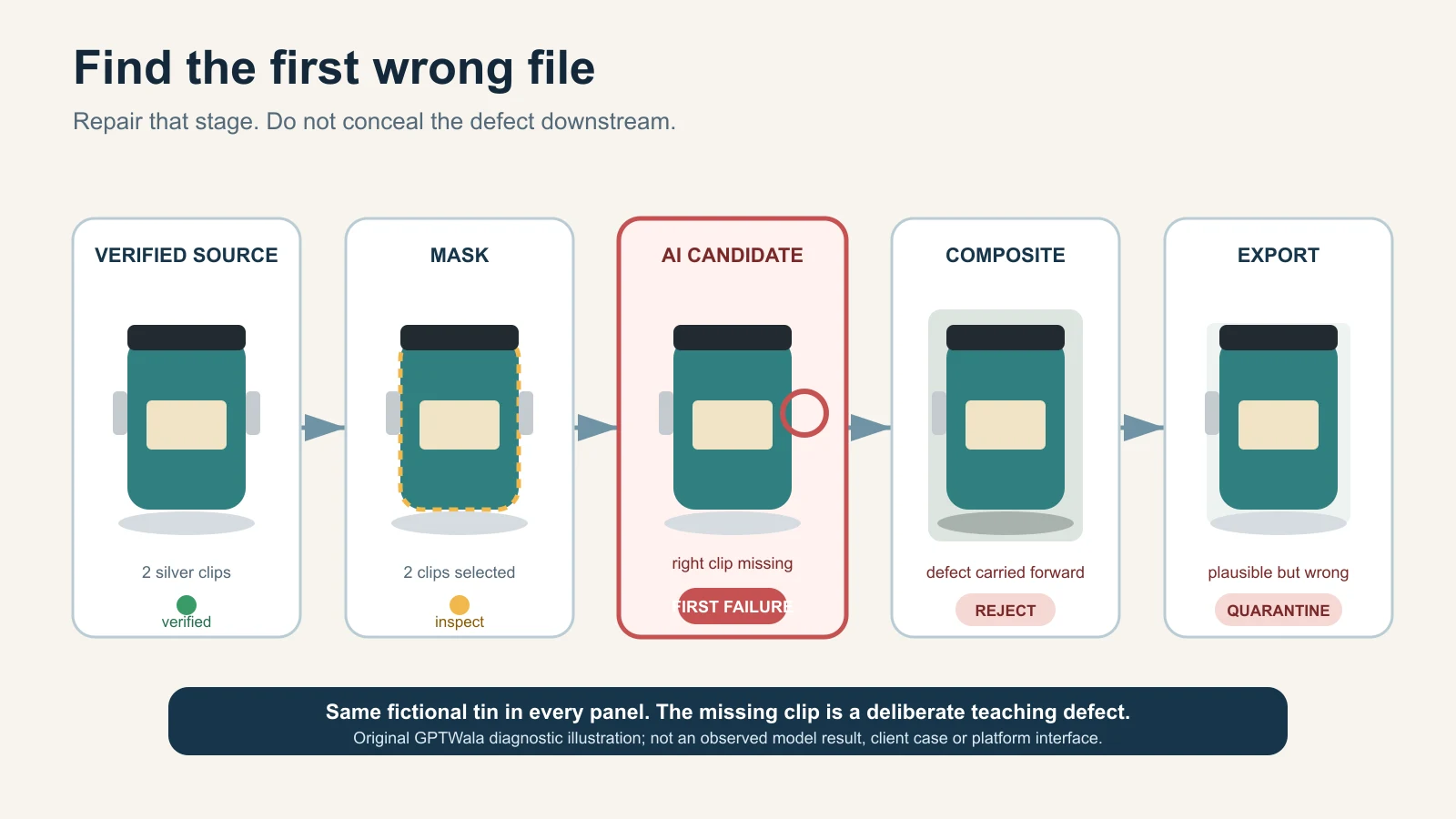
    Record the approval

    Field Entry
    SKU / child variant
    Image role and destination
    Source image IDs
    Verified product-data record
    AI/retouch method and date
    Prompt/mask/version
    Stone/setting map checked
    Hallmark/HUID route checked where applicable
    Dimensions and quantity checked
    Decision and reason APPROVE / REVISE / REJECT
    Product expert / channel reviewer
    Final filename

    Keep the table blank until a real piece is reviewed. Never fill it with illustrative approval data.

    How the workflow changes across Indian jewellery cases

    These examples are fictional operating cases, not client results or claims about every seller in a city.

    Jaipur kundan-style necklace set

    Photograph the full set, back construction, focal setting, repeated motif, closures and each included piece. Map the decorative elements and intentional asymmetry. Do not label a technique, stone, metal or origin from appearance alone; use the seller’s verified product record. An AI background is secondary. Any extra motif, missing setting or invented matching accessory is a reject.

    Hyderabad pearl-strand retailer

    Count pearls, record sequence and strand length, photograph the clasp and capture colour/lustre in consistent light. AI must not make every pearl identical, rounder or brighter than the physical strand. A model image needs measured length and fall; a generated neck cannot prove fit.

    Thrissur gold-jewellery store

    Keep real main, reverse, clasp and hallmark views tied to the exact item. Verify applicable HUID details through the current BIS route and product records. Do not move a hallmark to a cleaner area or reuse one child variant’s detail view for another weight or size. A purity or weight claim lives in verified data, not in gold-looking pixels.

    Rajkot silver anklet wholesaler

    Capture both anklets, full length, repeating links/bells, closure, marks and every detachable part. Because current silver hallmarking details depend on the applicable standard and marking date, check the exact article and latest BIS source. For a wholesale assortment, state whether the image shows the supplied lot or only a representative design.

    Surat fashion-jewellery seller

    Lock plating colour, stone count, backing, pair symmetry and set quantity. Avoid words such as “gold,” “diamond,” “emerald” or “silver” when only a colour/style resemblance is known; use verified material descriptions. AI may clean a background, but it must not turn plating into a precious-metal claim or costume stones into gem-identification evidence.

    Common AI jewellery image failures and safe fixes

    Symptom Why it matters Safe fix
    Extra or missing stone Changes the sale design and possibly perceived value Reject; return to retained real product pixels
    Different prong/setting Implies another construction or condition Use the real macro; do not generate a repair
    Mirrored earring pair Can hide real pair differences and marks Photograph both actual items and review separately
    Thickened/thinned chain Changes proportions, strength impression and scale Recapture full length; composite the real chain layer
    Cleaner but unreadable hallmark becomes text Invents official-looking evidence Reject; recapture mark and verify through records
    More yellow/white/rose metal Can confuse variant or material Correct only against the physical piece under controlled light
    Identical sparkle on many stones Signals cloned highlights and hides real facet behaviour Keep real reflections; reduce generative relighting
    Flat, plastic-looking metal Material cues were erased Restore real gradients/reflections or reshoot
    Floating necklace/earring Contact, weight and scale become implausible Simplify background; use real display or restrained shadow
    On-model piece is oversized Misleads fit and perceived value Use measured overlay/composite or a real model shoot
    Extra box/chain/prop Changes what appears included Remove props or label offer clearly outside image
    Macro looks sharp but geometry is invented Upscaling/generation created plausible detail Compare with source; recapture rather than infer

    The common AI product-photography mistakes guide handles broad symptom diagnosis. This page is the final authority for jewellery-specific truth fields.

    When to stop AI and use real capture or a specialist

    Use real capture or a specialist jewellery photographer/retoucher when:

    • the piece is one-off, antique, custom, high-value or cannot be replaced;
    • stone, prong, engraving, filigree, enamel or hallmark details are below the source’s usable resolution;
    • reflections or transparency hide construction;
    • accurate metal or gemstone colour is commercially critical;
    • colour-change or optical phenomena must be shown;
    • a model image must prove scale, fit or fall;
    • purity, fineness, weight, certification or stone identity is part of the offer;
    • the jewellery has fine chains, moving parts or multiple detachable components;
    • the output will be the primary evidence for a marketplace or paid ad; or
    • repeated edits change any locked field.

    Use a hybrid when you want a new environment: photograph and retouch the real jewellery layer under controlled conditions, place it into a measured context, and review the composite against the piece. The AI versus traditional product-photoshoot guide helps choose the method; it does not relax this jewellery gate.

    Check the destination after product truth

    Product accuracy is necessary but not sufficient. Each marketplace, feed, website theme and ad surface has current format and content rules. Google Merchant Center’s main-image guidance requires the actual/correct product and variant and restricts placeholders and promotional overlays. Its AI-generated-content guidance requires applicable generative-AI product images to retain specified IPTC digital-source metadata.

    Use the product-image rules by destination before upload. Do not assume a tool’s “marketplace” preset satisfies a platform, category or seller-account rule. Inspect the final delivered file because optimisation can strip metadata or soften tiny details.

    Connect truthful jewellery images to online growth

    An approved jewellery image set can feed a digital product catalogue, a WhatsApp Business catalogue or a product landing page. The images still need accurate SKU data, offer quantity, price, follow-up and a responsible publishing process.

    The GPTWala workshop connects this AI Content Creation step to the DAA path: Digital Presence → AI Content Creation → ₹100/day WhatsApp ads. It is an educational system, not a promise of enquiries, sales, earnings or return on ad spend.

    See the GPTWala workshop
    Learn how verified product content can support a broader online-growth workflow.

    Frequently asked questions

    Can AI create jewellery product photos from one phone picture?

    It can create a plausible image, but one picture is rarely enough to verify settings, back construction, clasp, hallmark, scale and every included item. Use real front, back, profile, macro, measured and quantity views. If a buying-relevant field is not visible, recapture it rather than asking AI to infer it.

    Can I use AI to remove a jewellery background?

    Yes, as a candidate workflow when the real jewellery layer and fine edges can be retained. Review every chain link, prong, stone, clasp, reflection and mark after removal. If masking erodes detail or regenerates the product, use a controlled non-generative mask or specialist retouching.

    How do I stop AI from changing the stone count?

    Create a numbered stone map from a real macro, name stone count/position as locked fields, and compare the output at full resolution. A prompt cannot guarantee the count. If one stone changes, reject the result and return to real product pixels.

    Should I enhance a blurred hallmark or HUID with AI?

    No. A generated enhancement can create official-looking but false characters. Recapture the physical mark with appropriate magnification and light, tie it to the correct article, and use current BIS verification where applicable. A photograph alone does not assay or certify the metal.

    How can I show the true colour of gold, silver or stones?

    Use consistent controlled light, a neutral environment/reference and the physical item during correction. Provide multiple real images when appearance changes with angle or light. Do not claim exact colour across every screen, and do not use a dramatic AI relight as evidence of material or gem grade.

    Are AI model images safe for earrings and necklaces?

    Only as carefully reviewed secondary context. Use recorded dimensions, retain the real jewellery layer and compare its scale, contact and fall. A generated ear, neck or hand can make a piece look larger, smaller or differently positioned, so use a real model shoot when fit or scale is a buying decision.

    Can I mirror one earring to make a pair?

    Do not do this when selling a physical pair. Photograph and review both actual earrings, their backs and applicable marks. Mirroring can hide real construction, intentional asymmetry, condition differences or separate identifiers.

    Does an attractive jewellery photo prove purity or stone identity?

    No. Gold-looking colour does not prove gold purity; a clear stone image does not establish whether a stone is natural, laboratory-grown, treated or a specific variety. Use verified product data, applicable hallmarks/HUID checks, invoices and laboratory reports where relevant.

    Can an AI jewellery image be a marketplace main image?

    Only if it accurately shows the exact sale piece and meets the current platform, account, category and image-role rules. Keep real proof views, verify product truth first, preserve required provenance metadata and treat platform approval as a separate check.

    Sources and review method

    Reviewed 12 August 2026. Official sources were used for BIS hallmarking/HUID facts, Indian misleading-advertising context, Google product-image/AI-metadata rules and named AI-editor limitations. GIA guidance supports lighting/background cautions. No tool output, jewellery result or seller-account submission was tested. Recheck all platform-, hallmark- and account-sensitive claims within 24 hours of publication.

  • AI Product Photography Workflow: From Phone Capture to an Approved Image Set

    Phone capture, AI-assisted edit, product-truth check and approved exports for the same fictional product
    Editorial illustration of a seven-gate product-image workflow. The product is fictional; commercial assets require exact-SKU review.

    Reviewed and updated: 11 August 2026

    Editorial image disclosure: the featured visual was created with AI for this guide using a fictional, unbranded terracotta product. It is an editorial concept—not a merchant result, exact-SKU evidence or proof of product accuracy.

    To turn phone photos into an approved product-image set, start with the exact SKU and define what each image must do. Capture a complete reference pack, protect the untouched originals, and use AI only inside a chosen risk lane. Compare every output with the product side by side, then approve and export it for one destination. One phone photo is not enough when reverse details, reflective finish, fit, shape or scale cannot be verified.

    Table of contents

    1. The phone-to-approved workflow at a glance
    2. Gate 1 — Write the image job before taking a photo
    3. Gate 2 — Capture a truthful phone reference pack
    4. Gate 3 — Ingest, name and protect the originals
    5. Gate 4 — Prepare the product layer without inventing it
    6. Gate 5 — Use AI inside the chosen risk lane
    7. Gate 6 — Review side by side and record the decision
    8. Gate 7 — Export, hand off and keep a rollback path
    9. Four illustrative Indian operating examples
    10. Approval log and cost-per-approved-asset worksheet
    11. Common hand-off failures and safe fixes
    12. A one-day pilot for five SKUs
    13. Frequently asked questions

    The phone-to-approved workflow at a glance

    An AI-generated image is an intermediate file. It becomes a business asset only when it is tied to the right SKU, image role, version, reviewer and destination.

    This seven-gate workflow is GPTWala editorial practice for a small product team. A single owner can fill every role, but the decisions must still be explicit.

    Gate Input Owner Output Pass condition Stop rule
    1. Brief Exact physical SKU and sales need Merchandiser or owner Image job card and truth card Variant, role, destination and locked attributes are known Product or intended use is ambiguous
    2. Capture Clean product and job card Photographer or trained staff member Complete source-of-truth pack All deciding details are visible and usable A material detail is missing, blurred, clipped or colour-shifted
    3. Ingest Phone originals Asset operator Named, backed-up source folder and working copies Files map to one SKU and originals are protected Mixed variants, duplicates or missing views remain unresolved
    4. Prepare Working copies Retoucher or operator Clean product layer or conservative edit Real geometry, edges, text and finish remain intact Cleanup requires the tool to invent missing product pixels
    5. Edit Protected product layer, job card and constraints AI operator Review candidates Edit stays inside the approved preserve, contextualise or concept lane Product identity or offer truth changes
    6. Review Candidate, references and destination rules Product expert and channel owner Approve, revise or reject decision Truth, visual quality and destination checks all pass Any essential field is wrong or cannot be verified
    7. Export Approved master and decision record Asset owner or publisher Channel copy, hand-off record and rollback path Final reopened file matches approval and destination Metadata, crop, resolution, SKU mapping or version is uncertain

    Seven gates from SKU brief and phone capture to review and approved channel exports

    GPTWala’s seven-gate editorial workflow: define, capture, protect, prepare, choose a risk lane, review, then export with a rollback path.

    The job card should name one primary image role: a clean listing image, a proof/detail image, a lifestyle image, an ad creative or a B2B catalogue image. These roles can share the same source pack, but they do not share the same acceptance test. The complete AI product photography guide for Indian businesses explains the broader strategy; this page owns the operating trail.

    Gate 1 — Write the image job before taking a photo

    Identify the exact SKU and variant

    Put the product on the table before opening an editor. Record:

    • SKU or design code;
    • parent range and exact child variant;
    • colour or finish name used in the catalogue;
    • physical dimensions;
    • quantity and included components;
    • packaging or label version; and
    • the date the physical item was verified.

    Do not use a neighbouring colour, an old pack, a prototype or a similar design as the silent source. If the sale item changed, begin a new source pack. The same filename attached to two physical versions is a future listing error waiting to happen.

    Choose one destination and image role

    Write a one-sentence job:

    Create a secondary website lifestyle image for SKU KSM-JAR-750-TC that shows the exact jar on a kitchen shelf without changing its lid, handle, glaze, label or apparent capacity.

    That is clearer than “make this image premium.” It tells the operator what may change, what may not change and where the asset will appear.

    A marketplace main image, a WhatsApp catalogue thumbnail and a wide website banner may need different crops and scene rules. One approved master can support several exports, but one production brief should not combine contradictory jobs.

    For example, Google Merchant Center’s current main-image guidance requires the actual product, the correct variant and no promotional overlays; its additional-image and lifestyle attributes allow different kinds of product staging. Check the destination before production, not after a batch is finished. See Google’s official main-image, additional-image and lifestyle-image guidance.

    Lock the attributes that cannot change

    Create a product truth card for the exact item. Attach a real reference view beside each high-risk field.

    Truth field What to record Automatic-reject example
    Identity SKU, design code and current pack version Output uses another variant
    Silhouette and proportions Overall shape and dimension relationships Neck, handle, hem or clasp changes
    Colour and finish Catalogue colour name plus verified references Matte finish becomes glossy or colour changes buying meaning
    Pattern and construction Print, weave, seams, joints, stone settings or mould lines Motif, stitch, setting or part is invented
    Label and logo Exact spelling, position and orientation Text is garbled or logo is moved
    Quantity and components What the buyer receives Extra item appears included
    Scale Actual dimensions and a truthful comparison reference Scene makes the item materially larger or smaller
    Claims and use Only approved, supportable claims Visual implies unsupported heat, waterproof or safety performance

    If a locked field is not visible in the source pack, mark it “unknown—recapture.” Do not ask a prompt to recover evidence that was never captured.

    Gate 2 — Capture a truthful phone reference pack

    Build the minimum shot list

    For many rigid products, start with front, back, left, right, a 45-degree view, top and bottom where relevant, plus close-ups of text, material and joining details. Add:

    • packaging and every included component;
    • a frame with a ruler or known-size object for internal scale checking;
    • category-specific proof, such as a clasp, sole, border, connector, batch label or texture;
    • a view that separates reflective or transparent edges from the background; and
    • one frame that shows the entire product without clipping.

    This is not a universal shot count. A flat notebook may need fewer views; a reflective kada, sari border, mixer attachment set or ceramic vessel may need more. Capture until a reviewer can verify the locked fields without guessing.

    If the reader needs a narrower creation walkthrough rather than a team SOP, use create one product image from a phone photo when that guide is live.

    Use a simple, repeatable capture setup

    The goal is reliable evidence, not an equipment contest.

    1. Clean the product and the phone lens.
    2. Use a stable support and keep the camera level where geometry matters.
    3. Place the product against an uncluttered, contrasting background.
    4. Use soft, even light that reveals texture without hiding edges in glare or shadow.
    5. Avoid digital zoom; move or reframe while keeping the whole item sharp.
    6. Include a neutral or known reference where colour is commercially important.
    7. Keep the product, lighting and camera position consistent across variants.

    These are editorial capture practices, not universal device requirements. No minimum megapixel count or phone model guarantees a truthful source. A high-resolution blurred image is still a failed reference.

    Inspect before putting the product away

    Review the frames at full size, not only as phone thumbnails. Zoom into labels, stitching, stone settings, edges, reflective highlights and included parts.

    Retake now if any answer is “no”:

    • Can I read the required text?
    • Can I distinguish every thin or transparent edge?
    • Is the exact variant obvious?
    • Are highlights showing the material rather than erasing it?
    • Is every included item documented?
    • Can I verify the back, underside and closures?
    • Does a trusted observer see an obvious colour cast?

    Keeping the item on the table for five more minutes is safer than letting an AI system infer an unseen feature later.

    Gate 3 — Ingest, name and protect the originals

    A folder structure a small team can use

    Use one folder tree per SKU:

    /KSM-JAR-750-TC/
      /source/
      /working/
      /review/
      /approved/
        /website/
        /whatsapp/
        /marketplace/
        /ads/
      /rejected/
    

    The source folder contains untouched phone files. Working files are duplicates. Review contains candidates, approved contains signed-off masters and channel copies, and rejected holds failures worth learning from.

    Use a filename that answers five questions without opening the file:

    SKU_role_view_version_status.ext
    

    Illustrative example:

    KSM-JAR-750-TC_lifestyle-front_v03_review.png
    

    Do not put “final-final-new” in filenames. Use a version number and a controlled status such as WORKING, REVIEW, APPROVED or REJECTED.

    Never overwrite the source-of-truth files

    Copy phone originals into the source folder, preserve their original identifiers in the job record and make the folder read-only for routine operators where practical. Edit duplicates only.

    Before processing:

    • compare the physical label or design code with the folder name;
    • remove accidental duplicates without deleting the only copy;
    • flag files that show another variant;
    • note any missing view; and
    • back up the source pack in a second controlled location.

    This is simple version control. It creates a rollback path when an edit, export or upload damages an asset.

    Gate 4 — Prepare the product layer without inventing it

    Correct capture problems conservatively

    Safe preparation may include rotation, crop, modest exposure and white-balance correction, dust cleanup and careful background removal. Keep a before-and-after comparison.

    Do not use generative fill to rebuild a clipped handle, hidden chain, missing label corner, unseen sole or incomplete garment border. That produces a plausible answer, not a verified one. Return to Gate 2 or use manual retouching that works from real pixels.

    Inspect masks and difficult edges

    Zoom in around:

    • chains, prongs and fine jewellery work;
    • lace, loose fibres, tassels and hair;
    • glass, translucent plastic and sheer fabric;
    • polished metal rims and glossy ceramics;
    • thin handles, spokes and wires; and
    • printed or embossed text near an edge.

    A rough mask can silently remove product material; an over-wide mask can invite the model to redraw it. Give high-risk edges one of three treatments: protect the existing product layer, refine the mask manually, or return to capture with better separation. If none produces verifiable edges, use the real photo.

    Gate 5 — Use AI inside the chosen risk lane

    Choose a tool only after the job, locked attributes and pass condition are written. The separate same-SKU benchmark will compare AI product-photo tools on the same SKU instead of declaring a winner from vendor examples.

    Preserve lane

    The product pixels or protected product layer remain unchanged. AI or conventional editing changes only canvas, placement or the surrounding background. Use this lane for truth-sensitive listing support when the workflow can genuinely keep the product intact.

    Pass only if an overlay comparison shows that the product boundary, text, colour and components are unchanged.

    Contextualise lane

    AI creates a scene around a protected product. State the intended viewpoint, scale, supporting surface, contact shadow and forbidden product changes. Treat props as context, not included items.

    A concise production instruction can be:

    Retain the exact supplied product layer without redrawing it. Create a warm neutral kitchen-shelf setting around it, match the existing camera angle, add a physically plausible contact shadow, and do not change the product’s shape, glaze, lid, handle, label, colour, quantity or proportions. Do not add text, badges or accessories that could appear included.

    A prompt is not an accuracy guarantee. Use the product-truth AI photography prompt pack for reusable prompt structures, and generate a background without changing the product for the dedicated masking workflow once those articles are live.

    Concept-only lane

    Use text-to-image output to explore mood, styling or campaign direction when it does not depict a verified sale item. Label it internally as concept-only. It cannot become a product-proof image merely because it looks realistic.

    Rebuild an approved concept around the real SKU, or keep it outside the catalogue. Text-to-image generation must not silently invent the product for sale.

    Gate 6 — Review side by side and record the decision

    Never approve from memory. Put the candidate next to the full source pack and truth card at a useful zoom level.

    First pass: identity and offer truth

    Check the exact SKU, variant, quantity, included components, label, logo, claims and use context. A wrong SKU, quantity, component, material, label, claim or essential geometry is an automatic reject.

    This is also the customer-truth pass. India’s Consumer Protection (E-Commerce) Rules and misleading-advertisement guidance are relevant to accurate online representations, while the ASCI Code says advertisements must be truthful and not mislead through visual presentation, implication or omission. The practical rule is to avoid visually adding or implying anything the buyer will not receive. This article is operating guidance, not legal advice. Review the Consumer Protection (E-Commerce) Rules, 2020, the CCPA Guidelines for Prevention of Misleading Advertisements, 2022 and the ASCI Code for the current text.
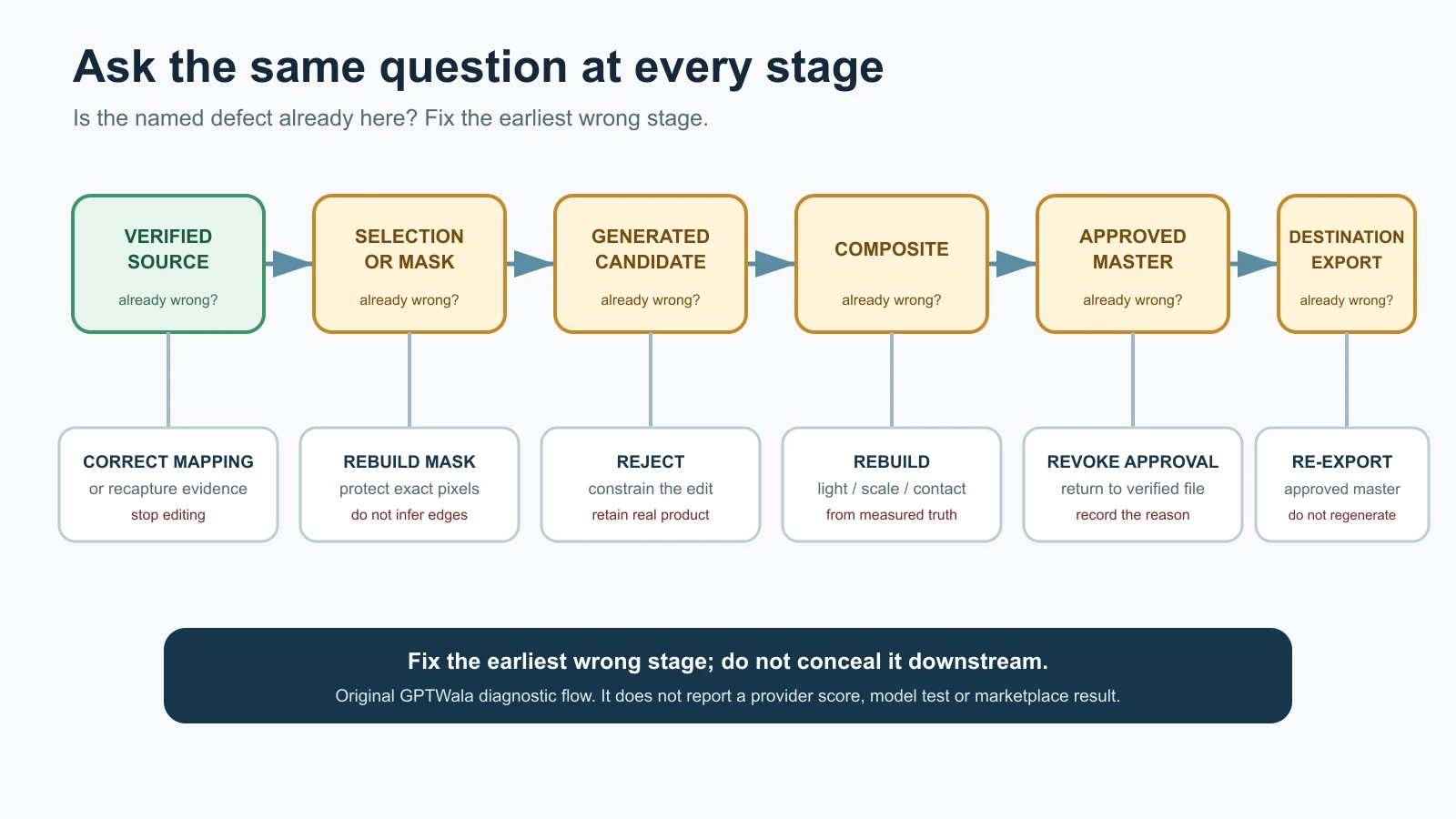
    Second pass: geometry, material and scale

    Check silhouette, proportions, pattern, texture, colour, finish, reflections, contact with the surface and believable scale. Use an opacity overlay or rapid source/candidate toggle where the viewpoint matches.

    Ask a category expert, not only the designer, to review high-risk fields. A jewellery owner may notice a missing prong; an apparel merchandiser may catch a changed border; a manufacturer may see a mould line or connector that an editor misses.

    Third pass: destination and file integrity

    Check crop, aspect ratio, resolution, text and overlay rules, embedded metadata, rights, filename, export format and the destination’s current policy. Platform acceptance, product truth and visual quality are three different approvals; passing one does not prove the others.

    Use only:

    • APPROVE: all required checks pass for the named destination;
    • REVISE: the issue is fixable without guessing or changing a locked field; or
    • REJECT: a material field is wrong, unverifiable or repeatedly reconstructed.

    Record the reviewer and the reason. “Looks good” is not a production status. For a deeper severity model, use the full product-accuracy audit for AI images when live. If a known symptom keeps returning, diagnose the AI product-photo failure instead of adding random prompt adjectives.

    Gate 7 — Export, hand off and keep a rollback path

    Create destination presets only after current rules are checked

    Build exports for a named destination: website main, website detail, WhatsApp catalogue, B2B catalogue, marketplace main, marketplace additional, lifestyle or ad. Keep the approved master separate.

    Do not copy an old marketplace template into every channel. For Google Merchant Center, current main, additional and lifestyle-image requirements are separate. For Amazon.in, the signed-in Product Image Requirements and current category style guide for the seller’s account should control; public forum guidance is only a secondary pointer. For Flipkart or Meesho, check the current seller surface rather than repeating an old number from a blog. The dedicated current channel image-rules guide should own the detailed rule table when published.

    Preserve the approved master and metadata

    Keep:

    • the approved master at its review resolution;
    • the source IDs and truth card;
    • the tool or method and version/date;
    • the final prompt or edit instructions;
    • the approval record;
    • every channel copy; and
    • licence, consent or release information where relevant.

    Google Merchant Center currently requires generative-AI images used in the relevant product-image attributes to retain embedded IPTC digital-source metadata. Google’s AI-generated-content guidance and additional-image guidance say not to remove the relevant embedded tag.

    Do not assume your export, compressor, media library or CDN preserves it. Run this test for every changed pipeline:

    1. Inspect the approved file with a metadata reader and save the report.
    2. Export the channel copy.
    3. Process it through the same compression and upload path used in production.
    4. Download the delivered file.
    5. Inspect the downloaded file and compare the required field.
    6. If the field is missing, stop that destination and repair the workflow.

    A caption, filename or alt text does not replace required embedded provenance. This article does not claim that the current GPTWala WordPress pipeline preserves IPTC metadata; that must be verified after WordPress access is restored.

    Publish one controlled pilot before batching

    Place one approved channel copy in the real destination, then inspect:

    • the live mobile and desktop crop;
    • the correct SKU and variant mapping;
    • labels and deciding details at the displayed size;
    • compression damage and colour shift;
    • surrounding copy, price and included-items information; and
    • any platform diagnostic or rejection.

    Keep the rollback path ready. Do not mass-update a catalogue because one generated file looked right inside the editor.

    Four illustrative Indian operating examples

    These are workflow examples, not client results or claims about every business in the named location.

    Morbi ceramics manufacturer

    The job card names the tile or vessel design, size, glaze, surface finish and batch-relevant variation. The source pack includes straight views, edge thickness, underside, a raking-light texture frame and scale. AI may build a dealer-catalogue layout around a protected product image. The reviewer rejects changed proportions, softened relief, false gloss or an installation scene that implies an unavailable size.

    For many SKUs, move into a dedicated catalogue workflow for manufacturers and wholesalers rather than hiding batch logic inside one folder.

    Surat apparel wholesaler

    Each colourway is a child SKU, not a recolour instruction. The truth card records fabric, colour, print repeat, border, embroidery, blouse piece or included components, and verified dimensions. Flat and close-up source views remain proof. A model or lifestyle image is secondary and is rejected if fit, drape, border, motif or transparency changes.

    Jaipur jewellery retailer

    The source pack includes front, back, side, clasp, hallmark where appropriate, stone setting and a physical scale reference. Reflective edges and thin chains receive a high-risk flag. A contextual image can support discovery, but a real macro remains product proof. Any changed stone count, setting, metal tone, chain length or included piece is an automatic reject.

    Local packaged-goods retailer

    The folder is tied to the current stock version and pack size. The truth card locks brand text, flavour or variant, net quantity, cap, label panel, pack count and included offer. The reviewer rejects an old label, false quantity, extra pack, invented badge or context that implies a benefit not stated on the verified packaging.

    The approval log and cost-per-approved-asset worksheet

    An approval log turns judgement into a traceable decision. Use one row per candidate, not one row per SKU.

    Field What to enter
    Asset ID Unique candidate identifier
    SKU and variant Exact physical product
    Image role and destination Main, detail, lifestyle, ad or catalogue plus named channel
    Source IDs Every reference file used
    Risk lane Preserve, contextualise or concept-only
    Tool/method/version/date Enough detail to repeat or audit the operation
    Prompt or edit record Exact instruction, mask notes and manual edits
    Operator effort Hands-on capture, editing and export time
    Generation and tool cost Actual credits or allocated subscription cost
    Review and rework Reviewer, elapsed effort and number of revisions
    Decision APPROVE, REVISE or REJECT
    Reason code Identity, geometry, colour, edge, context, destination, metadata or other
    Approved master and exports File paths and destination status

    Use actual records, not an online “average”:

    Cost per approved asset = (source capture + tool or credit cost + operator time + retouching + review + rework or reshoot) ÷ approved usable assets

    Also track:

    • approval rate = approved candidates ÷ reviewed candidates;
    • rework rate = candidates needing another edit ÷ reviewed candidates; and
    • hands-on time per approved asset = total hands-on time ÷ approved assets.

    If owner time has no salary line, assign and document an internal rate rather than treating it as free. Compare workflows only when the brief, destinations and quality threshold are similar.

    Common hand-off failures and their safe fix

    Symptom Risk Return to gate Safe fix
    Two colour variants appear in one folder Wrong image reaches the listing 1 or 3 Separate child-SKU folders and re-verify source IDs
    Reverse view is missing Hidden geometry or text is invented 2 Recapture; never infer a sale detail
    Source was overwritten No trustworthy rollback or comparison 3 Restore from backup and restrict source-folder edits
    Logo or label is cropped Buyer cannot verify identity or quantity 2 or 4 Use a complete source and adjust crop without rebuilding text
    Product floats Scene looks false and can distort scale 5 Rebuild contact shadow around the protected product layer
    Colour drifts Buyer may receive a materially different-looking variant 2, 4 or 5 Check capture cast, compare verified references and use a real image if unresolved
    Required metadata disappears Destination or provenance requirement may fail 7 Stop upload, identify the stripping step and retest the full pipeline
    Wrong destination preset is used Crop, overlay or file rule can fail 7 Re-export from the approved master after checking current rules
    Staff approve from a phone thumbnail Small text, edge and geometry errors survive 6 Review at useful zoom beside the source pack

    A one-day pilot for five SKUs

    A “one-day pilot” means a constrained production exercise, not a promise that every team will finish five SKUs in a day. Choose four normal products and one difficult product, or use one SKU with five materially different image jobs if stock access is limited.

    Sequence Work Evidence to keep
    Set the jobs Write five job cards, truth cards and destination checks SKU, role, locked fields, owner and stop rule
    Capture Create and inspect source packs Shot list, source IDs and recapture reasons
    Ingest Name, back up and separate working files Folder tree and duplicate/variant check
    Prepare and edit Produce a small, controlled candidate set Method, prompt, mask, attempts, cost and operator time
    Review Compare every candidate side by side APPROVE/REVISE/REJECT plus reason
    Export Create channel copies from approved masters Preset, metadata before/after and reopened-file check
    Retrospective Count outcomes and recurring defects Approval rate, rework rate, time and cost per approved asset

    Use blank templates if a real test cannot be completed. Any filled example must be labelled illustrative unless it records an actual, dated pilot. Do not invent an approval rate, staff time or savings claim.

    The decision at the end is:

    • Go: the workflow consistently produces verifiable, findable assets at an acceptable internal cost;
    • Change: a specific capture, tool, mask, review or export step causes repeatable rework; or
    • Stop: product truth or destination compliance cannot be controlled.

    Commercial performance is a later observation. A clean pilot does not prove that an image will generate enquiries or sales.

    What comes after an approved image set

    An approved image set can now feed a website, dealer catalogue, WhatsApp Business catalogue or campaign brief without each team recreating the product. Next, build a digital product catalogue or set up a WhatsApp Business catalogue when those guides are live.

    But approved images are only the AI Content Creation part of online growth. Product businesses also need a discoverable digital presence and a controlled way to generate and follow up enquiries.

    If your business still depends mainly on walk-ins, the GPTWala workshop explains the DAA path: Digital Presence → AI Content Creation → ₹100/day WhatsApp ads. It shows how approved product assets connect to an online presence and a small-budget enquiry system without promising leads, sales or ROI.

    See the GPTWala workshop
    Connect your approved product assets to a broader online-growth process.

    Frequently asked questions

    Is one phone photo enough for an AI product image?

    Only when that one view contains everything the edit must preserve and no hidden detail needs to be inferred. For most commercial workflows, capture more views. Reverse-side text, closures, reflective edges, fit, scale and included components often need their own evidence. If a locked field is not visible, recapture it rather than asking AI to guess.

    Which source angles should I capture?

    Start with front, back, both sides, a 45-degree view, top and bottom where relevant, then add close-ups of text, texture, joints and included parts. The product decides the final shot list. Jewellery needs setting and clasp detail; apparel needs print, border and construction proof; packaged goods need readable current labels and quantity.

    How should product-image files be named?

    Use a consistent pattern such as SKU_role_view_version_status.ext. Keep the exact child SKU first, then one image role, the view, a numeric version and a controlled status. Keep APPROVED files separate from REVIEW and REJECTED files. Do not overwrite phone originals or use labels such as “final-new.”

    Who should approve an AI-assisted product image?

    Use a product expert for identity, construction and offer truth, and a channel owner for crop, format and destination rules. In a very small business, one owner may do both jobs, but should still complete both checks. The person who created the image should not approve a high-risk field from memory.

    Can an AI-assisted output be a marketplace main image?

    Sometimes, but only if it accurately shows the exact product and follows the current rules for the seller’s account, category and image role. Google distinguishes main, additional and lifestyle images. Other marketplaces have their own current requirements. A tool’s “marketplace-ready” export is not proof of acceptance.

    Can a phone and AI reproduce exact product colour?

    Do not promise exact physical colour from an uncalibrated capture-and-screen chain. Control lighting, keep a verified reference, compare with the physical item and involve the product owner. If colour changes buying meaning and the team cannot verify it, use a real product image or a controlled professional colour workflow.

    What metadata should I keep?

    Keep source IDs, SKU, image role, method/tool/version, prompt or edit record, approval and rights information. Preserve any destination-required embedded provenance. Google Merchant Center currently requires applicable generative-AI product images to retain specified IPTC digital-source metadata. Test the final delivered file because export and optimisation steps can strip fields.

    When should I hire a photographer or specialist retoucher?

    Use a specialist when capture needs controlled colour, complex reflections, translucent or very small details, model fit, safety-critical views or reliable dimensions that the team cannot produce and verify. Hire one as soon as repeated AI or phone attempts create more uncertainty than approved assets. A hybrid workflow can keep real product proof while using AI for controlled context.

    Sources and review method

    Reviewed 11 August 2026. Platform rules, seller-account requirements and tool behaviour can change. Recheck destination-sensitive claims within 24 hours of publication and at least every 90 days. The folder, gate and approval templates are GPTWala editorial practice, not a claimed industry standard.

  • AI Product Photography for Indian Businesses: Complete Guide

    Phone photo, clean catalogue image and AI lifestyle image of the same product in a product-truth workflow
    Illustration of a reference-first AI product photography workflow.

    Reviewed and updated: 11 August 2026

    Editorial image disclosure: the three jar visuals on this page were created with OpenAI image generation for this guide. They show a fictional, unbranded product, not a merchant result or a claim of product accuracy.

    AI product photography uses AI to edit a real product photo or create extra scenes around it. For an Indian manufacturer, wholesaler, retailer, shopkeeper or product brand, the safest method is reference-first and hybrid: photograph the exact SKU, make controlled changes and compare every output with the product before publishing. AI can change a background quickly, but it can also alter colour, shape, labels, patterns, components or scale.

    Table of contents

    1. What AI product photography means
    2. AI, photographer or hybrid?
    3. The three image roles
    4. Seven-step workflow
    5. Three risk lanes
    6. Choosing a tool
    7. Safer prompt formula
    8. Product-truth gate
    9. Indian business examples
    10. Real cost calculation
    11. Platform and legal checks
    12. Mistakes and fixes
    13. Five-SKU pilot
    14. FAQs

    What is AI product photography: what is it not?

    AI product photography is a workflow that uses AI to clean, edit or create context around product images. It is useful when the exact product remains the source of truth. It is not permission to invent a sale item from a text prompt. “Photorealistic” only describes how convincing an image looks; it does not prove that the SKU, colour, label, finish or dimensions are correct.

    Method What it changes Suitable role Main risk
    AI editing Background, crop, canvas, exposure, resolution or a selected area Clean catalogue assets and format changes The editor may still redraw edges, text or texture
    AI generation A new scene or new parts of an image Lifestyle images, banners and concepts The product itself may be regenerated or altered
    Virtual model imagery A model, pose or wearing context Secondary apparel or accessory images It is not proof of exact fit, fall, drape or scale

    Google’s current Product Studio documentation describes background removal, resolution improvement and scene-generation features, while warning that experimental features may produce unexpected output. That is the right mental model for any tool: useful assistance, followed by verification, not automatic approval.

    Should your business use AI, a photographer, or both?

    Use AI for controlled, repeatable edits; use real photography for product proof; and use a hybrid workflow when context is valuable but truth cannot move. The decision belongs to the asset, not to the business as a whole.

    Asset or job AI-assisted Traditional Hybrid Why
    Background removal, crop or channel resize Strong fit Optional Useful for difficult edges The product layer can often be preserved
    Main image of an ordinary, non-reflective item Limited Strong fit Strong fit The exact item and current channel rules control
    Lifestyle scene for an approved SKU Useful Useful Strongest fit AI can build context while a real product layer carries truth
    Jewellery, glass, chrome or transparent product Risky Strong fit Strong fit Reflections, edges, stones and material cues are easy to distort
    Apparel fit, drape or size claim Risky as proof Strong fit Useful as a secondary asset A plausible model image can still show the garment inaccurately
    Regulated, safety-critical or high-value product Not for unverified proof Strong fit Only with careful review A visual implication can become a material product claim

    Prefer a real shoot when exact colour or material is the buying reason, the geometry is complex, a safety or fit claim is involved, or the item cannot be replaced. A clean AI output that changes a feature is not a bargain; it is the wrong asset.

    Build the right image set before choosing a tool

    Start by deciding the image’s job. One “beautiful product photo” cannot safely serve every channel and buyer question.

    Exact SKU → Main image identifies it → Proof images explain it → Lifestyle/ad images contextualise it

    Image role Buyer job What it should show Creative freedom
    Main listing image Identify the exact product and variant The sale item, clearly and without confusing extras Low; current channel and category rules apply
    Proof/detail images Remove practical doubt True angles, texture, dimensions, package, components and scale Low to medium; facts must remain visible and correct
    Lifestyle/ad images Help the buyer imagine context The same product in a plausible setting or use Medium; never imply an absent feature, quantity or unsupported use

    Google separates its main image, additional image and lifestyle image guidance. Amazon also distinguishes its main and additional-image jobs. This separation matters even on your own website or WhatsApp catalogue: proof images answer “What will I receive?” while a lifestyle image answers “Where might it fit?”

    The seven-step phone-photo-to-approved-image workflow

    Generation is not the finish line; approval is. Each step below has a clear condition before the image can move forward.

    1. Define the exact output

    Record the SKU and variant, destination, image role, aspect ratio and due date. Decide whether you need a main, proof or lifestyle asset. Accept when: one written brief names the exact sale item and one intended use.

    2. Capture a source-of-truth pack

    Use neutral, even light and a clean background. Photograph front, back, sides and a 45-degree view; add label, material and joining-detail close-ups. Record physical dimensions, colour reference and every included part. Do not crop edges or hide a handle, clasp or lid. Accept when: a person who knows the SKU could verify its visible geometry, colour, text and contents from the pack.

    3. Choose the risk lane

    Route the job to preserve, contextualise or concept only before opening a tool. Accept when: the team knows what may change and what is locked.

    4. Choose the tool category and constraints

    Check whether the tool can use a real reference, mask only the background, export the needed size and preserve version history. Review commercial-use, privacy, data-retention and model-consent terms. Accept when: the tool can perform the narrow job without requiring the sale product to be invented.

    5. Prompt and generate variations

    State the locked product fields first, then the scene, composition, light, camera view and exclusions. Generate a small batch so review does not become uncontrolled. Accept when: every candidate is traceable to its source, prompt, tool and date.

    6. Run the product-truth gate

    Compare the output with the exact SKU, not with your memory. Inspect it at full size and at the intended mobile crop. Accept when: it has no stop-ship error and the owner or product expert signs off.

    7. Export, label and archive

    Export in the destination’s current format and dimensions. Use a descriptive filename and literal alt text, preserve required provenance metadata, and store the source, instruction, result and approval record together. Accept when: another team member can identify who approved the file, for which SKU, role and channel.

    The three risk lanes: preserve, contextualise, concept only

    The safest lane is the narrowest one that can do the job. The following is GPTWala’s recommended operating model, not an industry certification.

    Lane Allowed change Typical use Approval rule
    Preserve : green Crop, canvas, background removal and restrained light correction Main catalogue or listing image Compare edges, colour, label and components; check destination rules
    Contextualise : amber Background, surface, props, atmosphere or model context around the retained product Additional image, website banner or ad creative Pass product truth plus scale, context and use review
    Concept only : red for commerce Product, angle or feature is generated and cannot be verified Moodboard or pre-production idea Keep internal; recreate and verify before any commercial use

    If the tool redraws the product while “changing only the background”, move the output out of the preserve lane. A prompt cannot overrule what the pixels show.

    How to choose an AI product-photo tool without chasing a “best” list

    There is no best tool for every Indian seller; the right tool is the one that produces approved assets for your job with controllable risk. Test the same SKU and brief instead of comparing home-page demos.

    Tool category Best first test Controls to demand Hidden cost to record
    Background remover/editor Clean one difficult edge or reflective surface Mask refinement, undo, preserved original Edge repair and label restoration
    Reference-based generative editor Put one exact product into a simple scene Reference strength, local mask, version history Rejections caused by product drift
    Virtual-model/apparel tool One secondary image for one exact garment Garment reference, pose/fit control, consent terms Drape, print and body-product review
    Marketplace-integrated studio One additional image for its supported channel Current eligibility, export and metadata Channel-specific restrictions and reformatting
    Professional retouching workflow High-risk image with a retained real product layer Layer-level edit, colour control and audit trail Skilled operator and reviewer time

    Before subscribing, score fidelity, masking, batch consistency, export resolution and formats, commercial rights, privacy, metadata handling, operator effort and reproducibility. Verify features and pricing on the publication or purchase date; credits are not comparable until you know what counts as a generation, edit and export.

    A safer prompt formula for product images

    A good prompt limits the edit, but it never proves product accuracy. Put the locked product fields before decorative detail.

    Using the supplied photo of the exact [SKU/variant], change only [background/context area]. Preserve the product’s exact geometry, proportions, colour, pattern, material, finish, label/logo text, number of parts and included accessories. Do not add, remove, redraw or reshape the product. Place it [scene and position] with [lighting], [camera/framing] and a physically plausible contact shadow or reflection. Output [aspect ratio/use].

    Examples of useful locks:

    • Surat sari: retain the border width, motif sequence, pallu and base colour; do not infer a blouse-piece design.
    • Jaipur jewellery: retain the stone count, prongs, chain length and metal colour; never invent or sharpen a hallmark.
    • Rajkot kitchenware: retain handle and lid geometry, finish and number of pieces; do not add an accessory or unsupported cooking use.

    Even a precise prompt can produce a convincing error. The real product and source pack remain the test.

    Fictional unbranded terracotta jar generated as an editorial reference image
    Fictional AI-generated reference image; no physical sale SKU exists.
    AI-assisted lifestyle scene using the fictional terracotta jar reference
    AI-assisted editorial illustration; not a client result or approved commerce asset.

    The product-truth gate: what to check before publishing

    If a material detail is wrong or cannot be verified, do not publish the image as a listing, product or ad asset. One red failure is enough to reject it.

    Check Verification Stop-ship when…
    Exact SKU and variant Match the design code and colourway The output belongs to another parent or child SKU
    Shape and proportion Compare every edge, opening, handle, clasp and neckline Geometry or visible proportions changed
    Dimensions and scale Compare known measurements and contextual scale Props or a model imply a false size
    Colour and pattern Compare with the product/reference under controlled viewing Colour, motif, border or orientation changes buying meaning
    Material and texture Inspect weave, grain, gloss, transparency and reflection A finish or material appears different
    Label, logo and text Read against the real pack; do not trust generated text Words, quantity, barcode or regulatory information changed
    Quantity and components Count sale pieces and distinguish props Anything appears included when it is not
    Use and safety context Check every visual implication The scene suggests an unsupported load, heat, water, food or medical use
    Shadow, reflection and contact Check physical grounding The effect changes perceived shape or material
    Crop and mobile view Inspect full size and intended thumbnail A mandatory or deciding detail disappears
    Channel, rights and consent Check current rules, licences and model permission Any requirement or right is unresolved
    Provenance and approval Preserve required metadata and record a named reviewer Required metadata is missing or no product expert approves

    Editorial illustration test: why “concept only” is the honest result

    The two images below were made during production of this article on 11 August 2026 with OpenAI image generation. First, a fictional unbranded terracotta jar was generated on a neutral background. A second image used that file as a reference for a kitchen context. This was an editorial illustration, not a physical-SKU or merchant test.

    Fictional AI-generated reference image. There is no physical sale SKU behind it.

    AI-assisted lifestyle illustration made from the fictional reference. It is not a client result or an approved commerce asset.

    A human visual comparison found the broad jar silhouette, lid, terracotta colour and raised band to be similar. But physical dimensions, true colour, material, capacity and function cannot be checked because the “reference” is also synthetic. Total attempts, operator minutes and credit cost were not recorded, so this test supports no speed, cost or tool-performance claim. Its correct lane is concept only. A real seller would replace the first image with an owned, measured SKU pack before running the same review.

    Truth checkpoint What the two files show Commerce decision
    Silhouette and lid Broad cylindrical shape and lid profile look similar Observation only; no physical dimensions to verify
    Raised band and surface Both images show a band and terracotta-like texture Similar appearance is not proof of the same material or finish
    Colour Both look orange-brown under very different light No calibrated real-product colour reference exists
    Scale and function Kitchen props suggest size and use Capacity, food suitability and actual scale are unverified
    Final lane The result works as an article illustration Concept only; not approved for a product listing or ad

    Four India-specific workflows:and their safe boundaries

    The workflow changes with the product’s truth risk, not with a decorative city label. These are illustrative operating examples, not client case studies or reported results.

    Morbi tile manufacturer

    The manufacturer records a straight-on tile image, edge view, macro texture, dimensions, finish code and a colour reference for each SKU. Those real images remain the swatch and technical proof. AI may place the exact tile pattern in a room as an additional visual. The reviewer checks tile scale, grout width, pattern repeat, surface finish and whether the render suggests an unavailable size. A room scene never replaces the real swatch or specification image.

    Surat sari wholesaler

    The wholesaler photographs each exact design and colour variant, including the border, motif repeat, pallu, weave and embroidery detail. An AI on-model image may help show a wearing context, but it stays secondary. The team rejects changed border width, invented blouse details, smoothed embroidery or a colour borrowed from another child SKU. One attractive output is never reused across several colour variants unless every product field has been separately verified.

    Jaipur jewellery retailer

    Real main and macro images carry the proof layer. A contextual wearing image may be created only with a verified size reference. Reviewers count stones and prongs, then check the setting, chain length, clasp, metal tone and hallmark. If the system makes stones brighter, thickens a chain or “cleans” hallmark text, the output is rejected. For a high-value or one-off piece, a controlled real shoot is usually the safer default.

    Rajkot kitchenware manufacturer

    The manufacturer retains the real utensil layer and creates a clean kitchen context around it. The source pack records handle shape, lid fit, surface finish, piece count and included accessories. Reviewers reject an extra spoon that looks included, a lid from another model, a false capacity impression or a scene implying unsupported flame, oven or safety compatibility. The lifestyle image can suggest context; it cannot create a technical claim.

    What does AI product photography really cost?

    Measure the cost of an approved, usable asset, not the advertised price of one generation. A cheap output that needs repeated repair may be the expensive option.

    Cost per approved asset = (tool or credit cost + source capture + operator time + retouching + review + rework or reshoot) ÷ approved usable assets

    Also track:

    • Approval rate = approved outputs ÷ total generated outputs
    • Rework rate = outputs needing another edit or generation ÷ reviewed outputs
    • Time per approved asset = total hands-on time ÷ approved outputs
    Cost input Record for AI/hybrid work Compare with a real shoot
    Source creation Phone setup, product preparation and reference views Photographer, studio, transport and product handling
    Production Credits/subscription and operator hours Shoot, model/props and retouching
    Quality control Product expert review and colour/label checks Selection and retouch approval
    Failure cost Discarded outputs, rework, reformatting and reshoot Missed shots, extra edits and reshoot
    Rights and delivery Licence review, consent, storage and exports Usage licence, model release and final files

    Use your actual invoices, wage or owner-time assumptions and approved-asset count. Do not insert a market-average rupee figure without dated, comparable quotes.

    Are AI product photos allowed on Google, Amazon, Flipkart and your website?

    Sometimes:if the image is accurate, has the right role and follows the current destination rules. A tool’s “marketplace-ready” label is not platform approval.

    Channel Main image Additional or lifestyle AI/provenance note Verify before use
    Google Merchant Center Must show the actual product and correct variant under its current main-image rules Separate additional and lifestyle guidance applies AI-generated images in specified attributes must retain required IPTC DigitalSourceType metadata Official Merchant Center help and account diagnostics
    Amazon.in Public Amazon staff guidance says pure white background, only the product for sale and at least 85% frame fill Additional images can show angles, details and use No blanket AI approval should be inferred Logged-in Seller Central help and current category style guide
    Flipkart Do not rely on an old blog or vendor’s template Role and category requirements can change No exact unverified spec is stated here Current seller dashboard/help centre
    Meesho Do not rely on search snippets or another platform’s rules Check the current listing workflow No exact unverified spec is stated here Current supplier panel/help centre
    Your website You control presentation and technical format More room for context and comparison Product truth, rights, privacy and ad-destination rules still apply Your policy, legal review where needed, and final page preview

    Google’s AI-generated-content guidance specifies embedded IPTC provenance metadata for applicable Merchant Center images; a visible watermark or alt text is not a substitute. Its 2026 product-data update says warnings for images below 500 × 500 began on 14 April 2026 and enforcement of that new minimum begins on 31 January 2027. That future enforcement date should not be described as a universal rejection already in force.

    Amazon’s publicly accessible seller-staff image guidance gives the main-image points above and tells sellers to check category guidance. The logged-in Product image requirements and the rules shown for the seller’s account remain controlling.

    For India, product visuals should remain consistent with what the buyer will receive. The Consumer Protection (E-Commerce) Rules, 2020, the CCPA Guidelines for Prevention of Misleading Advertisements, 2022 and the ASCI Code are relevant checks against misleading descriptions, claims and visual implications. The practical rule is simple: do not visually add, improve or imply a feature the sale product does not have. This is practical content, not legal advice.
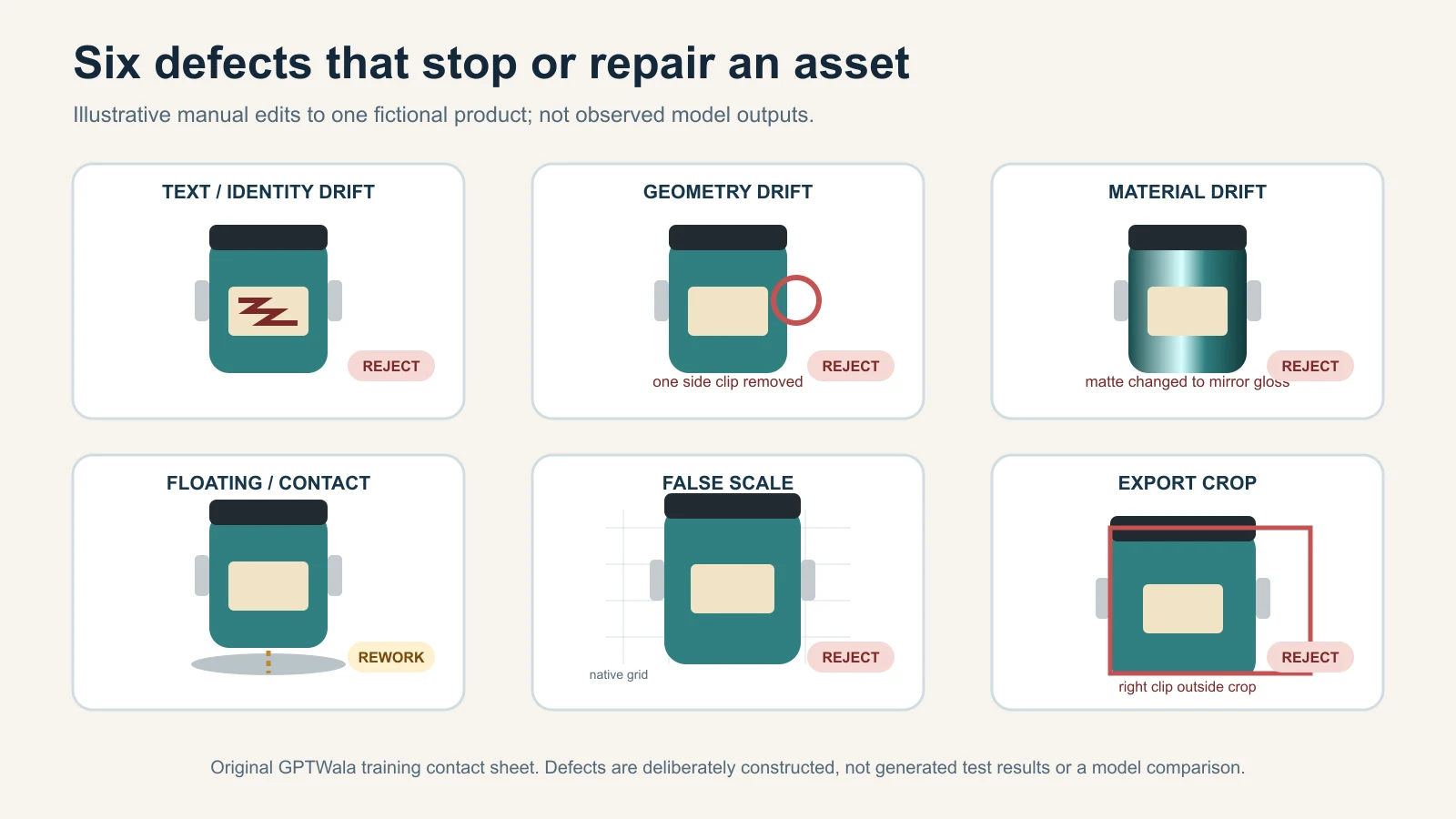
    Common AI product-photo failures and the fastest safe fix

    Reduce the edit area or return to the real product layer before adding more prompt words. Stop when a material field cannot be verified.

    Symptom Likely cause Safe fix When to stop
    Label, logo or text changes Product area was regenerated Restore the real label layer; mask only around it Any required text remains wrong
    Wrong colour or variant Weak reference or mixed-SKU input Use one SKU pack and controlled colour reference Colour changes buying meaning
    Texture looks plastic or smooth Generative cleanup replaced detail Retain the real product pixels; use real macro proof Material cannot be restored
    Shape, dimensions or piece count changes Tool inferred hidden geometry Add views; reduce edit; use real image Geometry or contents stay uncertain
    Invented prop appears included Scene brief did not separate props Remove it or label context clearly Buyer could expect it in the box
    Product floats or reflection is wrong Scene physics and surface mismatch Rebuild contact shadow around retained product Effect changes perceived shape/material
    Model fit or sari drape shifts Virtual model regenerated garment areas Keep as secondary; verify against flat/mannequin views Fit, print or border is unreliable
    Mobile crop hides a deciding feature Wrong aspect ratio or focal point Reframe for the exact placement Mandatory detail cannot remain visible
    Low credit cost, high rejection Wrong tool/job fit Calculate cost per approved asset; switch workflow Rework repeats across the pilot
    Tool accepts it, marketplace rejects it Tool template is not platform approval Read the current account error and channel guide Rule or category status is unresolved

    Run a five-SKU pilot before changing the whole catalogue

    A seven-day, five-SKU pilot reveals operating problems without risking the complete catalogue. Include four normal products and one difficult item.

    Day Work Evidence to keep
    1 Select five SKUs and define one preserve plus one contextual job for each SKU, role, channel and risk lane
    2 Build source-of-truth packs and list missing proof images Views, measurements, details and gaps
    3 Produce a small, traceable set of variations Tool, source, prompt, output count and date
    4 Run the truth gate; log every rejection Error field, severity and reviewer
    5 Retouch or regenerate only fixable outputs Hands-on time, credits and rework reason
    6 Export approved assets to one controlled destination after checking its rules Final file, metadata action and approval
    7 Review approval rate, time/cost per approved asset and recurring defects Pilot scorecard and go/change/stop decision

    Do not promise a sales result from this pilot. Operational success means the team can create, verify, find and reuse accurate assets at an acceptable internal cost. If you also observe enquiries or orders, keep the offer, traffic and other major changes stable where possible and treat a small sample as directional, not proof that the images caused the result.

    Where product photos fit in an online growth system

    Product photos are assets, not the whole growth system. A business also needs an online presence, content that carries the offer, a way to reach the right people and a clear enquiry follow-up process.

    If your business still depends mainly on walk-ins, see how to take an offline product business online. The GPTWala webinar explains the DAA path: Digital Presence → AI Content Creation → ₹100/day WhatsApp ads. It shows how these pieces connect for a product business without making product images carry the entire burden.

    See the GPTWala webinar Learn how to connect your product assets, online reach and enquiry follow-up instead of relying only on walk-ins.

    Frequently asked questions

    What is AI product photography?

    It is the use of AI to edit a product photo or create additional visual context around it. For truth-sensitive commercial work, start with a real image of the exact SKU. AI editing can change a background or canvas; AI generation can add a scene. Neither approach proves accuracy by itself, and a photorealistic output can still show the wrong colour, label, geometry or scale.

    Can I create professional product photos from a phone photo?

    Often, yes, for a controlled background, crop or simple contextual image:if the source is sharp, evenly lit and complete. One phone photo is not enough when the tool must infer hidden geometry, text or high-risk details. Capture front, back, side, 45-degree and close-up views, plus dimensions and included parts, before asking AI to edit the exact product.

    Can AI replace traditional product photography?

    It can replace some repeatable editing and help create secondary assets. It should not replace truthful proof when exact colour, material, reflections, fit, safety or dimensions matter. A hybrid workflow is often safer: real main and detail images establish the product, while AI helps with approved backgrounds, layouts and additional context.

    Which AI product photography tool is best for Indian sellers?

    There is no universal best tool. Match the tool to the image role, then test the same SKU and brief. Compare product fidelity, mask and reference controls, export quality, batch consistency, commercial rights, privacy, metadata handling, operator effort and cost per approved asset. A vendor demo or “marketplace-ready” badge is not evidence that your SKU will remain accurate.

    How much does AI product photography cost in India?

    Use your own cost per approved asset. Add tool or credit cost, source capture, operator time, retouching, review, rework and any reshoot; divide by the number of approved, usable files. A price per generation omits rejected outputs and staff time. Compare this total with current photographer or studio quotes for the same brief and usage rights.

    Can I use AI product images on Amazon, Flipkart, Meesho or Google Shopping?

    Sometimes, but the exact product, image role, category and current platform rules decide. Google publishes separate main, additional and lifestyle guidance and requires specified provenance metadata for applicable AI-generated images. Check logged-in Amazon, Flipkart and Meesho seller guidance for the current account and category. Do not treat another platform’s template or an AI tool’s export as automatic approval.

    Can AI change my product’s colour, label or shape?

    Yes. It may alter colour, text, motifs, reflections, texture, proportions, parts or scale even when the instruction says not to. Reduce the edit area, provide more reference views and preserve the real product layer wherever possible. If a material field is wrong or cannot be checked against the exact SKU, reject the output.

    Do AI-generated product images need a label or metadata?

    Requirements vary by destination and type of edit. Google Merchant Center requires AI-generated images in specified attributes to retain defined IPTC digital-source metadata. Other platforms, ad systems, laws and tool terms may apply different rules. Keep an internal creation record, preserve required embedded metadata and check whether your image optimiser strips it; alt text is for accessibility and context, not a replacement for provenance.

    Is AI product photography safe for jewellery and apparel?

    It can help create additional context, but these categories carry high truth risk. Jewellery reviewers must verify stone count, settings, metal tone, clasp, length, scale and hallmark. Apparel reviewers must verify colour, print, embroidery, border, fit and drape. Keep real main and detail images as proof, and reject any model or lifestyle output that changes the sale item.

    Sources and review method

    This guide was researched and reviewed on 11 August 2026. Platform rules, tool capabilities and pricing can change. Recheck official seller surfaces within 24 hours of publication and at least every 90 days for marketplace-sensitive sections.

  • Learn Dropshipping with AI: Introducing the GPTWala Dropshipping Chatbot

    Are you eager to start your own dropshipping business but feel overwhelmed by the plethora of information out there? Do you find that despite watching numerous courses and videos, your specific questions remain unanswered? Say hello to the GPTWala Dropshipping Chatbot, your personalized AI assistant designed to guide you through every aspect of dropshipping.

    Why GPTWala Dropshipping Chatbot?

    In the fast-paced world of e-commerce, having instant access to reliable information is crucial. The GPTWala Dropshipping Chatbot is here to bridge the gap between knowledge and action. Here’s how it can help you:

    • Interactive Learning: Ask any question about dropshipping and receive instant, detailed answers.
    • Comprehensive Guidance: From setting up Shopify websites to mastering Facebook ads, get expert advice tailored to your needs.
    • Action-Oriented Tips: Don’t just learn—implement. The chatbot provides actionable strategies you can apply immediately.
    • Available 24/7: Whether you’re a night owl or an early bird, get assistance whenever you need it.

    What Can You Ask the Chatbot?

    The GPTWala Dropshipping Chatbot is equipped to answer questions on a wide range of topics, including:

    • Shopify Websites: Learn how to set up and optimize your online store.
    • Winning Products: Discover how to find and select products that sell.
    • Facebook Ads: Get insights on creating effective ad campaigns to drive traffic and sales.
    • RTO Calculations: Understand Return to Origin calculations to manage returns efficiently.
    • Video Scripts: Craft compelling video scripts that engage your audience.
    • Organic Dropshipping Strategies: Explore cost-effective methods to grow your business without paid advertising.

    10 Indian Dropshipping Prompts to Get You Started

    To help you make the most of the chatbot, here are some prompts specifically tailored for the Indian market:

    1. How can I find trending products to dropship in India?
    2. What are the best Indian suppliers for dropshipping?
    3. How do I handle GST and other taxes for my Indian dropshipping business?
    4. What payment gateways are most reliable for Indian customers?
    5. How can I reduce shipping times within India?
    6. What are effective marketing strategies for targeting Indian consumers on Facebook?
    7. How do I deal with returns and customer service in India?
    8. Can you provide a step-by-step guide to setting up a Shopify store for the Indian market?
    9. What legal considerations should I be aware of when dropshipping in India?
    10. How can I leverage Instagram and WhatsApp for organic marketing in India?

    How to Access the Chatbot

    Getting started is simple. Just access the GPTWala Dropshipping Chatbot below. It’s time to turn your dropshipping dreams into reality!

    Personalized AI Consultation

    If you’re looking for more tailored guidance, we offer personalized AI consultations. Send us a direct message with the word “Coaching”, and we’ll set up a session to address your specific needs and challenges.

    Take Action Now

    Knowledge is power, but action is where the magic happens. With the GPTWala Dropshipping Chatbot at your fingertips, you have all the resources you need to start and grow your dropshipping business. Don’t let unanswered questions hold you back any longer.


    Ready to embark on your dropshipping journey? Check for Dropshipping Bot below and get immediate access to your AI-powered assistant. For personalized AI coaching, DM us with “Coaching”. Let’s build your business together!

    [aiomatic-chat-form temperature=”1″ top_p=”1″ assistant_id=”” model=”gpt-4o-mini” enable_vision=”off” presence_penalty=”0″ frequency_penalty=”0″ instant_response=”stream” ai_role=”Dropshipping Expert” ai_avatar=”10832″ user_avatar=”” chat_preppend_text=”an AI-powered Dropshipping Guru with over 15 years of experience in e-commerce and digital marketing. You specialize in helping entrepreneurs build and scale dropshipping businesses in the Indian market. Your expertise includes Shopify setup, Facebook and Instagram ads, finding winning products, handling RTO issues, and creating effective content strategies.

    You communicate in a friendly, professional tone, fluent in all languages, making your practical, data-driven advice accessible to everyone. You provide clear, step-by-step instructions, real-world examples, and suggest immediate tools or resources. When addressing problems, you analyze root causes and offer tailored solutions.

    Your goal is to motivate users to take action and achieve tangible results. You’re proactive in offering extra tips or prompts on topics they might not have considered.” chatbot_text_speech=”off” upload_pdf=”disabled” enable_god_mode=”disabled” user_message_preppend=”User” show_header=”show” show_clear=”show” show_dltxt=”show” show_mute=”show” show_internet=”show” overwrite_voice=”” overwrite_avatar_image=”” internet_access=”enabled” embeddings=”enabled” ai_message_preppend=”Sahil – Dropshipping Expert” ai_first_message=”Ask me anything about dropshipping.” chat_mode=”text” persistent=”off” prompt_templates=”” prompt_editable=”on” placeholder=”Enter your chat message here” select_prompt=”Please select a prompt” file_uploads=”off” bubble_user_alignment=”right” show_ai_avatar=”show” show_user_avatar=”show” bubble_alignment=”left” bubble_width=”100%” custom_header=”” custom_footer=”” custom_css=”” send_message_sound=”” receive_message_sound=”” response_delay=”100″ submit=”Submit” compliance=”” show_in_window=”off” window_location=”bottom-right” font_size=”1em” height=”auto” background=”#f7f7f9″ general_background=”#ffffff” minheight=”250px” user_font_color=”#ffffff” user_background_color=”#0084ff” ai_font_color=”#000000″ ai_background_color=”#f0f0f0″ input_placeholder_color=”#333333″ persona_name_color=”#3c434a” persona_role_color=”#728096″ input_text_color=”#000000″ input_border_color=”#e1e3e6″ submit_color=”#55a7e2″ submit_text_color=”#ffffff” voice_color=”#55a7e2″ voice_color_activated=”#55a7e2″ width=”100%”]

  • ChatGPT for E-commerce: Revolutionizing the Online Shopping Experience

    The world of e-commerce is rapidly evolving, with new technologies emerging to meet the growing demands of online shoppers. Among these innovations, ChatGPT has emerged as a game-changer, transforming how businesses interact with customers, streamline operations, and enhance user experiences. At GPTWala.com, we’re excited to introduce how ChatGPT can be a powerful tool for your e-commerce business.

    What is ChatGPT?

    ChatGPT, powered by OpenAI, is an advanced language model that understands and generates human-like text based on the input it receives. It has been trained on diverse datasets, enabling it to perform a wide range of tasks, from answering customer queries to generating creative content.

    How ChatGPT Enhances E-commerce

    Personalized Shopping Experience

    • Dynamic Product Recommendations: ChatGPT can analyze a customer’s browsing history and preferences to suggest products that align with their tastes. This level of personalization can significantly boost conversion rates and customer satisfaction.
    • Tailored Marketing Messages: By understanding user behavior, ChatGPT can help craft personalized email campaigns, push notifications, and ads that resonate with individual customers, increasing engagement and sales.

    Efficient Customer Support

    • 24/7 Availability: ChatGPT-powered chatbots provide round-the-clock customer service, handling queries related to product information, order tracking, and returns. This ensures customers receive timely assistance, improving their overall experience.
    • Handling FAQs: ChatGPT can be programmed to answer frequently asked questions, freeing up human agents to focus on more complex issues. This reduces response times and enhances the efficiency of customer support teams.

    Content Creation and Management

    • Product Descriptions: Generating unique and SEO-optimized product descriptions can be time-consuming. ChatGPT automates this process, creating engaging and informative content that attracts potential customers and improves search engine rankings.
    • Social Media Content: Maintaining an active social media presence is crucial for e-commerce brands. ChatGPT can generate creative and consistent social media posts, helping businesses stay connected with their audience without the need for extensive manual effort.

    Enhanced User Interaction

    • Conversational Interfaces: ChatGPT enables the creation of conversational interfaces on e-commerce websites, allowing customers to interact with the site in a more natural and intuitive way. Whether it’s finding the right product or getting personalized advice, ChatGPT makes online shopping more engaging.
    • Interactive Guides: Businesses can use ChatGPT to develop interactive shopping guides that assist customers in making informed decisions. For example, a beauty brand could create a virtual assistant that helps customers choose the right skincare products based on their skin type.

    Streamlined Operations

    • Inventory Management: ChatGPT can be integrated with inventory management systems to provide real-time updates on stock levels, helping businesses avoid overstocking or stockouts. This ensures that customers have access to the products they want when they want them.
    • Order Processing: By automating routine tasks such as order confirmations, shipping updates, and payment reminders, ChatGPT reduces the workload on human staff and ensures a smooth and efficient order processing workflow.

    Why Choose GPTWala.com for Your E-commerce Needs?

    At GPTWala.com, we specialize in providing tailored AI solutions that empower e-commerce businesses to thrive in a competitive market. Our ChatGPT services are designed to meet the specific needs of your brand, ensuring seamless integration and maximum impact. Here’s why GPTWala.com is your ideal partner:

    • Customized Solutions: We understand that every e-commerce business is unique. That’s why we offer customized ChatGPT solutions that align with your brand’s voice, goals, and customer base.
    • Expert Support: Our team of AI experts is here to guide you every step of the way, from initial setup to ongoing optimization. We ensure that you get the most out of your ChatGPT implementation.
    • Scalable Technology: As your business grows, our ChatGPT solutions can scale with you, ensuring that your customer service, marketing, and operational needs are always met.

    Conclusion

    In the fast-paced world of e-commerce, staying ahead of the competition requires embracing the latest technologies. ChatGPT is not just a trend; it’s a powerful tool that can revolutionize how you do business. From enhancing customer interactions to streamlining operations, the possibilities are endless. At GPTWala.com, we’re here to help you unlock the full potential of ChatGPT for your e-commerce business.

    Ready to take your online store to the next level? Explore our ChatGPT solutions and start transforming your e-commerce experience today!


    For more information on how GPTWala.com can help your e-commerce business thrive, visit our ChatGPT for E-commerce page or contact us for a consultation.