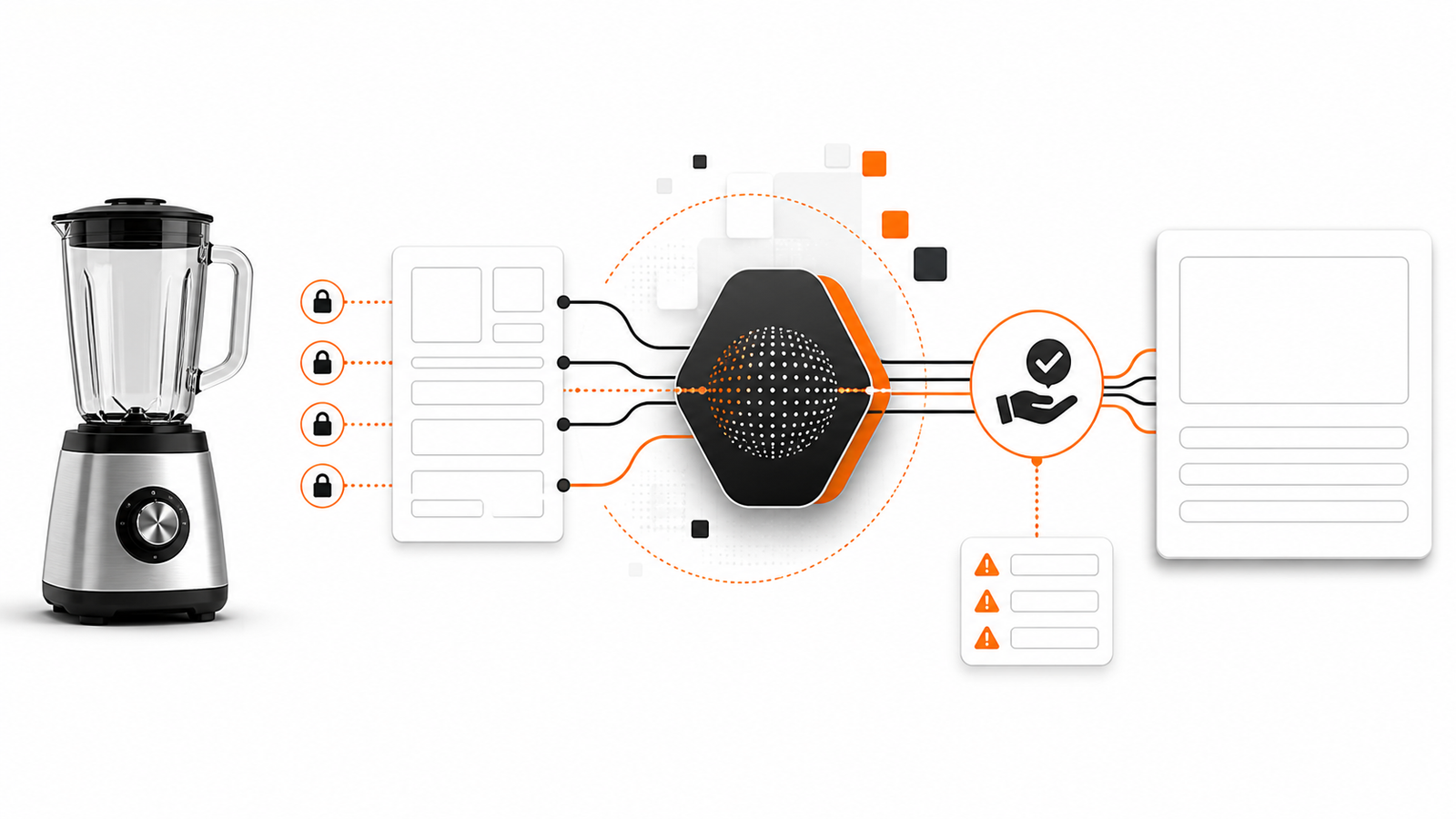
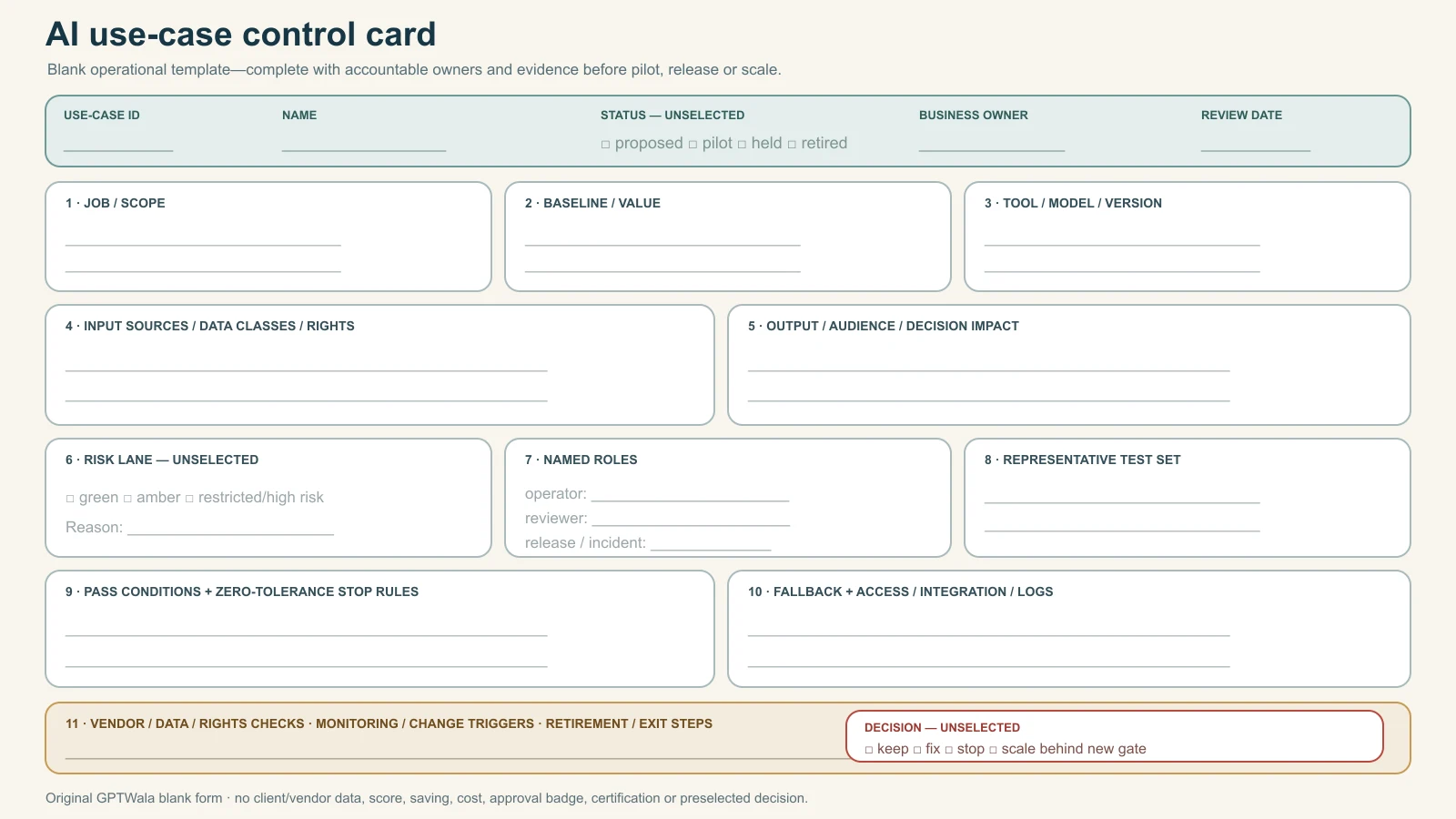
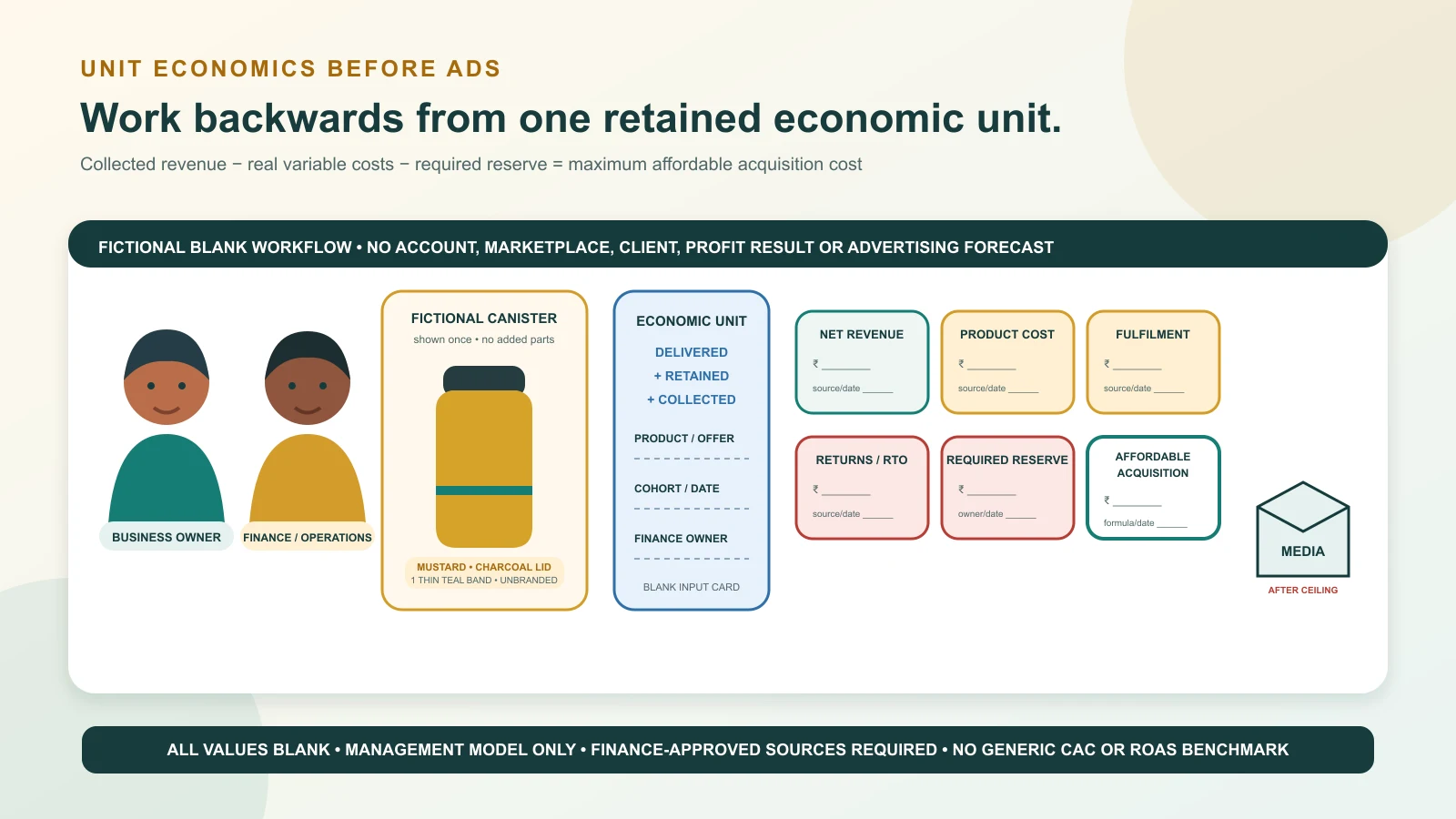
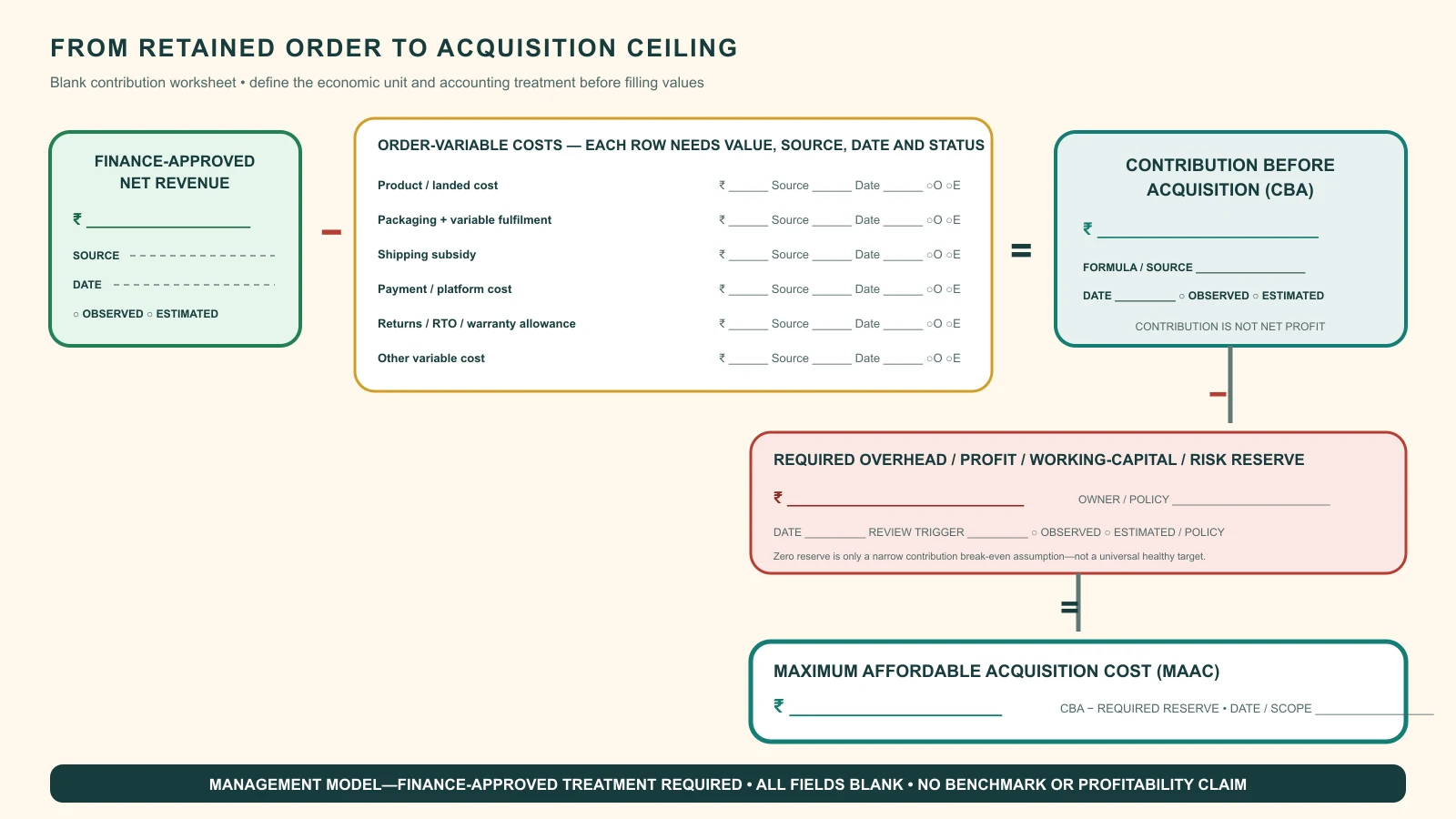
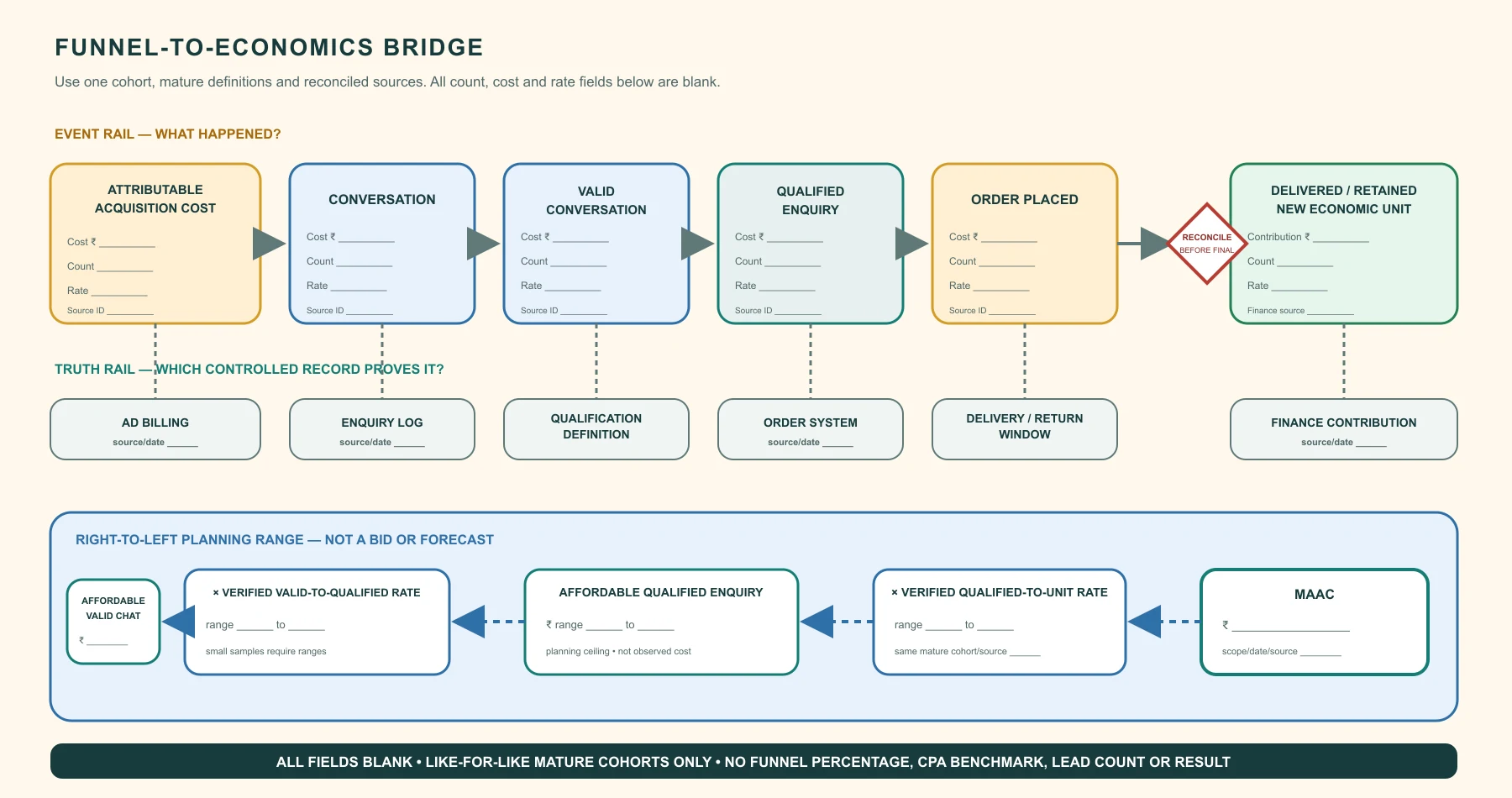
GPTWala Business Hub visual guide for SEO for product pages India.
Reviewed and updated: 12 August 2026
Product-page SEO starts with a page that deserves to exist for a real product or product group and helps a buyer decide. Use a unique clear title and heading, complete visible product information, crawlable links, strong images near relevant text, stable URLs, deliberate variant handling, accurate Product or ProductGroup structured data where eligible, and consistency among the page, feed, price and availability. SEO cannot repair an incomplete or misleading offer.
This root guide owns product-page search discovery and technical/content alignment. This guide gives you an operating method, not a promise of rankings, enquiries, sales or profit. Platform policies, fees, eligibility and laws can change, so verify the linked primary sources and your own commercial records before implementation.
The real question is not whether product-page SEO sounds useful. The question is whether it solves a defined buyer or operating problem for one product, audience and channel without breaking product truth, margin, consent or delivery capacity.
Use these diagnostic questions before spending money or assigning work:
Does this URL represent a distinct useful product decision?
Can search engines and users reach it through crawlable navigation?
Are title, visible facts, images, variants, schema and feed consistent?
How will out-of-stock, replaced and discontinued products be handled?
Write the answers in one decision note. If a critical answer is unknown, make discovery the next task. Do not let an attractive tool, template or competitor example silently become the strategy.
Build the source-of-truth sheet first
Every execution step should pull facts from an approved record. A source-of-truth sheet prevents a copywriter, agency, AI tool or busy salesperson from filling a gap with a plausible but wrong product promise.
Truth item
Authoritative source
Owner
Stop condition
Product and offer facts
Approved SKU, catalogue and offer master
Product or merchandising owner
A buying-critical field is missing or inconsistent
Buyer need and language
Recorded enquiries, interviews and sales notes
Sales or customer owner
The audience is assumed rather than evidenced
Price, margin and fulfilment
Current finance, stock and delivery records
Finance or operations owner
The promise cannot be fulfilled profitably or reliably
Channel and permission rules
Current platform policy and consent record
Channel owner
Permission, eligibility or policy is unclear
Add a version date to the sheet. When price, stock, specification, channel rule, audience permission or fulfilment promise changes, pause affected assets until their owner approves the update.
A practical implementation workflow
Step 1: Choose canonical page scope
Decide product, product group, variant URL or category role. Avoid creating thin URLs for every filter.
Evidence before moving on: Documented canonical and variant policy.
Evidence before moving on: Page passes buyer and product review.
Step 3: Build crawlable architecture
Link categories, products, guides and related decisions with descriptive anchors; maintain sitemap and status codes.
Evidence before moving on: No priority orphan pages.
Step 4: Align structured data and feeds
Use current eligible properties that match visible price, availability, variants and identifiers.
Evidence before moving on: Validation plus page/feed reconciliation.
Step 5: Monitor query and defect data
Use Search Console, Merchant Center and business outcomes to fix coverage, mismatch and buyer gaps.
Evidence before moving on: Versioned changes and mature outcome checks.
Do not combine all steps into one launch. A small controlled version creates evidence that can be reviewed. A large rollout creates more places for the same unnoticed error to spread.
Use the decision table
Situation
Recommended action
Avoid
Variants differ only by selectable attributes
Use a group strategy and unique IDs
Publishing duplicate pages without value
Product is temporarily out of stock
Keep useful page and show accurate status/alternatives where appropriate
Soft-404 or false availability
Product is permanently replaced
Use a relevant redirect or archive decision
Redirecting every old product to home
Feed and page disagree
Fix the source and pause affected promotion
Trying to hide mismatch with schema
Treat this table as a starting policy. Your product risk, average order value, buying cycle, staff coverage, cash cycle and after-sales burden may require stricter gates.
Apply it to Indian product businesses
Apparel
Size and colour variants share core content. Use a stable group, accurate variant values and unique IDs while keeping fit/measurement content visible.
Proof to keep: Variant validation and return reasons.
Industrial products
Specifications drive long-tail discovery. Use structured tables, downloadable proof where appropriate and RFQ action; avoid hidden keyword blocks.
Proof to keep: Qualified search enquiries and specification defects.
Local retailer
Store availability matters. Use accurate local/store data and a confirmation route for exact stock.
Proof to keep: Local actions and stock mismatch.
These examples are intentionally operational rather than aspirational. Replace every placeholder with current records from the actual business. Do not present a fictional example as a client result or an industry benchmark.
Use AI without losing business truth
AI can help organise approved facts, draft alternatives, summarise interviews, classify enquiries, produce controlled content variants and flag missing fields. It must not invent specifications, materials, prices, discounts, stock, delivery dates, certifications, customer consent, testimonials or commercial results.
Use a four-part control:
Bound the input: provide only permitted, current source material.
Constrain the output: state what may change and what must remain exact.
Review by role: the product or commercial owner checks buying-critical facts.
Record release evidence: keep the source version, prompt or brief, reviewer, corrections and approval date.
For customer data, use approved accounts and collect only what the workflow genuinely needs. Do not paste private buyer lists, confidential price sheets or unreleased product files into an unapproved tool. India’s data-protection requirements and implementation timelines should be checked against current official MeitY material and qualified advice for the business.
Avoid the common failure patterns
Keyword stuffing: Write clear unique titles and useful content.
Thin variant pages: Group or differentiate based on actual buyer value.
Schema-only SEO: Make structured data match visible content.
Deleting out-of-stock pages blindly: Use a product lifecycle policy.
The most expensive failure is usually not weak wording. It is a mismatch between the public promise and the business that must fulfil it.
Measure progress with operating evidence
Do not use reach, clicks or message volume as proof of business value by themselves. Connect upstream activity to a verified downstream event.
Measure
Definition
Decision it supports
Indexed useful pages
Priority product URLs eligible and appearing as intended
Whether architecture works
Relevant query coverage
Queries matching the product and buyer intent
Which information gaps exist
Page/feed mismatch
Price, availability, ID or variant inconsistencies
Whether commerce data is trustworthy
Organic retained contribution
Mature contribution from defined organic cohorts
Whether search discovery supports business value
Record the denominator, time window, product or offer, channel, source and owner for every rate. Keep observed results separate from forecasts. A short test can show a problem, but it may not support a broad conclusion.
A 30-day implementation plan
Days 1 to 5: define
Choose one product, audience, channel and business outcome. Complete the source-of-truth sheet, baseline and stop rules. Name the owner who can approve or stop the work.
Days 6 to 12: build
Create the smallest usable version. Test links, mobile reading, forms or message routing, exact product facts, price basis, permissions and team handoffs. Use internal testers before real buyers.
Days 13 to 20: run a bounded pilot
Release to a limited, relevant audience or product set. Log every material exception. Do not expand merely because the asset looks polished or early engagement is positive.
Days 21 to 26: reconcile
Connect platform events to enquiry, order, delivery, return and finance records as relevant. Review complaints, mismatches, duplicate handling, response delays and workload.
Days 27 to 30: decide
Choose one outcome: keep, fix, stop or expand one variable. Record why, what changes next and when the next review occurs. Expansion should preserve the same truth, consent and approval controls.
Connect this work to the GPTWala DAA framework
Search-focused product pages strengthen the DAA digital-presence layer before paid campaigns add demand. If your product business still depends mainly on walk-ins, dealer calls, exhibitions or forwarded catalogues, GPTWala’s free DAA workshop explains how digital presence, AI-assisted content and controlled WhatsApp-led demand generation can work as one system. The workshop is educational and does not guarantee traffic, leads, orders, sales, earnings or profit.
Frequently asked questions
How long should a product page be for SEO?
There is no ideal word count. Use enough original, accurate content to help the buyer choose and to distinguish the product or group. Avoid filler and duplicated manufacturer descriptions.
Should every colour and size have a separate URL?
Not automatically. Choose a variant architecture based on buyer usefulness, crawlability and current structured-data guidance. Each variant needs a unique identifier even when variants share a canonical group page.
Does Product schema improve rankings?
Structured data can help Google understand product information and may make a page eligible for relevant search features, but it does not guarantee rankings or rich results. It must match visible, current content.
Can a small Indian product business start product-page SEO without a large budget?
Yes, if it starts with one product, one audience, one owner and one measurable buyer action. A small budget does not remove the need for accurate product facts, realistic fulfilment, permission and a stop rule. Expand only after the first bounded version produces trustworthy operating evidence.
Can AI automate product-page SEO?
AI can assist with research organisation, drafting, classification and controlled variants. It should not invent product specifications, prices, stock, delivery promises, customer permission, testimonials or results. A named human owner must verify buying-critical facts and approve release.
How long should I test product-page SEO before deciding?
Use a test window long enough for the relevant outcome to mature. A product-page test may need enough qualified visits; a B2B workflow may need the full enquiry-to-decision cycle; retention work may need a repeat-purchase window. Define the event, denominator and review date before launch instead of choosing a universal number of days.
GPTWala Business Hub visual guide for write product descriptions with AI accurately.
Reviewed and updated: 12 August 2026
Use AI for product descriptions only after creating an approved source pack. Separate locked facts from permitted interpretation, define the buyer and channel, require the model to mark missing information instead of guessing, then run product, commercial and claim review before release. Keep the source version and corrections so the process learns without silently rewriting product truth.
This root guide owns the AI-assisted description workflow and prompt contract. This guide gives you an operating method, not a promise of rankings, enquiries, sales or profit. Platform policies, fees, eligibility and laws can change, so verify the linked primary sources and your own commercial records before implementation.
The real question is not whether AI product-description writing sounds useful. The question is whether it solves a defined buyer or operating problem for one product, audience and channel without breaking product truth, margin, consent or delivery capacity.
Use these diagnostic questions before spending money or assigning work:
Which fields must remain exact character-for-character?
Which benefits are supported by approved facts or evidence?
What channel limits and buyer questions apply?
Who reviews product, commercial and regulated claims?
Write the answers in one decision note. If a critical answer is unknown, make discovery the next task. Do not let an attractive tool, template or competitor example silently become the strategy.
Build the source-of-truth sheet first
Every execution step should pull facts from an approved record. A source-of-truth sheet prevents a copywriter, agency, AI tool or busy salesperson from filling a gap with a plausible but wrong product promise.
Truth item
Authoritative source
Owner
Stop condition
Product and offer facts
Approved SKU, catalogue and offer master
Product or merchandising owner
A buying-critical field is missing or inconsistent
Buyer need and language
Recorded enquiries, interviews and sales notes
Sales or customer owner
The audience is assumed rather than evidenced
Price, margin and fulfilment
Current finance, stock and delivery records
Finance or operations owner
The promise cannot be fulfilled profitably or reliably
Channel and permission rules
Current platform policy and consent record
Channel owner
Permission, eligibility or policy is unclear
Add a version date to the sheet. When price, stock, specification, channel rule, audience permission or fulfilment promise changes, pause affected assets until their owner approves the update.
A practical implementation workflow
Step 1: Create the source pack
Include exact identity, variants, specifications, included parts, approved claims, price/terms, images and forbidden inferences.
Evidence before moving on: Versioned source owned by product and commercial teams.
Step 2: Write the prompt contract
State audience, page role, structure, locked facts, allowed changes, prohibited claims and missing-data behaviour.
Evidence before moving on: A test output exposes unknowns instead of guessing.
Step 3: Generate field by field
Draft title, short answer, bullets, specifications and FAQ separately when risk differs.
Evidence before moving on: Each section maps to source fields.
Step 4: Run three reviews
Check product truth, buyer clarity and commercial/claim compliance.
Evidence before moving on: Named reviewers and correction log.
Step 5: Publish and monitor
Preserve source/version, compare channel rendering and record questions, returns and corrections.
Evidence before moving on: Rollback path and refresh trigger.
Do not combine all steps into one launch. A small controlled version creates evidence that can be reviewed. A large rollout creates more places for the same unnoticed error to spread.
Use the decision table
Situation
Recommended action
Avoid
Source fact is missing
Leave a flagged placeholder
Letting AI infer from image or similar SKU
Benefit is plausible but unproven
Use the specification or remove it
Presenting it as fact
Channel requires structured AI disclosure
Follow the current specification
Hiding generated content
Many SKUs share a template
Reuse structure but require unique fields and review
Near-duplicate mass publishing
Treat this table as a starting policy. Your product risk, average order value, buying cycle, staff coverage, cash cycle and after-sales burden may require stricter gates.
Apply it to Indian product businesses
Apparel
The source pack locks fibre, measurements, care and included pieces. AI may improve order and clarity but cannot invent fit, opacity or occasion claims.
Proof to keep: Product audit and return reasons.
Industrial component
Drawing and technical record own dimensions and compatibility. AI drafts a readable summary with source references and a specialist approval gate.
Proof to keep: Specification mismatch and RFQ questions.
Homeware
Images show context but not dimensions or capacity. AI uses approved measurements and marks lifestyle language as non-proof.
Proof to keep: Page audit and complaint log.
These examples are intentionally operational rather than aspirational. Replace every placeholder with current records from the actual business. Do not present a fictional example as a client result or an industry benchmark.
Use AI without losing business truth
AI can help organise approved facts, draft alternatives, summarise interviews, classify enquiries, produce controlled content variants and flag missing fields. It must not invent specifications, materials, prices, discounts, stock, delivery dates, certifications, customer consent, testimonials or commercial results.
Use a four-part control:
Bound the input: provide only permitted, current source material.
Constrain the output: state what may change and what must remain exact.
Review by role: the product or commercial owner checks buying-critical facts.
Record release evidence: keep the source version, prompt or brief, reviewer, corrections and approval date.
For customer data, use approved accounts and collect only what the workflow genuinely needs. Do not paste private buyer lists, confidential price sheets or unreleased product files into an unapproved tool. India’s data-protection requirements and implementation timelines should be checked against current official MeitY material and qualified advice for the business.
Avoid the common failure patterns
Prompt-only workflow: Build a source pack and approval system.
Inferring from images: Treat images as bounded evidence, not unseen specification.
One reviewer for everything: Assign product, commercial and specialist roles.
Bulk publishing: Sample, audit and expand only after defects are controlled.
The most expensive failure is usually not weak wording. It is a mismatch between the public promise and the business that must fulfil it.
Measure progress with operating evidence
Do not use reach, clicks or message volume as proof of business value by themselves. Connect upstream activity to a verified downstream event.
Measure
Definition
Decision it supports
Critical fact defect
Released descriptions with buying-critical error
Whether production must stop
Source coverage
Required claims/fields with approved evidence
Whether draft can proceed
Correction recurrence
Repeated error types across batches
Which prompt or source rule needs change
Buyer-question resolution
Avoidable questions reduced without higher mismatch
Whether copy adds useful clarity
Record the denominator, time window, product or offer, channel, source and owner for every rate. Keep observed results separate from forecasts. A short test can show a problem, but it may not support a broad conclusion.
A 30-day implementation plan
Days 1 to 5: define
Choose one product, audience, channel and business outcome. Complete the source-of-truth sheet, baseline and stop rules. Name the owner who can approve or stop the work.
Days 6 to 12: build
Create the smallest usable version. Test links, mobile reading, forms or message routing, exact product facts, price basis, permissions and team handoffs. Use internal testers before real buyers.
Days 13 to 20: run a bounded pilot
Release to a limited, relevant audience or product set. Log every material exception. Do not expand merely because the asset looks polished or early engagement is positive.
Days 21 to 26: reconcile
Connect platform events to enquiry, order, delivery, return and finance records as relevant. Review complaints, mismatches, duplicate handling, response delays and workload.
Days 27 to 30: decide
Choose one outcome: keep, fix, stop or expand one variable. Record why, what changes next and when the next review occurs. Expansion should preserve the same truth, consent and approval controls.
Connect this work to the GPTWala DAA framework
DAA content becomes scalable only when AI can accelerate wording without changing the product promise. If your product business still depends mainly on walk-ins, dealer calls, exhibitions or forwarded catalogues, GPTWala’s free DAA workshop explains how digital presence, AI-assisted content and controlled WhatsApp-led demand generation can work as one system. The workshop is educational and does not guarantee traffic, leads, orders, sales, earnings or profit.
Frequently asked questions
What information should I give AI for a product description?
Provide the approved product identity, SKU/variant, specifications, included parts, use context, supported claims, prohibited inferences, price/term source, target buyer, channel format and missing-data rule.
Can AI read a product photo and write accurate specifications?
It can describe visible appearance with uncertainty, but it cannot reliably determine unseen material, dimensions, capacity, construction, certification or included parts. Use authoritative product records for buying-critical facts.
Does Google require disclosure for AI-generated product data?
Google Merchant Center has current specifications for structured titles/descriptions and AI-generated media. Requirements can change, so verify the current official product data specification for the exact feed and channel before submission.
Can a small Indian product business start AI product-description writing without a large budget?
Yes, if it starts with one product, one audience, one owner and one measurable buyer action. A small budget does not remove the need for accurate product facts, realistic fulfilment, permission and a stop rule. Expand only after the first bounded version produces trustworthy operating evidence.
Can AI automate AI product-description writing?
AI can assist with research organisation, drafting, classification and controlled variants. It should not invent product specifications, prices, stock, delivery promises, customer permission, testimonials or results. A named human owner must verify buying-critical facts and approve release.
How long should I test AI product-description writing before deciding?
Use a test window long enough for the relevant outcome to mature. A product-page test may need enough qualified visits; a B2B workflow may need the full enquiry-to-decision cycle; retention work may need a repeat-purchase window. Define the event, denominator and review date before launch instead of choosing a universal number of days.
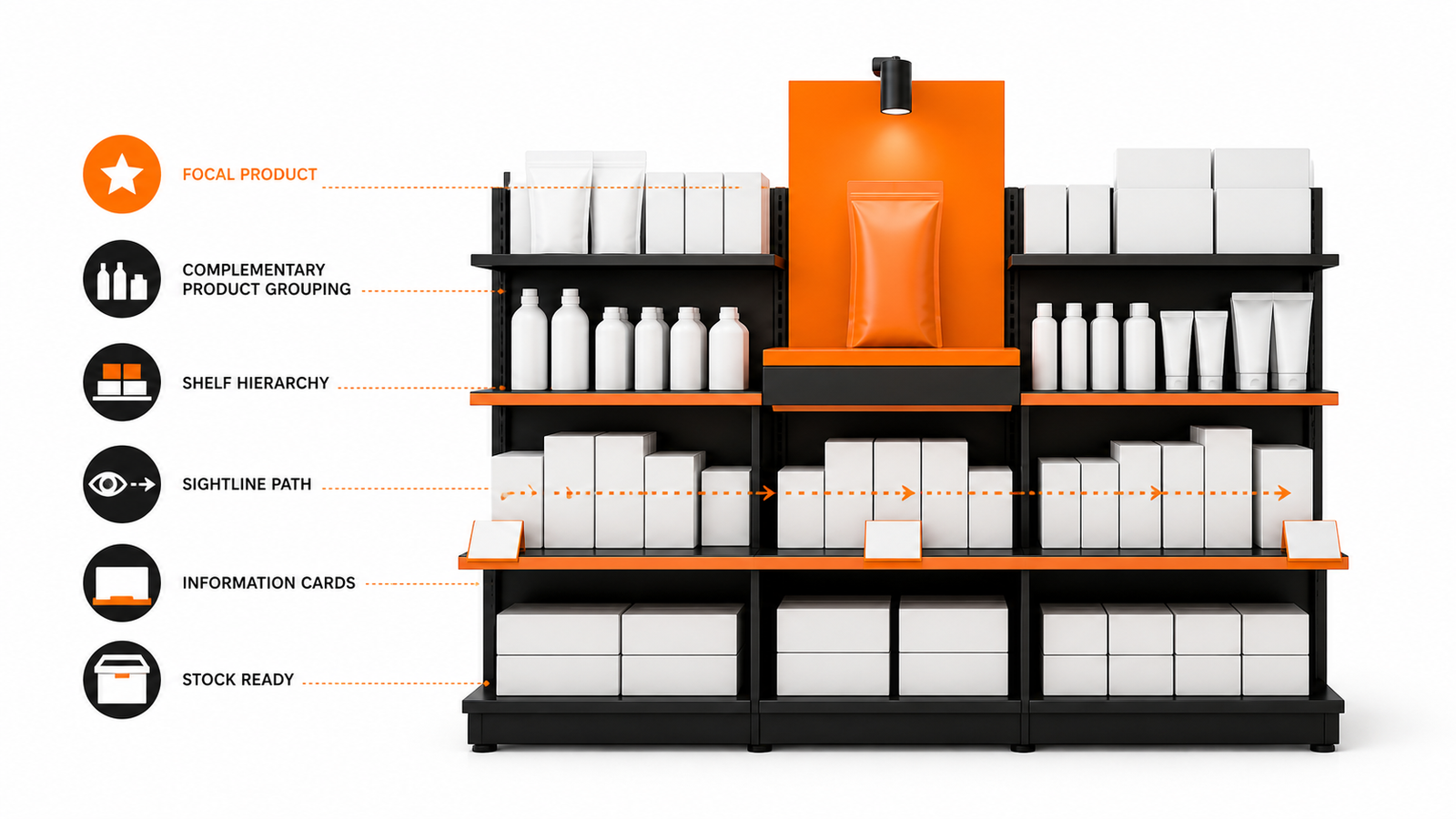
GPTWala Business Hub visual guide for visual merchandising small retail store.
Reviewed and updated: 12 August 2026
Visual merchandising should help a shopper understand where to go, what a product group is, how options differ and what to do next. Build displays around real shopper missions and stock, keep price and product information accurate, preserve safe access and product care, brief staff on the display promise, and review sell-through, questions and replenishment rather than decorating by intuition alone.
This guide owns the operating display system, not architectural or safety certification. This guide gives you an operating method, not a promise of rankings, enquiries, sales or profit. Platform policies, fees, eligibility and laws can change, so verify the linked primary sources and your own commercial records before implementation.
The real question is not whether visual merchandising sounds useful. The question is whether it solves a defined buyer or operating problem for one product, audience and channel without breaking product truth, margin, consent or delivery capacity.
Use these diagnostic questions before spending money or assigning work:
Which shopper mission and product group does the display serve?
What must be understood from a distance, at the fixture and at handling distance?
Can stock and staff maintain the promise?
Which observed shopper or sales outcome will trigger a change?
Write the answers in one decision note. If a critical answer is unknown, make discovery the next task. Do not let an attractive tool, template or competitor example silently become the strategy.
Build the source-of-truth sheet first
Every execution step should pull facts from an approved record. A source-of-truth sheet prevents a copywriter, agency, AI tool or busy salesperson from filling a gap with a plausible but wrong product promise.
Truth item
Authoritative source
Owner
Stop condition
Product and offer facts
Approved SKU, catalogue and offer master
Product or merchandising owner
A buying-critical field is missing or inconsistent
Buyer need and language
Recorded enquiries, interviews and sales notes
Sales or customer owner
The audience is assumed rather than evidenced
Price, margin and fulfilment
Current finance, stock and delivery records
Finance or operations owner
The promise cannot be fulfilled profitably or reliably
Channel and permission rules
Current platform policy and consent record
Channel owner
Permission, eligibility or policy is unclear
Add a version date to the sheet. When price, stock, specification, channel rule, audience permission or fulfilment promise changes, pause affected assets until their owner approves the update.
A practical implementation workflow
Step 1: Define the shopper mission
Choose occasion, need, category or task rather than mixing unrelated slow stock.
Evidence before moving on: One display brief with audience and action.
Step 2: Create visual hierarchy
Set focal point, category, hero, options, price/term and supporting proof in reading order.
Evidence before moving on: Five-second and close-range comprehension test.
Step 3: Protect product and information truth
Use exact products, current price, real availability and honest demonstrations.
Evidence before moving on: Display audit against source records.
Evidence before moving on: Daily checklist and named owner.
Step 5: Measure and refresh
Use comparable periods and record traffic, interaction, questions, sales, stock-outs and margin.
Evidence before moving on: Decision log for keep, fix, move or remove.
Do not combine all steps into one launch. A small controlled version creates evidence that can be reviewed. A large rollout creates more places for the same unnoticed error to spread.
Use the decision table
Situation
Recommended action
Avoid
High-margin product lacks relevance
Do not force it into an unrelated mission
Margin-only displays
Hero item is out of stock
Replace with an approved equivalent or pause
Using bait-and-switch substitutes
Display attracts questions but no fit
Add decision information or change audience
Adding more decoration
Digital campaign promises store availability
Verify store-level stock and terms
Sending visitors to a generic display
Treat this table as a starting policy. Your product risk, average order value, buying cycle, staff coverage, cash cycle and after-sales burden may require stricter gates.
Apply it to Indian product businesses
Apparel store
A workwear display groups complete decisions, not colours alone. It includes size access, price basis and staff route for alterations.
Proof to keep: Interaction, fitting, sale and exchange reasons.
Homeware retailer
A small-kitchen mission groups compatible products. Labels distinguish included items and dimensions; displays do not imply a bundle unless sold.
Proof to keep: Basket, question and mismatch records.
Jewellery store
A festive display uses approved product and price information. Staff briefing preserves material, stone and service truth.
Proof to keep: Enquiries, appointments and claim exceptions.
These examples are intentionally operational rather than aspirational. Replace every placeholder with current records from the actual business. Do not present a fictional example as a client result or an industry benchmark.
Use AI without losing business truth
AI can help organise approved facts, draft alternatives, summarise interviews, classify enquiries, produce controlled content variants and flag missing fields. It must not invent specifications, materials, prices, discounts, stock, delivery dates, certifications, customer consent, testimonials or commercial results.
Use a four-part control:
Bound the input: provide only permitted, current source material.
Constrain the output: state what may change and what must remain exact.
Review by role: the product or commercial owner checks buying-critical facts.
Record release evidence: keep the source version, prompt or brief, reviewer, corrections and approval date.
For customer data, use approved accounts and collect only what the workflow genuinely needs. Do not paste private buyer lists, confidential price sheets or unreleased product files into an unapproved tool. India’s data-protection requirements and implementation timelines should be checked against current official MeitY material and qualified advice for the business.
Avoid the common failure patterns
Decorating without a mission: Start from a shopper decision.
Inaccurate price signs: Connect display updates to the approved price source.
Empty hero fixtures: Plan replenishment and alternatives.
Measuring sales only: Include margin, stock-outs, questions and returns.
The most expensive failure is usually not weak wording. It is a mismatch between the public promise and the business that must fulfil it.
Measure progress with operating evidence
Do not use reach, clicks or message volume as proof of business value by themselves. Connect upstream activity to a verified downstream event.
Measure
Definition
Decision it supports
Display comprehension
Observed shoppers identifying category and action
Whether hierarchy works
Interaction-to-qualified-action
Relevant handling, fitting, enquiry or sale after display interaction
Whether the display supports decisions
Stock-out exposure
Time the display promise is unavailable
Whether operations can sustain it
Retained contribution
Mature contribution from display-associated products
Whether the display is commercially useful
Record the denominator, time window, product or offer, channel, source and owner for every rate. Keep observed results separate from forecasts. A short test can show a problem, but it may not support a broad conclusion.
A 30-day implementation plan
Days 1 to 5: define
Choose one product, audience, channel and business outcome. Complete the source-of-truth sheet, baseline and stop rules. Name the owner who can approve or stop the work.
Days 6 to 12: build
Create the smallest usable version. Test links, mobile reading, forms or message routing, exact product facts, price basis, permissions and team handoffs. Use internal testers before real buyers.
Days 13 to 20: run a bounded pilot
Release to a limited, relevant audience or product set. Log every material exception. Do not expand merely because the asset looks polished or early engagement is positive.
Days 21 to 26: reconcile
Connect platform events to enquiry, order, delivery, return and finance records as relevant. Review complaints, mismatches, duplicate handling, response delays and workload.
Days 27 to 30: decide
Choose one outcome: keep, fix, stop or expand one variable. Record why, what changes next and when the next review occurs. Expansion should preserve the same truth, consent and approval controls.
Connect this work to the GPTWala DAA framework
DAA can bring people to a store, but merchandising must complete the same clear and truthful product decision offline. If your product business still depends mainly on walk-ins, dealer calls, exhibitions or forwarded catalogues, GPTWala’s free DAA workshop explains how digital presence, AI-assisted content and controlled WhatsApp-led demand generation can work as one system. The workshop is educational and does not guarantee traffic, leads, orders, sales, earnings or profit.
Frequently asked questions
What is visual merchandising in a small store?
It is the planned use of layout, product grouping, hierarchy, information, lighting and staff handoff to make shopping decisions easier while protecting product and price truth.
How often should retail displays change?
Change when season, stock, shopper mission, product range or evidence changes. There is no universal calendar. A stable high-performing decision display may need maintenance more than reinvention.
Can AI design a store display?
AI can sketch concepts and checklists, but it does not know the exact space, stock, safety, product scale or shopper behaviour unless supplied and verified. Test the physical display and keep a human owner.
Can a small Indian product business start visual merchandising without a large budget?
Yes, if it starts with one product, one audience, one owner and one measurable buyer action. A small budget does not remove the need for accurate product facts, realistic fulfilment, permission and a stop rule. Expand only after the first bounded version produces trustworthy operating evidence.
Can AI automate visual merchandising?
AI can assist with research organisation, drafting, classification and controlled variants. It should not invent product specifications, prices, stock, delivery promises, customer permission, testimonials or results. A named human owner must verify buying-critical facts and approve release.
How long should I test visual merchandising before deciding?
Use a test window long enough for the relevant outcome to mature. A product-page test may need enough qualified visits; a B2B workflow may need the full enquiry-to-decision cycle; retention work may need a repeat-purchase window. Define the event, denominator and review date before launch instead of choosing a universal number of days.
GPTWala Business Hub visual guide for packaging design checklist ecommerce India.
Reviewed and updated: 12 August 2026
Ecommerce packaging must protect the exact product through the real delivery journey, present required and truthful information, help the customer identify and use the item, support returns and service, fit channel constraints, and remain affordable at packed weight and volume. Test physical samples with operations before approving artwork or AI-generated mockups.
This checklist owns cross-functional packaging decisions; regulated categories require current specialist review. This guide gives you an operating method, not a promise of rankings, enquiries, sales or profit. Platform policies, fees, eligibility and laws can change, so verify the linked primary sources and your own commercial records before implementation.
The real question is not whether ecommerce packaging sounds useful. The question is whether it solves a defined buyer or operating problem for one product, audience and channel without breaking product truth, margin, consent or delivery capacity.
Use these diagnostic questions before spending money or assigning work:
What hazards occur from packing through delivery and return?
Which product, legal, handling and customer information must be visible?
How do packed dimensions and weight change freight and damage risk?
Who approves structure, artwork, claims and production version?
Write the answers in one decision note. If a critical answer is unknown, make discovery the next task. Do not let an attractive tool, template or competitor example silently become the strategy.
Build the source-of-truth sheet first
Every execution step should pull facts from an approved record. A source-of-truth sheet prevents a copywriter, agency, AI tool or busy salesperson from filling a gap with a plausible but wrong product promise.
Truth item
Authoritative source
Owner
Stop condition
Product and offer facts
Approved SKU, catalogue and offer master
Product or merchandising owner
A buying-critical field is missing or inconsistent
Buyer need and language
Recorded enquiries, interviews and sales notes
Sales or customer owner
The audience is assumed rather than evidenced
Price, margin and fulfilment
Current finance, stock and delivery records
Finance or operations owner
The promise cannot be fulfilled profitably or reliably
Channel and permission rules
Current platform policy and consent record
Channel owner
Permission, eligibility or policy is unclear
Add a version date to the sheet. When price, stock, specification, channel rule, audience permission or fulfilment promise changes, pause affected assets until their owner approves the update.
A practical implementation workflow
Step 1: Map the delivery journey
Record product vulnerability, warehouse handling, stacking, climate, courier and return conditions.
Evidence before moving on: A risk list for the exact SKU and channel.
Step 2: Design structure before decoration
Choose product restraint, cushioning, closure, tamper evidence and outer protection using prototypes.
Evidence before moving on: Physical sample passes defined tests.
Step 3: Build the information hierarchy
Prioritise identity, variant, quantity, use/safety, traceability, support and required declarations.
Evidence before moving on: Artwork checklist with category review.
Step 4: Calculate packed economics
Measure packed weight/dimensions, material, labour, damage and return effects.
Evidence before moving on: Approved cost and freight basis.
Step 5: Control artwork and change
Version dielines, copy, barcodes, colour references, printers and obsolete stock.
Evidence before moving on: Signed master and change log.
Do not combine all steps into one launch. A small controlled version creates evidence that can be reviewed. A large rollout creates more places for the same unnoticed error to spread.
Use the decision table
Situation
Recommended action
Avoid
Product is fragile
Test structural protection and failure modes
Adding only more decorative material
Multiple variants look similar
Use controlled identifiers and visual hierarchy
Relying on tiny colour names
AI mockup looks realistic
Treat it as concept only until physical proof
Approving scale or claims from the render
Packaging cost threatens margin
Redesign structure and pack logic
Removing critical protection or information
Treat this table as a starting policy. Your product risk, average order value, buying cycle, staff coverage, cash cycle and after-sales burden may require stricter gates.
Apply it to Indian product businesses
Jewellery seller
Small parts and finish need protection and identity. Use secure restraint, exact SKU/variant labelling and care/service information without implying unverified material value.
Proof to keep: Damage, mismatch and return records.
Food product
Shelf life, batch and category rules matter. Use specialist-approved declarations and actual barrier/storage testing before marketing the pack.
Proof to keep: Compliance, batch and complaint records.
Homeware ecommerce
Volumetric shipping and breakage matter. Prototype packed dimensions and drop/handling conditions for representative products.
Proof to keep: Freight, damage and return cost.
These examples are intentionally operational rather than aspirational. Replace every placeholder with current records from the actual business. Do not present a fictional example as a client result or an industry benchmark.
Use AI without losing business truth
AI can help organise approved facts, draft alternatives, summarise interviews, classify enquiries, produce controlled content variants and flag missing fields. It must not invent specifications, materials, prices, discounts, stock, delivery dates, certifications, customer consent, testimonials or commercial results.
Use a four-part control:
Bound the input: provide only permitted, current source material.
Constrain the output: state what may change and what must remain exact.
Review by role: the product or commercial owner checks buying-critical facts.
Record release evidence: keep the source version, prompt or brief, reviewer, corrections and approval date.
For customer data, use approved accounts and collect only what the workflow genuinely needs. Do not paste private buyer lists, confidential price sheets or unreleased product files into an unapproved tool. India’s data-protection requirements and implementation timelines should be checked against current official MeitY material and qualified advice for the business.
Avoid the common failure patterns
Designing from a screen mockup: Test physical structure and readability.
Unapproved claims: Use a claim register and specialist review.
No version control: Lock artwork, dieline, barcode and obsolete stock.
Ignoring returns: Test reclosure, instructions and reverse journey where relevant.
The most expensive failure is usually not weak wording. It is a mismatch between the public promise and the business that must fulfil it.
Measure progress with operating evidence
Do not use reach, clicks or message volume as proof of business value by themselves. Connect upstream activity to a verified downstream event.
Measure
Definition
Decision it supports
Packaging defect rate
Orders with damage, leakage, mismatch or unreadable information
Whether structure/artwork fails
Packed cost and cube
Approved cost, weight and volume per unit
Whether economics work
Artwork error rate
Production items differing from approved master
Whether change control works
Return-attributable packaging cost
Mature return/damage cost tied to packaging
Which redesign has priority
Record the denominator, time window, product or offer, channel, source and owner for every rate. Keep observed results separate from forecasts. A short test can show a problem, but it may not support a broad conclusion.
A 30-day implementation plan
Days 1 to 5: define
Choose one product, audience, channel and business outcome. Complete the source-of-truth sheet, baseline and stop rules. Name the owner who can approve or stop the work.
Days 6 to 12: build
Create the smallest usable version. Test links, mobile reading, forms or message routing, exact product facts, price basis, permissions and team handoffs. Use internal testers before real buyers.
Days 13 to 20: run a bounded pilot
Release to a limited, relevant audience or product set. Log every material exception. Do not expand merely because the asset looks polished or early engagement is positive.
Days 21 to 26: reconcile
Connect platform events to enquiry, order, delivery, return and finance records as relevant. Review complaints, mismatches, duplicate handling, response delays and workload.
Days 27 to 30: decide
Choose one outcome: keep, fix, stop or expand one variable. Record why, what changes next and when the next review occurs. Expansion should preserve the same truth, consent and approval controls.
Connect this work to the GPTWala DAA framework
Good packaging protects the promise created by DAA content all the way through delivery and repeat purchase. If your product business still depends mainly on walk-ins, dealer calls, exhibitions or forwarded catalogues, GPTWala’s free DAA workshop explains how digital presence, AI-assisted content and controlled WhatsApp-led demand generation can work as one system. The workshop is educational and does not guarantee traffic, leads, orders, sales, earnings or profit.
Frequently asked questions
What should ecommerce packaging include?
It should protect the product, identify the exact SKU or variant, carry required and truthful information, provide handling/use/support details as relevant, fit shipping and returns, and use a controlled production version.
Can AI generate packaging designs?
AI can support concepts and layout exploration, but it may invent text, symbols, barcodes, product scale and claims. Rebuild final artwork in a controlled system and obtain product, legal/category, brand and production approval.
How do I know if packaging is cost-effective?
Measure total packed economics: materials, labour, weight/volume freight effect, damage, returns, customer support and disposal or recovery requirements. Cheap material can create a higher total cost if failure rises.
Can a small Indian product business start ecommerce packaging without a large budget?
Yes, if it starts with one product, one audience, one owner and one measurable buyer action. A small budget does not remove the need for accurate product facts, realistic fulfilment, permission and a stop rule. Expand only after the first bounded version produces trustworthy operating evidence.
Can AI automate ecommerce packaging?
AI can assist with research organisation, drafting, classification and controlled variants. It should not invent product specifications, prices, stock, delivery promises, customer permission, testimonials or results. A named human owner must verify buying-critical facts and approve release.
How long should I test ecommerce packaging before deciding?
Use a test window long enough for the relevant outcome to mature. A product-page test may need enough qualified visits; a B2B workflow may need the full enquiry-to-decision cycle; retention work may need a repeat-purchase window. Define the event, denominator and review date before launch instead of choosing a universal number of days.
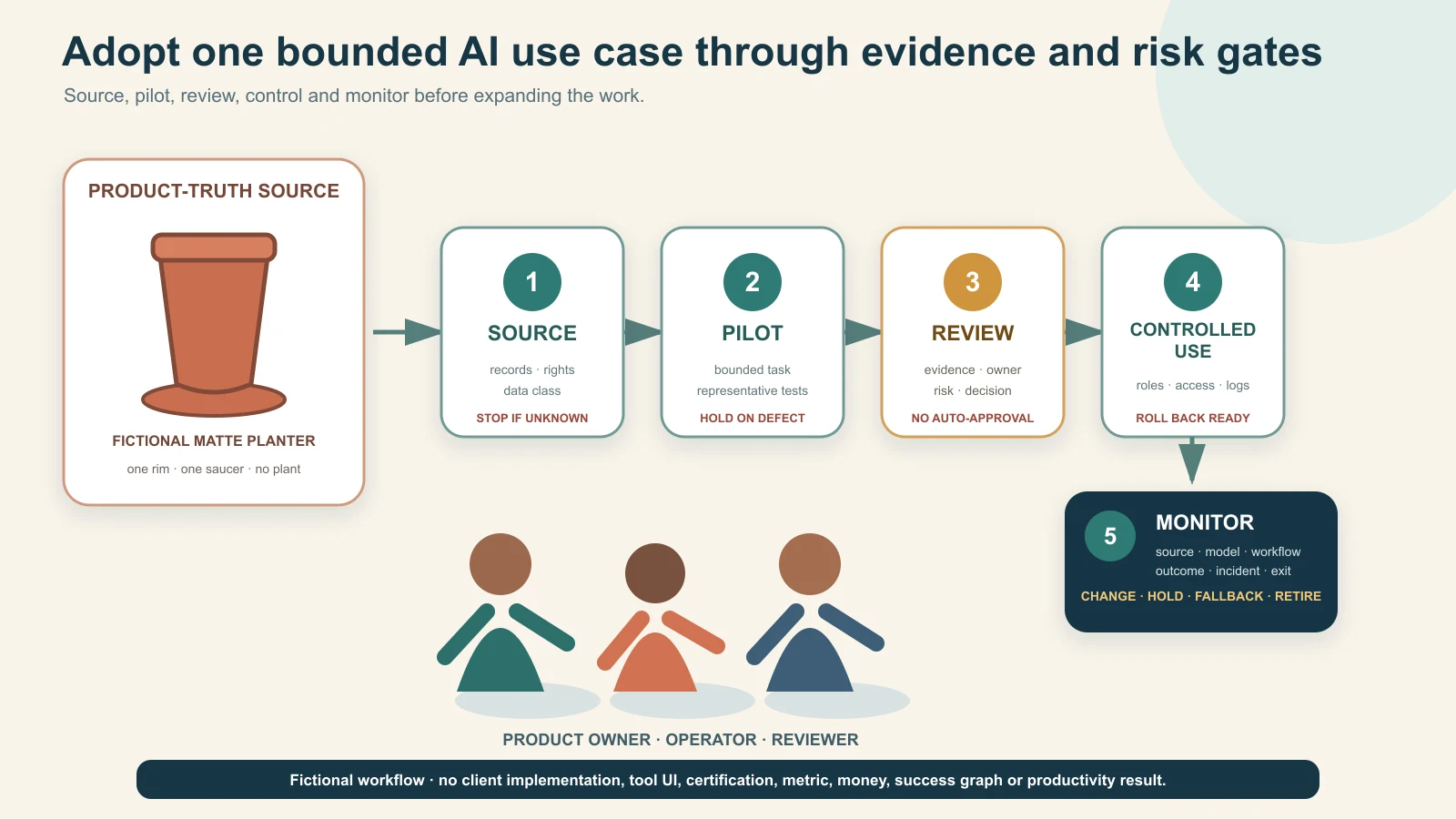
Original GPTWala editorial illustration using fictional people, one unbranded terracotta planter and native workflow cards. It shows no client implementation, software interface, external approval, certification, metric or productivity result.
Reviewed and updated: 12 August 2026
To adopt AI responsibly, map the work before selecting tools, classify use cases by decision and data risk, choose one bounded task with a trustworthy source and human reviewer, measure it against the current process, and release it only through a written approval gate. Turn a successful pilot into a controlled workflow with named owners, access, records, monitoring, incident response and an exit plan. Scale only after the same controls work across a wider product range, team or channel.
Do not begin with “give everyone an AI account” or “automate the whole business.” A polished demo can hide wrong products, leaked data, invented claims, unsafe decisions, unclear rights, unpredictable costs and dependency on a tool the team cannot audit or leave. The useful unit is an approved AI-assisted use case: one defined job, permitted inputs, bounded outputs, responsible owners, pass/fail evidence and a decision to keep, fix, stop or scale.
AI adoption is not a tool purchase or a training session. It changes how work is sourced, produced, reviewed, approved, released, measured and corrected. The business remains responsible for the product, customer promise, transaction, employee action and regulatory obligation even when a model assists.
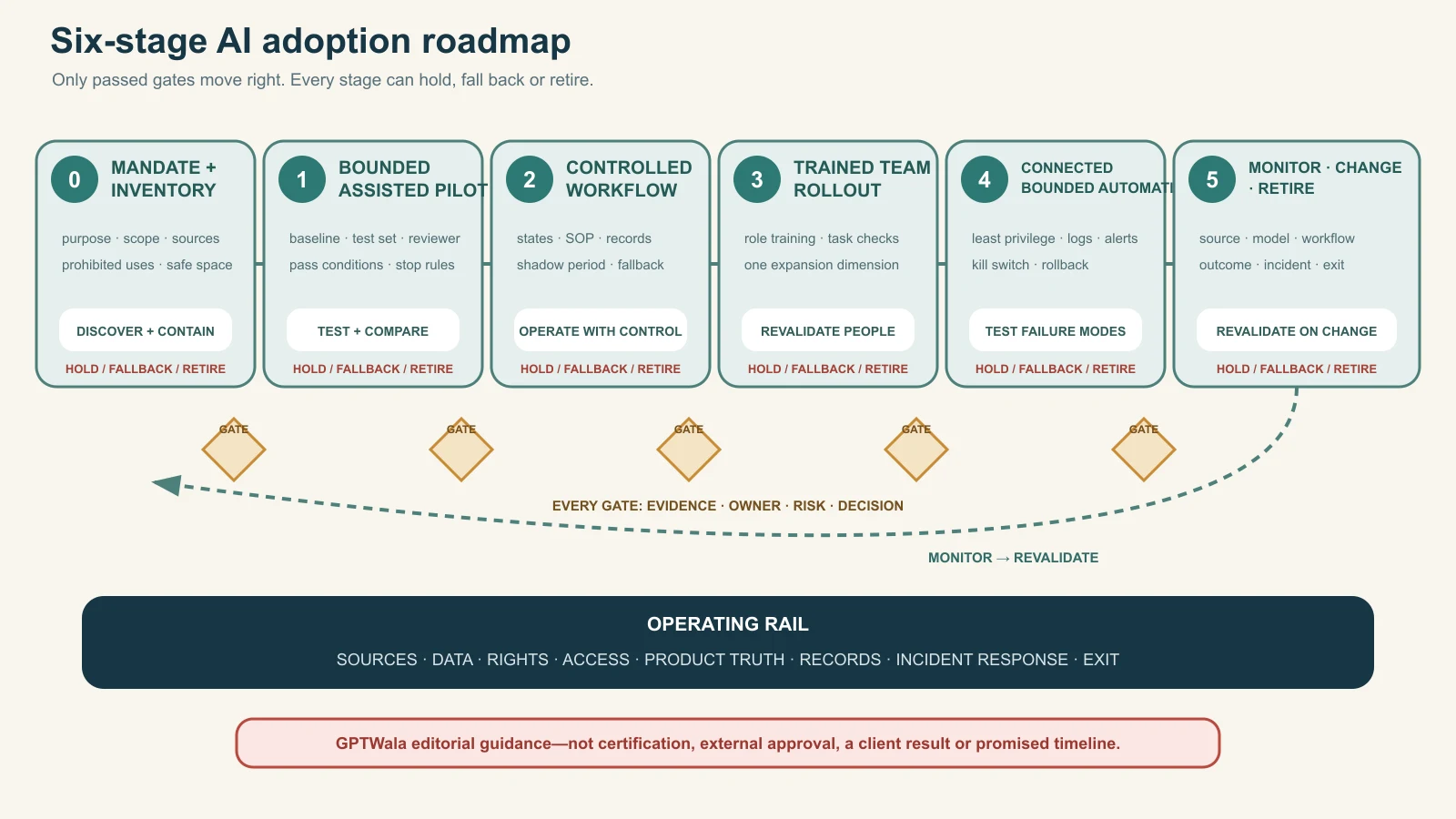
The US National Institute of Standards and Technology’s AI Risk Management Framework organises voluntary risk work around Govern, Map, Measure and Manage across the AI lifecycle. This article is not a NIST implementation or certification. It adapts the lifecycle idea into a practical product-business sequence: mandate → map → pilot → control → scale → monitor/retire.
The OECD AI Principles are another high-level reference, including robustness, safety and accountability. They do not approve a particular tool, workflow or business decision.
Separate four adoption questions
Question
What the business must decide
Weak shortcut
Why
Which business job or risk is worth changing?
“Competitors use AI”
What
Which exact task, input and output are in scope?
“Use AI for marketing/operations”
Who
Who owns source truth, operation, review, release and incident response?
“The AI team”
How controlled
What permissions, gates, records, measures and stop rules apply?
“A human will check it”
If these questions do not have named answers, the organisation has experimentation—not adoption.
Do not confuse capability with readiness
A model may generate an image, classify a file, draft a reply or summarise a specification. That does not prove the task is suitable for release. Readiness also requires:
permitted and current inputs;
enough source evidence;
defined output use and affected people;
product/domain review;
data, rights, security and policy review;
versioned instructions and records;
measurable pass/fail conditions;
a fallback when the tool fails; and
authority to stop or correct downstream use.
Set the non-negotiable sources of truth
AI should sit beside authoritative records, not replace them. Before selecting a use case, name what proves the product, offer, customer, employee, stock, order, payment and business rule.
Use a source-of-truth map
Domain
Authoritative source
AI may assist with
AI must not decide or invent
Product identity
Approved product/SKU master and physical item
Classification, formatting, descriptions from supplied facts
SKU, variant, included parts or unseen feature
Specifications/claims
Current technical, test, compliance and claim records
Find/summarise cited fields for review
Material, performance, safety, certification or compatibility
Images/video
Approved exact-product captures and rights records
Background/context, layout, captions, variants within controls
Product shape, colour, pattern, text, parts, scale or proof
Price/terms
Authorised commercial system/version
Draft a quote explanation from current values
Price, discount, credit, tax, freight or expiry
Stock/capacity
Inventory, production and allocation records
Flag/reformat a current snapshot
Availability, capacity or delivery commitment
Customer/enquiry
Approved CRM/order/support record
Draft summary or next-question checklist
Intent, identity, consent, payment or order status
Payment/accounting
Authorised bank/gateway/accounting record
Reconciliation assistance under approved controls
Settlement, refund, credit or dispatch approval
People/roles
HR/access/permission records
Training support or authorised scheduling
Likeness/voice use, employment decision or sensitive inference
The source can be imperfect. Adoption should expose missing ownership and version control rather than letting AI fill gaps with plausible text.
Create a claim register
For every public or buyer-facing claim, record:
exact claim text or allowed meaning;
product/SKU/facility/process scope;
supporting document or authorised source;
owner and reviewer;
channels/use contexts;
approval/expiry or event-triggered review; and
words/visual implications that are not allowed.
AI can retrieve approved claims from this register. It should not draft stronger claims from a certificate name, test summary, customer conversation or competitor page.
Inventory work, tools and data before adding more
Most businesses already have unofficial AI use: personal accounts, browser extensions, phone apps, agency tools, automated features inside existing software and employee experiments. A new roadmap should first make that use visible without punishing good-faith disclosure.
Build the AI use-case inventory
Field
What to record
Use-case ID and name
One exact job, not a department slogan
Business owner
Accountable person who can approve/stop
Operator and reviewer
Who creates and who independently checks
Tool/model/feature
Provider, product/plan and version or date observed
Input data
Source, classification, rights and permitted fields
Output
Asset, draft, decision support, customer reply or system action
Audience/impact
Internal only, public, customer, employee, supplier or automated downstream use
Source of truth
Record used to verify output
Risk tier
Low, controlled or restricted/high risk under the business rule
Access/integration
Named users, permissions, API/connector and destination
Vendor controls
Retention, model improvement, region, security and admin settings checked
personal: customer, employee, creator or contact information; and
regulated/high-impact: information or decisions whose misuse can create legal, safety, financial or rights harm.
The classification does not itself create legal permission. It tells the operator when a tool/account/configuration is not authorised for an input.
Discover shadow use safely
Ask teams:
which tools/features they use;
what they upload;
what outputs reach customers or systems;
which logins/payment owners exist;
what work would stop if the tool disappeared; and
what errors they have already seen.
Do not respond to disclosure only with a blanket ban. Quarantine high-risk use immediately, then give teams a safe route for suitable work. Otherwise shadow use becomes harder to see.
Choose the first AI use case
The best first task is useful, bounded, reversible and easy to review—not necessarily the most impressive.
Pass the first-use-case gate
Start when:
the current workflow and problem are documented;
inputs have known sources and permissions;
output scope is narrow;
a knowledgeable human can detect material errors;
harm is limited and a fallback exists;
a representative test set can be created;
the baseline cost/time/quality can be measured; and
the team can stop before public or operational release.
Avoid an AI-first pilot when:
the business expects the model to discover missing truth;
the task makes safety, eligibility, employment, credit, payment, pricing or legal decisions;
sensitive/confidential data cannot be protected;
no qualified reviewer exists;
errors are hard to detect before harm;
the vendor/integration cannot be controlled or exited; or
success is defined only as “people used it.”
Use value, feasibility and risk as gates
Dimension
Evidence question
Decision
Value
What avoidable effort, delay, inconsistency or buyer problem exists?
No defined problem → do not pilot
Feasibility
Are sources, permissions, tool capability, reviewer and fallback available?
Critical missing input → hold
Risk
Can material error, data/rights harm and downstream impact be prevented/detected?
Uncontrolled high impact → prohibit or specialist route
Measurability
Is there a baseline and pass/fail test?
No comparison → documentation-only exploration
Ownership
Can one person approve, stop and fund the use case?
No accountable owner → do not launch
Do not average a critical red risk into a high overall score. A useful task with no permitted data remains a no-go.
Classify use cases by risk
Risk depends on the task, data, audience, autonomy, reversibility and impact—not the brand name of the tool.
Green lane: internal, bounded and reversible
Examples:
reformatting approved product records;
grouping supplied SKUs for human review;
drafting meeting notes from authorised content;
creating internal checklists from a current SOP;
brainstorming options that are not released; and
translating internal draft text for fluent review.
Controls still include permitted data, source links, named accounts and human review, but AI has no release authority.
Amber lane: buyer-facing or operational assistance
Examples:
product-description or catalogue drafts;
background/context edits around a real product;
buyer-facing FAQ and reply drafts;
ad variants;
enquiry classification;
specification extraction into a review checklist; and
workflow summaries that influence an operator.
Require versioned sources, product/domain review, release owner, sampling/monitoring and a fallback. One wrong material or price can be more important than fifty correct sentences.
Red lane: restricted, high-impact or specialist-controlled
Examples:
inventing or approving technical/safety compatibility;
autonomous price, discount, credit, refund, stock, payment or dispatch decisions;
medical/health, regulated or safety claims;
employment or worker-performance decisions;
sensitive personal-data profiling;
unauthorised likeness or voice cloning;
realistic deceptive synthetic people/events;
unsupervised customer outreach or contract commitment; and
quality inspection where a missed defect can create material harm.
Red does not always mean “AI can never assist.” It means the business cannot use an ordinary content-tool workflow. It may require prohibition, validated specialist systems, professional review, stronger technical controls and clear human authority.
NIST’s Generative AI Profile is an official cross-sector risk reference for generative AI. It does not certify this three-lane model, and the three lanes are GPTWala editorial guidance.
Stage 0: establish the mandate and guardrails
Before a pilot, the owner approves a short AI mandate.
The minimum mandate
Purpose: which business outcomes AI may support.
Prohibited uses: data, decisions and outputs not allowed.
Source rule: AI never overrides named authoritative records.
Data rule: which classifications may enter which approved tools/accounts.
Human rule: who reviews and who has release/decision authority.
Access rule: named users, least privilege, recovery and offboarding.
Vendor rule: minimum terms, security, retention, rights and exit checks.
Record rule: what prompts/inputs/outputs/versions/decisions must be retained.
Incident rule: how to stop, quarantine, escalate, correct and notify.
Change rule: which tool/model/source/policy changes force revalidation.
Keep it readable enough for operators. A policy nobody can apply will not control a live workflow.
Establish a safe experimentation space
Provide:
approved tools/accounts for low-risk exploration;
synthetic or de-identified training examples where appropriate;
prohibited-data reminders at the point of use;
example tasks and red flags;
a help/escalation route; and
a fast way to report errors without hiding them.
Do not use real customer, employee, confidential design or unreleased product data for training exercises unless that exact use has been approved.
Stage 1: run a bounded assisted pilot
A pilot tests a workflow, not whether the tool can produce one attractive example.
Write the pilot card
Field
Required decision
Job
Exact task and boundary
Business problem
Current delay, cost, inconsistency or capacity issue
Baseline
Current method, quality, time, cost and defect evidence
Inputs
Source IDs, data classes, rights and exclusions
Output/audience
Draft/recommendation/asset and where it may go
Tool/configuration
Approved account, feature/model/version and settings
Test set
Representative products/cases, including difficult and stop cases
Review
Operator, domain reviewer, rights/data reviewer and release owner
Pass conditions
Accuracy, truth, usability, cost/time and zero-tolerance defects
poor or incomplete inputs that should trigger a stop;
long/complex records;
multilingual or unit-format cases where relevant;
buyer-critical labels, patterns, dimensions or claims;
prohibited/sensitive examples the system must reject; and
known historical errors.
Do not train the team only on the cleanest product photograph or simplest spreadsheet.
Keep the pilot human-in-the-loop
The operator uses AI to draft or transform. The reviewer compares the output with sources. The release owner decides whether it may leave the pilot. If the same person holds multiple roles in a small team, require a second review for amber/red-adjacent work.
No pilot output should silently enter a product page, catalogue, customer reply, production instruction, order system or ad account.
Stage 2: turn a passing pilot into a controlled workflow
A passing pilot becomes an SOP only when the team can reproduce the result safely.
Build the controlled workflow pack
purpose and scope;
eligible/ineligible inputs;
source and version requirements;
approved tool/account/configuration;
prompt/template or procedure with protected fields;
output naming and storage;
product/domain/rights/data review checklist;
release authority;
sampling and monitoring frequency;
cost/usage boundary;
incident and rollback route;
model/tool/source change triggers; and
owner, backup and review date.
Prompts are one component, not the control system. A long prompt cannot guarantee that a generative model preserves a product, follows policy or uses the right record.
Separate draft, approved and released states
Use visible states and permissions:
draft: generated/edited; not reviewed;
revise: material issue identified;
approved for defined use: reviewer and scope recorded;
released: exact channel/version/date recorded;
withdrawn: removed from further use; and
retired: workflow/tool no longer authorised.
An approved image for an internal mood board is not approved for a marketplace listing. Approval scope travels with the asset.
Run a shadow period
Before replacing the old workflow, run the controlled AI-assisted process beside the established method for enough representative work to detect differences. “Enough” depends on product variety and risk; no universal number applies.
If the old method provides the only reliable fallback, do not dismantle it before the new workflow proves recoverable.
Stage 3: roll out to a trained team
Rollout is a change in behaviour, access and responsibility—not a link to a recorded webinar.
Train by role
Operators need:
eligible tasks and data;
source requirements;
tool procedure;
common failure examples;
when to stop/escalate; and
how to preserve records.
Reviewers need:
product/domain truth fields;
claim and rights rules;
sampling/inspection method;
approval scope; and
how to reject without “fixing from memory.”
Managers need:
capacity and quality measures;
cost and access ownership;
incident/status review;
vendor/change risks; and
keep/fix/stop/scale authority.
Qualify people for the task and revalidate on change
Use a practical observed exercise on the current workflow and representative test cases. Record which use case/tool/version the person is internally authorised to operate or review. This is task qualification, not an external certification. A general “AI trained” badge does not prove readiness for a new model, product category or high-risk decision.
Expand one dimension at a time
Increase either:
product range;
output type;
audience/channel;
user/team;
volume;
language/geography; or
autonomy/integration.
Changing all dimensions at once makes defects hard to diagnose. Recheck risk and evidence whenever the affected dimension changes.
Stage 4: connect systems and bounded automation
Automation increases the speed and reach of both correct and wrong outputs. Connect systems only after a manual controlled workflow passes.
Approve the integration map
For each connector/API/agent, record:
system and owner;
data read and write permissions;
trigger and frequency;
model/tool/service involved;
transformations and prompts;
human checkpoint;
error/retry behaviour;
logs and alerts;
rate/cost limits;
downstream systems/actions;
credentials and recovery; and
kill switch/rollback.
Grant the minimum permission needed. A catalogue-drafting assistant should not be able to modify prices, issue refunds, message every customer or approve dispatch.
Keep material decisions deterministic or human-authorised
Use validated rules or authorised people for:
price/discount/credit limits;
product/variant and stock commitment;
quality acceptance;
safety/compatibility decision;
legal/compliance approval;
customer opt-out/suppression;
payment/refund status;
hiring/discipline; and
final public claims.
AI may prepare evidence for the decision. It should not silently become the decision owner.
Test failure modes before launch
Simulate:
missing/late/wrong source data;
duplicate trigger;
tool timeout or partial result;
hallucinated/invalid output;
denied permission;
rate/cost spike;
human reviewer unavailable;
downstream system unavailable;
opt-out or deleted record; and
vendor/model change.
The safe outcome may be “do nothing and alert a person.” Automatic retry is not always safe.
Stage 5: monitor, change and retire
An approved AI workflow can drift because products, sources, prices, policies, model behaviour, vendor terms, team members and attack patterns change.
Monitor four layers
Layer
Monitor
Example trigger
Source
Completeness, currency, owner and version
New pack, price, claim or policy
Model/tool
Version, features, output behaviour, terms, cost and availability
Model update or removed control
Workflow
Operator/reviewer adherence, defects, overrides and incidents
Review bypass or repeated repair
Outcome
Accepted quality, downstream errors, buyer/staff harm and business value
Product complaint or rework spike
Do not monitor only usage or token counts.
Revalidate on change
Reopen the use case when:
model/tool/plan/region changes;
source schema or product family changes;
new personal/confidential data enters;
output reaches a new audience/channel;
autonomy or integration increases;
applicable law/platform policy changes;
a material defect or complaint occurs; or
the reviewer/owner leaves.
Retire deliberately
When a workflow no longer passes:
stop new use and downstream release;
preserve required records and open issues;
revoke tokens, connectors and user access;
export business-owned data/templates where permitted;
follow approved retention/deletion and contract steps;
identify live assets/actions that depend on the workflow;
move work to the fallback or replacement;
notify affected teams; and
monitor for residual automated actions.
Do not let an abandoned API key or browser extension remain a hidden production dependency.
Original GPTWala deterministic roadmap. Every stage has evidence, owner, risk and decision gates plus a hold, fallback or retirement route; it is guidance, not certification or a promised implementation timeline.
Assign roles and decision rights
One person can hold several roles in a small business, but each decision still needs an explicit owner. Separate operation from approval when the output can materially affect a product, customer, employee, supplier, payment or public claim.
Minimum role map
Role
Owns
Cannot delegate silently to AI
Accountable business owner
Purpose, budget, risk appetite, stage decision
Final accountability
Use-case owner
Workflow, baseline, value, SOP and ongoing performance
Scope/change decision
Product/domain owner
Product/specification/process truth
Technical/product approval
Data/source owner
Source quality, access, classification and retention
Permission/currency decision
Operator
Executes approved procedure and records exceptions
Release authority unless assigned
Reviewer
Compares output against product/source/rules
Evidence-based sign-off
Privacy/security/rights reviewer
Data flow, access, vendor, content/people rights
Specialist judgement
Release/decision owner
Authorises defined channel/action
Claim, price, stock, payment or safety commitment
Technical/integration owner
Connectors, credentials, logs, rollback and changes
Business approval
Incident owner
Stops, coordinates, corrects, documents and closes
Material incident decision
Use decision rights, not “human oversight” as a slogan
For each use case, state:
who may start a job;
who may access which data;
who reviews which truth fields;
who can approve internal use;
who can release externally;
who can change the tool/prompt/integration;
who can override the output;
who can stop the workflow; and
who owns downstream correction.
A reviewer without time, source access, expertise or authority is not a control.
Small-team pattern
An owner may be accountable and release authority; a product manager may be source owner and reviewer; an operator may create drafts. For amber work, use a second person or delayed second pass. For red/high-impact work, obtain appropriate specialist independence rather than self-approving because the team is small.
Select tools and vendors with an exit route
Choose against the use-case card, not a viral demo or a generic “best AI tools” list.
Provider terms are provider-specific. For example, OpenAI’s current ROW Terms of Use say users are responsible for input rights and output evaluation, and warn outputs may be inaccurate or non-unique. That is not a universal summary of every provider or a warranty for any use case. Read the actual current terms, privacy/data controls and enterprise agreement for the chosen account.
Include the full operating cost
Count:
subscription/usage/API;
setup/integration;
source preparation;
operator and reviewer time;
correction and rejected output;
storage, security and admin;
training/change management;
downtime/fallback; and
incident/exit cost.
A cheaper generation is not cheaper adoption when review and rework rise.
Protect data, confidentiality, rights and access
AI adoption often moves business data to new providers, accounts, extensions and integrations. Review the data flow before the first upload.
Use an AI input gate
Before submitting data, answer:
What exact fields/files are entering?
Who owns or has rights to use them?
Are personal, confidential, regulated or third-party elements present?
Is this provider/account/feature approved for that classification and purpose?
What retention, model-improvement and human-review settings/terms apply?
Where does the output/log go and who can access it?
Can the input be minimised, masked, aggregated or replaced with synthetic training data?
What notice, contract, consent or other authority is required?
How will correction, deletion, access revocation and incident handling work?
Does a safer manual/local/enterprise route exist?
India’s DPDP framework has phased commencement. The current India Code commencement record is a publication-day legal-refresh route, not a checklist proving that a data use is lawful. Obtain current privacy, employment, sector, contract and cross-border advice for the real workflow.
Control likeness, voice and synthetic media
Do not upload an employee, customer, creator or owner’s face/voice merely because the business has a photograph or recording. Record purpose, source, person, consent/contract, languages, products, channels, duration, withdrawal, provider and final approval.
India’s 2026 synthetic-media framework is time-sensitive. MeitY’s official FAQ on synthetically generated information discusses realistic synthetic audio/visual media and current intermediary/platform declaration/labelling context. It does not create a universal merchant label or make impersonation acceptable. Reopen the notified rules, corrigendum, platform controls and real facts before use. The AI spokesperson video guide owns the detailed workflow.
Protect accounts and integrations
use business-owned named accounts;
enable appropriate authentication/recovery;
avoid shared personal logins;
grant least privilege;
separate production and testing;
store credentials in approved systems;
review extensions/connectors;
remove access promptly when roles change; and
inventory renewal/payment owners.
Do not let an agency or one employee become the only person who can access, recover, export or stop a critical AI workflow.
Protect product truth and customer claims
AI can make missing truth look complete. Product businesses need a release gate that compares every material output with the exact item and authorised records.
The current ASCI Code says objectively ascertainable advertising claims should be capable of substantiation and that statements or visual presentation should not mislead through implication, omission, ambiguity or exaggeration. India’s official 2022 misleading-advertisement guidelines are another publication-day check. General guidance cannot replace category-specific legal review.
Product-truth release gate
Reject an asset or answer that changes/invents:
SKU, model, variant or current pack;
shape, proportions, openings, handles, closures or components;
colour, finish, material, transparency, pattern, text or logo;
dimensions, weight, capacity or scale;
number of items or included accessories;
fit, drape, setting, tolerance or compatibility;
stock, production capability, lead time or geographic service;
price, tax, discount, credit, freight, warranty or return terms;
certification, hallmark, test, safety, health, environmental or performance claim; or
customer result, testimonial, rating or endorsement.
Disclosure is separate. “AI-generated” does not repair a wrong product or unsupported claim.
Use risk-specific evidence
Business/product
AI can assist
Human/real-source proof remains essential
Surat apparel
Layout, background/context draft, catalogue copy from records
Exact print/colour/size, seam, transparency, fit and drape
Jaipur jewellery
Classification, captions from approved fields, scene concepts
Stone count/setting, metal/purity/hallmark, weight, clasp, scale
Rajkot components
RFQ extraction, checklist, document search
Drawing, tolerance, material, process, compatibility and quality release
Google’s official guidance on generative AI content focuses on accuracy, quality, relevance and context; scaled low-value pages can conflict with spam policies. Do not use adoption targets such as “publish 1,000 pages.” Set a buyer decision, unique evidence, review owner and maintenance trigger for each public page.
Measure adoption without vanity metrics
Logins, prompts and generated files show activity. They do not prove business value, safety or adoption quality.
Establish the baseline first
For the existing workflow, record a representative period or set:
inputs and volume;
cycle/wait time;
operator/reviewer hours;
cost;
accepted output definition;
first-pass acceptance;
rework and defect types;
downstream errors/complaints;
data/rights/security incidents; and
capacity/quality limits.
If the baseline is not recorded, a faster-looking demo can receive credit for work it did not replace.
Use adoption-quality measures
Measure
Definition
Guardrail
Accepted output
Output passing the defined source/truth/use review
Generated does not equal accepted
First-pass acceptance rate
Accepted without material revision ÷ outputs reviewed
Define material revision and cohort
Material defect rate
Outputs with defined truth/claim/data/rights defect ÷ outputs reviewed
One severe defect may stop regardless of average
Escaped-defect rate
Released outputs later found with material defect ÷ released outputs reviewed
Pilot gate: representative RFQs, known missing/contradictory cases, exact source citations, no auto-reply and no ERP write. Stop if the model invents a specification or maps to the wrong part.
Manufacturer: catalogue-image workflow
Start: controlled background variants around exact approved product captures.
Pilot gate: adjacent variants, reflective/transparent items and incomplete inputs must trigger rejection. Use the phone-to-approved workflow before team rollout.
Retailer: product-enquiry reply assistant
Start: draft replies from current catalogue, service area and approved policy fields; ask a human to select/send.
Pilot gate: no autonomous outreach, no unlimited marketing inference and no request for sensitive payment credentials. Route the sales process to the WhatsApp selling system.
Apparel wholesaler: collection-content system
Start: group verified styles and draft buyer-specific collection text.
Pilot gate: reconcile aggregates to the source, restrict store/customer/employee data, and label inference/uncertainty. Do not let a natural-language summary write inventory changes.
Use a 90-day starting roadmap
Ninety days is an editorial planning frame, not a promise that every business will reach production. High-risk, regulated, integrated or data-heavy work may need much longer; a low-risk task may stop earlier.
Days 1–15: discover and contain
name accountable owner and working group;
inventory current/shadow tools, use cases, data and integrations;
stop obvious restricted/uncontrolled use;
map product/claim/data sources;
publish a short mandate and experiment route; and
shortlist one low/controlled-risk use case.
Days 16–30: design the pilot
define current workflow and baseline;
classify data and rights;
evaluate tool/vendor/account and exit route;
build representative test and stop cases;
assign operator, reviewer, release and incident owners; and
approve pilot card, budget and fallback.
Days 31–60: run and measure
execute in a non-production or draft-only boundary;
record tool/model/configuration and sources;
compare outputs with evidence;
log reviewer effort, defects, stops, cost and cycle time;
test failure/rollback; and
decide keep, fix or stop.
Days 61–75: operationalise a passing use case
write SOP/workflow pack;
define states, permissions, storage and logs;
train operators/reviewers on current cases;
run shadow/parallel work;
complete security/privacy/rights/vendor checks; and
approve limited release.
Days 76–90: decide bounded scale
inspect released quality and escaped defects;
confirm value and total cost against baseline;
recheck vendor/source/model changes;
approve only one expansion dimension;
schedule monitoring and revalidation; and
document fallback/retirement route.
Do not create a second pilot merely to avoid deciding the first. Close each cycle with an evidence-backed stage decision.
Original GPTWala blank operating template. Status and decisions remain unselected, and the card contains no client or vendor data, approval badge, certification, score, saving or productivity result.
Respond to incidents and stop unsafe use
An incident can be a data exposure, wrong product, misleading claim, unauthorised content, security event, harmful decision, uncontrolled automation, material cost spike or inability to trace/correct an output.
Use the stop-and-correct route
Stop: pause generation, release and automated downstream action.
Quarantine: identify affected outputs, records, accounts, connectors and live destinations.
Preserve: retain relevant input/output/prompt/version/log/decision evidence under approved policy.
Escalate: notify incident, business, product, data/security, rights/compliance and vendor owners as applicable.
Protect: revoke access/keys, block the workflow and prevent further exposure or commitment.
Correct: remove/replace public assets, correct records and contact affected people/partners where required and appropriate.
Assess: determine scope, harm, obligations, source/model/workflow cause and control failure.
Retest: update the system and run the representative/stop test set.
Decide: resume within scope, reduce scope, return to manual, replace vendor or retire.
Learn: update training, inventory, controls and monitoring without hiding the incident.
Do not let the operator silently regenerate until the error disappears. That destroys evidence and leaves the underlying control failure alive.
Define authority before the incident
Every production use case needs a named person who can:
disable access or integration;
stop publication/messages/actions;
inform downstream owners;
approve corrections;
contact vendor/support;
obtain specialist advice; and
decide whether the workflow remains authorised.
If nobody can stop it quickly, it is not ready for automation.
Connect AI adoption to the DAA system
AI adoption should strengthen a product business’s source truth and operating discipline, not create content faster than the business can verify, distribute, answer or fulfil.
GPTWala’s DAA sequence is Digital Presence → AI Content Creation → ₹100/day WhatsApp ads. Article 25’s offline-to-online DAA roadmap explains the customer-growth sequence. This AI adoption roadmap supplies the wider organisational controls underneath it: approved tools, inputs, owners, product-truth gates, release records, measurement and stop rules.
The GPTWala workshop is educational. It does not guarantee productivity, savings, content volume, leads, orders, revenue, profit or return on ad spend.
Frequently asked questions
Where should a manufacturer or retailer start with AI?
Start with one useful, bounded and reversible task whose inputs are permitted and current, whose errors a knowledgeable person can detect and whose baseline can be measured. Examples include formatting approved product data or drafting from a controlled source. Do not start with autonomous pricing, credit, safety, quality release, customer outreach or product claims.
Do we need an AI policy before a pilot?
You need at least a short mandate covering purpose, prohibited uses, sources, data, human review, access, vendors, records, incidents and change. It can begin concise and grow with risk. Do not wait for a perfect policy while employees use unapproved tools invisibly; inventory and contain current use first.
How many AI tools should we test?
There is no universal number. Compare only enough options to answer the use-case requirements and exit risks. One deeply tested workflow is more informative than many shallow demos. Tool count is not an adoption metric.
How do we choose the first AI use case?
Require defined value, known/permitted inputs, bounded output, human reviewer, manageable harm, representative test set, baseline, fallback and accountable owner. Hold the task if a critical condition is missing. Do not average a data, rights or safety failure into a high score.
Can AI approve product specifications or quality?
Not through an ordinary generative-content workflow. AI may extract fields or flag questions, but technical compatibility, tolerance, material, safety and quality release need authoritative sources, validated methods and qualified human/system authority. High-impact machine-vision or engineering systems need specialist validation and governance.
Can employees upload customer or product data to AI tools?
Only when the exact data, purpose, tool/account, settings, retention, rights, security and legal/contract conditions are approved. Public availability does not remove rights or privacy questions. Minimise the input and use synthetic/de-identified training cases where appropriate.
How should we measure AI adoption?
Compare accepted output, material and escaped defects, total cost per accepted output, cycle time, review burden, stop/override rate, authorised-user coverage and a verified downstream outcome where appropriate. Pair measures with cohorts and definitions. Logins, prompts and generated files measure activity only.
When can we automate an AI workflow?
After the manual AI-assisted workflow passes, sources and decision rights are stable, permissions and data controls are approved, failure modes/rollback are tested, logs/alerts exist and a person can stop it. Increase one dimension of autonomy or scope at a time.
What if the AI model or vendor changes?
Treat a material model, feature, plan, term, data-control, region, integration or output change as a revalidation trigger. Pause affected high-risk use if the team cannot show that prior controls still work. Preserve a fallback and exit route before dependency grows.
Is AI adoption successful if it saves time?
Time can be one benefit, but only after accepted quality, product truth, data/rights safety, total cost and downstream outcomes are considered. A faster workflow that increases review, defects, customer harm or lock-in is not a demonstrated improvement.
How is this different from the DAA framework?
DAA is the customer-growth sequence linking Digital Presence, AI Content Creation and a controlled ₹100/day WhatsApp ads system. This article covers AI adoption across teams, tools, data, permissions, use cases, roles, integrations, monitoring and retirement. The two connect, but they solve different operating decisions.
Work backwards from a delivered, retained order: only the contribution left after real variable costs can fund acquisition and the business reserve. Original GPTWala illustration using fictional people, one fictional unbranded product and blank calculation cards; it is not a client account, profit result, marketplace statement or advertising forecast.
Reviewed and updated: 12 August 2026
Before spending on digital ads, calculate how much contribution one delivered, retained and collected order creates before acquisition cost. Start with finance-approved net revenue—not MRP, gross order value or a payment screenshot—then subtract the product cost and every cost that changes with the order: packaging, shipping subsidy, payment/marketplace charges, variable fulfilment labour, expected cancellations/returns/RTO, warranty/service allowance and other order-variable costs. From what remains, protect the contribution the business requires for overhead, risk, cash and profit. Only the remainder is the maximum affordable acquisition cost.
That ceiling is business-specific and dated. There is no universal “good margin”, lead cost, customer acquisition cost or ROAS for manufacturers, wholesalers, retailers, shopkeepers, apparel sellers, jewellery businesses or product brands. A ₹100/day campaign can be a useful controlled test only after the business knows what an acquired order can afford. Budget is an input; revenue is not profit; and an attributed order is not final economics until delivery, collection, returns and costs are reconciled.
Unit economics should help an owner answer decisions such as:
Can this exact product/offer afford paid acquisition?
What must be true for a ₹100/day test to be financially interpretable?
Which product, pack, buyer or channel deserves the first test?
Is a low cost per chat producing profitable delivered orders or cheap noise?
Can the business offer a discount or free shipping without destroying contribution?
Does a wholesale order remain attractive after sampling, credit, freight and sales effort?
Are repeat purchases real enough to support a higher acquisition ceiling?
Should the business keep, fix, stop or cautiously expand a campaign?
Unit economics is a decision model, not statutory accounts
The worksheet in this guide is a management view. Finance/accounting should approve revenue, tax, inventory-cost, expense, return, credit-note and cost-allocation treatment for the actual entity. Terms such as gross margin and contribution margin are used inconsistently across businesses, so write the formula beside every label.
Do not force the advertising worksheet to match a generic internet definition when the business’s accountant and records use a documented treatment. Reconcile the management model to the accounting/order records.
Start from the final commercial event
For many product businesses, the useful base unit is:
one new-customer order that was delivered, retained beyond the defined return/cancellation window and collected
This is stronger than:
click;
conversation start;
“Hi” message;
catalogue share;
quote sent;
order placed but unpaid;
COD order shipped but returned;
payment screenshot;
invoiced B2B order still disputed; or
gross marketplace order value before returns/fees.
Some businesses need a different unit. The key is to define it before examining campaign results.
Choose the right unit and cohort
Common economic units
Business model
Useful primary unit
Why
Watch-out
D2C/retail ecommerce
delivered, retained order
Captures delivery, returns and collection
Multi-item basket mix can vary
Local retail/WhatsApp
delivered/picked-up paid order
Matches the real transaction
Store walk-ins may be wrongly attributed to ads
Apparel
delivered order after size/return window
Captures exchanges and returns
Exchange and returned inventory condition matter
Jewellery
collected order for exact item/quote
Supports price, making and payment treatment
Metal/stone price and returns can change economics
Wholesale
delivered/accepted invoice or order
Reflects pack, MOQ and freight
Credit, sales effort and bad-debt risk may dominate
Manufacturer
accepted production order/job
Includes setup and job-specific costs
One job can span batches, milestones and revisions
Dealer acquisition
activated dealer first qualified order
Separates contact from commercial activation
First order may not represent mature dealer value
Export
collected shipment/order
Captures logistics and payment terms
Currency, documentation, claims and delays need review
Define new versus existing customer
Acquisition cost should not be diluted by orders the campaign did not acquire. Separate:
verified new customers;
existing/repeat customers;
unknown identity;
dealer branches treated as one or many accounts under a written rule;
organic/direct/referral orders; and
assisted orders influenced by several touchpoints.
If a repeat customer clicks an ad and orders, decide in advance whether the campaign is measured as acquisition, retention or mixed influence. Do not change the rule after seeing the result.
Define the cohort
A cohort needs:
product/SKU or approved product group;
offer/version;
buyer type;
channel/campaign/source;
geography;
order date range;
delivery/collection cutoff;
return/cancellation/RTO observation window; and
attribution rule.
Do not mix a festival discount, full-price period, wholesale dealer campaign and existing-customer broadcast into one average.
Use mature enough outcomes
An early campaign view can show spend, clicks and conversations. It cannot show final contribution when deliveries, returns, credit notes or collections are incomplete. Mark the cohort provisional until its economic window closes.
Build a source-of-truth cost ledger
Every input needs a source, owner and date.
Input
Preferred source
Owner
Common error
Net collected revenue
Accounting/order/payment reconciliation
Finance
Using MRP or gross order value
Tax treatment
Finance-approved tax records and current official guidance
Accountant/finance
Counting tax collected as spendable revenue
Product/landed cost
Purchase, BOM, production and inventory records
Finance/operations
Using an old purchase price
Packaging
Current packaging issue/purchase record
Operations
Omitting outer pack, labels or inserts
Shipping/freight
Courier/logistics invoices and customer recovery
Operations/finance
Counting only charged freight, not subsidy/RTO
Payment/platform charges
Actual merchant/marketplace statements
Finance
Applying headline rates to all orders
Variable labour
Defined time/activity cost policy
Operations/finance
Ignoring picking, packing, customisation or support
Discount/credit/refund
Order/credit-note record
Finance
Using list price after discount
Return/RTO/cancellation
Mature order cohort and logistics records
Operations/finance
Using order-placed rate as delivered rate
Warranty/service
Claims/service cohort
Service/finance
Assuming zero because claims occur later
Creative/technology
Vendor invoices and internal allocation policy
Marketing/finance
Counting media only as acquisition cost
Media spend
Authorised ad-account billing/reconciliation
Ads owner/finance
Using dashboard spend without invoice/payment check
Use an input register
For every number, store:
metric name and exact formula;
currency and whether tax is included/excluded;
product/channel/cohort scope;
source file/system;
extraction date;
owner/reviewer;
observation window;
provisional/final status; and
limitation or estimation method.
Tax is not a plug number
Whether an amount is revenue, tax, creditable input tax, expense or inventory cost depends on the entity and transaction. Use finance-approved net revenue/costs and current official sources such as the GST portal where applicable. This article does not give tax advice or prescribe a GST treatment.
Estimates need labels
If a new product has no return or warranty history, do not enter zero. Use a clearly labelled planning allowance approved by finance, show the assumption, and replace it with mature cohort evidence. Run a sensitivity range instead of hiding uncertainty behind one decimal.
Calculate contribution before acquisition
Use one documented formula. A practical management version is:
Contribution before acquisition = finance-approved net revenue − product/landed cost − order-variable fulfilment costs − expected post-order variable costs
Break it into rows.
Step 1: finance-approved net revenue
Start with the amount the business recognises for the delivered/retained order after relevant discounts, refunds and credit notes, under its accounting policy. Do not use:
crossed-out MRP;
cart total before discount;
amount including a tax that finance excludes from revenue;
cancelled order value;
COD amount not collected;
refunded amount; or
a marketplace’s customer-facing total without statement reconciliation.
Step 2: product or landed cost
Depending on the model, include the finance-approved cost of:
purchased inventory;
raw material/components;
direct production labour where treated as variable;
inward freight/duty/handling allocated to the unit;
job work;
quality loss/scrap under the approved method; and
product-specific packaging that belongs in landed cost.
Avoid counting the same packaging or freight twice.
Step 3: order-variable fulfilment costs
Include costs that arise because this order exists:
outer packaging and consumables;
pick/pack or customisation labour under the chosen policy;
outward shipping/freight less any amount recovered from the buyer;
COD/collection, payment-gateway or marketplace charges;
platform commission or order fee;
installation/service visit where order-variable;
sample, documentation or handling cost tied to the order; and
sales incentive/commission tied to the transaction.
Step 4: expected post-order variable costs
Use observed cohort data where possible for:
cancellations after processing;
RTO and failed delivery;
customer returns and exchanges;
reverse logistics;
reinspection/repacking/markdown of returned inventory;
refunds and payment reversals;
warranty/service claims; and
bad debt or credit loss under the approved B2B method.
Step 5: contribution before acquisition rate
Contribution-before-acquisition rate = contribution before acquisition ÷ finance-approved net revenue
State the period and product/offer/channel. A blended percentage can hide a loss-making SKU or freight zone.
Do not call this net profit
Contribution before acquisition may still need to fund:
rent and salaried staff;
software and professional fees;
utilities and administration;
inventory financing and working-capital cost;
equipment and depreciation under finance policy;
owner compensation;
brand/content investment;
tax on profit; and
retained profit/risk reserve.
The model must reserve for those needs before calling the acquisition ceiling “affordable”.
Revenue becomes decision-ready only after real variable costs, expected post-order costs and the required business reserve are visible. Every value, source, date and observed/estimated field is blank; the worksheet contains no benchmark, tax treatment, client margin or profitability claim.
Include returns, RTO, warranty and hidden variable costs
Use expected cost per placed order carefully
When analysing placed-order economics, estimate the expected downstream cost using the business’s mature cohort:
Expected return/RTO cost per placed order = total relevant reverse-logistics, lost fulfilment, processing and unrecovered product costs for the cohort ÷ placed orders in that cohort
Alternatively, analyse only delivered/retained orders and allocate the failed-order costs across those successful units. Choose one method and avoid double counting.
RTO is more than outward freight
Depending on actual contracts and product recovery, RTO may include:
forward freight;
return freight;
COD/processing charges;
packaging loss;
handling and customer-support time;
damage, expiry or markdown; and
inventory blocked while in transit.
Use courier statements and operations records, not an online “India average”.
An exchange can still cost money
Even when revenue remains, a size/colour exchange may add reverse freight, reshipping, handling, packaging, markdown and support cost. Apparel sellers should distinguish:
exchange completed;
full return/refund;
RTO before delivery;
customer-paid versus seller-paid shipping; and
item restored to full-value inventory versus marked down/damaged.
Warranty arrives later
If claims occur months after sale, a recent campaign cohort may look stronger than it is. Use a product-age cohort or finance-approved allowance. Do not claim “zero warranty cost” merely because the observation window is too short.
Creative and technology can be variable or shared
Classify:
media spend directly tied to the campaign;
creative production tied to one product/test;
messaging/platform charges tied to delivered messages or conversations;
landing-page/tool fees bought for the test;
agency or affiliate commission tied to spend/orders; and
shared salaries/software/brand assets.
Apply a documented allocation policy. Show both views when a cost is disputed: incremental cash decision and fully loaded management view.
Set a maximum affordable acquisition cost
Protect the required contribution first
Define:
CBA: contribution before acquisition per economic unit;
Required reserve: amount the business chooses to retain for overhead, working capital, profit and risk; and
MAAC: maximum affordable acquisition cost.
MAAC = CBA − required reserve
If the result is zero or negative, that unit/offer cannot fund paid acquisition under the current assumptions. Fix price, cost, pack, channel, conversion/returns or business expectations—or do not advertise it for acquisition.
Break-even and target are not the same
If the required reserve is zero, the ceiling may describe a narrow contribution break-even before overhead and other costs. That is not necessarily a healthy target. A business needs a reserve policy, not “spend until nothing remains”.
Date and scope the ceiling
Every MAAC should state:
₹ amount and currency;
per new delivered/retained order or other unit;
product/SKU/offer;
channel/geography;
cohort window;
return/warranty maturity;
included/excluded cost rows;
required reserve; and
owner/review date.
Example label:
“Maximum acquisition cost: ₹[X] per verified new-customer delivered/retained order for product family [P], offer version [V], service zones [Z], based on [DATE RANGE], with [RETURN WINDOW] and required reserve ₹[R]. Provisional until [DATE].”
Use sensitivity, not false precision
Create low/base/high cases for uncertain inputs such as:
selling price/discount;
product cost;
shipping zone mix;
RTO/return rate and recovery value;
warranty allowance;
payment/channel fees;
sales conversion; and
repeat purchase.
If a small change makes MAAC negative, the offer is fragile. Do not hide that with an average.
Translate order economics into funnel ceilings
Ads generate upstream events; economics is usually decided downstream.
Affordable cost per valid conversation = affordable cost per qualified enquiry × verified valid-conversation-to-qualified-enquiry rate
These are planning ceilings, not platform bids or guarantees. Rates must come from like-for-like cohorts. A few early orders, a different channel or a repeat-customer-heavy sample should not drive a precise ceiling.
Use ranges when the denominator is small
If three orders came from a small campaign, do not declare the observed order rate permanent. Show scenarios across a plausible, explicitly labelled range and cap spend while evidence matures.
Keep attribution separate from affordability
MAAC asks what an acquired unit can afford. Attribution asks which activity deserves credit. A profitable order may have come through an ad, a store visit, a dealer relationship, a repeat purchase, an organic search, a referral or several of them. Keep:
platform-reported attribution;
first-party source/context;
salesperson/customer-reported source where collected appropriately; and
accounting/order outcome
as separate fields. Reconcile; do not force certainty the data does not support.
Upstream cost ceilings come from downstream verified contribution and observed stage rates—not from a generic lead-price benchmark. This blank planning bridge is not a media plan, bidding recommendation, conversion forecast or client result.
Use ROAS without confusing revenue and profit
Revenue ROAS
Revenue ROAS = attributed finance-approved revenue ÷ ad spend
It says how much attributed revenue is recorded per unit of ad spend under the chosen attribution rule. It does not subtract product cost, fulfilment, returns, fees, labour, overhead or tax treatment.
Under a narrow view where acquisition cost contains all relevant acquisition costs and the required reserve is zero, 1.0 means contribution before acquisition equals acquisition cost. That is not automatically net-profit break-even. The business may still need overhead, working capital and profit reserve.
Contribution after acquisition
Contribution after acquisition = attributed contribution before acquisition − attributable acquisition cost
This is more decision-useful than revenue ROAS when product/channel variable costs differ.
Why one “break-even ROAS” can mislead
A single threshold may fail when:
product mix has different contribution rates;
discounts/returns vary by campaign;
freight zones differ;
repeat customers are mixed with new customers;
platform revenue is not reconciled to collected/retained orders;
creative/agency/tool cost is excluded; or
the business needs a reserve above contribution break-even.
Show the formula, cost scope and cohort beside the target.
Work through a fictional example
The following numbers are purely illustrative arithmetic, not Indian market averages, recommended margins, normal return rates or a GPTWala client result.
Fictional retained order
A fictional local product brand analyses one new-customer delivered and retained storage-box order. Finance provides:
Row
Illustrative amount
Finance-approved net revenue
₹1,800
Product/landed cost
−₹880
Packaging and variable fulfilment
−₹90
Shipping subsidy
−₹130
Payment/channel charges
−₹40
Mature-cohort return/RTO allowance
−₹85
Warranty/service allowance
−₹25
Contribution before acquisition
₹550
Required overhead/profit/risk reserve
−₹330
Maximum affordable acquisition cost
₹220
This does not mean ₹220 is a good CAC for another product—or even for this fictional brand next month. If product cost, discount, freight, return experience or reserve changes, the ceiling changes.
Translate to an enquiry ceiling symbolically
If the business’s verified qualified-enquiry-to-new-delivered-order rate is q, then:
Affordable cost per qualified enquiry = ₹220 × q
Do not insert a generic q. Use a mature like-for-like cohort or a labelled scenario range.
Test a free-shipping offer
If the seller absorbs another ₹100 of shipping without raising revenue or reducing another cost:
CBA falls from ₹550 to ₹450;
with the same ₹330 reserve, MAAC falls from ₹220 to ₹120.
The offer may improve conversion, but that improvement must be observed and large enough to compensate. “Free shipping” is not free to the economics.
Test a discount
If net revenue falls by ₹150 while costs stay the same, CBA and MAAC each fall by ₹150. A discount should be evaluated against the verified change in delivered, retained orders and contribution—not clicks or checkout starts alone.
Compare products, offers and channels
Build one row per economic slice
Do not rely only on a blended business average. Compare:
SKU/product family;
single item versus bundle;
retail versus wholesale;
prepaid versus COD;
local versus distant shipping zone;
full price versus discount;
marketplace versus owned/WhatsApp route;
new versus repeat customer; and
campaign/creative/offer version.
A low-margin product can have a role—but name it
Possible roles include:
acquisition entry product;
bundle anchor;
sampling product;
dealer activation order;
repeat-purchase driver; or
store-visit trigger.
Do not assign that role after losses appear. Define the subsequent behaviour required, track it, and cap exposure until evidence exists.
Bundles need component truth
For a bundle, calculate:
exact included SKUs and quantities;
net bundle revenue;
component costs;
bundle packaging/weight/freight;
picking complexity;
return/refund treatment; and
whether one component creates service/warranty cost.
AI imagery or copy must show the exact bundle. Do not add a prop that appears included or remove a costly component from the visual.
Marketplace and direct orders are not interchangeable
A marketplace order may include commissions, logistics, payment/settlement, returns, storage, advertising and other current charges under the seller’s actual statement. A direct WhatsApp order may add staff handling, payment, courier and support costs. Use actual contracts/statements; do not copy a generic fee percentage.
Compare contribution, not just selling price
A higher-price SKU may have lower contribution after freight, returns or service. A lower-price bundle may improve shipping efficiency. Let the row-level ledger reveal the result.
Adapt the model for B2B and manufacturing
Define the B2B economic unit
Possible units:
accepted first dealer order;
collected invoice;
production batch;
project/job;
annual account cohort; or
sample-to-order programme.
Use the unit that matches the commercial decision. The B2B lead-generation guide owns dealer/business-buyer acquisition; this page determines whether that acquisition is affordable.
Add sales and pre-order costs
B2B acquisition may include:
sample/sample freight;
catalogue/specification preparation;
salesperson calls/visits and travel;
technical review or application engineering;
quotation/tender effort;
dealer onboarding/training;
credit checks and documentation; and
channel commission.
Decide which are incremental and which are shared. Do not compare media-only B2B CAC with a fully loaded offline acquisition cost.
Calculate job contribution
For a custom manufacturing job, include:
material and bought-out components;
direct/job-variable labour;
machine/setup time under the finance policy;
tooling/design/prototype treatment;
inspection, rejection, rework and scrap;
job-specific packaging/documents;
freight and installation/commissioning;
sales/agent commission;
credit/warranty allowance; and
change-order/version risk.
Do not advertise a price or lead time derived from a standard product when the job requires engineering confirmation.
Separate first-order and mature-account value
A dealer’s first order may carry onboarding/sample cost and a small pack. Later orders may differ. Do not assume future repeat value to justify acquisition unless cohort records support:
repeat rate;
time to repeat;
contribution by repeat order;
churn/inactivity definition;
service/credit cost; and
channel conflict/returns.
Article 28 owns retention strategy. A29 allows repeat contribution into the acquisition ceiling only when the evidence and risk policy support it.
Credit changes cash and risk
An order can show positive contribution while cash remains blocked. Track payment terms, days outstanding, defaults/disputes, financing cost and inventory commitment. A high “lifetime value” account that pays late and consumes technical support may be less attractive than topline suggests.
Check cash flow and working capital
Unit economics and cash flow answer different questions.
Build a cash timeline
Record when the business pays for:
raw material/inventory;
packaging;
production/job work;
content and ads;
marketplace/payment settlements;
courier/freight;
refunds/returns;
sales commission; and
tax/other statutory obligations under finance guidance.
Then record when cash is actually collected.
Watch the growth cash gap
Paid acquisition can increase orders while consuming cash through inventory, production, COD settlement, credit terms and returns. A profitable unit on paper may still create a funding gap.
Add a working-capital gate
Before expanding spend, ask:
Can inventory/production support the expected range without harming core customers?
How many days of cash are tied between acquisition spend and collection?
What happens if return/RTO or payment delays rise?
Is there an authorised spend cap independent of platform recommendations?
Who can pause ads when stock, cash or fulfilment changes?
Do not use credit-card availability or platform delivery as proof that spend is affordable.
Set the economic gate before ads
Complete the pre-spend card
Field
Required answer
Economic unit
Exact delivered/retained/collected event
Product/offer
SKU/group, price/discount and version
Cohort
Buyer, channel, geography, dates and maturity
CBA
₹ amount plus formula/cost scope
Required reserve
₹ amount and owner-approved purpose
MAAC
₹ per verified new economic unit
Funnel planning range
Like-for-like observed/scenario rates with caveat
Attribution
Platform, first-party and accounting fields kept distinct
Cash gate
Spend/stock/working-capital cap
Stop owner
Named person with account authority
Review date
When provisional outcomes can be reconciled
Do not launch on revenue ROAS alone
Before campaign setup, the ads owner should receive:
dated MAAC;
cost scope;
qualified-event definition;
new-customer rule;
return/collection maturity date;
provisional funnel ceiling/range;
authorised budget cap; and
stop triggers.
Use the Meta readiness guide for the remaining product, destination, access, payment, measurement, response and fulfilment gates.
The ₹100/day test still needs the gate
Small spend can limit financial exposure, but it does not fix a negative unit, wrong product, misleading offer, broken destination or unstaffed WhatsApp route. Meta’s official budget guidance describes budget/cost mechanics; it does not promise an outcome at ₹100/day.
Prewrite economic stop triggers
CBA or MAAC becomes zero/negative under updated facts;
product/offer price or cost changes materially;
stock/fulfilment cannot support the offer;
return/RTO/complaint evidence breaches the owner-set limit;
attribution or order reconciliation breaks;
spend exceeds authorised cap;
acquired orders are uncollected or disputed; or
working-capital/cash limit is reached.
Reconcile a campaign after delivery
Keep three views
Platform view: spend, delivery, clicks/conversations and platform attribution.
Finance view: collected revenue, credits/refunds, costs, contribution and cash timing.
Do not force one dashboard to become the sole source for all three.
Reconciliation table
Stage
Count/value
Exclusions
Source
Status
Media/attributable acquisition cost
₹
tax/creative/agency scope stated
Ad billing + finance
Provisional/final
Conversation starts
count
tests/duplicates stated
Platform/WhatsApp log
Provisional/final
Valid conversations
count
spam/wrong intent/geography
Controlled enquiry log
Final after review
Qualified enquiries
count
definition locked pre-test
Sales log
Final after review
Orders placed
count/₹
cancelled/unpaid not final
Order system
Provisional
Delivered/retained new units
count
returns/RTO/repeat separated
Order/operations
Final after window
Finance-approved net revenue
₹
credits/refunds/tax treatment
Accounting
Final
Contribution before acquisition
₹
formula/cost scope stated
Unit-economics ledger
Final/estimated
Contribution after acquisition
₹
all included acquisition cost stated
Reconciled ledger
Decision-ready
Compare actual CAC with MAAC
Actual CAC below MAAC does not automatically mean scale; inspect volume, confidence, capacity and cash.
Actual CAC above MAAC does not automatically mean ads are the only problem; diagnose product, offer, creative, destination, response, qualification, returns and attribution.
A provisional CAC should not be compared as if all orders are mature.
Keep, fix, stop or expand carefully
Keep: economics and operations are within the dated control range.
Fix: one diagnosed layer can be changed and versioned.
Stop: current unit, evidence, policy, stock, cash or capacity cannot support spend.
Expand carefully: mature evidence supports a larger bounded test; recheck the ceiling and cash gate first.
Apply the model to Indian product businesses
The following are fictional scenarios, not client results, market averages or recommended margins.
Apparel seller: include exchanges and RTO
A Surat apparel seller must calculate by collection, offer, payment method and shipping zone. The ledger includes garment landed cost, pack, forward/reverse freight, COD/payment charges, exchange reshipment, return condition/markdown and customer support. An AI model image that changes length, fit, drape, transparency or included pieces can worsen returns and also mislead the buyer; economics never excuses product drift.
Jewellery retailer: price volatility and exact-item truth
A Jaipur jewellery business uses finance-approved item/quote revenue and exact material, making, stone/component, certification/hallmark, packaging, payment, insurance/shipping and return/service treatment. It should not advertise a stable acquisition ceiling while the product price or quote basis has changed. Styled imagery cannot imply a different stone, purity, weight, setting, quantity or certification.
Local appliance retailer: delivery and installation
The order ledger includes the exact model, purchase cost, delivery subsidy, installation responsibility, payment cost, incentive and warranty/service allowance. A store-visit influenced by ads may be difficult to attribute; keep source evidence separate. “Free installation” requires real cost and scope.
Manufacturer: contribution per accepted job
A Rajkot component manufacturer chooses one job/product family, then includes material, machining/job work, setup, inspection, scrap/rework, pack, freight, sales/technical effort, credit and warranty. A quote request is not revenue; a purchase order is not collected contribution; a technical conversation is not compatibility approval.
Wholesaler: case economics and dealer activation
The wholesaler calculates case/pack contribution, freight recovery, discount, salesperson/dealer onboarding, returns/shortage claims and credit. If the first order is subsidised to activate a dealer, the expected repeat value must come from a mature dealer cohort rather than optimism.
Marketplace product brand: reconcile the statement
The brand uses the actual seller statement for commissions, fulfilment, storage, returns, refunds, ads and settlement—not a generic fee calculator. Product-level economics must match the exact listing/variant. A gross marketplace sales number is not the cash collected or contribution.
Exporter: contribution and cash by shipment
The exporter includes product/job cost, export packaging, inspection, documentation, freight/insurance under the agreed basis, agent/marketplace fees, currency/collection treatment, claims/returns and finance cost. Cross-border tax, customs, legal and accounting treatment requires authorised specialists.
Protect product, price and performance truth
Unit economics depends on the same truth the buyer sees.
Product truth
calculate the exact SKU, variant, pack or job shown;
separate included product from props/context;
do not use a cheaper product’s cost under a premium product image;
do not assume a prototype’s cost equals production; and
version bundle contents and substitutions.
Price truth
use actual net selling/quote price by cohort;
make tax, freight, MOQ, eligibility and offer terms clear;
do not manufacture a crossed-out reference price;
do not call shipping, sample or installation “free” while hiding mandatory cost; and
expire/review economics when price or offer changes.
Claim truth
The ASCI Code says objective claims should be capable of substantiation and visual presentation should not mislead by implication, omission, ambiguity or exaggeration. India’s official misleading-advertisement guidelines are another publication-day source.
Do not improve apparent conversion by overstating quality, origin, scarcity, stock, performance, savings, certification or customer results. Returns and complaints may reveal the commercial cost later; the communication is still wrong at publication.
Measurement truth
state numerator, denominator, cohort and maturity;
distinguish observed, estimated and assumed inputs;
keep platform attribution separate from accounting fact;
label media-only versus fully loaded CAC;
do not cherry-pick a successful SKU/date range; and
do not present the fictional worked example as a benchmark.
Build the worksheet
Use a workbook or controlled system with these tabs/sections.
1. Definitions
economic unit;
new-customer rule;
delivered/retained/collected rule;
product/offer/channel/geography scope;
cohort dates and maturity window;
attribution methods; and
owner/approval/version.
2. Unit cost ledger
Row
₹ per unit/order
Source
Date
Observed/estimated
Owner
Finance-approved net revenue
Product/landed cost
Packaging
Shipping subsidy
Payment/platform cost
Variable labour/commission
Return/RTO allowance
Warranty/service allowance
Other order-variable cost
Contribution before acquisition
Formula
Required reserve
Owner policy
MAAC
Formula
3. Funnel cohort
Store spend/cost scope, clicks/visits, conversations, valid conversations, qualified enquiries, orders, delivered/retained new units, revenue, CBA and contribution after acquisition. Use formulas with error/zero-denominator handling; do not display infinite or fabricated rates.
4. Scenario table
Change one or a small named set of inputs across low/base/high scenarios. Include price, cost, freight, return/RTO, conversion, reserve and repeat assumptions. Never overwrite observed actuals with the preferred scenario.
5. Reconciliation
Tie campaign/ad account, enquiry/order IDs, finance periods and cohort status. Record unmatched items and do not silently drop them.
6. Decision log
For every keep/fix/stop/expand decision, record:
date and owner;
cohort/version;
evidence and limitations;
chosen action;
budget/stock/cash cap;
changed variable; and
next maturity/review date.
Connect unit economics to the DAA framework
The DAA sequence is Digital Presence → AI Content Creation → ₹100/day WhatsApp ads. Unit economics sets the guardrail before the final paid layer: it tells the business which product/offer can be tested, what downstream event matters, what acquisition may cost and when to stop.
If your product business still depends mainly on walk-ins, dealer calls, exhibitions or forwarded catalogues, GPTWala’s DAA workshop explains how these layers connect. The workshop is educational. It does not guarantee reach, chats, enquiries, orders, sales, earnings, profit or return on ad spend.
Frequently asked questions
What is product-business unit economics?
It is a documented view of the revenue, variable costs, contribution, acquisition cost and required reserve for a defined product/order/customer unit and cohort. It helps the business decide whether an offer/channel can afford paid acquisition. It is not a replacement for statutory accounts.
What unit should I use before digital ads?
For many retailers, use a new-customer delivered, retained and collected order. Manufacturers may use an accepted job or collected invoice; wholesalers may use an accepted/delivered order; dealer programmes may use an activated dealer’s first qualified order. Define it before testing.
What costs should I subtract before ad spend?
Subtract the finance-approved product/landed cost and order-variable packaging, shipping subsidy, payment/platform charges, variable labour/commission and expected return/RTO/warranty/service costs. Add any other cost that occurs because the order exists. Document scope and avoid double counting.
Is gross margin the same as contribution margin?
Not necessarily. Businesses use these labels differently. Write the formula beside the term. This guide’s contribution-before-acquisition measure subtracts all defined order-variable costs before acquisition but may still need to fund overhead, working capital and profit reserve.
How do I calculate maximum affordable acquisition cost?
Subtract the required overhead/profit/working-capital/risk reserve from contribution before acquisition: MAAC = CBA − required reserve. Date it and state the product, offer, channel, cohort, maturity and included costs.
What is a good customer acquisition cost for an Indian product business?
There is no universal good CAC. The affordable amount depends on your exact contribution, required reserve, returns, fulfilment, repeat evidence, cash and risk. An online industry average cannot replace your ledger.
Is ₹100/day enough to test ads profitably?
It may be a bounded learning input, but it does not guarantee enough volume, a lead or profit. First establish MAAC, tracking, response capacity, stop rules and the decision the small test can realistically inform.
What is break-even ROAS?
It depends on the formula and costs. Revenue ROAS does not subtract product/fulfilment costs. Contribution ROAS compares contribution before acquisition with attributable acquisition cost. Even contribution ROAS of 1.0 may only represent a narrow pre-overhead break-even if no required reserve is included.
Should I include creative and agency costs in CAC?
State both media-only and fully loaded/incremental views when useful. Include costs tied to acquiring the cohort under a documented allocation policy. Do not compare a media-only CAC with another channel’s fully loaded cost.
How do I account for returns and COD RTO?
Use mature cohort records for forward/reverse freight, fees, packaging, handling, damage/markdown and unrecovered product cost. Choose whether to allocate failed-order costs across placed or successful orders and avoid double counting. Do not use a generic national rate.
Can I use lifetime value to justify a higher CAC?
Only with mature cohort evidence for repeat rate, time to repeat, repeat contribution, churn, returns, service, credit and retention cost. Use conservative scenarios; do not assume every first-time buyer repeats.
Why can a campaign show high ROAS but still lose money?
Platform-attributed revenue may include low-margin products, discounts, repeat customers, cancellations, returns or tax, while excluding product, freight, payment, marketplace, labour, creative, agency and overhead costs. Reconcile delivered/retained orders to finance contribution.
How often should I update the unit-economics model?
Update when price, product cost, freight, payment/platform fee, returns, warranty, offer, channel, tax/accounting treatment, cash policy or reserve changes—and before material spend expansion. Also replace provisional cohorts when outcomes mature.
What should make me stop digital ads immediately?
Stop or hold when product/offer truth breaks, MAAC becomes non-positive, stock/fulfilment fails, spend breaches authority, attribution/reconciliation fails, returns/complaints/cash exceed owner-set controls or the business cannot service valid enquiries.
Original GPTWala editorial illustration using fictional people, one fictional exact product and blank operating cards. It is not a client result, loyalty dashboard or sales claim.
Reviewed and updated: 12 August 2026
To improve repeat purchase and customer retention, a local retailer should start with a correct completed-order record, not a promotional list. Record the exact product and variant, fulfilment outcome, service or replenishment logic, customer’s chosen communication route, permission purpose and opt-out state. Then send only the next message that is useful for that product lifecycle: care or service, a genuine replenishment need, a compatible recommendation, a relevant seasonal range or a respectful win-back. Stop when the customer opts out, complains, the source facts are uncertain or the offer no longer fits.
Retention is the business’s ability to keep delivering value after the first transaction. Repeat purchase is one possible outcome. A durable appliance may create retention through reliable service rather than frequent buying; a neighbourhood grocery may see regular replenishment; a jewellery shop may retain a customer through care, repair and trust. The system should fit the product—not force every customer into the same discount calendar.
This guide owns the post-purchase retention operating system. The WhatsApp selling guide owns enquiry-to-order and fulfilment. The WhatsApp follow-up templates own active-enquiry messages before purchase. The digital catalogue guide owns product-master structure, and the future product-business unit-economics guide will own contribution, margin and affordable-acquisition calculations.
The examples below are fictional operating models, not GPTWala client results. Messaging, privacy, consumer, loyalty, product and sector requirements vary; verify the current rules and the actual customer/data flow before implementation.
Customer retention is not “message everyone who ever bought.” It is the continuation of a worthwhile customer relationship through accurate products, fulfilled promises, relevant service and permissioned communication.
Separate the outcomes
Outcome
What it means
What it does not mean
Successful first order
Correct product, terms, payment and fulfilment completed
Customer wants marketing
Retained customer
Relationship remains useful and in good standing over a defined period
Customer must buy frequently
Repeat purchase
Customer completes another eligible order
The reminder caused the order
Reorder
Same or related product is purchased again based on a real need
Every product has a fixed cycle
Service retention
Customer returns for care, support, repair or warranty route
Service interaction is permission to upsell
Referral
Customer makes a genuine introduction/recommendation
Business may use their name or contacts without permission
Reactivation
A previously inactive customer completes a new relevant action
A promotional send itself is a win-back
A retailer can improve one outcome while damaging another. A discount may create an early second order but teach the customer to wait, compress margin or increase returns. A high message volume may create replies and opt-outs at the same time.
Write a retention objective with a boundary
Use this pattern:
Help [defined completed-order cohort] get the next legitimate value from [exact product/category] through [service/replenishment/compatible range], using [permitted channel/purpose], while protecting [margin, product truth, opt-out and complaint guardrails].
Fictional example:
Help customers who bought the exact two-tier steel tiffin receive care guidance and, only where permission exists, see compatible replacement seals when the approved service interval or customer request creates a real need; stop promotional sends on complaint or opt-out.
That is more useful than “increase retention by 20%”, especially when no baseline or evidence supports the target.
Choose the business record that proves the outcome
Use completed orders, verified refunds/returns, support/service records and the business’s customer record. Do not treat these as repeat purchases:
message delivered;
catalogue opened;
coupon clicked;
“interested” reply;
item reserved but never paid/collected;
duplicate order record;
test order; or
exchange that merely corrects the first transaction.
Choose the real customer lifecycle
Different products create different reasons to return.
Assuming the new phase matches the old specification
Do not invent a replenishment interval because marketing software asks for one. Use product size, documented use guidance where applicable, actual order history and customer preference. A bottle of shampoo, a bag of rice and a water purifier filter do not share a cadence.
Map the relationship state
Useful post-purchase states include:
fulfilment pending;
delivered/collected, verification pending;
issue or complaint open;
successful use/onboarding;
service/care due by a verified rule;
replenishment may be relevant;
compatible cross-sell may be relevant;
seasonal/collection interest with permission;
inactive but permission still valid under current rules;
opted out/suppressed; and
closed/deleted/archived under the business’s policy.
A customer with an unresolved issue should not enter the promotional lane because a calendar date arrived.
Define inactivity by product, not ego
Someone who buys a sofa once in three years is not necessarily a “lost customer” after 60 days. A weekly-grocery buyer may be genuinely inactive after a much shorter business-defined interval. Use observed purchase patterns and product logic; do not publish a universal dormant-customer benchmark.
Create an order-to-retention handoff
Retention starts when the first order is confirmed correctly and fulfilled. Build the handoff before creating campaigns.
The retention-ready order card
Field group
Record
Why it matters
Customer/account
Controlled ID, buyer type and preferred name/language as appropriate
Connects orders without relying on chat memory
Product
Exact SKU, variant, pack, quantity and approved product name
Prevents wrong recommendations
Offer
Price/discount basis, included items and material terms
Separates first-order promise from future offer
Fulfilment
Delivery/collection date, status and any exception
Starts service only after reality is known
Service
Care, installation, warranty/service route and relevant schedule source
Supports useful post-purchase help
Permission
Channel, purpose/category, source, date and expectation
Controls subsequent messaging
Suppression
Opt-out, complaint, sensitive-case or do-not-promote state
Stops harmful sends
Next need
Rule and earliest review trigger—not a guessed date
Routes service/replenishment responsibly
Owner
Person/team responsible for service, offer and suppression
Prevents unowned automation
Do not put payment credentials, identity documents or unnecessary sensitive notes into a shared marketing sheet.
Confirm product truth before recommending anything
The retention record must identify what the customer actually received, not merely what appeared in the abandoned cart or first quote. Check:
exact SKU and variant;
package/version;
quantity and included accessories;
delivery or exchange outcome;
compatibility details genuinely known;
warranty/service status as applicable; and
any complaint or product-safety restriction.
If the customer exchanged size M for L, a later “more like your size M” message is both irrelevant and a data-quality warning.
Close the first-order defects first
Before promotion, confirm:
delivery/collection completed;
payment/refund state reconciled;
missing/damaged/wrong item issue routed;
installation or onboarding need handled;
promised document/invoice/warranty path delivered; and
customer preference/opt-out captured.
Retention cannot be repaired by sending a coupon over an unresolved service failure.
Record permission, purpose and suppression
Permission is not one permanent yes/no cell. It has a source, channel, purpose, expectation and current state.
Use a communication-permission record
Field
Example of a controlled value
Avoid
Channel
WhatsApp / SMS / email / call / app
“All channels” by default
Purpose
Order service / care / replenishment / new collection / loyalty
“Marketing” with no expectation
Source
Checkout choice, in-store form, conversation request or contract route
“Number is in billing system”
Date/version
Timestamp and notice/wording version
No evidence of what was agreed
Scope
Product/category/store/region as appropriate
Unlimited unrelated promotions
Frequency expectation
Customer-facing description or preference
Hidden high-frequency automation
Status
Active / paused / opted out / suppressed / unresolved
Deleted opt-out message with no action
Actioned across
WhatsApp list, CRM, SMS/email tool and manual sheet
Suppressed in one place only
Do not infer promotional permission from an invoice, warranty registration, support request, public phone number or saved contact.
Separate service from marketing
Examples of service/task continuation may include an order update, a requested invoice, an applicable care instruction or a response to a warranty question. A replenishment offer, new collection, cross-sell, birthday coupon, referral reward or “we miss you” message may be marketing.
The exact classification and permitted route depend on the channel, content, context and current rules. WhatsApp’s current Business Messaging Policy requires the person’s number plus opt-in permission for subsequent messages/calls, requires opt-outs to be honoured and places responsibility for notices, permissions and legal compliance on the business. Its Platform-specific message categories and service-window controls must not be copied casually onto another channel or product.
Make opt-out a system action
When a customer says stop, unsubscribe, do not message or an equivalent clear instruction:
acknowledge without adding a promotion;
suppress the relevant purpose/channel promptly;
cancel pending scheduled sends;
update every sending source, not only the chat label;
keep only the minimum suppression record needed under the approved policy; and
define who can reverse a suppression and on what new evidence.
Do not force the customer to visit the store, call another number or complete a long form to stop promotional messages.
Treat legal timing as current work
India’s data-protection framework has phased commencement. The official DPDP Act commencement record records commencement beginning 13 November 2025 with many core provisions scheduled later. That is a freshness warning—not a ready-made consent script. Verify current law, rules, channel policy, customer context and data flow before implementation.
Segment by the next legitimate need
Useful segmentation changes what the business should do. Decorative labels such as “VIP”, “gold” or “high value” often change only tone.
Start with lifecycle and fit
Segment
Entry evidence
Appropriate action
Stop/exit
New fulfilled customer
First completed order, no open issue
Care/onboarding and preference check
Complaint, return or opt-out
Replenishment eligible
Exact product plus supported consumption/order-history rule
Ask whether a reorder is useful
Customer says not needed; product unavailable
Service due
Verified product and documented service schedule
Service reminder/booking route
Service completed, product disposed/transferred or opt-out as applicable
Compatible recommendation
Exact owned product plus verified compatibility
Show one relevant option and why
Compatibility uncertain or customer declines
Seasonal opt-in
Recorded category/season interest and permission
Curated current range
Permission ends, season/stock changes
Lapsed relationship
Business-defined inactivity plus valid route/purpose
One respectful relevance check or stop
No interest, complaint, invalid permission or opt-out
Complaint/recovery
Open issue/service failure
Human resolution only
Close only after documented outcome
Suppressed
Opt-out, policy or risk state
No promotional action
Authorised new permission/evidence only
Do not segment with unsupported inference
Avoid assuming or deriving sensitive or intimate traits from product history or conversations. Do not infer health conditions, religion, pregnancy, financial hardship, relationship status or personal events to make a promotion feel personalised.
Use the least information needed:
exact purchased product;
relevant variant/compatibility;
transaction date and quantity;
service area;
chosen language/channel;
permission purpose; and
explicit preferences the customer actually provided.
Keep value and risk separate
A high-spend customer with an unresolved complaint should not receive a “VIP upgrade” before resolution. A low-spend customer may be an excellent long-term relationship. Maintain separate fields for:
commercial history;
service/complaint state;
permission state;
product/compatibility facts; and
next legitimate need.
Do not let a single score override a hard stop.
Build an event-driven retention map
Calendar blasts are easy to schedule. Event-driven messages are more likely to be explainable.
Trigger library
Trigger
Source required
Message job
Hard stop
Delivery/collection completed
Fulfilment record
Confirm receipt/care/support path
Delivery unresolved or wrong item
Care/setup window
Product-specific instruction and actual fulfilment
Help correct use/maintenance
Advice not approved or safety issue
Replenishment review
Exact product/pack plus customer/order pattern
Ask if restock is useful
Timing guessed, product expired/discontinued or no permission
Documented service due
Product/service schedule and serial/order reference as applicable
Offer official service route
Schedule/product identity uncertain
Compatible accessory
Exact product plus verified compatibility
Explain one relevant accessory
Compatibility not documented
Seasonal/new collection
Current range, stock basis and category permission
Curated discovery
Wrong segment, false scarcity or no permission
Price/offer change
Approved offer version
Communicate accurate terms to eligible segment
Old price, unavailable product or misleading saving
Customer request
Recorded question/preference
Respond to stated task
Request withdrawn or already resolved
Complaint/return
Support record
Resolve and learn
Any promotional automation
Recall/safety correction
Authoritative incident/compliance process
Urgent factual service communication
Marketing team improvises wording
Use a trigger decision card
Before each send, answer:
Which exact customer/order/product qualifies?
What event or evidence created the need?
Is the purpose service, marketing or another defined category?
Is the chosen channel permitted under current policy/law?
What current product, price, stock and claim sources support the content?
What response should move or stop the flow?
Who owns exceptions and opt-outs?
Which record proves the action and outcome?
If an automation cannot answer these fields, it is not ready.
Event beats timer
If a customer replies, complains, returns the product, purchases again, changes preference or opts out, cancel the old timer and route the new state. Never keep sending a scheduled “time to reorder” sequence after the customer reports that the product caused an issue or was returned.
Original GPTWala operating diagram with no customer data, result or legal conclusion. Complaints, repeat orders and opt-outs override stale timers.
Make service the foundation of retention
The first post-purchase message should reduce uncertainty, not manufacture another purchase.
Design the service layer
Depending on the product, include:
receipt/delivery check;
setup, care or storage guidance from an approved source;
invoice or warranty-document route;
correct support contact and hours;
installation or service booking;
exchange/return process as applicable;
product-safety or usage limits; and
clear escalation for damage, missing parts or wrong variant.
Do not turn a legal or contractual consumer right into a “special loyalty benefit”. The CCPA’s Guidelines for Prevention of Misleading Advertisements and Endorsements, 2022 include a condition that an advertisement should not present rights conferred by law as a distinctive feature of the advertiser’s offer.
Use a service-close record
For an issue or request, capture:
order/SKU and issue type;
date reported and owner;
evidence supplied/checked;
agreed next step and deadline;
actual resolution;
refund/replacement/service record where applicable;
customer confirmation or documented closure state; and
product/process root cause.
Do not mark a complaint “resolved” because the promotional calendar needs the customer back in an active segment.
repeated care questions → catalogue/landing-page content update; and
opt-outs after one campaign → permission, relevance and frequency review.
Service recovery is not only a customer-message problem.
Design repeat offers without discount addiction
A repeat offer should solve the next need more clearly than another seller, not merely be cheaper.
Use five repeat-purchase value routes
Convenience: saved exact product/variant, easier reorder and known service route.
Relevance: compatible or genuinely adjacent products, not the whole catalogue.
Continuity: same specification, shade, size, pack or documented replacement.
Service: installation, care, alteration, repair, refill or pickup where genuinely offered.
Recognition: transparent loyalty benefit or early access within permission and stock reality.
Price can be part of the offer. It should not be the only reason the relationship exists.
Write a repeat-offer truth card
Field
Required decision
Exact product/offer
Same SKU, replacement, compatible accessory or new range?
Buyer fit
Why is it relevant to this segment?
Price/benefit basis
Fixed, tiered, coupon, points or quote; current conditions
Availability
Source and last checked; no fake scarcity
Inclusion/quantity
Exact unit, pack and exclusions
Claim evidence
What proves quality, compatibility, saving or performance?
Timing
Product/customer event—not an arbitrary automation date
Channel/permission
Current purpose and opt-out route
Margin/operations
Can the business fulfil it responsibly?
Stop owner
Who pauses it for stock, complaint, data or claim failure?
The product-business unit-economics guide should be used when live to test whether discounts, delivery, returns, service and staff time leave acceptable contribution.
Avoid false urgency and fake personalisation
Do not write:
“Your favourite is almost gone” when favourite/stock is inferred;
“Only for you” when the offer is public;
“Last chance” when the deadline will reset;
“You need a replacement now” without a verified basis;
“Best customer price” without defined comparison; or
“We saved this for you” when nothing is reserved.
Truthful urgency can exist when a real, dated stock/offer/service condition supports it. Record the source and stop the message when it expires.
Build a simple, honest loyalty programme
A programme is useful only when customers and staff can understand and operate it.
Start with one behaviour and one benefit
Examples:
verified points on eligible completed purchases;
a clearly defined reward after a stated number/value of eligible orders;
member price on named products/periods;
paid or earned service/alteration benefit;
early access to a limited current assortment; or
referral benefit after the referred customer completes the stated action.
Do not launch points, tiers, cashback, referrals, birthdays and paid membership together if the business cannot reconcile one.
Publish the programme rules clearly
State:
who can join;
what earns value and what does not;
how returns/cancellations affect it;
how and where benefits can be used;
exclusions, limits and expiry where lawful/applicable;
how balances/corrections are handled;
data and communication choices;
opt-out/closure route; and
contact/escalation path.
Avoid tiny-text expiry, surprise exclusions, hidden automatic enrolment or a reward that cannot realistically be redeemed.
Treat points and benefits as controlled records
Assign owners for:
rule/version approval;
balance/reward calculation;
adjustment authority;
fraud/error review;
returns/reversals;
financial/accounting treatment;
customer support; and
programme pause/closure.
A handwritten stamp card can work for a small shop if it is clear and reconcilable. A complicated app is not automatically more trustworthy.
Handle complaints, returns and recovery
Complaint handling is not a cross-sell opportunity.
Apply the recovery-first rule
When a complaint or return opens:
suppress unrelated promotions;
identify the exact order/product/variant;
acknowledge the issue without inventing the cause;
follow the current return, warranty, service and legal route;
give a named next step and owner;
record the actual outcome; and
correct the product, offer, fulfilment or content source when needed.
Do not offer a coupon on the condition that the customer withdraws a complaint or posts a positive review. Do not use AI to decide fault or eligibility from an emotional chat summary alone.
Separate goodwill from rights and facts
A goodwill gesture may be appropriate under approved authority. It should not:
replace an applicable right or promised remedy;
require a misleading review;
hide a safety/quality issue;
imply the customer accepted fault;
become a public promise for every case unless intended; or
be calculated by an unapproved AI rule.
Learn at product level
Group issues by exact SKU, batch/pack/version where relevant, store, supplier, fulfilment route and issue type. A rising complaint count may reflect more sales; use rates with denominators and severity, not raw counts alone.
Escalate safety, regulatory, counterfeit, recurring defect or data incidents through the appropriate specialist process. Marketing should not improvise a recall or technical statement.
Ask for feedback, reviews and referrals responsibly
Feedback is operational evidence. A public review is the customer’s representation. A referral introduces another person. Treat them differently.
Ask for honest feedback at a sensible moment
Wait until the customer has had a fair chance to receive/use the product or complete service. Ask an open question such as whether the product and experience matched expectations. Route a problem to support; do not pressure the customer to publish before help is available.
Keep review requests neutral
ask for an honest review, not a five-star review;
do not write the customer’s praise for them;
do not suppress every negative customer while asking only happy customers to publish if that would mislead;
disclose incentives/material conditions where required;
follow the review platform’s current policy; and
never fabricate a name, photo, quote, rating or purchase.
The ASCI Code requires objectively ascertainable claims to be capable of substantiation and advertising not to mislead through statement, implication, omission, ambiguity or exaggeration. A customer quote does not prove every technical or performance claim inside it.
Ask for referrals with context and permission
Better:
If another local retailer needs the same 24-piece assortment, you may share this current catalogue link. Please do not send us anyone’s number without their permission.
Avoid uploading a customer’s contacts, asking for “five numbers” or starting WhatsApp outreach to a referred person without a valid channel/purpose route.
Verify referral rewards
State who qualifies, the required action, reward, timing, reversals and exclusions. “Refer and earn” should not imply unlimited income or guarantee. Do not mark a referral successful until the defined verified action occurs.
Use WhatsApp and AI without losing trust
WhatsApp can support service and permissioned retention, but it should not become a broadcast shortcut around relevance.
Use the right WhatsApp product and message route
The Business app and Business Platform have different tools and controls. The Platform has current message-category, template, service-window and pricing rules; app features and limits can also change. Check the official Business Messaging Policy, Messaging Guidelines and actual authorised account before implementation.
Do not use scraped numbers, harmful bulk/automation behaviour, repeated unwanted contact or a personal account as a hidden mass-marketing system.
Use a five-part retention-message brief
This article does not provide a full copy library; Article 22 owns message templates. For each retention communication, record:
customer/order/product context;
trigger and purpose;
one useful fact or offer;
one truthful next action; and
stop/opt-out route where relevant.
The message should still make sense if the discount is removed.
Appropriate AI assistance
AI may help:
normalise approved product names and categories;
draft variations from supplied facts;
translate a reviewed message for human language approval;
summarise a service thread with links to the source;
flag missing fields or incompatible states;
group anonymous issue reasons for review; and
produce controlled content layouts.
Human or authoritative-system approval required
Do not let AI decide or invent:
permission, opt-out or legal basis;
customer identity or sensitive traits;
exact product, variant or compatibility;
stock, price, discount, points or reward balance;
warranty, return, refund or complaint outcome;
safety, performance, health or certification claim;
delivery/service promise;
fraud or customer fault; or
whether a customer should receive a high-pressure message.
Do not paste raw customer chats or order records into an AI tool without reviewing the selected account’s current terms, access, training, retention, deletion and business privacy position.
Use AI imagery with product truth
When creating retention creatives or a “matching product” visual:
use the exact approved product/variant asset;
preserve shape, colour, material, pattern, text and included quantity;
do not generate a fake before/after, customer, review or result;
do not show incompatible accessories;
keep prices/terms as controlled native text; and
label fictional/editorial imagery so it cannot be mistaken for customer evidence.
Measure retention with cohorts and guardrails
Retention metrics are meaningful only when the customer, order, product and time definitions are explicit.
Start with one completed-order cohort
A cohort could be customers whose first eligible order in one product family completed during a defined month. Follow them for an observation window appropriate to that product lifecycle. Give every customer equal observation opportunity before comparing cohorts.
Do not compare a cohort observed for twelve months with one observed for two weeks and call the difference retention.
Useful measures
Measure
Definition
Guardrail
Cohort repeat-purchase rate
Eligible cohort customers with a verified second eligible order in the defined window ÷ eligible cohort customers
State window, exclusions and completion rule
Reorder interval
Time between eligible completed orders for repeat customers
Use product/category context; report distribution/median where useful
Purchase frequency
Eligible completed orders ÷ distinct purchasing customers in the period
Separate exchanges/tests/cancellations
Service completion
Eligible service cases completed under definition ÷ eligible service cases
Do not treat closure code as customer satisfaction
Permission coverage
Customers with current recorded route/purpose ÷ customers considered for that communication
No permission means not eligible, not “missing opportunity”
Opt-out action completeness
Opt-out requests suppressed across all relevant send systems ÷ opt-out requests
Must be 100% operationally targeted; investigate any failure
Defined complaints/returns ÷ eligible completed orders
Segment by SKU/cause/severity; raw count can mislead
Repeat-order contribution
Verified contribution from repeat orders under current cost rules
Route full calculation to A29; revenue alone is insufficient
No universal “good retention rate” is published here. Product cycle, observation window, buyer type, store model, data quality and margin structure differ.
Separate influence from cause
A customer may return because of product quality, location, staff relationship, habit, price, service, referral, season, availability or a message. Record source where possible, but do not credit the last WhatsApp message with the entire repeat order automatically.
Use guardrails beside growth
Review repeat outcomes with:
opt-outs and complaints;
wrong-product recommendations;
duplicate sends;
returns/exchanges;
discount and delivery cost;
service load;
data/permission defects;
stock/fulfilment failures; and
gross margin/contribution.
A retention campaign that raises repeat orders while creating permission failures or unprofitable fulfilment is not ready to scale.
Original blank GPTWala template. It contains no customer data, benchmark, rate or business result.
Run a controlled first retention cycle
Start with one product family, one completed-order cohort and one useful next need.
Step 1: audit the source records
Verify exact orders, fulfilment, product variants, service/complaint state, channel permissions, opt-outs and duplicates. If the data cannot distinguish an order from an enquiry or one variant from another, repair the source before messaging.
Step 2: choose one lifecycle job
Examples:
post-delivery care for a durable product;
permissioned replenishment review for one consumable pack;
documented service reminder;
compatible accessory recommendation; or
one seasonal category update for customers who chose it.
Do not combine service, cross-sell, loyalty launch, referral and win-back in the first cycle.
Step 3: write the decision rules
Record:
entry criteria;
source fields;
purpose/channel permission;
content/offer version;
timing/event rule;
response branches;
complaint/opt-out suppression;
owner and escalation; and
outcome/guardrail measures.
Step 4: rehearse fictional and staff journeys
Test at least these states without real promotional sends:
correct product and permission;
wrong variant in the record;
open complaint;
opted-out customer;
product discontinued;
no stock;
incompatible accessory;
customer already repurchased;
duplicate customer record; and
request in another language.
The goal is to find truth and routing defects, not to create a response-rate claim.
Step 5: run a small authorised cohort
Use only eligible customers under the approved route. Inspect every message and response. Give service/operations authority to pause the cycle for product, offer, stock, fulfilment, complaint, permission or data errors.
Step 6: review and decide
Choose one:
continue with the same rule;
correct a specific defect and retest;
change the lifecycle job or eligible segment;
stop because the need, permission, economics or operating control does not support the cycle.
Do not add more customers simply because few people replied.
Apply the system to Indian local retailers
These scenarios are fictional and illustrate routing decisions, not customer results.
Neighbourhood personal-care retailer
Lifecycle: replenishable products with product/skin/health claim risk.
Useful retention: receipt check, storage/use information from the approved label, and a permissioned reorder review based on the exact pack and customer preference.
Product-truth stop: do not infer a medical condition, guarantee a result, rewrite directions, recommend a different formulation as equivalent or send an expired/old-pack image. Route adverse reactions or health questions appropriately; do not treat them as sales opportunities.
Useful retention: preserve actual final size/variant after exchange, record explicit category preference, and send a curated current range rather than every arrival.
Product-truth stop: do not say “your size” when the record is uncertain, alter garment colour/print/fit in AI imagery or manufacture festival scarcity. Suppress promotions during unresolved exchange/quality issues.
Appliance and electronics retailer
Lifecycle: installation, warranty/service, compatible accessories and replacement over a long horizon.
Useful retention: verified setup/service route, documented service reminders and model-specific accessories.
Product-truth stop: do not make a paid accessory look required for warranty, recommend an incompatible part or promise same-day service without current capacity. A service reminder must not disguise a generic upgrade sale.
Jaipur jewellery retailer
Lifecycle: care, repair, appointment, exact-item/collection interest.
Useful retention: care guidance, repair/service route and permissioned appointment or matching-piece discovery using the exact item record.
Product-truth stop: do not change stone count, setting, chain, clasp, hallmark, colour or scale; do not imply purity or investment return from an image or generic testimonial.
Local homeware and kitchen shop
Lifecycle: add-on pieces, replacements and gifting/seasonal range.
Useful retention: exact compatibility for lids, seals or accessories; care support; curated opt-in collection.
Product-truth stop: do not show props as included, recommend a lid because it “looks similar” or claim food-safety/performance without an approved source.
Neighbourhood grocery or speciality-food retailer
Lifecycle: regular replenishment, availability and expiry/storage sensitivity.
Useful retention: customer-chosen list/reorder support, current pack/price/availability confirmation and category-specific storage information.
Product-truth stop: do not infer dietary/health needs, make medical/nutritional promises, substitute pack sizes silently or call a product “fresh” without a defined current basis.
Local B2B uniform or packaging retailer
Lifecycle: exact-spec reorder and seasonal/business demand.
Product-truth stop: never copy an old logo/artwork/specification or price into a new order without buyer confirmation. Repeat does not mean unchanged.
Avoid common retention mistakes
Mistake
Why it fails
Safe correction
Every past buyer enters one broadcast list
Purpose, relevance and permission differ
Record channel/purpose and lifecycle eligibility
Retention begins with a coupon
First-order/service defects stay unresolved
Complete the order-to-retention handoff first
Fixed reorder timer for every product
Need and use cycles vary
Use product/order/customer evidence
“VIP” score overrides complaints
High spend hides risk and poor experience
Keep complaint/suppression as hard gates
AI guesses preferred size or product
Wrong recommendation damages trust
Use exact fulfilled order and explicit preference
New-customer price shown as loyalty
Benefit is misleading or inaccessible
Define genuine member/repeat value and conditions
Points rules live only in staff memory
Balances and redemption become disputed
Publish versioned earning/redemption rules
Service message contains hidden upsell
Customer cannot distinguish support from marketing
Separate purpose and keep service action primary
Fake urgency drives win-back
Deadline/stock claim is untrue
Use verified time/stock basis or remove urgency
Customer must call to opt out
Friction prolongs unwanted messages
Simple channel-appropriate suppression process
Complaint closed to resume promotion
Root issue and customer state are ignored
Require documented resolution/closure
Review request asks for five stars
Feedback becomes pressured/misleading
Ask neutrally and follow platform/current rules
Referral means uploading contacts
Third parties are contacted without proper route
Ask customer to share a link or obtain permission
Delivered messages counted as retention
Communication activity replaces business outcome
Use completed-order cohorts and service records
Repeat revenue celebrated without cost
Discounts, returns and service may destroy contribution
Measure guardrails and use A29 economics
Connect retention to the DAA growth system
Retention strengthens Digital Presence when customers can find accurate care, service, reorder and support routes. AI Content Creation can make those explanations more repeatable when facts and customer data remain controlled. ₹100/day WhatsApp ads belongs to acquisition testing—not a reason to neglect existing customers or message them without permission.
GPTWala’s workshop teaches the DAA sequence: Digital Presence → AI Content Creation → ₹100/day WhatsApp ads. The budget is a taught test-system concept, not a guarantee of reach, customers, repeat orders, revenue, profit or return on ad spend. Retention still depends on product value, fulfilment, service, permission, relevance and economics.
It is the continuation of a useful customer relationship after the first order through correct fulfilment, service, relevant next needs and permissioned communication. It does not require frequent buying for every product category.
How can a small shop increase repeat purchases?
Start with accurate completed-order records, fix first-order issues, identify the product’s real next need, record communication permission, send one relevant service/replenishment/compatible offer and measure verified second orders with complaints and opt-outs beside them.
How often should I message existing customers?
There is no universal cadence. Base timing on the product lifecycle, actual order/use pattern, customer expectation, message purpose, current permission and channel rules. Replies, complaints, repeat orders and opt-outs should override scheduled timers.
Does a previous purchase mean I can market on WhatsApp?
Do not assume so. WhatsApp’s Business Messaging Policy requires the person’s number and opt-in permission for subsequent messages/calls and requires opt-outs to be honoured. Responding to an order or support task is not unlimited permission for unrelated promotions.
What customer information should a retailer keep for retention?
Keep the minimum controlled information needed: customer/account ID, exact fulfilled product/variant, order date/quantity, service or complaint state, relevant next-need rule, chosen channel/language, permission purpose/source/date and opt-out/suppression state. Restrict access and define retention/deletion.
Should I give discounts to retain customers?
Only when the benefit is clear, truthful, maintainable and economically acceptable. Convenience, relevance, compatibility, service and recognition can create repeat value without constant discounting. Measure contribution after delivery, returns, rewards and staff/service cost.
How do I calculate repeat-purchase rate?
For a defined completed-order cohort and observation window, divide eligible customers with a verified second eligible completed order by eligible cohort customers. State the product, window, exclusions and completion rule; do not compare cohorts with unequal observation time.
What is a good customer-retention rate for retail?
There is no single rate that fits groceries, apparel, jewellery, appliances and B2B supplies. Product cycle, buyer type, period, margin, data quality and definition differ. Compare like-for-like cohorts and improve against your own trustworthy baseline without sacrificing guardrails.
Can AI automate customer retention?
AI can draft from approved facts, translate for review, classify states and flag missing fields. It should not decide permission, opt-outs, product compatibility, price, stock, reward balances, complaints, refunds, safety or sensitive traits without authoritative systems and human approval.
How should I handle a customer complaint before sending promotions?
Suppress unrelated promotions, identify the exact order/product, route the current service/return/warranty process, record the outcome and fix the source defect. Resume only when the relationship and permission state support it—not because a timer expires.
Is a loyalty programme necessary for retention?
No. Reliable product truth, service, easy reorder and relevant communication may be enough. If a programme is used, start with one earning behaviour and one understandable benefit, publish the rules and control balances, returns, expiry, access and support.
How do I ask for referrals without spamming people?
Ask a satisfied, eligible customer to share a current link with someone who may genuinely need the product. Do not request or upload third-party contacts without an authorised permission route, and state any referral reward conditions clearly.
GPTWala Business Hub visual guide for brand strategy local product business.
Reviewed and updated: 12 August 2026
A local product-business brand is the consistent expectation created by its products, promise, proof, identity and behaviour across store, packaging, website, WhatsApp and service. Start with positioning and operational truth, then define voice and visual rules. A logo redesign cannot repair an unreliable promise.
This root guide owns the practical brand system, not trademark or legal clearance advice. This guide gives you an operating method, not a promise of rankings, enquiries, sales or profit. Platform policies, fees, eligibility and laws can change, so verify the linked primary sources and your own commercial records before implementation.
The real question is not whether a local product brand sounds useful. The question is whether it solves a defined buyer or operating problem for one product, audience and channel without breaking product truth, margin, consent or delivery capacity.
Use these diagnostic questions before spending money or assigning work:
What should the right customer reliably expect?
Which product and service facts support that expectation?
What must remain consistent across store and digital channels?
Which claims, symbols or experiences would be misleading?
Write the answers in one decision note. If a critical answer is unknown, make discovery the next task. Do not let an attractive tool, template or competitor example silently become the strategy.
Build the source-of-truth sheet first
Every execution step should pull facts from an approved record. A source-of-truth sheet prevents a copywriter, agency, AI tool or busy salesperson from filling a gap with a plausible but wrong product promise.
Truth item
Authoritative source
Owner
Stop condition
Product and offer facts
Approved SKU, catalogue and offer master
Product or merchandising owner
A buying-critical field is missing or inconsistent
Buyer need and language
Recorded enquiries, interviews and sales notes
Sales or customer owner
The audience is assumed rather than evidenced
Price, margin and fulfilment
Current finance, stock and delivery records
Finance or operations owner
The promise cannot be fulfilled profitably or reliably
Channel and permission rules
Current platform policy and consent record
Channel owner
Permission, eligibility or policy is unclear
Add a version date to the sheet. When price, stock, specification, channel rule, audience permission or fulfilment promise changes, pause affected assets until their owner approves the update.
A practical implementation workflow
Step 1: Define the brand promise
Translate positioning into a bounded expectation the business can deliver.
Evidence before moving on: A promise with proof and exclusions.
Step 2: Create the identity core
Document name usage, logo, colour, typography, imagery, tone and product naming.
Evidence before moving on: A small usable guide, not a moodboard only.
Evidence before moving on: Each touchpoint has an owner and required behaviour.
Step 4: Build proof patterns
Use product details, process, people, policies and genuine customer evidence appropriately.
Evidence before moving on: Claims register and permission record.
Step 5: Run consistency reviews
Sample real touchpoints and correct the highest-risk mismatch first.
Evidence before moving on: Quarterly brand and promise audit.
Do not combine all steps into one launch. A small controlled version creates evidence that can be reviewed. A large rollout creates more places for the same unnoticed error to spread.
Use the decision table
Situation
Recommended action
Avoid
Identity looks inconsistent
Fix rules and production templates
Redesigning everything without a system
Promise exceeds operations
Narrow the promise or improve delivery
Adding a disclaimer to exaggeration
Different audiences need different tone
Adapt examples while preserving the core
Creating contradictory brands
Customer proof lacks permission
Do not publish it
Assuming a message is a testimonial licence
Treat this table as a starting policy. Your product risk, average order value, buying cycle, staff coverage, cash cycle and after-sales burden may require stricter gates.
Apply it to Indian product businesses
Local jewellery store
Trust comes from exact product records and service. Identity supports, but does not replace, material disclosure, pricing and after-sales terms.
Proof to keep: Claim and service audits.
Regional food brand
Packaging and retailer display must communicate the same product identity. The brand guide controls pack hierarchy, approved claims and current contact information.
Proof to keep: Artwork approval and complaint record.
Homeware manufacturer
B2B catalogues and consumer pages need different detail. Both use one core promise and product truth while adapting decision information.
Proof to keep: Cross-channel content audit.
These examples are intentionally operational rather than aspirational. Replace every placeholder with current records from the actual business. Do not present a fictional example as a client result or an industry benchmark.
Use AI without losing business truth
AI can help organise approved facts, draft alternatives, summarise interviews, classify enquiries, produce controlled content variants and flag missing fields. It must not invent specifications, materials, prices, discounts, stock, delivery dates, certifications, customer consent, testimonials or commercial results.
Use a four-part control:
Bound the input: provide only permitted, current source material.
Constrain the output: state what may change and what must remain exact.
Review by role: the product or commercial owner checks buying-critical facts.
Record release evidence: keep the source version, prompt or brief, reviewer, corrections and approval date.
For customer data, use approved accounts and collect only what the workflow genuinely needs. Do not paste private buyer lists, confidential price sheets or unreleased product files into an unapproved tool. India’s data-protection requirements and implementation timelines should be checked against current official MeitY material and qualified advice for the business.
Avoid the common failure patterns
Logo-first branding: Start with positioning, promise and experience.
Copied brand voice: Use language the business can sustain.
Inconsistent product names: Create a naming and SKU hierarchy.
Testimonials without controls: Verify customer, permission, scope and wording.
The most expensive failure is usually not weak wording. It is a mismatch between the public promise and the business that must fulfil it.
Measure progress with operating evidence
Do not use reach, clicks or message volume as proof of business value by themselves. Connect upstream activity to a verified downstream event.
Measure
Definition
Decision it supports
Promise consistency
Sampled touchpoints matching approved promise and facts
Whether the brand system is controlled
Recognition accuracy
Target customers identifying the intended category and difference
Whether identity communicates clearly
Brand-caused defects
Confusion or complaints tied to names, claims or experience
What needs correction
Template adoption
Teams using current approved assets and rules
Whether governance works
Record the denominator, time window, product or offer, channel, source and owner for every rate. Keep observed results separate from forecasts. A short test can show a problem, but it may not support a broad conclusion.
A 30-day implementation plan
Days 1 to 5: define
Choose one product, audience, channel and business outcome. Complete the source-of-truth sheet, baseline and stop rules. Name the owner who can approve or stop the work.
Days 6 to 12: build
Create the smallest usable version. Test links, mobile reading, forms or message routing, exact product facts, price basis, permissions and team handoffs. Use internal testers before real buyers.
Days 13 to 20: run a bounded pilot
Release to a limited, relevant audience or product set. Log every material exception. Do not expand merely because the asset looks polished or early engagement is positive.
Days 21 to 26: reconcile
Connect platform events to enquiry, order, delivery, return and finance records as relevant. Review complaints, mismatches, duplicate handling, response delays and workload.
Days 27 to 30: decide
Choose one outcome: keep, fix, stop or expand one variable. Record why, what changes next and when the next review occurs. Expansion should preserve the same truth, consent and approval controls.
Connect this work to the GPTWala DAA framework
DAA works best when digital presence, AI content and ads express one operationally true brand promise. If your product business still depends mainly on walk-ins, dealer calls, exhibitions or forwarded catalogues, GPTWala’s free DAA workshop explains how digital presence, AI-assisted content and controlled WhatsApp-led demand generation can work as one system. The workshop is educational and does not guarantee traffic, leads, orders, sales, earnings or profit.
Frequently asked questions
What is the difference between a brand and a logo?
A logo is one identity asset. The brand is the expectation created by product, promise, proof, design, communication and behaviour across the entire customer experience.
Does a local store need a brand strategy?
Yes, when it needs consistent decisions across signage, product selection, packaging, website, WhatsApp and service. The strategy can be short, but it should define the promise, audience, proof, identity and boundaries.
Can AI create my brand identity?
AI can explore directions and produce controlled drafts, but the business must own positioning, rights, originality checks, product truth and final identity. Do not assume generated names, logos or images are clear to use.
Can a small Indian product business start a local product brand without a large budget?
Yes, if it starts with one product, one audience, one owner and one measurable buyer action. A small budget does not remove the need for accurate product facts, realistic fulfilment, permission and a stop rule. Expand only after the first bounded version produces trustworthy operating evidence.
Can AI automate a local product brand?
AI can assist with research organisation, drafting, classification and controlled variants. It should not invent product specifications, prices, stock, delivery promises, customer permission, testimonials or results. A named human owner must verify buying-critical facts and approve release.
How long should I test a local product brand before deciding?
Use a test window long enough for the relevant outcome to mature. A product-page test may need enough qualified visits; a B2B workflow may need the full enquiry-to-decision cycle; retention work may need a repeat-purchase window. Define the event, denominator and review date before launch instead of choosing a universal number of days.
B2B lead generation works when a defined buyer receives relevant proof and reaches a controlled next step.
Visual disclosure: Original GPTWala editorial illustration using fictional anonymous accounts, one unbranded B17 product and a blank opportunity card. It is not a lead database, client pipeline or sales result; the lunchbox remains a coral rectangular body with charcoal lid, exactly two front latches, and no handle, logo, straw or accessory.
Reviewed and updated: 12 August 2026
To generate useful B2B leads, define one narrow type of business account and buyer, identify the buying situation your product can genuinely solve, prepare verifiable product and commercial proof, and use a controlled mix of inbound search, named-account outreach, referrals, dealers, events and relevant procurement channels. Route every response to one source-tracked enquiry record, qualify fit and buying intent, and move only a verified next step—sample, specification review, meeting or quote—into the sales pipeline.
Do not buy or scrape a large contact list and call it demand. A company name is an account, a person is a contact, a message is activity, and a reply is not automatically a qualified lead. For a manufacturer or wholesaler, the useful unit is a sales-accepted business opportunity: a serviceable account with a relevant need, a real buyer or buying process, enough product/commercial fit to continue, and a dated next action owned by someone.
This root guide owns dealer and business-buyer acquisition. The digital product catalogue guide owns buyer-ready product information; the product landing-page guide owns page construction; the WhatsApp selling guide owns the enquiry-to-order conversation; and the product-business unit economics guide owns margin and affordable-acquisition decisions.
B2B lead generation is the controlled process of finding organisations that may fit the business, earning a relevant response, checking whether a commercial problem and product match exist, and securing a legitimate next step. It is not the collection of visiting cards, email addresses, group members, social followers or catalogue downloads.
Use a shared stage vocabulary
Stage
Minimum evidence
What it is not
Target account
Named organisation fits the written account profile
Proof that anyone there wants to buy
Contact
Identifiable person connected to the account through an appropriate source
Permission to contact through every channel forever
Engaged account
Relevant person takes a meaningful action or replies in context
A qualified opportunity
Business enquiry
Account asks about a product, capability, dealership, sample, specification or quote
A purchase order
Qualified opportunity
Need, product fit, serviceability, buyer process and a real next step are sufficiently clear
Guaranteed revenue
Sales-accepted opportunity
Sales owner accepts the evidence, next action and responsibility
A forecasted win
Quote/sample/technical review
Defined commercial or evaluation step occurred
Buyer confirmation or payment
Won order
Authorised order record meets the business’s acceptance rule
Cash received or profit earned unless the records prove it
Write these definitions into the lead log. If marketing calls every form completion “qualified” while sales accepts only accounts with a specification and quantity, the dashboard will create an argument instead of a pipeline.
Exclude non-leads openly
Record separate reasons for:
supplier, job, service or collaboration enquiries;
consumer enquiries outside the B2B offer;
duplicates;
spam, fraud or tests;
unsupported products or geographies;
accounts below a genuine minimum order or above capability;
students/researchers with no buying project; and
existing service cases that belong to customer support.
Exclusion is not failure. It makes the acquisition evidence more truthful.
Choose one ideal business account
“Manufacturers and wholesalers” is too broad for one campaign. A tile manufacturer seeking architects, a food-packaging converter seeking regional brands and an apparel wholesaler seeking multi-brand boutiques need different proof, buyers, channels and commercial gates.
Build an ideal business account card for one acquisition cycle.
Dimension
Question
Example entry—illustrative only
Account type
Which organisation can buy or influence the purchase?
Independent homeware retailer with two to ten outlets
Geography
Where can the business serve profitably and reliably?
Selected cities reachable by current distributor/freight setup
Category/use
What does the account sell, make or use?
Mid-priced kitchen-storage range
Scale signal
What observable fact suggests a viable requirement?
Carries adjacent categories and replenishes them
Buyer role
Who owns discovery, technical approval, commercials and payment?
Owner/category buyer; accounts team later
Buying situation
What event makes the conversation relevant now?
New outlet, supplier replacement, seasonal range or stock gap
Product fit
Which exact family or capability can help?
Verified three-SKU starter assortment
Commercial boundary
MOQ, pack, credit, territory, lead time or service limits
Case-pack order; no assumed credit/exclusivity
Disqualifier
What makes the account unsuitable?
Outside service geography or requires unsupported certification
First next step
What small decision can the buyer reasonably take?
Review range card and request current sample/quote
Separate account fit from buyer intent
A company can match the profile and have no current project. Another can have urgent intent but require a product the business cannot supply. Track both:
fit: account, geography, use, product family, volume range and serviceability;
intent: current trigger, active evaluation, requested information and timing; and
access: relevant role, procurement route and agreed next action.
Do not inflate fit into intent. A new branch opening is a possible trigger, not proof that the buyer wants your catalogue.
Build a negative account profile
List accounts the cycle should not pursue. Examples include buyers requiring prohibited claims, impossible delivery, unsafe credit, exclusive rights the owner has not approved, unsupported customisation, or quantities that disrupt existing customers. This protects sales time and prevents desperate promises.
Find a real buying situation
Product businesses often begin with “we make high-quality products.” A buyer begins with risk, availability, assortment, specification, margin, landed cost, delivery, compliance, service or differentiation.
Translate the product family into a buyer decision, not a slogan.
Buying situation
Useful first proof
Unsafe claim
Retailer needs a new range
Current assortment, case pack, price basis, dispatch and reorder process
“Guaranteed fast-moving products”
Manufacturer needs a component supplier
Exact specification, tolerance, material evidence, capacity/lead-time basis and sample route
“Zero defects” without substantiation
Brand needs contract manufacturing
Capability boundary, MOQ, development process, quality documents and confidentiality route
“Any formulation/design possible”
Dealer wants a territory
Range fit, demand-support plan, commercial model and conflict policy
“Exclusive territory” before approval
Buyer needs an alternative supplier
Approved equivalent/compatibility evidence and change-control process
“Same as Brand X” without technical and rights review
Export distributor evaluates a range
Buyer-market documents, pack/labelling route, logistics assumptions and verification step
“Export-ready worldwide”
Choose one next-step offer
A B2B offer is often a reduction in buying risk rather than a discount. Useful examples include:
a range card for one category;
exact technical data sheet or drawing;
a sample or sample-kit request with clear conditions;
a verified MOQ and pack matrix;
a short capability call with the relevant technical or commercial owner;
a current quote request for a defined specification and quantity;
a dealer-fit checklist; or
an authorised factory/process evidence pack where genuinely relevant.
Do not advertise “free sample” if freight, eligibility, deposit, return or quantity conditions exist. State the conditions before collecting detailed information.
Build a proof pack before prospecting
Acquisition creates scrutiny. Prepare the evidence a serious buyer will need before increasing outreach.
The minimum buyer-ready proof pack
Proof area
Minimum useful content
Owner
Business identity
Accurate business/trading identity, location, contacts and role in supply
Business owner/admin
Product identity
Exact SKU/family, variant, dimensions/specification, pack and images
Product owner
Capability
What is made/stocked/sourced, process boundary and customisation limits
Operations/technical
Commercial basis
MOQ, order multiple, price/quote basis, tax/freight assumptions, lead-time basis
Sales/finance
Quality/compliance
Current applicable documents mapped to the exact product/site/process
Quality/compliance
Availability
How stock or production capacity will be checked before commitment
Operations
Evidence assets
Catalogue, product page, data sheet, sample policy and authorised case proof
Marketing/product
Next step
Named route for sample, technical review, dealership assessment or quote
show a different SKU, pack, finish, component or quantity;
present a staged factory, machine, warehouse or team as the business’s own when it is not;
use a certification, registration, test, patent, customer logo or award outside its actual scope or permission;
claim capacity, stock, lead time, geographic reach or price without a current operational basis;
turn an AI-generated use scene into evidence of performance;
imply the wholesaler manufactures the product when it does not;
present a prototype, sample or custom concept as generally available stock;
invent a customer quote, order volume, saving, defect reduction or result; or
use “export quality,” “best,” “number one,” “100%,” “guaranteed” or similar language without a defensible meaning and evidence.
Keep case evidence auditable
A B2B case example should say what was actually supplied, for whom it may be named, over what period, under what conditions and which result the records support. Obtain permission before using a buyer’s name, logo, image, quotation or confidential specification. If no publishable case exists, use a clearly labelled process example—not a fictional success story.
Create a lawful, usable target-account list
A target-account list should explain why this account fits now, where the information came from, what contact route is appropriate and when the record should be reviewed. It should not be a copied database with unknown origin.
Use an account research card
Field
What to record
Guardrail
Account name
Accurate public organisation identity
Avoid duplicates and similarly named entities
Public source
Official website, event directory, association listing, referral or buyer-provided information
Record source URL/date; do not scrape prohibited/private data
Fit evidence
Category, geography, buyer type or observable use
Distinguish observation from inference
Possible trigger
Publicly supported change or buyer-stated need
Label as hypothesis until confirmed
Relevant role
Function likely to own the decision
Do not guess a private email or personal number
Permitted contact route
Public business route, referral, event follow-up or consented channel
Check law, platform rules and source terms
Relevance sentence
Why the offer may matter to this account
No fake familiarity or invented pain
Status and review date
Research, ready, contacted, replied, qualified, pause or suppress
Honour opt-out and corrections across systems
Owner/next action
Named person and dated action
No unowned records
Prefer source quality over list size
Good sources may include:
existing customers and lapsed accounts the business may lawfully re-engage;
customer, supplier or professional referrals;
the business’s own website enquiries and event registrations;
official exhibitor, association, procurement or member directories whose terms permit the intended use;
public company websites and business contact routes;
authorised marketplace or portal enquiries;
buyer requests for samples, catalogues or quotes; and
sales-team territory knowledge recorded with source and date.
Do not collect personal phone numbers from private groups, scrape profiles, buy an unexplained spreadsheet, evade platform limits or upload a contact list to AI merely because it is convenient.
Treat privacy and outreach law as jurisdiction-specific
India’s Digital Personal Data Protection framework has phased commencement. The current India Code commencement record is a freshness warning, not a ready-made outreach permission rule. Email, calling, cookies, profiling and business-contact rules also differ by geography and context.
Before operating a domestic or global campaign, decide with appropriate advice:
what data is collected and why;
where it came from and whether the intended use is permitted;
what notice, consent or other lawful basis is required;
how correction, deletion, suppression and opt-out are handled;
who may access or export the data;
which vendors or AI systems receive it; and
how long records are kept.
The WhatsApp Business Messaging Policy is explicit for that channel: a business needs the person’s number and opt-in permission for subsequent messages or calls, must respect opt-outs and must not spam or surprise people. A publicly visible number is not unlimited WhatsApp marketing permission.
Use a balanced B2B lead-generation channel mix
Do not choose a channel because it is fashionable. Choose it because the target account uses it during the relevant buying situation and the business can operate it responsibly.
Channel
Best initial job
Evidence needed
Common failure
Existing customers/referrals
Find adjacent accounts and credible introductions
Customer permission, clear fit and referral context
Asking for “any leads” without a specific profile
Website/search
Capture active research around product/use/specification
Buyer-answer page, proof pack, working enquiry route
Generic homepage with no product or buyer decision
Named-account outbound
Reach a small, researched set of likely accounts
Relevance sentence, truthful proof and compliant route
Bulk generic pitch or fake personalisation
Dealer/distributor recruitment
Build a channel for defined territory/category
Partner model, conflict rule and support capacity
Promising exclusivity or margin before evaluation
Exhibitions/associations
Meet concentrated category participants
Pre-event account list, meeting purpose and follow-up owner
Counting badges or cards as leads
Marketplaces/directories
Capture category demand or buyer enquiries
Current listing accuracy, response process and source tracking
Renting demand while failing to capture learning/ownership
Procurement/tender portals
Respond to structured purchase opportunities
Eligibility, documents, exact specification and commercial review
Chasing every tender regardless of fit
Paid acquisition
Create controlled distribution to a ready destination
Offer, proof, tracking, response and unit economics
Spending before the business can qualify or fulfil
Use two or three complementary routes in the first cycle. A company can build search demand over time while running small named-account outreach and seeking trusted introductions. Ten disconnected channels usually create incomplete records and slow follow-up.
Different channels can feed one lead engine only when they share proof, qualification and ownership. Original GPTWala deterministic system diagram; all account, source and action fields are blank, and it shows no dashboard, benchmark, company record or performance result.
Build inbound discovery that answers buyer questions
An inbound page should answer the question the buyer has before a sales conversation. Examples include:
manufacturer for an exact component/material/use;
wholesale supplier for a category and geography;
MOQ, case pack or private-label capability;
technical specification, compatibility or sample process;
distributor/dealer opportunity for a defined range; or
alternative supplier evaluation for a specific risk.
Google’s Search Essentials and SEO Starter Guide are useful official starting points for crawlable, people-first search pages. They do not promise ranking, leads or commercial fit.
Build pages around buyer decisions, not city-keyword copies
A useful page can include:
clear product/capability scope;
who the offer is and is not for;
exact variants, specifications or range structure;
MOQ/pack/price basis where responsible;
service geography and delivery/production boundary;
evidence and current documents;
sample, technical review or quote process;
realistic response expectation set by the business;
privacy/contact information; and
one next action.
Do not create near-duplicate “manufacturer in every city” pages without unique operational value. Do not copy competitor specifications or use an unrelated factory photograph. Accurate local or service information matters more than keyword repetition.
Use a Business Profile only where it truthfully applies
If the business is eligible for a Google Business Profile, follow the current guidelines for representing a business on Google. Keep name, category, location/service area, hours, website and contact information accurate. Do not create fake offices, virtual locations, duplicate profiles or keyword-stuffed names to appear closer to buyers.
This manuscript did not test a profile or local ranking. Verify eligibility and current controls in the real account before implementation.
Run named-account outbound without spam
Outbound works best as a researched business conversation, not a volume contest. The goal of the first message is not to close a purchase. It is to establish relevance and ask for a proportionate next step.
Use the six-part relevance note
Accurate context: why this account/role is being contacted, based on a public or referred fact.
Buyer situation: the category, use or risk the offer addresses—stated as a possibility, not an invented pain.
Verifiable capability: one exact product family or process the business can support.
Proof route: concise product page, data sheet, range card or authorised case evidence.
Small next step: ask whether the topic is relevant and who owns it, or offer a sample/specification review.
Respectful exit: make it easy to say no or redirect, and suppress further contact when required.
Illustrative structure:
I’m contacting you because your public range includes [verified category]. We supply [exact product/capability] for [defined use], with [one substantiated differentiator]. If [buying situation] is relevant, I can send the current [range/specification/sample conditions] for review. If another person owns this category, please point me to the appropriate public route; if it is not relevant, I will close the record.
This is an editorial structure, not a legally approved template or proven reply generator. Adapt it to the channel, jurisdiction, relationship and real evidence. Do not insert a false compliment, fabricated trigger or invented competitor problem.
Research before personalising
AI can summarise a supplied official website or group accounts by stated category, but a human should verify every line used in outreach. “I saw you are expanding” must point to a current, reliable public source. If the fact cannot be verified, remove it.
Set contact pressure limits
Define:
channels permitted for the campaign;
maximum attempts and review interval;
rules for referral or role redirection;
event-follow-up expectations;
suppression and opt-out handling;
when a buyer-stated future date overrides the schedule; and
who can approve another contact after silence.
Article 22’s WhatsApp follow-up templates own timed WhatsApp sequences once the contact and permission conditions are satisfied. This article does not prescribe a universal cadence for email, phone or social platforms.
Recruit dealers and distributors deliberately
Dealer generation is not ordinary lead generation with the word “partner” added. A channel partner may represent the product, hold inventory, extend credit, provide service and affect other accounts in the territory.
Publish the partner fit, not an unlimited opportunity
State the current model clearly:
product range and target customer;
geography under evaluation;
expected category experience or operating capability;
opening order or stock expectation where approved;
showroom, warehousing, service or sales capability if genuinely required;
training, content, sample or demand support the supplier can actually provide;
enquiry, evaluation and onboarding process; and
whether territory/exclusivity is unavailable, conditional or separately approved.
Never advertise “exclusive dealership guaranteed” when territory conflict, performance conditions, contract, credit or owner approval remain open.
Use a dealer-fit card
Dimension
Evidence to collect
Stop/escalate when…
Business identity
Trading entity and verified business route
Identity or authority is unclear
Category fit
Current adjacent products and customer type
The range conflicts materially or has no buyer overlap
Territory
Actual operating coverage and location
Territory overlaps without an approved conflict rule
Sales/service capability
Team, channel, demonstration or service needs
Product requires unsupported technical service
Commercial fit
Order model, payment/credit route and expected economics
Credit or margin promise exceeds authority
Reputation/compliance
References and relevant public/contract review
Material concern cannot be resolved
Launch plan
First range, training, content and review owner
No named owner or realistic activation step
Decision
progress, hold, decline or specialist review
Exclusivity/regulated terms lack approval
Do not use personal data or unofficial background checks beyond what is relevant, proportionate and lawful. A dealer application is not permission to circulate its financial or identity documents across the sales team.
Use exhibitions, associations and procurement routes
Events and portals can concentrate relevant buyers, but attendance or registration does not create qualified demand.
Before an exhibition
identify target accounts and buyer roles from permitted official information;
choose one product family and meeting purpose;
prepare an exact-SKU proof pack and sample-control log;
schedule relevant meetings without pretending an appointment exists;
decide who captures consent, notes and next actions; and
define how badges/cards will be stored, corrected and suppressed.
At the event
Ask one or two qualification questions before presenting the full range. Record the product/use, buyer role, quantity or scale signal, geography, timing and agreed next action. Do not mark every scanned badge as an opportunity.
After the event
Send only the material agreed in the conversation. Cite the meeting context accurately, correct transcription errors and close irrelevant records. A fast generic blast can erase the trust created face to face.
Procurement and tender portals
Use structured procurement routes when the business can meet the stated eligibility, documentation, specification, delivery and commercial conditions. For Indian public procurement, start at the official Government e-Marketplace portal and current buyer/seller guidance rather than an unverified agent or old tutorial.
Create a bid/no-bid gate:
exact product/specification fit;
eligibility and current documents;
quantity and capacity;
delivery geography/timeline;
inspection, warranty and service requirements;
payment/working-capital implications;
price and contribution after all obligations;
responsible bid owner; and
conflicts, declarations and approval.
This article does not certify GeM/tender eligibility, registration, category fit or bid success. Check the live opportunity and obtain appropriate commercial/legal review.
Create a conversion destination and next-step offer
Every channel should lead to a destination that continues the same promise. A buyer who clicks “request a tile sample” should not land on a generic corporate homepage.
Choose one destination:
buyer-specific product or capability page;
controlled digital catalogue view;
technical data-sheet page;
dealer application/fit page;
sample request;
quote request; or
direct business conversation with prefilled context where permitted.
The product landing-page guide should own the page build. The acquisition brief should specify what the page must prove and which fields the business genuinely needs.
Ask for the minimum useful information
For an early enquiry, useful fields may be:
business name and work contact;
buyer role or department;
product/category/use;
specification or variant;
indicative quantity/order pattern;
delivery city/country; and
preferred next step.
Do not ask for bank information, government ID, full company dossiers or unrelated personal data just to unlock a catalogue. Collect tax, credit, export or compliance documents only when the transaction reaches the appropriate stage and the business has a controlled route.
Preserve source context
Pass a campaign/source code, page, product family and requested action into the lead record. Do not rely only on cookies or claim perfect attribution. When a buyer self-reports the source, keep the original technical source and the buyer’s answer separately.
Qualify enquiries into real opportunities
Qualification should protect the buyer and the business from a poor-fit sales process. It should not become an interrogation or a score that hides a critical failure.
Use the qualified-opportunity card
Field
Question
Evidence/state
Account and role
Which organisation and who is involved?
Need/use
What is the business trying to source, replace, launch or solve?
Exact product fit
Which SKU/family/specification might fit?
Quantity/cadence
What quantity, frequency or scale is currently indicated?
Geography/serviceability
Can the business supply and support this location?
Timing/trigger
Why now, and what date/event matters?
Decision process
Who evaluates technical, commercial and final approval?
Commercial boundary
MOQ, price basis, credit, freight or customisation issue?
Evidence requested
Catalogue, sample, data sheet, meeting or quote?
Risk/unknown
What must be verified before commitment?
Next action
Exact action, owner and date
Decision
accept, nurture, redirect, hold, decline or suppress
Keep the public template blank. A filled fictional opportunity can be mistaken for a customer record.
Use hard gates before scoring
Stop or redirect when:
the product/specification cannot be supplied truthfully;
geography, legal/category or service conditions cannot be met;
the requested use is unsafe or unsupported;
identity or authority is materially unclear;
the buyer requires a claim/certification the business does not hold;
commercial terms fall outside approved authority;
a conflict, fraud or data-security concern is unresolved; or
the person opts out.
Only after hard gates pass should the team rank attention by fit, intent, value, timing and effort. Do not average a prohibited product or impossible specification into a “72% qualified lead.”
Distinguish nurture from “not now” neglect
If a suitable account has a stated future date, record the reason, requested information, permission/channel and next review date. If no timing or permission exists, close or suppress rather than sending endless “checking in” messages.
A qualified opportunity records evidence, unknowns, ownership and a real next step—not a lead score alone. Original GPTWala blank operating template; it contains no personal data, customer record, deal value, win probability, prechecked gate, pipeline status or forecast.
Hand opportunities to sales without losing context
The handoff should let the sales owner continue without asking the buyer to repeat everything or trusting an AI summary blindly.
Use a seven-line handoff:
account and verified business route;
buyer role and contact permission/context;
exact need/use and product family;
quantity/geography/timing stated by the buyer;
evidence already sent and version/date;
risks, unknowns and commitments not yet made; and
next action, owner and due date.
Sales must accept, redirect or reject the opportunity under a written rule. An unaccepted lead is not a sales pipeline item merely because marketing assigned it.
Protect the first sales commitment
Before a sample, quote or technical answer leaves the business, verify:
exact product/specification and version;
current price basis, MOQ, tax and freight assumptions;
stock or production lead-time source;
sample conditions;
delivery/service geography;
claim/certification scope; and
authority for discount, credit, exclusivity or customisation.
The WhatsApp selling system owns the later conversation, quote confirmation, payment verification and fulfilment path.
Use AI without inventing buyers or proof
AI can reduce manual work around a controlled evidence set. It should not become the source of truth.
Appropriate assistance
classify supplied accounts against a written profile;
summarise public pages with source links for human verification;
detect duplicate names and inconsistent fields;
draft role-specific page outlines or outreach options from approved facts;
translate a draft for review by a fluent, product-aware person;
extract enquiry fields into a draft opportunity card;
suggest questions for missing qualification fields; and
flag unsupported superlatives, claims or missing sources.
Prohibited shortcuts
inventing a person, title, email address, phone number or buying trigger;
filling missing capacity, price, stock, specification or certification;
fabricating personalisation such as “loved your recent expansion”;
scraping or uploading data against source terms or law;
sending autonomous follow-up without approved logic, access and suppression; or
scoring an account as “high intent” from weak behavioural guesses.
Keep prompt/input, sources, output, reviewer and final decision where AI materially affects a lead record. If the source cannot be shown, the statement does not belong in outreach.
Measure the lead engine without vanity metrics
Count the stages the business can define and audit. Use unique accounts where account-level decisions matter; do not let ten contacts at one company become ten opportunities.
Core measures
Measure
Definition
What it does not prove
Researched target accounts
Unique accounts passing the research-ready rule
Contact permission or buyer intent
Accounts reached
Unique accounts receiving an authorised first contact
Message read or relevance
Engaged accounts
Unique accounts taking the predefined meaningful action
Qualification
Business enquiries
Unique relevant inbound/reply records after exclusions
Commercial fit
Qualified opportunities
Enquiries passing the written qualification gate
Sales acceptance or revenue
Sales-accepted opportunities
Qualified records accepted with owner/next action
Win probability
Samples/technical reviews/quotes
Verified next-step records
Order confirmation
Won orders
Orders meeting the authorised acceptance definition
Collected cash, gross margin or repeat value
Truth/compliance defects
Material wrong claim, product, permission, routing or data event
A minor copy preference
Useful formulas
Enquiry qualification rate
= qualified opportunities ÷ business enquiries reviewed
Cost per sales-accepted opportunity
= attributable channel operating and media cost ÷ sales-accepted opportunities
Quote-to-order rate
= won orders from comparable quotes ÷ comparable quotes issued in the defined cohort/window
Write the denominator, time window, source and exclusions beside every rate. A zero denominator is “not calculable,” not 0%. A small cohort may support no reliable conclusion.
Separate pipeline from revenue and profit
An open opportunity is not revenue. A purchase order may not be invoiced, paid or profitable. Use the authorised accounting/order record for revenue and the unit-economics guide for contribution, working capital, returns, freight and affordable acquisition.
Diagnose quality before volume
If activity increases while sales-accepted opportunities do not, inspect:
wrong account segment;
weak or unverified proof;
irrelevant first offer;
poor destination/message match;
unclear qualification;
slow or unowned response;
product/commercial mismatch;
invalid contact source/permission; or
fulfilment/economic boundaries.
Do not solve a broken qualification path by buying more data.
Run a controlled first acquisition cycle
Use a short operating cycle to learn, not to promise a sales-cycle result. Four weeks is an editorial starting structure for team discipline; it is not a universal time-to-lead or time-to-order benchmark.
Week 1: lock the segment and proof
approve one ideal business account card and negative profile;
choose one product family and buying situation;
complete the proof pack and truth review;
define qualification, exclusions and handoff;
confirm data/outreach rules for chosen channels; and
test the destination and lead record.
Week 2: start small-channel execution
research a manageable named-account batch;
ask selected customers/partners for specific introductions;
publish or improve one buyer-answer page;
begin authorised one-to-one outreach; and
schedule event/procurement actions only where fit is proven.
“Manageable” depends on research and response capacity. It is not a hidden recommendation to contact a fixed number of accounts.
Week 3: review conversations and proof gaps
classify every reply and exclusion;
verify whether the buyer role and situation were correct;
inspect repeated specification, MOQ, price or document questions;
correct public proof before increasing activity; and
hand accepted opportunities to a named sales owner.
Week 4: decide continue, change or stop
Continue only when the process is safe and the evidence supports the same segment/channel/offer. Change one material variable when diagnosis points to it. Stop or pause when truth, permission, serviceability, response capacity or economics fails.
Record insufficient evidence when activity is too low or the buying cycle is longer than the observation window. Do not manufacture a success conclusion at month end.
Apply the system to Indian and global product businesses
These are illustrative operating scenarios, not GPTWala client results.
Morbi tile manufacturer seeking regional dealers
Define the account as an established building-material dealer in serviceable cities, not “any architect or contractor.” Prepare exact series, dimensions, finish, packing, shade/batch guidance, sample process, freight assumptions and current territory policy. The first offer can be a dealer range review, not an exclusivity promise.
Rajkot component manufacturer seeking OEM buyers
Target one application and buyer role. Lead with drawing/specification review, material/process evidence, tolerance capability and sample route. Never claim compatibility, capacity or zero defects from a generic machine image. Technical rejection should happen before a commercial quote.
Surat apparel wholesaler seeking multi-brand retailers
Segment by store type, price band, geography and order model. Use exact current styles, size/colour mapping, case or assortment rules, dispatch basis and reorder process. AI model images must not change print, neckline, border, colour or drape; use the apparel product-truth checklist.
Jaipur jewellery supplier seeking boutiques
Choose costume/fashion/fine product boundaries accurately and use design codes. Verify stone count, setting, dimensions, metal/finish claim, pair/set quantity, hallmark/purity statements and packaging. Do not use sparkle or a model scene as evidence of composition. Route fine-detail imagery through the jewellery photography checks.
Segment by pack type and material/process fit. Offer a specification/capability review using dimensions, print/process boundary, MOQ, development steps and sample conditions. Do not promise migration, barrier performance, sustainability or compliance without the exact substantiation and test scope.
Indian manufacturer seeking an overseas distributor
Choose one target market and distributor profile. Verify product/pack/document readiness, language, service, landed-cost assumptions and the roles of importer/distributor before outreach. “Exported before” does not prove eligibility in a new market. Obtain current market, customs, tax, labelling, sector and contract advice before commitment.
Wholesaler expanding to an adjacent state
Start with accounts whose category, order pattern and service expectations fit the real warehouse/freight model. Confirm tax/invoice, delivery, damage/return, credit and salesperson ownership. A list of retailers is not a territory strategy; map who will respond, fulfil and support them.
Fix common B2B lead-generation failures
Failure
Why it happens
Safe correction
“We need more leads” with no segment
Volume is used to avoid a positioning decision
Approve one account card, buying situation and next step
Purchased/scraped contact blast
List size looks measurable
Stop, review source/permission/law, suppress invalid records and rebuild from authorised sources
Generic “best quality, best price” pitch
Proof pack is missing
Replace slogans with exact product/capability evidence and boundaries
Every reply becomes qualified
Stage definitions are absent
Apply hard gates and a shared opportunity card
Sales rejects marketing leads
Handoff lacks evidence or acceptance rule
Define sales acceptance, exclusions, owner and feedback reason
Many catalogue requests, few next steps
Catalogue is sent without qualification
Ask buyer type/use/quantity/geography and share a relevant view
Dealer enquiries create channel conflict
Territory and authority were not defined
Pause promises; evaluate fit, overlap, contract and owner approval
Exhibition produces a bag of cards
No meeting context or next action was captured
Record product, role, need and agreed follow-up at the event
AI personalisation contains false facts
Generated text was not source-checked
Require source links and human approval for every account-specific line
Tender effort consumes the team
Bid/no-bid gate is missing
Check eligibility, product fit, capacity, cash and contribution first
Pipeline value rises but orders do not
Stages/probabilities are inflated
Reconcile to accepted actions and authorised order/accounting records
A manufacturer or wholesaler that relies mainly on dealer calls, exhibitions, referrals and forwarded PDFs needs a connected online path, not a replacement for every existing relationship.
The GPTWala DAA sequence is Digital Presence → AI Content Creation → ₹100/day WhatsApp ads. For B2B acquisition:
Digital Presence makes the business, product range and next step discoverable;
AI Content Creation can help produce accurate buyer-specific assets under human control; and
controlled distribution can be tested only after proof, qualification, response and economics are ready.
The GPTWala workshop is educational. It does not guarantee leads, dealer appointments, quotes, orders, revenue, profit or return on ad spend.
Frequently asked questions
What is the best B2B lead-generation method for manufacturers?
There is no universal best channel. Choose according to the buyer’s research and purchasing process. A strong first mix often combines buyer-answer search content, small named-account outreach and trusted referrals, but the right mix depends on product, geography, sales cycle, evidence, permission and team capacity. Measure qualified and sales-accepted opportunities, not contact volume.
How do I find wholesale buyers for my products?
Define the account type, buyer role, category, geography, order model and disqualifiers first. Research accounts through authorised public, referral, event, association, marketplace, procurement and first-party sources. Contact only through an appropriate lawful route with a relevant proof offer. Do not buy an unexplained list or guess private contact details.
Is a catalogue download a B2B lead?
It is an engagement signal only if the download can be tied to a legitimate account/context. Qualification needs enough evidence of business fit, need, serviceability and a real next step. Anonymous downloads may guide content decisions but should not be reported as qualified pipeline.
What should I offer a B2B prospect first?
Offer the smallest useful proof for the buying situation: a range card, exact specification, MOQ/pack matrix, sample conditions, technical review, dealer-fit checklist or current quote request. Do not force a meeting before the buyer can see basic fit, and do not offer a “free” sample with hidden conditions.
How many follow-ups should I send?
No fixed number applies across email, phone, platforms, events and buyer-stated timing. Define channel rules, permission, maximum attempts, suppression and a respectful close. A buyer’s requested date and the current law/platform policy override a generic cadence. Stop when the person opts out or the account is no longer relevant.
How should I qualify a dealer or distributor enquiry?
Verify business identity, category/customer fit, territory, sales/service capability, commercial model, reputation/compliance concerns and a realistic launch plan. Do not promise margin, credit, exclusivity or territory before authorised evaluation and contract review.
Can AI generate and contact B2B leads automatically?
AI can classify supplied accounts, summarise authorised public information, draft from approved facts and help extract enquiry fields. It must not invent contacts, triggers, proof or intent, scrape prohibited data, send uncontrolled messages or make commercial commitments. Human owners must verify sources, permission, product truth and every next action.
How do I measure B2B lead generation?
Track unique researched accounts, accounts reached, engaged accounts, business enquiries, qualified opportunities, sales-accepted opportunities, samples/technical reviews/quotes, won orders and truth/compliance defects. Add costs by channel. Define every stage, denominator, cohort and time window; pipeline is not revenue and revenue is not profit.
Should a small manufacturer use paid ads for B2B leads?
Only after the offer, buyer, proof, destination, tracking, response, fulfilment and economics are ready. Paid distribution can test reach and conversations; it cannot guarantee a qualified opportunity or order. Start with the Meta readiness and unit-economics guides before authorising spend.
How long does B2B lead generation take?
No reliable universal period exists. Product complexity, buyer process, specification, sample testing, budget, procurement, credit, geography and timing all affect the cycle. Use a short operating cycle to test process quality, but do not treat four weeks or any content-marketing timeline as a promised order date.
Practical decisions. Verified business truth. Clear next steps.
Use this guide as an operating checklist, then verify platform rules, commercial records and customer-facing promises before implementation.
Reviewed and updated: 12 August 2026
Choose in-house when product knowledge, daily coordination and long-term capability are central. Choose a specialist freelancer for a bounded skill with clear inputs and one accountable internal owner. Choose an agency when the work genuinely needs a coordinated multi-skill team and the business can provide decisions, source truth and review. Use a hybrid when strategy and product ownership stay inside while specialists execute defined work. The logo on the proposal matters less than scope, evidence and operating discipline.
This root guide owns the delivery-model decision, selection process, access and accountability. This guide gives you an operating method, not a promise of rankings, enquiries, sales or profit. Platform policies, fees, eligibility and laws can change, so verify the linked primary sources and your own commercial records before implementation.
The real question is not whether a marketing delivery model sounds useful. The question is whether it solves a defined buyer or operating problem for one product, audience and channel without breaking product truth, margin, consent or delivery capacity.
Use these diagnostic questions before spending money or assigning work:
What exact recurring and project work must be done?
Which knowledge and decisions must remain inside the business?
What volume, speed and specialist mix are truly required?
Who owns accounts, data, creative files, approvals and outcomes?
Write the answers in one decision note. If a critical answer is unknown, make discovery the next task. Do not let an attractive tool, template or competitor example silently become the strategy.
Build the source-of-truth sheet first
Every execution step should pull facts from an approved record. A source-of-truth sheet prevents a copywriter, agency, AI tool or busy salesperson from filling a gap with a plausible but wrong product promise.
Truth item
Authoritative source
Owner
Stop condition
Product and offer facts
Approved SKU, catalogue and offer master
Product or merchandising owner
A buying-critical field is missing or inconsistent
Buyer need and language
Recorded enquiries, interviews and sales notes
Sales or customer owner
The audience is assumed rather than evidenced
Price, margin and fulfilment
Current finance, stock and delivery records
Finance or operations owner
The promise cannot be fulfilled profitably or reliably
Channel and permission rules
Current platform policy and consent record
Channel owner
Permission, eligibility or policy is unclear
Add a version date to the sheet. When price, stock, specification, channel rule, audience permission or fulfilment promise changes, pause affected assets until their owner approves the update.
A practical implementation workflow
Step 1: Define work before roles
List strategy, research, content, design, video, ads, website, CRM, analytics and management with frequency and quality gate.
Evidence before moving on: A scope tied to business outcomes.
Step 2: Separate ownership from execution
Keep product truth, commercial authority, customer promise, account ownership and final approval with named internal roles.
Evidence before moving on: Decision-rights map.
Step 3: Compare full operating cost
Include fees/salary, tools, management, rework, hiring, bench, speed and exit, not headline price alone.
Evidence before moving on: Comparable annual/project scenarios.
Step 4: Run an evidence-based selection
Use relevant work samples, paid test where appropriate, references, process, team identity, policy knowledge and scenario questions.
Evidence before moving on: Documented scoring and conflicts disclosed.
Step 5: Contract and operate
Set deliverables, access, IP/files, confidentiality, approval, reporting, incident, handover and termination.
Evidence before moving on: First 30/60/90-day review and exit pack.
Do not combine all steps into one launch. A small controlled version creates evidence that can be reviewed. A large rollout creates more places for the same unnoticed error to spread.
Use the decision table
Situation
Recommended action
Avoid
Daily product/offer changes
Keep an internal owner and close execution
Briefing an external team from scratch each day
One specialist task
Use a qualified freelancer or small specialist
Buying a broad retainer
Multi-channel programme needs coordination
Use an agency or strong internal lead with specialists
Several unowned freelancers
Business cannot review work
Reduce scope and appoint ownership
Outsourcing accountability
Treat this table as a starting policy. Your product risk, average order value, buying cycle, staff coverage, cash cycle and after-sales burden may require stricter gates.
Apply it to Indian product businesses
Local retailer
Needs regular store/product content and basic campaigns. An internal coordinator owns facts and calendar; specialists handle periodic shoots or ads.
Proof to keep: Cycle time, defects and retained contribution.
Manufacturer
Needs technical content and B2B lead systems. Product/sales owners stay internal while a specialist team supports research, design and distribution.
Proof to keep: Qualified opportunities and claim defects.
Growing D2C brand
Needs daily creative and cross-channel execution. Compare an in-house lead plus partners with an agency team using the same scope and decision rights.
Proof to keep: Throughput, accepted creative and channel contribution.
These examples are intentionally operational rather than aspirational. Replace every placeholder with current records from the actual business. Do not present a fictional example as a client result or an industry benchmark.
Use AI without losing business truth
AI can help organise approved facts, draft alternatives, summarise interviews, classify enquiries, produce controlled content variants and flag missing fields. It must not invent specifications, materials, prices, discounts, stock, delivery dates, certifications, customer consent, testimonials or commercial results.
Use a four-part control:
Bound the input: provide only permitted, current source material.
Constrain the output: state what may change and what must remain exact.
Review by role: the product or commercial owner checks buying-critical facts.
Record release evidence: keep the source version, prompt or brief, reviewer, corrections and approval date.
For customer data, use approved accounts and collect only what the workflow genuinely needs. Do not paste private buyer lists, confidential price sheets or unreleased product files into an unapproved tool. India’s data-protection requirements and implementation timelines should be checked against current official MeitY material and qualified advice for the business.
Avoid the common failure patterns
Hiring from follower counts: Evaluate relevant process, evidence and fit.
Giving away primary accounts: Keep business ownership and role-based access.
Vague “manage marketing” scope: Define work, outputs, decisions and exclusions.
No handover requirement: Contract for editable files, data, credentials and documentation.
The most expensive failure is usually not weak wording. It is a mismatch between the public promise and the business that must fulfil it.
Measure progress with operating evidence
Do not use reach, clicks or message volume as proof of business value by themselves. Connect upstream activity to a verified downstream event.
Measure
Definition
Decision it supports
Accepted work throughput
Outputs passing defined quality gates per period
Whether capacity matches need
Material defect/rework
Product, claim, tracking or technical errors requiring correction
Whether quality is controlled
Decision cycle time
Time blocked on brief, source or approval
Where ownership fails
Fully loaded contribution impact
Mature business outcome under documented attribution/cost
Whether the model is economically useful
Record the denominator, time window, product or offer, channel, source and owner for every rate. Keep observed results separate from forecasts. A short test can show a problem, but it may not support a broad conclusion.
A 30-day implementation plan
Days 1 to 5: define
Choose one product, audience, channel and business outcome. Complete the source-of-truth sheet, baseline and stop rules. Name the owner who can approve or stop the work.
Days 6 to 12: build
Create the smallest usable version. Test links, mobile reading, forms or message routing, exact product facts, price basis, permissions and team handoffs. Use internal testers before real buyers.
Days 13 to 20: run a bounded pilot
Release to a limited, relevant audience or product set. Log every material exception. Do not expand merely because the asset looks polished or early engagement is positive.
Days 21 to 26: reconcile
Connect platform events to enquiry, order, delivery, return and finance records as relevant. Review complaints, mismatches, duplicate handling, response delays and workload.
Days 27 to 30: decide
Choose one outcome: keep, fix, stop or expand one variable. Record why, what changes next and when the next review occurs. Expansion should preserve the same truth, consent and approval controls.
Connect this work to the GPTWala DAA framework
DAA can be executed by different team models, but product truth, commercial decisions and accountable approval must remain visible. If your product business still depends mainly on walk-ins, dealer calls, exhibitions or forwarded catalogues, GPTWala’s free DAA workshop explains how digital presence, AI-assisted content and controlled WhatsApp-led demand generation can work as one system. The workshop is educational and does not guarantee traffic, leads, orders, sales, earnings or profit.
Frequently asked questions
Is an agency better than hiring an in-house marketer?
It depends on scope, frequency, product complexity, specialist mix, management ability and economics. In-house can build knowledge and coordination; an agency can provide breadth. Neither removes the need for internal ownership and approval.
When should I hire a freelancer?
Use a freelancer for a bounded skill or project with clear inputs, deliverables, access, review and handover. Assign one internal owner and avoid making one freelancer the invisible owner of every business account and decision.
What should remain under the business’s control?
Keep primary platform and domain ownership, product and commercial sources, customer data decisions, approval authority, finance records, editable files, access recovery, performance history and the ability to continue after the relationship ends.
Can a small Indian product business start a marketing delivery model without a large budget?
Yes, if it starts with one product, one audience, one owner and one measurable buyer action. A small budget does not remove the need for accurate product facts, realistic fulfilment, permission and a stop rule. Expand only after the first bounded version produces trustworthy operating evidence.
Can AI automate a marketing delivery model?
AI can assist with research organisation, drafting, classification and controlled variants. It should not invent product specifications, prices, stock, delivery promises, customer permission, testimonials or results. A named human owner must verify buying-critical facts and approve release.
How long should I test a marketing delivery model before deciding?
Use a test window long enough for the relevant outcome to mature. A product-page test may need enough qualified visits; a B2B workflow may need the full enquiry-to-decision cycle; retention work may need a repeat-purchase window. Define the event, denominator and review date before launch instead of choosing a universal number of days.